
Houdini & Procedural Workflows / Houdini
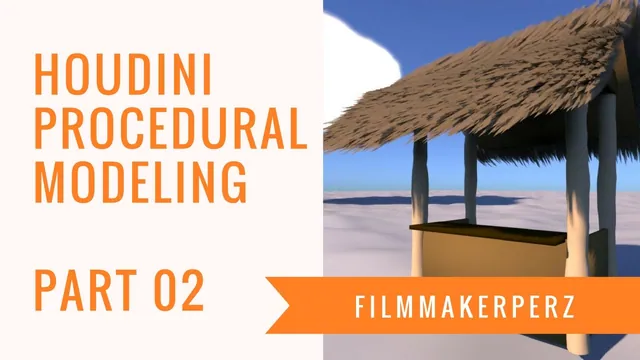
Tiki Hut Tutorial | 3D Procedural Modeling in Houdini - Part 02
Written guide
Playing loads YouTube content. YouTube processes data after activation.
Watch on YouTubeIf the player is blocked or unavailable, use Watch on YouTube.
Extend the existing procedural tiki-hut frame with a counter and two sloped roof panels. Part 2 concentrates on relationships: the new pieces borrow dimensions and positions from the structure already built, so the hut can be adjusted without manually moving every addition.
Begin with the previous lesson’s columns, wall/frame elements and master placement controls. The exact Houdini version and complete expression paths are unverified. The recording contains several accidental channel edits and repairs; the useful instruction is which quantity should drive which part, rather than a supposedly complete expression copied from imperfect captions.
Position the counter from the existing structure
At 00:00, add a Box for the counter and include it in the hut’s final Merge. Add a Transform so placement can be handled separately from the box’s dimensions.
At 01:01, copy the existing height-related parameter and paste a relative reference into the new Transform. The source placement was based on half-height, so the instructor multiplies that relationship by two to reach the top. This depends on the earlier construction; doubling an arbitrary height elsewhere would not necessarily place a countertop correctly.
At 02:00, reference the existing Z position in the Transform’s Z translation. Keep that placement relationship out of the box’s size fields. The instructor accidentally writes into another channel and deletes that channel to restore it before proceeding.
Check the counter’s position before altering its width: it should sit at the intended height and depth relative to the frame. Separating these checks makes it easier to tell a dimension error from a placement error.
Size the counter between the posts
At 03:01, reference the existing width into the box’s X size. The instructor again repairs an accidental channel edit, restoring a default value where a stray entry had been made.
At 04:02, link the tube’s two radius parameters so changing one maintains a circular post cross-section. Then use the post radius in the counter-width relationship to keep the top from protruding through the posts.
The next several minutes troubleshoot copying and editing the reference. Around 06:10, the instructor identifies the source node as tube1 and the relevant radius channel as rad1. At 08:03, the working expression subtracts the referenced radius contribution with a factor of two, accounting for the two sides. The full node-path expression is not reliably captured, so this is a dimensional relationship to inspect in the source scene, not an executable expression supplied here.
Set the counter thickness to about 0.1 in the demonstrated scene. Check the two ends after changing the post radius. A procedural relationship should continue to preserve the intended inset, rather than merely looking correct at the one radius used to construct it.
Create a thin roof panel with a meaningful pivot
At 09:00, add another Box and Transform for the roof. Merge it into the complete hut and lay out the growing network so its references remain readable.
At 10:03, use the structure’s height information to move the panel upward. Reference the master column placement to establish its span. The instructor doubles the relevant X relationship and adds an overhang, then reduces the panel thickness to 0.1.
At 12:02, rotate the panel 45 degrees around X. Around 13:04, reference the master column’s Z information into the pivot setup so the rotation occurs in relation to the support structure. Translation, size and pivot have different jobs: a correct panel width cannot compensate for rotation about the wrong location.
The instructor notices that pressing the spacebar while still interacting with a channel has caused several of the unwanted edits. Finish or leave the field before using viewport navigation shortcuts, then recheck any expression that changes unexpectedly.
At 14:07, add a small Z placement offset. An initial +1 is too large, while about +0.1 is accepted at that stage. The panel’s length is subsequently increased to about 3. These are local adjustments to this roof, not universal hut dimensions.
Mirror the placement expression as a whole
At 15:03, copy the roof Transform for the opposite panel and change the rotation to −45 degrees. Negating the Z placement should move the counterpart to the other side.
At 16:04, simply appending a multiplication by −1 does not negate the intended whole expression. The correction wraps the existing placement expression in parentheses before multiplying it. This preserves the relationship between the referenced base position and its offset when reflecting the result.
Inspect both roof panels together after that change. They should respond symmetrically to the master placement while retaining the opposing slopes. If one moves incorrectly, check expression grouping before compensating with another arbitrary offset.
The roof still has areas the instructor plans to cover with grass blades, and additional supports and detail are deferred. Part 2 establishes linked counter and roof forms; it does not finish the thatch, resolve every visible join or demonstrate a broad parameter-range test of the completed hut.