
Houdini & Procedural Workflows / Houdini
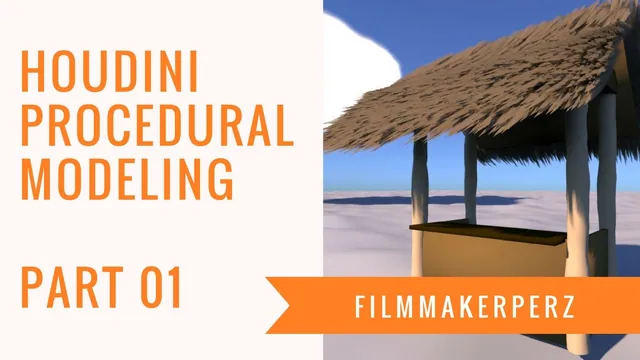
Tiki Hut Tutorial | 3D Procedural Modeling in Houdini - Part 01
Written guide
Playing loads YouTube content. YouTube processes data after activation.
Watch on YouTubeIf the player is blocked or unavailable, use Watch on YouTube.
The first tiki-hut lesson builds a small framework of support posts and low wall panels. Its subject is the relationship between dimensions and placement: moving a master post should update the opposite posts and the panels that span between them. The endpoint is a starting structure for later modeling, without a roof, materials or a finished hut asset.
The recording uses Houdini parameter references and ordinary geometry nodes; its precise version is not identified. Several references are initially pasted into the wrong field or onto the wrong branch. Following those corrections is useful because a plausible-looking static model can hide a broken procedural relationship.
Establish the master post and keep its base grounded
At 00:01, create a Geometry object and a polygon Tube for a support. Adjust its height, divisions and two radius components until it has the intended tall, narrow form. The source tries several values while shaping it; the procedural relationships matter more than an exact universal post size.
Append a Transform and place the post away from the center of the intended hut. This establishes one corner of a rectangular footprint. The later panel explanation uses an X offset of two units and a Z offset of one unit, giving a four-by-two span between opposite post centers.
At 04:00, link the post’s vertical placement to half its height using Copy Parameter and Paste Relative Reference, then divide the reference by two. For the centered tube in this setup, that moves its bottom to the ground. Change the source height to inspect the relationship: the top should move while the bottom remains at the same level.
This is a live parameter reference, rather than copying the current numeric value. If the grounded position stops tracking the height, inspect the destination channel to confirm that the reference is still present and that it points to the intended height parameter.
Derive the other corners with signed references
At 03:02, a second Transform branch is merged with the first so both posts can be inspected. Copy the relevant translation parameters from the master and paste relative references into the companion branch. Negate the X reference for the opposite side.
The remaining corners use the same relationships with the required X and Z signs. The demonstration copies existing Transform nodes, retaining their expressions, then edits which axis is multiplied by negative one. Connect each branch into the common Merge so all four corners are visible together.
The important arrangement is the combination of positive and negative offsets around the center. A copied transform can retain an unwanted sign even though its source reference is correct. Test an X adjustment and a Z adjustment separately: the corresponding pairs should move symmetrically, while the grounded vertical relationship remains intact.
The article groups the grounding explanation before the final corner checks for readability; the source develops these connections interactively. It does not expose a completed asset-level control panel in this part.
Size the wall panels from the footprint
At 08:00, create a Box for a panel and merge it into the preview. A one-unit box must span the distance between two symmetric post offsets. Copy the master X placement parameter into the appropriate box size and multiply it by two. With a two-unit half-span, this gives a four-unit panel span in the demonstrated arrangement.
The instructor initially tries the reference in a Transform scale and does not obtain the expected result. The accepted correction uses the Box’s Size parameter directly. A later comment also identifies an unwanted leading value in a pasted field as a possible cause of the earlier failure. Do not conclude from this experiment that Transform scale cannot be driven by references; the verified local solution is the direct size connection.
A second Box uses twice the master Z offset for the perpendicular span. Keep the dimensions on their correct axes: the front panel spans X, while a side panel spans Z. Set a thin wall dimension, with 0.1 used as an example. The source copies that thickness manually for now and defers a shared control until later.
The span references place panel edges at the post-center extents used by this construction. They do not include a separate post-radius clearance or joinery calculation. Inspect the intersections as modeled rather than assuming that the setup creates precise woodworking joints.
Place the panels and test the dependencies individually
At 13:01, reference the master post’s X offset to place a side panel. The first paste goes onto the wrong geometry branch; clear that erroneous channel and apply the reference to the intended Box transform instead. Copy that transform for the opposite side and negate the placement reference.
For both side panels, reference half their own box height into Y translation. The source copies this expression to the companion transform and checks that both panels remain grounded as height changes. The front panel is then placed along Z with the master offset and receives its own half-height vertical placement. A channel-editing misstep is corrected before the final height adjustment.
The closing example at 17:02 uses a low wall height of two units to form the base boundaries of the bar. That is the demonstrated finish. It should still be possible to change the footprint through the master placement and change panel height without lifting the bases off the ground.
Verify the model with separate changes to post height, X half-span, Z half-span and panel height. Each should affect only its intended relationships. If a panel stays behind, inspect whether a value was pasted instead of a relative reference. If it moves to the wrong side, inspect the sign. If only one wall grows, inspect which Box supplies the copied height expression. These checks reveal the procedural structure that this first installment is teaching without inventing the later hut construction.