
Houdini & Procedural Workflows / Houdini
How to make a 3D House | Houdini Tutorial (Part 2)
Written guide
Playing loads YouTube content. YouTube processes data after activation.
Watch on YouTubeIf the player is blocked or unavailable, use Watch on YouTube.
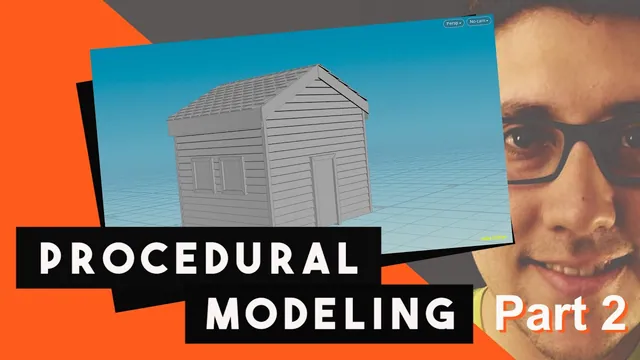
This continuation finishes an existing procedural house with ridge tiles, simple door and window geometry, window sills, and corner trim. It begins with the earlier house network already built: wall and roof controls exist, Boolean cutters define the openings, and a row of tiles is ready for the roof ridge.
The main lesson is to derive visible details from the same dimensions that drive the building. It also shows where that approach needs care: deformation order affects the ridge tiles, an off-center window cannot be scaled like a door at the origin, and mirrored details need their orientation checked. The exact Houdini release is unverified.
Place the ridge tiles and correct their deformation order
From 01:01, display the ridge-tile branch while templating the assembled house. Copy the existing roof-height expression into a Transform’s Translate Y so the ridge rises with the roof. The transcript does not provide the full expression from the earlier lesson, so the supported operation is to reuse that existing relationship rather than invent a replacement formula.
The flat tiles need to curve over the ridge and sit slightly above the roof. The instructor first adds an offset of 0.1, then reduces it to 0.05 to avoid pushing them too high. Judge this offset against the actual tile thickness and roof intersection.
An earlier rotation makes the Bend skew the tiles. Around 03:00, remove that rotation at its original location and apply it in a later Transform, after the bend and possibly after the extrusion in the recorded chain. The later rotation is set to seven degrees. This changes the order of operations: bend the tile in the intended local orientation, then apply the final placement rotation.
Check the result on the roof, not only on the isolated tile. A clean curve in isolation can still intersect the roof once the tile is positioned and repeated.
Treat the ridge-bend expression as a tuned relationship
From 04:01, reuse an existing roof-angle expression to drive the Bend. The first result bends the wrong way, and several changes to sign, angle offset, and scale are tested. Raising the roof initially tightens or relaxes the curve in the opposite way from the intended behavior.
The instructor compares trigonometric variants and eventually identifies a cosine-based version that follows the desired direction. Around 09:06, the expression is multiplied by five, then reduced to four after inspecting how closely the tiles wrap the ridge. The instructor explicitly describes this multiplier as a guess related to the Bend falloff and suggests that it could become an offset control.
That sequence supports an empirically adjusted relationship in this house network. It does not supply a fully derived general formula for every roof slope. The final expression is not completely recoverable from the captions, so consult the existing network and the demonstrated parameter view when reproducing it.
Test more than one roof height and depth. The intended result is that the ridge follows the roof and remains visibly wrapped over it. A single attractive setting would not reveal the reversed response that the instructor catches by changing the controls.
Reuse the door cutter as the basis for a visible door
Around 10:01, find the Boolean geometry used for the front-door opening. Add a Door Width floating-point parameter beside the existing Door Height control, initially using 1 as its default, and reference it from the cutter’s X width.
Changing this control should resize the opening. Keep the cutter deep enough to pass through the wall over the intended range of settings; the visible door will be made thinner on a separate downstream branch.
Create a Transform on the door geometry feeding the final assembly. Reduce its Z scale, testing 0.1 and then 0.01, and move it slightly backward in Z by approximately −0.01 so it sits within the opening. These are example proportions and offsets for this model.
The result is a placeholder door surface. A handle or more elaborate framing is suggested as something to build from the same dimensions, but it is not completed here. Preserve the branch relationship so later detail can be added without changing the cutter that creates the opening.
Build window surfaces before their repeated placement
From 16:05, the instructor tests the same scaling approach on the windows and explains why it fails. The door was near the origin; the window assembly has already been moved. Scaling it at that stage shifts its placement because the pivot is no longer appropriate for the desired thinning operation.
Instead, copy the window-construction chain and make a separate visible-window branch, leaving the Boolean branch available for the wall openings. The first copy omits two needed nodes and is undone, then repeated with the full set. Merge both window groups into the final house assembly.
Modify the source box before its repeated positioning. Make it thinner in the appropriate local dimension, use a simple polygon-mesh box with two divisions in each direction, and select the two faces used for the visible window treatment. Apply one PolyExtrude as an inset, then another with a negative distance to recess the center.
Inspect the assembled output around 20:01. The recesses should appear in the repeated window locations while the wall openings remain aligned. Copying a construction chain is useful only if its parameter references and placement operations still describe the intended house dimensions; inspect the result after changing a relevant control.
Add a sill and correct the mirrored side
Around 20:01, add a Merge in the window-detail branch and create a small Box as a sill or planter-like placeholder beneath the window. Adjust its height, position, and outward offset before it is distributed with the window geometry.
The repeated result reveals that one side is not inverted as intended. The instructor clears channels on the relevant transform, resets the necessary value, applies a negative X scale, and adds Reverse to correct the resulting surface orientation.
Check both sides after this repair. A mirrored outline alone is not sufficient if the sill points inward or its normals face the wrong direction. The example remains deliberately low polygon and simple; its purpose is to demonstrate where a reusable window detail belongs in the branch, not to finish a fully modeled architectural fitting.
Drive corner trim from the house dimensions
From 23:01, create narrow Box geometry for the corner trim, using 0.1 in X and Z in the demonstration. Reference the house height for the box height and use half that height for its vertical center. This keeps the trim rising from the base as the building changes height.
Place a front strip at half the house width in X, duplicate it for the opposite side, and negate the X placement. Merge the pair into the house. The instructor notices intersection near the upper edge, tries a reduction of 0.01, then uses 0.05. An expression-copy attempt is corrected by duplicating the working setup and changing the side sign.
Around 26:00, create the rear pair with a Transform whose Z translation references the house depth in the negative direction. The four trim locations now derive from the building dimensions rather than four unrelated manual placements.
The instructor’s observations about local wood-sided houses motivate this visual detail. They are an artistic reference for the model, not a general construction requirement for every building material.
Exercise the controls within the demonstrated range
Near 27:02, test house height, width, depth, door settings, and window counts. Increasing the house height makes additional rows of windows more plausible; the recording also suggests further details such as an attic window without building them.
Avoid taking the house height through zero, which the instructor explicitly flags. More broadly, the visible tests establish useful flexibility in the demonstrated range, not robustness under every possible parameter combination.
The finished continuation adds a network of dependent details: the ridge follows the roof, the door and windows follow their openings, and the corner trim follows the building dimensions. The unresolved ridge-bend derivation and the deliberately simple doors and windows remain visible limitations. Exporting the house through Houdini Engine is discussed as future work, not demonstrated as a completed integration in this lesson.