
Houdini & Procedural Workflows / Houdini
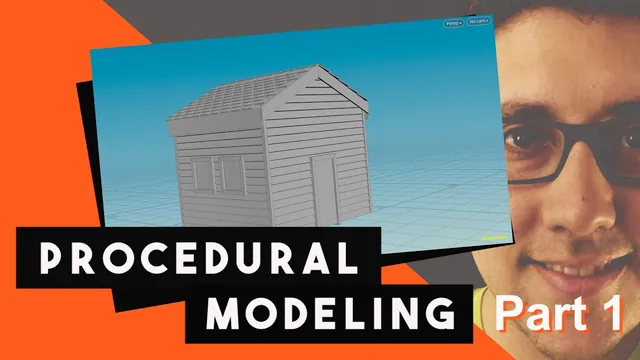
How to make a 3D House | Houdini Tutorial (Part 1)
Written guide
Playing loads YouTube content. YouTube processes data after activation.
Watch on YouTubeIf the player is blocked or unavailable, use Watch on YouTube.
A procedural house needs more than adjustable dimensions. Its boards must follow the dimensions, its openings must remain inside the walls, and its roof must respond to changes in both width and height. This livestream develops those dependencies from a new Houdini scene, using parameter references, repeated geometry, Boolean cutters and point distributions.
The creator’s description identifies Houdini 17.5. The recording builds a wall shell with door and window openings, then develops roof tiles and begins a ridge covering. It ends with an application crash: the instructor reports that the roof work since the last save has been lost. The finished house shown at the beginning is a reference, not the completed result of this session. Creating a digital asset is proposed, but asset packaging is not demonstrated here.
Put shared dimensions above the modeling network
During 01:14–08:01, create a geometry object named House and add a House Settings folder through Edit Parameter Interface. Add separate float parameters for width, height and depth. The displayed label is for the person using the model; the internal parameter name is what references address. The source uses names such as HouseWidth, HouseHeight and HouseDepth without spaces.
The example defaults are width 4, wall height 3.3 and depth 5. They establish a useful starting shape, not architectural dimensions to enforce. The instructor deliberately leaves ranges unrestricted while exploring the model. Consequently, the network is not shown to be safe for zero, negative or extreme dimensions.
Split the parameter interface into two panes and pin the object-level controls in one. This allows the modeling network to remain open while its shared dimensions are edited. Copy Parameter and Paste Relative Reference connect downstream sizes and positions to those controls. A copied numeric value would only match the current house; a reference continues to respond when the house changes.
Build siding from one board and a height-dependent copy count
At 08:04–17:06, a Box supplies the front board. Its X size follows house width, its Y size starts at 0.3, and its thin Z dimension is adjusted to about 0.05. Set its center Y from half its own height so its lower edge starts on the ground instead of straddling it.
A Copy and Transform operation stacks boards upward. The vertical increment follows the board height. A small rotation is inserted before copying to give the siding a slight overlap rather than a perfectly flat stack.
The number of boards must account for the size of each board. Copying a 0.3-high board approximately three times does not produce a three-unit wall. The source derives the count from house height divided by board height, expressed through relative references. Inspect the result against the front-view grid rather than judging it only in perspective.
This count is discrete while the requested height can be fractional. The instructor explicitly anticipates a gap when whole boards do not fit the requested height exactly and suggests later framing as a way to cover it. No fractional-board fitting system or completed framing repair is demonstrated in this part.
Locate four walls using half-width and full-depth offsets
During 17:06–25:01, make a side-board version whose long dimension follows house depth. Its small tilt changes from the front board’s rotation axis to the axis appropriate for the side wall. Name the branches so the front and side boards remain distinguishable.
The house is centered across X, while its depth extends in negative Z from the front. That convention explains the placement references:
| Element | Relationship used in the demonstration |
|---|---|
| Left and right side boards | Opposite half-width X offsets |
| Side-board center along the house | Negative half-depth Z offset |
| Rear wall relative to the front | Negative full-depth Z offset |
| Opposing board tilt | Sign adjusted so the overlap faces the intended direction |
Merge the relevant board variants before the shared vertical copying where their copy settings are identical. Later in the source, redundant Copy nodes are removed for this reason. Shared operations reduce the number of places that need correction when the height changes.
Check the wall positions and the direction of the board tilt separately. A wall can occupy the right location while its overlap slopes in the wrong direction.
Shape the gable with dimension-driven Boolean cutters
At 25:01–46:58, add Roof Height as a separate control for the rise above the wall. The example begins at 3. Extend the siding high enough to include that rise, then trim it into a gable with box-shaped Boolean cutters.
An early expression error is significant: the combined wall height and roof height must be grouped before applying the board-count calculation. Without the grouping, the two terms are not converted into a consistent total number of boards. The instructor expands the expression field and fixes its parentheses after noticing that the generated height is wrong.
The roof construction uses a right triangle. If W is the house width and R is the roof rise, its horizontal leg is W / 2, and the sloping length is:
L = sqrt((W / 2)² + R²)
This is the geometric relationship, not a complete paste-ready Houdini channel expression. The recording constructs the actual expression by inserting parameter references and checking its parentheses. The square root gives the length itself; it does not give the squared length.
The angle is derived through an inverse tangent relationship. Here the cutter’s starting orientation matters: the source uses half-width and roof height, then adjusts the result with an angle offset and tests the side on which the cutter lands. Do not replace that with an isolated numeric angle or assume the same expression signs apply to a differently oriented box. The captions do not provide a sufficiently unambiguous final expression to reproduce every angle term verbatim.
Set the Boolean to subtract the cutters from the siding; its initial intersection setting does not produce the intended cut. Extend the cutter beyond the wall depth so tilted boards do not protrude around its ends. The demonstrated depth multiplier and positional adjustments are practical allowances in this example, not a general tolerance calculation.
After one slope works, mirror its cutter with negative X scale, reverse its normals, merge both cutters and feed them into the Boolean. Change Roof Height and inspect both slopes. The proposed four-sided hip-roof variation is discussed only; this network produces the two-sided gable arrangement.
Distribute window openings on interior line points
During 47:01–57:01, a box establishes the front-door opening and another box supplies the side-window cutters. The door receives a height parameter and a half-height center relationship so its bottom remains at ground level. The demonstration changes its trial proportions; it does not establish a building-standard door size.
For windows, create a line pointing in negative Z and drive its length from House Depth. Copy to Points takes the window box as source geometry and this line as its target distribution. The endpoint positions are unsuitable for windows because they lie at the front and rear edges of the wall.
Use Group by Range on the line’s points to select the interior points while excluding the first and last. The instructor initially places this group on the box branch, then corrects it to the line branch. Set the Copy to Points target group to that point group. Grouping the source geometry cannot choose which destination points receive copies.
The count relationship is easy to reverse. A line with four points yields two windows after its endpoints are excluded. Therefore, a requested count of N windows requires N + 2 line points. The source’s early spoken description is confusing, but the subsequent four-points/two-windows test and final addition of 2 resolve the intent.
Position this distribution at the side wall with a half-width offset. Inspect the cutters before the Boolean: windows at the center of the house cannot cut the side siding even if their count is correct.
Add vertical window rows without applying the offset twice
At 57:01–1:04:58, a second line supplies vertical placement across House Height. Add a separate number-of-vertical-windows control. It also needs two extra points so the floor and top endpoints can be excluded with a point group.
A second copying stage combines the horizontal distribution with the selected vertical positions. Keep track of where the side-wall offset is applied. The first combined result fails because the distribution is moved twice. Removing the earlier redundant Transform places the cutters back in the wall and the openings appear.
To produce openings on the opposite side, transform a copy across the house width and merge it into the cutter stream. Door and window cutters join the roof cutters, allowing the same subtraction stage to remove the required material.
The useful checkpoint here is a wall shell with openings that respond to horizontal and vertical counts. These are holes, not finished window frames, glass or a door assembly. Save this state before continuing. The instructor explicitly saves near this point; the later crash makes that boundary consequential.
Build roof-tile distributions and diagnose changing orientation
During 1:05:05–1:25:00, separate the roof work into its own network area. A small Grid supplies a tile, and line-based distributions control repetition along the depth and up the roof slope. Reuse the sloping-length calculation and roof-angle information rather than introducing unrelated measurements.
The slope line must be rotated and positioned so it follows the gable. The recording fixes another missing parenthesis, relocates a height expression from a line origin to a Transform, and changes a direction sign before the line matches the wall silhouette. Template the relevant geometry while making these comparisons; a plausible expression is not proof that the line lies on the roof.
Copy tiles onto the distributions and rotate the tile geometry to match the slope. Changing Roof Height then reveals flipping behavior. The instructor diagnoses missing direction information on a line and uses the historical Point Old node’s Add Edge Force output, followed by an Attribute VOP that binds the edge-direction attribute into the normal output. In the shown adjustment, the flipping stops, although the tile rotation still needs attention.
This is a Houdini 17.5-era setup. The captions do not reliably preserve the exact edge-direction attribute spelling, type or every VOP setting, so inspect the recorded node and attribute information before recreating it. The demonstrated correction is not a verified universal orientation solution across arbitrary line shapes or current Houdini releases.
Offset the tile’s source grid relative to its own size so copies originate at the intended edge, then PolyExtrude it for thickness. Inspect location, slope alignment and thickness as separate properties. Increasing copy counts cannot repair a wrongly oriented or centered source tile.
Alternate the tiles and begin the ridge covering
At 1:25:00–1:36:50, Group by Range selects one point out of every two. A complementary group starts one point later. Separate copy branches and corresponding alternating groups let the source build a staggered pattern, then merge it into the roof surface. The transcript establishes the alternating-group strategy but does not narrate every final connection sufficiently for a complete wiring diagram.
The tile sizes and offsets are adjusted visually. Trimming excess tiles at the front and back with another Boolean is suggested and deliberately left undone. Mirror the completed roof side, reverse the mirrored normals and merge the two sides.
For the ridge, the instructor duplicates a tile grid, removes its previous rotation and offset references, adds thickness, and applies two Bend operations. Their capture directions oppose one another; their bend amounts are linked. The capture length is related to half the tile’s X dimension. This makes a folded covering intended to bridge the seam between the roof sides.
Copy that ridge piece along a depth distribution. The first result contains too many copies, and adjustment begins. The application then stalls and crashes before this detail is finished.
Resume from the saved shell, with the unfinished work identified
During 1:37:01–1:39:06, the instructor closes the failed application and reports that the roof work is gone. The intended next step is to rebuild it and continue with the ridge, doors and windows. Part 2 is the linked continuation; its existence does not establish that those operations were completed within Part 1.
Before treating this network as a reusable asset, inspect four separate behaviors: dimensions move the walls coherently; window counts retain interior margins; roof dimensions preserve cutter and tile alignment; and saved files actually contain the latest roof work. Save after each coherent stage. The source supports these dependency checks, but it does not demonstrate unrestricted parameter ranges, final framing, finished architectural details or a packaged digital asset.