
Houdini & Procedural Workflows / Houdini
Houdini Grass Tutorial Using Grooming Hair and Fur Systems
Written guide
Playing loads YouTube content. YouTube processes data after activation.
Watch on YouTubeIf the player is blocked or unavailable, use Watch on YouTube.
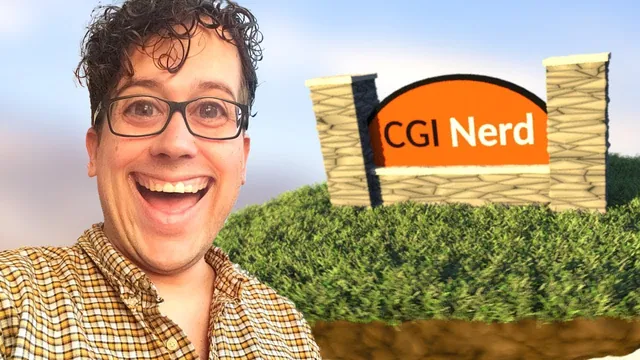
This grass workflow begins by deciding exactly where grass may grow. The scene already contains a floating rock island and a sign. The lesson extracts a suitable planting surface, removes the sign’s footprint, and uses Houdini’s hair and grooming tools to create colored blades with varied length and direction.
The exact Houdini release is unverified. This is a static grooming demonstration; unlike the separate earlier fur-based grass lesson, it does not add dynamic contact. The two recordings should not be treated as identical node-by-node setups.
Select the island’s upper surfaces by normal direction
At 00:21, enter the existing geometry network, where the sign and island are organized in separate subnets. Add a Group node to the island branch and select by normal direction, using positive Y as the upward direction.
The initial spread angle is 180 degrees and selects too much. Narrow the angle while inspecting the selection. The instructor wants the upper surface plus a little spill over the edge, but not grass far down the underside. The uneven ground will also vary the initial directions of the generated blades.
Add a Blast using this group and enable Delete Non Selected to keep the planting area. The first attempt removes the selected region instead, so the inversion is an essential correction. Check the displayed geometry: it should be the desired growing surface, not the rest of the rock with that surface missing.
Remove the sign’s footprint and inspect the Boolean output
From 03:02, use a Boolean with the planting surface and sign geometry. The intention is to subtract the area occupied by the sign. The initial result is an intersection, so change to the subtraction operation appropriate to those inputs.
This part of the lesson includes a failed detour. Because the sign contains multiple pieces, the instructor tries a Boolean Union within its subnet, then abandons that operation after problems appear, including issues with point colors. The final path instead moves the sign’s cutter representation slightly downward before the subtraction, with an example offset of −0.2.
That offset makes the geometry intersect the planting region. It works for the demonstrated shape, whose cross-section remains suitable as it moves down; the instructor cautions that a shape changing significantly with height might not work the same way. Use the offset as a scene-specific correction rather than a general footprint-extraction formula.
The subtraction leaves extra geometry, so the instructor inspects the Boolean’s output groups and adds another Blast. The successful selection is described as B Outside A with Delete Non Selected enabled. Because this depends on the actual input arrangement, verify the retained surface rather than treating the group label as universal. The endpoint is ground where grass should grow, with the sign area excluded.
Create an output Null for that surface. In a new Geometry object, use Object Merge to import the Null’s output. This separate growing surface can later be hidden while the original island remains visible, avoiding two overlapping copies of the ground in the final scene.
Add fur and shape its material and thickness
Around 10:04, switch to the Grooming layout and hair tools, select the extracted surface, and apply Add Fur. When prompted for animated skin, the instructor proceeds without one because this scene is static.
Edit the generated hair shader. Give the roots a darker green and the tips a brighter green, then add variation through the shader’s randomness controls. The interface repeatedly jumps away during changes in the recording; the instructor returns to the shader to continue. This is an observed interface annoyance, not a necessary part of shading the grass.
At 13:03, inspect thickness. Shape the thickness profile so the blade is narrower near its root and fuller farther along, then adjust overall thickness. A large value is rejected; 0.05 is still too thick, and approximately 0.01 is accepted for this scene. Those values depend on the model scale and the demonstrated control.
The goal is to make the generated strands read as blades rather than fine hair. Judge the profile and overall thickness together. A uniform scale increase alone does not reproduce a shaped width profile.
Randomize length and bend, then blend the common direction
From 14:05, use the radial grooming menu to add Set Length. Enable randomization; the displayed range initially runs from 0.1 to 0.2 and is accepted as a starting point. The variation breaks the perfectly level appearance of equal-length strands.
Add a Bend guide process and randomize its angle so the blades do not all have the same posture. The instructor inspects the grass beside the sign to confirm that the prepared growing surface keeps it out of the occupied area in this example. A correct root mask does not by itself guarantee clearance for every possible later bend or longer blade, so inspect the complete styled result as well.
Then use Set Direction for a slight shared lean, initially discussing negative Z. Enable its blend control so it does not completely replace the variations already built. This order is useful: length and bend establish local differences, and the blended direction gives the patch a modest overall flow.
The narration relates this lean to the sun, but no sun-driven animation or plant-growth model is implemented. Here it is an artistic direction choice applied through the guide process.
Reassemble the scene and revise the final silhouette
Around 17:04, hide the separate grass surface and show the original scene together with the fur. Inspect the island, sign, and grass as a whole. This verifies that the extracted emitter served its purpose without becoming an extra visible ground layer.
The first result suggests freshly cut grass. Near 18:08, the instructor returns to Set Length and raises the maximum to make it more overgrown. This is a targeted upstream edit: the prepared surface, shader, and later directional styling remain part of the same setup.
The demonstrated endpoint is a static patch placed around existing scene geometry. Its useful checks are the retained upper-surface selection, the excluded footprint, the absence of duplicate visible ground, and the blade silhouette after all guide processes. Dynamics, wind, caching, and export remain separate tasks.