
Houdini & Procedural Workflows / Houdini
How to make 3D Grass | Houdini Tutorial
Written guide
Playing loads YouTube content. YouTube processes data after activation.
Watch on YouTubeIf the player is blocked or unavailable, use Watch on YouTube.
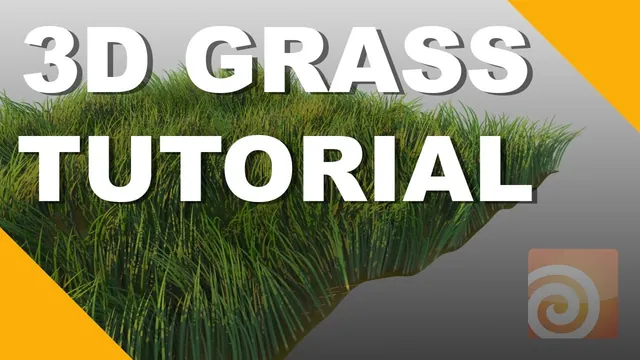
Houdini’s fur system can provide a starting point for grass: a surface distributes curves, guide settings shape them, and a material controls their color along their length. This lesson turns a default fur patch into rough, uneven grass, then adds dynamics and demonstrates a falling object pressing it down.
The recording uses a historical Fur object and shelf workflow, with an unverified exact Houdini release. The validated caption track contains heavily distorted words in several parameter discussions, so the guide preserves the clear operations and comparisons without inventing exact values or modern equivalents for every setting.
Start with a slightly uneven growing surface
At 00:20, create a grid and add enough divisions for a Mountain node to deform it. Reduce the initially strong noise until it resembles a rough ground surface. Move it slightly upward where necessary to avoid intersecting the visible reference ground.
Use Add Fur from the hair tools, select the surface, and confirm. Inspect both the viewport and a quick render. The default fur can look acceptable in the viewport while rendering as a much denser patch of thin hair. That first comparison establishes the work ahead: color, density, thickness, and variation all need attention.
Keep the growing surface simple while tuning these properties. Increasing its deformation or detail does not by itself make the generated curves look like grass.
Concentrate the root color near the ground
From 03:01, follow the Fur object’s material shortcut to its assigned shader. The instructor keeps a brownish root and chooses green for the tip. The initial blend spreads the root color too far along the strands, so adjust Root Tip Blending with its ramp to confine the brown region near the bottom.
This is a spatial transition along each strand. A brown root does not require half the blade to remain brown: the ramp determines where the color changes. Inspect the patch from the side so the distribution is visible.
Reduce the reflection strength while retaining some highlight. The opacity transition also needs attention; the instructor limits the soft transition near the base so the blades blend into the ground without becoming broadly transparent. The exact ramp positions are not reliably recoverable from the captions, so judge the resulting root region in the render rather than applying guessed coordinates.
Small variations in intensity and saturation make the patch less uniform. Keep them restrained enough that the overall grass color remains coherent. The lesson uses render feedback to tune this appearance rather than defining a universal grass shader.
Separate render density, viewport percentage, and guides
Around 06:02, adjust the basic Length setting to shorten the fur into grass. Curve resolution is discussed in relation to more elaborate shapes such as curls or frizz; this relatively simple patch does not require those shapes.
Three density-related ideas are easy to confuse:
- Display percentage controls how much of the generated hair is shown in the viewport. The example displays about 5 percent of what will render.
- Render density controls the amount of final hair. The instructor reduces it because the blades will become thicker than the original fur.
- Guide density controls the curves used to shape the generated result. Reducing guide count can make editing easier, but also reduces local control.
Use the display options to distinguish the generated curves from their guides. Hiding guides does not remove the final grass, and a sparse viewport is not proof that the render contains too little grass. Evaluate render density with a render test, especially after changing thickness.
Make the patch uneven without losing the blade shape
Beginning around 10:05, the instructor adjusts the available comb and bend noise to vary the directions and shapes. The caption wording in this section is poor, so no complete numeric noise preset is established. The visible aim described in the source is a less uniform patch rather than identical upright strands.
Randomize length so some blades extend above others. The instructor explicitly frames this as a rougher, wilder grass treatment that may be unsuitable for a freshly mown lawn. Overall length and length variation serve different purposes: one sets the typical scale, while the other breaks the level top edge.
Thickness requires a correction. The first adjustment affects the wrong thickness-related value; the instructor then identifies the maximum thickness control as the intended target. Increase blade thickness and inspect the rendered result in combination with the reduced density. The transcript does not reliably establish the final value, and carrying a guessed value into another scene scale would be misleading.
Clumping is briefly tried, but the observed behavior does not produce the intended gathering and is not developed into a reliable grass-clumping method. Parting controls are also left unused. The lesson’s supported result comes from the length, thickness, and directional variation already established.
Add light and dynamics, then test contact
Around 14:07, add an environment light and inspect the render. Lighting and shadows help reveal the blades and the depth between them; geometry and color should be judged under this lighting rather than only in an unlit viewport.
Apply Add Dynamics to the fur setup around 15:01, then play the simulation. The grass initially settles or droops. Adjust the Dynamics stiffness ramp so the base remains firmer while the tip is more flexible, and replay to judge the response. Uniformly reducing stiffness can make the whole blade collapse; varying stiffness along its length better matches the demonstrated goal of rooted, flexible grass.
Add a brown Color node to the original ground so exposed gaps and edges read as ground beneath the grass. This is a separate appearance adjustment from the fur shader’s root color.
For the final interaction test, the instructor introduces a falling ball using rigid-body tools and a static collision setup, returns to frame one, and plays forward. The ball visibly depresses the grass. The exact shelf selections and collision wiring are not fully intelligible in the transcript, so this is evidence of that demonstrated interaction, not a complete recipe for integrating every kind of dynamic object.
The useful final comparison is static versus dynamic behavior: the modeled patch already has varied shape and color, while the simulated curves can bend under contact. The recording does not establish wind settings, a cache/export workflow, or modern Vellum migration. For following this historical lesson, verify the rendered density first, then the stiffness profile and contact response; those checks address different parts of the result.