
Maya & Python Scripting / Maya / Python
Day 7 - Conditions in Maya with Python | Maya 30 Day Introduction to Python
Written guide
Playing loads YouTube content. YouTube processes data after activation.
Watch on YouTubeIf the player is blocked or unavailable, use Watch on YouTube.
A Maya script often needs to choose what to do based on the scene: continue when objects are selected, report an empty selection, or handle one category differently from another. Python conditions make those choices explicit. This lesson builds from simple comparisons to a selection check, with particular attention to why an if/elif/else chain behaves differently from several independent if statements.
The examples use the Script Editor and maya.cmds. No exact Maya or Python release is identified, and the final example only reports selection state; it does not validate object types or modify a rig.
Read an if statement as a test for a true condition
At 00:00–02:02, the instructor begins with the Boolean values True and False. Their initial letters are capitalized in Python. An if statement executes its indented body when its condition is true.
This explains a potentially confusing first experiment: if False: does not mean “run the following code because I want to handle false.” Its condition is false, so the body is skipped. A message inside that body will not print, regardless of what the message says.
To practice, put a print statement inside an if True: block, run it, and then change the condition to False. The presence or absence of the output is the result being tested. An empty output is not automatically a Script Editor failure; it can mean that the condition correctly prevented the body from running.
Use the colon and indentation to make the block boundary visible. The indented statements belong to the conditional body, while subsequent unindented code resumes after that block.
Choose the comparison that expresses the actual question
During 02:02–05:00, the lesson uses numeric variables to compare values. Greater-than and less-than tests ask about strict boundaries; adding the equality component includes the boundary itself.
| Operator | Question |
|---|---|
> or < |
Is the left value strictly greater or smaller? |
>= or <= |
Is it greater/smaller, including equality? |
== |
Are the values equal? |
!= |
Are the values different? |
The distinction between = and == is central. x = 5 assigns a value to a name. x == 5 compares the existing value with five. Using a single equals sign in the lesson’s ordinary if comparison produces an error rather than the intended test.
Test a boundary directly. With x equal to five, x > 5 and x >= 5 should not produce the same result. That small example helps catch a common tool-design error: excluding exactly the value that was supposed to be allowed.
Combine conditions and test membership deliberately
At 05:00–08:00, and and or combine comparisons. In the lesson’s Boolean tests, and requires both comparisons to succeed; or succeeds when at least one does. The instructor changes the signs of the input numbers to show the difference rather than testing only a case where both are positive.
For a combined condition, verify more than its happy path. Try both tests true, only one true, and neither true. Otherwise an accidentally used or can look correct when the only tested inputs happen to satisfy both comparisons.
Membership is a different question. 3 in numbers checks whether the list contains that value, and 6 not in numbers checks for its absence. With a string, in checks whether the requested character sequence occurs within the text. It is not asking for a numeric comparison or for a list index.
These operators let the condition express the reason for choosing a branch. The print statement merely reports the outcome; changing its wording cannot change which branch runs.
Use one chain for mutually exclusive answers
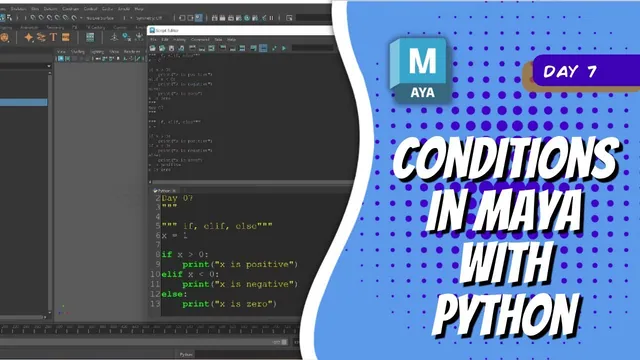
During 08:00–11:00, the lesson classifies a number as positive, negative, or zero. An if/elif/else chain checks the branches in order and executes the first matching branch. The final else handles the remaining case for these ordinary numeric examples.
x = 0

if x > 0:
    print('x is positive')
elif x < 0:
    print('x is negative')
else:
    print('x is zero')
The instructor temporarily changes the second branch into another if. With a positive input, the first statement prints “positive,” then the separate second test fails and its else prints “zero.” The messages contradict each other because they belong to two separate decisions. The else is paired with the second if, not with every preceding condition in the script.
Restore elif when the branches represent exclusive alternatives. Verify the chain with a positive number, a negative number, and zero. Each should select exactly one classification.
The lesson also shows when a separate if is appropriate. A number can be positive and equal to ten at the same time. If both facts should be reported, the equality test can follow the sign-classification chain as its own decision. Placing it after an already satisfied positive branch inside the same chain would prevent it from running.
Apply the same reasoning to Maya’s selection list
At 11:00–13:58, the instructor queries the selected objects and prints the result before adding a condition. A selection produces a list of names; no selection produces an empty list. The length of that list becomes the condition’s input.
The following compact example follows the demonstrated workflow:
import maya.cmds as mc

selected_objects = mc.ls(selection=True)

if len(selected_objects) > 0:
    print('Selected objects:', selected_objects)
else:
    print('No objects are selected')
Run it with one object selected, several selected, and nothing selected. Query the selection again each time: a previously stored list describes the selection when the query ran, not a live view of later clicks.
The two branches now cover the intended states without relying on silence to communicate an empty selection. This is a starting point for a tool’s input handling. It establishes that the list contains something; checking whether those items are suitable joints, controls, meshes, or components would require additional conditions beyond this lesson.