
Maya & Python Scripting / Maya / Python
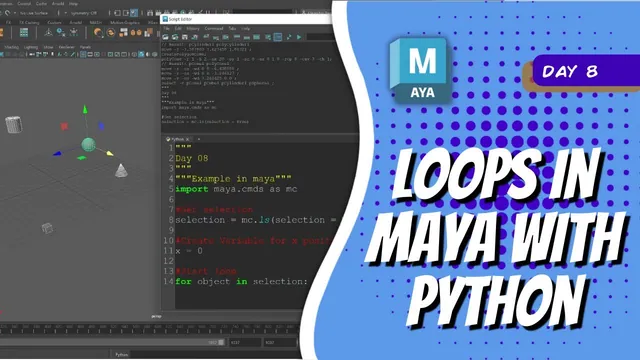
Day 8 - Loops in Maya with Python | Maya 30 Day Introduction to Python
Written guide
Playing loads YouTube content. YouTube processes data after activation.
Watch on YouTubeIf the player is blocked or unavailable, use Watch on YouTube.
This introduction explains loops through printed values, then uses a loop to lay out selected Maya objects at five-unit intervals. The practical example connects three ideas: storing a collection, operating on each item and updating a value between iterations.
You should already recognize Python variables and a list, and know how to execute code in Maya’s Script Editor. The scene example assumes ordinary editable object translations. The exact Maya release is not identified.
Follow the changing item in a for loop
During 00:00–01:01, a list contains the numbers one through five. The loop’s item variable takes one value from that list on each iteration, and printing it produces the sequence.
The list variable and item variable have different roles. One holds the collection; the other identifies the current element. In the later Maya example, the collection will contain object names, and the current element will determine which object an attribute command edits.
Distinguish a range’s values from its number of iterations
Around 01:01–03:02, the instructor demonstrates a range with a start, stop and step. The example prints values from two through ten but does not print eleven: the stop value is excluded. Changing the step changes the spacing between the generated values.
With range(5), the values start at zero and there are five iterations. The last value and the number of iterations are therefore different quantities. Inspect the printed values when using a range for scene operations so that an endpoint assumption does not create one too many or one too few objects.
Make a while loop reach its stopping condition
At approximately 03:02, a while loop starts a number at one, prints it while it is less than or equal to five, and increments it. The example prints one through five and then stops.
The source warns about an infinite loop if the condition never changes appropriately. Its wording briefly says the condition must become true, but the demonstrated logic requires the opposite to stop: after incrementing beyond five, the continuation condition becomes false.
Keep the state update inside the intended loop body. This lesson’s finite numeric test is a useful way to inspect that behavior before using a loop that repeatedly changes a scene.
Turn a selection into a spaced row
From approximately 04:02, the instructor stores the current selection and initializes an X-position variable to zero. A for loop visits each object and sets its translation attributes. Y and Z are set to zero, while X uses the variable.
The first run leaves X unchanged, so all objects occupy the same position in the demonstrated scene. The instructor undoes that result and adds an increment of five after assigning each object’s position. The next run places the objects at successively spaced X values.
The order is important: place the current object, then advance the position for the next one. The source example lays objects out at 0, 5, 10 and onward according to the processed list. It replaces their previous translations; it does not add spacing while preserving the original arrangement.
Inspect the stored selection and the result before applying the tool to valued scene work. Parent transforms, locked channels and complex hierarchies are not tested here, so the displayed row is evidence for this simple scene rather than a general world-space layout solver.
The resulting pattern can make separate assets easier to inspect. More broadly, the lesson shows that the loop determines which item is processed while the changing position variable determines how each result differs.