
Maya & Python Scripting / Maya / Python
Day 6 - Working with Lists in Maya with Python | Maya 30 Day Introduction to Python
Written guide
Playing loads YouTube content. YouTube processes data after activation.
Watch on YouTubeIf the player is blocked or unavailable, use Watch on YouTube.
Lists hold ordered collections of values. This lesson introduces list creation, indexing, inspection and editing, then uses a list of selected Maya objects to build a three-object parent hierarchy. The practical connection is that many scene commands return several names, and a script needs a deliberate way to access and use them.
The examples assume basic Python variables and a Maya Python Script Editor tab. The exact software releases are not established. The final scene exercise is intentionally limited to three selected objects; it is not a general hierarchy-building tool.
Create a collection and distinguish an element from its contents
During 00:00–03:03, a list is written with square brackets and comma-separated elements. The source shows numeric values, strings, mixed types and a list nested inside another list.
A nested list occupies one position in the outer list even though it contains several values of its own. To access one of those inner values, first access the outer element, then index the inner list. Counting everything visible in a nested expression as a separate outer element would give the wrong structure.
Printing the whole list exposes its brackets and contents. This is a useful first diagnostic before using an individual value in a Maya command.
Use indices without confusing them with element values
From 03:03–05:01, the instructor accesses a five-element numeric list. Indexing starts at zero: in the demonstrated list, position zero contains the value 1. The position and the stored value are different concepts even when a simple numeric example makes them look related.
Negative indices count from the end. Index -1 retrieves the last item; moving to more negative indices steps backward through the list. The source uses this to retrieve both ends of its example.
The len function reports five elements for that list. Five is the count, while the last nonnegative index is four. Inspect the list’s length and contents before assuming a particular position exists, especially when the list comes from scene selection rather than a literal written in the script.
Inspect numeric lists, then distinguish returned results from edits
During 05:01–07:01, the source uses minimum, maximum and sum on numeric examples. Minimum and maximum depend on the values, not on where those values happen to sit in the list. Moving a lower number to another position does not stop it being the minimum.
The sorted function produces the values in sorted order. This result is distinct from the later examples that edit the existing list. The numeric demonstrations do not imply that every possible mixed-type list can be summed or ordered in the same way.
When debugging, identify whether an operation supplies a result to use or modifies the collection you already hold. Printing only the wrong variable can hide the distinction.
Reverse, append and remove with precise expectations
From 07:01–09:04, the instructor prints the list variable after calling its methods. reverse changes the order of its existing elements. append adds an element to the end.
remove searches for a value, rather than interpreting its argument as an index. In the source, removing 4 removes that value. When another 4 is present, only the first matching occurrence is removed.
The resulting list is the check. Confirm both its length and order after an edit, especially if another part of a script intends to use fixed positions later. Removing a value can change which object or value occupies a subsequent index.
Read the actual Maya selection list before parenting
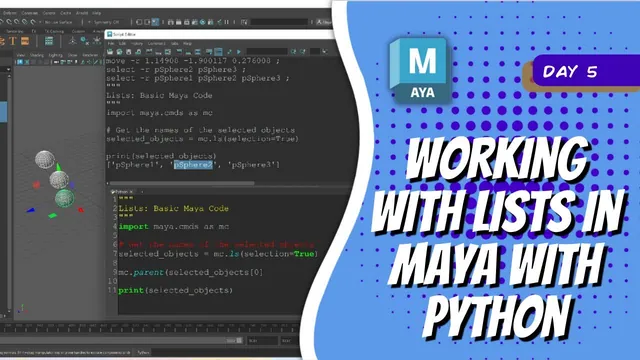
During 09:04–12:02, three example spheres are selected. After importing maya.cmds, the script queries selection with ls and stores the returned names in a variable.
The instructor prints the list, changes the selection sequence and prints again. In the demonstration, the returned ordering changes with that sequence. The scene operation depends on the actual returned list, so inspect it rather than assuming that a viewport highlight or an object’s numeric suffix establishes its position.
The first parenting call uses element zero as the child and element one as the parent. The second uses element one as the child and element two as the parent. The resulting chain therefore places the third listed object above the second, and the second above the first.
This is a concrete use of ordered data: the list positions determine roles in a relationship. The same three names in another order describe a different hierarchy.
Inspect ancestry instead of relying on the final selection highlight
During 12:02–12:57, the source checks the completed hierarchy. Only the last parent remains selected after the commands, but that highlight is not the complete result. Inspect the Outliner to confirm the full three-to-two-to-one ancestry.
The exercise assumes three suitable objects. It does not handle too few selections, ambiguous names, existing parent relationships or cycles. A broader tool would need to define and validate those cases; they are not demonstrated here.
The completed lesson connects list fundamentals to a scene change: inspect the collection, identify which index supplies each role, run the relationship-building commands, and verify the resulting hierarchy.