
Maya & Python Scripting / Maya / Python
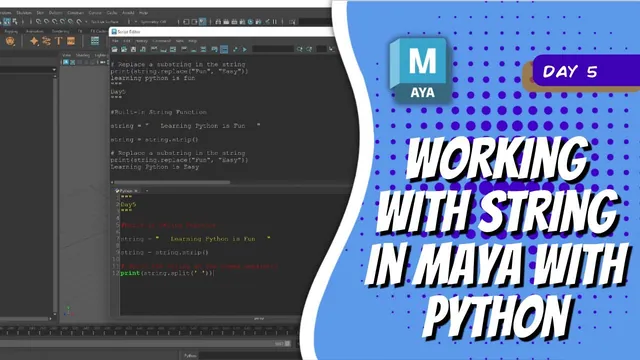
Day 5 - Working with String in Maya With Python | Maya 30 Day Introduction to Python
Written guide
Playing loads YouTube content. YouTube processes data after activation.
Watch on YouTubeIf the player is blocked or unavailable, use Watch on YouTube.
Strings let a Maya script work with names, labels and readable messages. This lesson introduces their syntax and common operations, then uses those ideas to rename one selected joint with a prefix and suffix. The aim is to understand how text is constructed and transformed before using it as an argument to a scene command.
The examples assume a Python Script Editor tab and basic familiarity with variables. The exact Maya and Python releases are not stated. The recording uses f-strings, so an environment that supports that syntax is required for those examples.
Choose delimiters and include the characters you need
During 00:00–05:24, the instructor demonstrates single-quoted and double-quoted strings. Either can represent text; using one delimiter around text containing the other avoids accidentally ending the string. Triple quotes are used for multiline text.
Concatenation with + joins strings exactly as supplied. It does not insert spaces. The lesson adds a separate space or includes one inside a string to make a readable sentence. Multiplying a string by an integer repeats the text, including any spaces already inside it.
Escape sequences provide characters that are awkward to type directly into a short literal. The demonstrated examples include \n for a newline, \t for a tab, an escaped quote, and \\ for one literal backslash.
Inspect the printed result as well as the source literal. A missing space can join words unexpectedly, and repeating a string with a trailing space repeats that space too. These details also matter later when constructing names rather than sentences.
Insert values with formatted strings
From 05:24–09:05, the source introduces f-strings: the literal is prefixed with f, and braces mark values to insert. The examples combine variables with fixed wording, then change the variables to demonstrate that the printed message updates.
An integer cannot be added directly to a string using the same + operation as two strings. The formatting example handles a numeric value inside its braces, avoiding that mismatch. The lesson later also shows explicit conversion with str.
Newlines can be used within the formatted message, allowing one expression to produce several readable output lines. The key distinction is between the fixed text and the values supplied at evaluation time. Changing a variable affects a newly evaluated message; it is not an automatic link to all text previously created from that value.
Inspect length and retain transformed results
During 09:05–12:04, len counts characters, including spaces. The source’s example includes surrounding whitespace, which makes the count longer than just its visible words.
The strip method returns text without leading and trailing whitespace. The original variable is printed again to show that merely calling the method has not reassigned that variable. The instructor then stores the returned result back into the variable.
The same result-versus-variable distinction matters for lower and upper. They produce transformed text. Use the return value in another expression or assign it if later operations should use that version.
This is especially useful when debugging a naming script: print the value that will actually be passed to Maya, rather than assuming an earlier transformation permanently changed the original variable.
Match case and separators deliberately
During 12:04–14:17, the lesson compares capitalization and title-style casing, then replaces part of a string. An attempted replacement initially appears to do nothing because the search text’s case no longer matches the string after a previous lowercase conversion.
Inspect the current value and the exact substring being searched for. A method can run successfully and still return unchanged text when its search term is absent.
The split examples make the separator equally explicit. Splitting a phrase on a space produces separate elements for the words in that example. After the words are joined with underscores, a space separator no longer divides them; using an underscore does.
Splitting produces a list, which the series covers further in the following lesson. Here the useful principle is that a naming convention and the separator used to parse it must agree.
Apply the text operations to one selected joint
During 14:17–17:01, the script imports maya.cmds, reads the current selection and takes element zero from the returned list. It then calls Maya’s rename operation with the original object’s name and a new name, initially hip.
This is deliberately a one-object example. It assumes a valid selected object; no empty-selection handling or batch traversal is demonstrated. Work on a disposable example joint and confirm the current selection before running it.
The instructor adds a printed message showing the intended old and new names, then tries a capitalized version. Forgetting the parentheses on the capitalization method produces the wrong kind of value. Calling the method supplies the transformed string needed by the rename operation.
Another small mismatch remains in the demonstration: the joint can receive the capitalized name while the message still prints the original untransformed variable. Make the diagnostic reflect the value actually used. A success message based only on an intended name is not a substitute for inspecting the scene result.
Construct a prefix and suffix without assuming a batch tool
From 17:01–19:07, the new name is assembled from separate pieces: a center prefix, the base hip name and a joint suffix. The suffix is converted to uppercase with upper before joining the parts.
This separates naming decisions from the rename operation itself. The same operation can receive a different prefix, base or suffix without changing how Maya is asked to rename the selected object.
The recording does not yet rename a whole hierarchy, resolve duplicate names or handle namespaces. Those are outside its demonstrated scope. Its completed result is a small single-selection exercise that shows why quotes, separators, case, method calls and returned values matter in an actual Maya command.