
Maya & Python Scripting / Maya / Python
Day 4 - Working with Numbers in Maya with Python | Maya 30 Day Introduction to Python
Written guide
Playing loads YouTube content. YouTube processes data after activation.
Watch on YouTubeIf the player is blocked or unavailable, use Watch on YouTube.
Numeric operations become useful in Maya when a script can derive a position instead of requiring every value to be entered by hand. This lesson introduces arithmetic, numeric conversion, rounding, and a practical example: placing a third sphere halfway between two specified X positions.
The recorded division and rounding examples follow Python 3 behavior, although the exact embedded Python and Maya releases are not identified. The midpoint is calculated when the script runs; it is not a live scene connection. A conversion claim in the narration is clarified below using Python’s reference documentation.
Test arithmetic with values whose answers you can predict
At 00:00–03:02, the instructor assigns five and ten to variables and tries the basic operators. Addition produces fifteen, subtraction produces negative five, multiplication produces fifty, and division produces 0.5 in the demonstrated environment.
Swapping the operands is a useful check because subtraction and division are order-dependent. The lesson also distinguishes **, exponentiation, from *, multiplication. Modulo, %, returns the remainder in the positive-integer examples: five divided by ten leaves five, while ten divided by five leaves zero.
Use small inputs while learning an operator. A long result from exponentiation may look impressive but is less useful for spotting a mistaken symbol than an example you can verify mentally. Print the result after each change so an earlier output is not mistaken for the current calculation.
The opening also uses triple-quoted text to divide the working notes. Technically that syntax creates a string literal; the ordinary single-line comment marker is #. That distinction becomes relevant if a triple-quoted block is later placed where Python treats it as a docstring or another value.
Convert numeric text according to the value you need
During 03:02–06:01, adding a string containing digits to an integer causes a type error. The lesson uses int to turn integer-form text into a numeric value before addition, then uses float for text containing a fractional value.
The important distinction is between parsing text and converting an existing number. int('5') can parse integer text, while int('5.5') fails because that string is not an integer representation. This does not mean Python cannot convert a float to an integer: int(5.5) produces five by truncating toward zero. That corrects the narration’s broader wording. See Python’s int reference.
Choose the conversion based on the intended input and result. If a user enters a fractional position, converting it to a float preserves the fraction for the calculation. Converting an already numeric float to an integer discards its fractional part; that is a different operation from rounding it.
Check both the value and its type when troubleshooting. Text that looks like a number remains text until it has been parsed successfully, and not every string is valid input for a numeric conversion.
Distinguish nearest rounding, ceiling, floor, and magnitude
At 06:01–10:03, the lesson compares several operations that answer different numeric questions. round chooses a nearby rounded value and can accept a requested number of decimal places. In the demonstrated Python 3 behavior, exact halfway cases choose the even result: both 3.5 and 4.5 round to four.
The halfway rule should not be simplified to “a five always rounds up.” Binary floating-point representation can also make a decimal-looking value fall slightly to one side of a boundary. Python documents that limitation in its round reference.
After importing math, the lesson uses math.ceil and math.floor on a positive fractional value. For 3.14, the ceiling is four and the floor is three. These choose an integer boundary above or below the value, rather than the nearest one.
Finally, abs expresses distance from zero for the ordinary real-number examples. Five and negative five both have magnitude five. It does not perform the same job as rounding or conversion, so choose it when the sign should not affect the quantity being measured.
Calculate the midpoint before creating the scene result
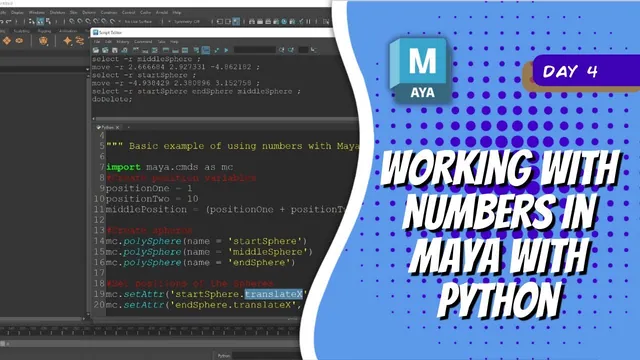
During 10:03–12:02, the instructor defines two positions and calculates their midpoint using parentheses:
position_1 = 3
position_2 = 8
middle_position = (position_1 + position_2) / 2.0
The parentheses make the sum happen before division. Without them, the expression would divide only the second position before adding the first, which is a different calculation. The 2.0 in this explanatory example makes the intended floating-point division explicit.
The lesson creates start, middle, and end spheres. Initially they overlap because creation alone has not assigned their X positions. This is a useful intermediate check: confirm that the intended objects exist before investigating the positioning statements.
The formula uses values supplied to the script. It does not query two arbitrarily moved scene objects or create a dependency graph that keeps the middle sphere updated after later manual movement.
Apply the values through explicit object attributes
At 12:02–15:21, setAttr places the start and end spheres on X, then places the middle sphere using the computed result. The attribute target combines the object’s actual name with the desired channel, such as .translateX; the numeric value is supplied separately.
The instructor uses Maya’s command history to inspect an attribute path after changing it in the interface. This is a practical way to distinguish the visible UI label from the exact channel name required in code.
Changing the two input values and rerunning the calculation changes the midpoint. The recording tests both whole-number and fractional positions. Verify that the resulting middle X value is equally distant from the two input X values. For the example above, the midpoint is 5.5, which is 2.5 units from either endpoint.
Clear the prior test objects as the lesson does, or deliberately manage the returned object names before creating another set. The demonstrated script is a creation example, not an in-place update system. A numeric interface and a selection-based version are proposed at the end, but are not implemented here.