
Character FX & Animation
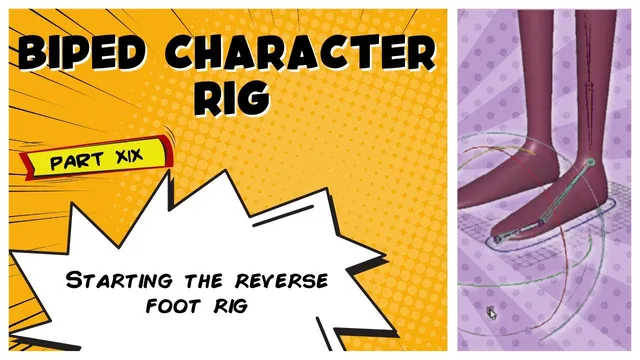
Biped Character Rig Part 19 - Starting the Reverse Foot Rig
Written guide
Playing loads YouTube content. YouTube processes data after activation.
Watch on YouTubeIf the player is blocked or unavailable, use Watch on YouTube.
A reverse foot provides pivots that an ordinary ankle-to-toe joint chain does not conveniently expose. This lesson prepares those pivots, creates the short IK segments for the foot, and reconnects the existing leg and foot control through the new structure. Animator-facing foot attributes come in the following lesson.
The starting scene contains the biped’s existing IK leg, foot joints, and control. The exact Maya release is unidentified. Some early object references in the captions are visual shorthand, so the procedure below describes the supported relationships without inventing a complete list of scene names or solver settings.
Prepare the ordinary foot chain and a separate reverse hierarchy
At 00:00–02:03, the instructor connects the existing foot joints into the intended IK skeleton. The ball and toe portion is retained, while a redundant ankle from the earlier foot setup is removed after the needed connection has been established.
Inspect which ankle belongs to the active leg before making that edit. The point is to remove the duplicate from the old arrangement, not to remove the ankle needed by the working leg chain. The transcript’s opening references do not fully identify every selected object by name, so compare the hierarchy with the video if the scene differs.
The relevant foot joints are then duplicated and unparented to form the separate reverse-foot structure. The ordinary chain remains responsible for the foot’s skeletal motion. The reverse hierarchy supplies alternate pivot relationships that will drive it.
Keeping those roles distinct makes the next steps easier to diagnose: a reverse-foot joint is a driver in the mechanism, while the original foot chain is the structure being controlled.
Reverse the pivot order and add the heel
During 02:03–04:02, the instructor contrasts rotating down the ordinary chain with pivoting the foot from the toe end, as needed for standing on tiptoe. The reverse hierarchy is parented in the opposite direction so that the toe pivot can carry the rest of the foot with it.
A heel joint is added by duplicating a joint and moving it to the ground at the back of the foot. The demonstrated heel joint’s orientation values are reset to zero, and its position is adjusted to the intended contact pivot. The toe portion is then parented beneath the heel.
This produces distinct places from which the mechanism can turn: heel, toe, ball, and the ankle-related portion. Their positions determine the arcs of motion. A heel pivot floating above the sole or placed too far forward will produce a different contact motion even if the hierarchy is otherwise connected correctly.
Test these pivots on the prepared character before connecting the remaining parts. The lesson establishes the basic reverse-foot structure; it does not derive a universal placement rule for every foot shape or a complete automated foot-roll behavior.
Create separate IK handles for the two foot segments
At 04:02–06:03, the reverse hierarchy is temporarily hidden while the instructor works on the ordinary foot. Two IK handles are created: one for ankle to ball and another for ball to toe. They are named to distinguish their roles.
These short segments let different parts of the foot respond to the reverse pivots. The existing leg IK handle still has its own endpoint at the ankle; it does not replace the two new foot handles.
Check each handle’s endpoints and movement before continuing. If a handle spans the wrong joints, the later reverse-foot constraints may appear connected while bending a different part of the chain. The captions do not clearly establish the solver choice, so this article does not supply an unsupported solver setting.
The instructor also repeats the handle-creation action from the keyboard, but the captioned key name is unclear. Use the known menu operation if that shortcut is uncertain in your Maya configuration.
Let the reverse joints position the IK endpoints
During 06:03–08:04, the reverse hierarchy is shown again. The new toe and ball IK handles receive point constraints from the corresponding reverse-foot joints. The instructor explicitly chooses point constraints rather than parent constraints for these endpoint connections.
The leg IK handle’s earlier point connection to the foot control is then removed. Its position is driven from the reverse-foot ankle relationship instead. This routes the leg endpoint through the mechanism, allowing the reverse pivots to carry the ankle as the foot rolls.
The important dependency is now control to reverse hierarchy to IK endpoints. Leaving the old endpoint connection active can preserve a competing driver and prevent the new mechanism from behaving as demonstrated. Inspect the affected constraint before removing it; the lesson is replacing that specific connection, not deleting every constraint in the leg.
Move or rotate the reverse pivots and watch the resulting foot and ankle motion. The recording shows the expected combined movement after these connections. It also notes that the pole vector still needs attention, so this is not a complete leg-control validation.
Reconnect the main control and organize the rig
At 08:04–09:36, the existing foot control drives the reverse-foot chain through a parent constraint. It becomes the overall positioning control again, while the reverse hierarchy provides the internal pivot behavior. The transcript does not clearly resolve every constraint-option setting, so confirm the starting placement and inspect for an unexpected jump when making this connection.
The instructor tests that moving the control moves the whole foot, then places the joints and controls into their corresponding organizational groups. Recheck motion after organization, particularly if a group has transforms or inherits motion from another part of the rig.
At this checkpoint, direct manipulation of the reverse-foot joints demonstrates the pivots. The next lesson will expose attributes on the foot control so an animator does not need to select those internal joints. Do not mistake the completed mechanism for a completed animator interface: foot-roll attributes, the noted pole-vector work, and broader pose testing are still outside the demonstrated result.