
Character FX & Animation
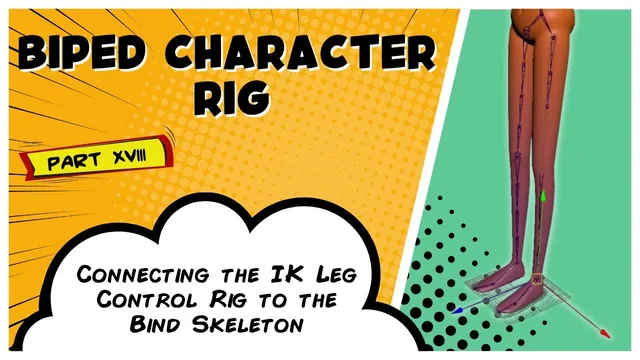
Biped Character Rig Part 18 - Connecting the IK Leg Control Rig to the Bind Skeleton.
Written guide
Playing loads YouTube content. YouTube processes data after activation.
Watch on YouTubeIf the player is blocked or unavailable, use Watch on YouTube.
The preceding IK-leg lesson ends with a working animation chain and knee pole vector, but the bind skeleton is not yet driven. This lesson connects the prepared chains in sequence and replaces direct manipulation of the IK handle with a fitted foot control.
The starting scene therefore contains three distinct roles: the simplified animation leg, the detailed IK leg, and the original bind skeleton. Their joints may overlap in the viewport, making selection order and names particularly important. The exact Maya release is unidentified, and the alignment and zero-group shelf tools are referenced course/Patreon resources rather than complete scripts supplied here.
Drive the retained IK leg from the animation chain
At 00:00–02:03, the instructor expands the prepared hierarchies and uses parent constraints to connect corresponding major joints. The animation chain supplies the targets, and the matching joints in the retained IK leg are the constrained objects.
The three primary relationships correspond to the hip/leg root, knee, and ankle. After adding them, move the existing IK handle and verify that the retained leg follows. This establishes the first stage of the dependency before the bind skeleton is introduced.
Do not constrain a joint to a similarly named node merely because the two occupy the same position. Inspect which hierarchy each belongs to. Reversing the target and constrained object would reverse the intended driver relationship and can make the control system behave unexpectedly.
The source does not enumerate every constraint option, so it does not support a universal Maintain Offset prescription. Check the starting alignment as each relationship is added and investigate any unexpected jump before building on it.
Connect corresponding IK and bind joints
During 02:03–03:02, the bind skeleton is shown and expanded on the left side. The instructor then works down the matching joint sets, selecting the IK joint first and its bind counterpart second before creating a parent constraint. The repeated command accelerates the same operation for the remaining pairs.
The dependency is now animation chain to IK leg to bind skeleton. The retained IK hierarchy supplies the correspondence to the more detailed bind structure; the simplified three-joint chain is not treated as if it contains every bind joint.
Move the control system and inspect the bind joints themselves. Movement in the animation chain proves only that its IK handle is active; movement in the retained chain proves only the first set of constraints. The final receiving skeleton needs a separate check.
This lesson does not independently construct or audit every intermediate twist relationship. Keep the existing prepared rig’s behavior distinct from the parent constraints newly demonstrated here.
Fit a visible control around the foot
At 03:02–06:02, the instructor creates a circle and aligns it to the intended ankle/foot reference with the custom alignment tool. The inherited rotation is not wanted for the control’s display, so its orientation is adjusted before fitting the curve.
In component mode, the curve’s vertices are moved down to the ground and shaped around the foot. This lets the visible outline sit around the sole while its transform remains associated with the intended rigging reference. Moving curve vertices and moving the control transform are different operations; the former changes the selectable shape without relocating the transform’s pivot in the same way.
Use side and front views to judge the fit. The curve should be easy to select around the mesh rather than disappearing inside it. The foot control and knee control receive the example’s left-side blue color.
The resulting curve is named for the left foot. Consistent naming helps distinguish it from the IK handle, knee arrow, and internal foot joints when the next connections are made.
Group the control and drive the IK handle’s position
During 06:02–07:04, the zero-group tool creates zero and offset groups above the foot control, preserving its placement while providing neutral control channels and an additional rigging layer.
The stated next operation is a point constraint from the foot control to the leg IK handle. Select the control as the target and inspect the receiving node before applying the constraint. The narration briefly calls the constrained object a pole vector, although the stated task and resulting movement concern the IK handle. That inconsistent reference should not be used to redirect the point constraint onto the knee arrow.
Move the foot control to test the endpoint relationship. The leg should now respond through the handle and the newly connected chains. Test the knee arrow separately to confirm its steering role remains intact. A foot control that moves the knee arrow instead of the handle is not the demonstrated division of responsibilities.
Recognize why the foot still needs another mechanism
At 07:04–07:31, the instructor notes that the foot does not yet offer the desired motion. The current control can position the leg endpoint, but heel, toe, and ball pivots are not provided by that connection alone.
The next stage is starting the reverse-foot rig. That lesson replaces the direct endpoint relationship with one routed through the reverse-foot structure. Treat the direct point constraint here as this stage’s working setup, not a connection that must remain alongside every later driver.
Before continuing, verify the entire chain of responsibility: the foot control moves the handle, the animation chain drives the retained IK leg, and the IK leg drives the bind skeleton. A successful endpoint test does not yet demonstrate controlled foot roll or a completed animator-facing foot rig.