
Crowds & Simulation / Houdini & Procedural Workflows / Houdini
Rigid Body Dynamics Simulation | Houdini Basics Tutorial
Legacy TutorialWritten guide
This tutorial is part of the CGI Nerd archive. Some software features, interfaces, or workflows may have changed since it was recorded.
Playing loads YouTube content. YouTube processes data after activation.
Watch on YouTubeIf the player is blocked or unavailable, use Watch on YouTube.
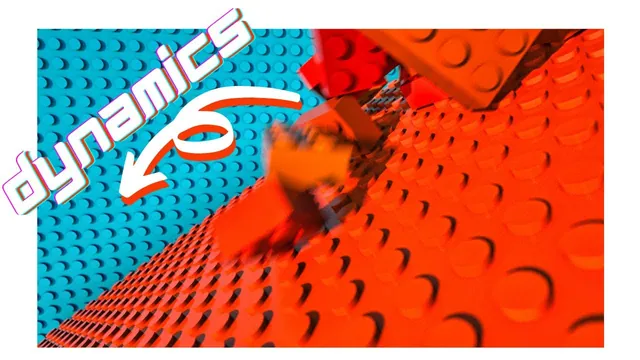
This recording builds a rigid-body scene from procedural toy building blocks: a population falls onto a tilted base, collides with a backdrop, and gains variation in color and dimensions. It also preserves the less convenient parts of that process—an interrupted dynamics setup, expensive geometry, a large cache and a memory-related crash.
Those limitations are part of the lesson. The finished render removes logo geometry after the detailed version becomes too expensive. The recording therefore supports a practical workflow with compromises, not a claim that turning every detail on will remain interactive.
Begin with a simpler version of the asset
The instructor starts with an existing procedural block asset. Building that asset belongs to another tutorial; it is not reconstructed here, and the historical resource mention does not establish current download availability.
He disables underside pegs and text while setting up the scene. Those details can be restored later, but initially they increase the amount of geometry the network must generate. He enlarges one block into a base surface and creates a separate smaller block for the falling population.
The base is tilted so blocks can fall and move across it. The instructor tries an angle, judges it too steep and adjusts it. This is a scene-specific composition choice rather than a prescribed rigid-body parameter. A camera is positioned to see the base, and another enlarged blue block becomes a background surface.
At this stage, inspect the simple scene through the intended camera. The background’s size and placement need to cover that view, while the base needs to cover the intended fall area. These setup checks reduce the chance of diagnosing an ordinary placement problem as a solver problem later.
Create the population above the collision surface
The instructor uses a sphere to define the starting region, converts it to a volume with IsoOffset, then scatters 100 points inside it for the initial example. A Copy Stamp node receives the source block and those template points.
After the copies appear, he raises the source region so they do not begin intersecting the base. This is an inspection of the actual copied geometry, not just the point cloud: a point can sit above the base while the block around it still crosses the surface.
The recording uses the historical Copy Stamp workflow. Its presence is retained accurately; this article does not silently replace it with a different modern copying system. No exact recorded Houdini build or modern compatibility is established here.
Add dynamic objects and collision objects separately
At the object level, the instructor applies the fractured-object rigid-body setup to the population and keeps it packed. The blocks initially fall through the scene because only they have been made dynamic. Visible geometry is not automatically participating as a collision surface in this setup.
He makes the base a static object and replays. The blocks now collide with it. When some pass through the background, he makes that block static as well. Although it is named as a sky backdrop, it is physical block geometry in this scene; the choice is about the visible composition, not atmospheric simulation.
This sequence gives a useful diagnostic order:
- Confirm that the falling population actually simulates.
- Confirm that the intended receiving surface has been added as a collision object.
- Replay and inspect the contact from the camera and another useful view.
- Add the background collision only after identifying the geometry the blocks pass through.
The recording does not explore detailed collision-proxy tuning, solver tolerances or a general solution to tunneling. Those should not be inferred from the initial successful contacts.
Give the copies different colors
The instructor enables stamping on Copy Stamp and creates separate variables for red, green and blue. The source asset’s color channels read those stamp values using the relevant Copy Stamp node path, variable name and fallback value.
A node name in this expression is specific to the scene. The instructor’s example name is not a requirement; the reference must identify the Copy Stamp node actually driving the copies. Likewise, each color field must request the intended stamp variable.
He first bases random values on the template point number. When all three color channels use the same input, the blocks become grayscale: equal red, green and blue amounts change brightness without separating hue. He changes the inputs used for different channels so the colors vary independently in the demonstrated result.
He then uses a zero-to-one range remapping to restrict each channel and obtain a narrower orange-oriented palette. The key relationship is that randomness and art direction are separate steps. Generate variation, then constrain its range to the palette the scene needs.
During this adjustment, a missing closing parenthesis causes an expression problem. Checking the expression structure belongs before judging the resulting palette. Exact complete expressions are not reproduced from imperfect caption punctuation in this article.
Inspect the displayed branch when playback goes wrong
After narrowing the source region and changing colors, the instructor notes that the displayed result must reach the DOP Import at the end of the relevant geometry chain. Looking at the source copies alone is not the same as inspecting their simulated result.
A further dynamics problem remains. In the recording, he removes the generated rigid-body portion after Copy Stamp and the corresponding rigid-body section of the AutoDopNetwork, preserving the static-object setups, then applies the rigid-body setup again. The resulting replay works.
This is a historical recovery action, not a generally diagnosed fix. The source does not establish why the setup failed or prove that rebuilding is the safest answer in another scene. First inspect the displayed branch and source relationships; the exact network surgery requires visual review and should not be generalized from the reported success.
Vary dimensions as well as appearance
The instructor reuses the stamping approach for two block-dimension parameters. Separate random inputs are remapped into a range between one and four in his example, then connected to the asset’s dimension controls.
The resulting population contains different block sizes as well as colors. Inspect the source distribution again after changing size: the same point positions now support different extents of geometry. The recording earlier adjusted the source region to keep the copies over the base, so placement remains relevant after variation is added.
The captions establish the range and the observed size differences, but do not establish a general integer-conversion policy for every procedural asset. Use the asset’s actual parameter types and the on-screen expressions when reproducing this part.
Cache the expensive result and switch to reading it
The instructor restores underside pegs and logo text, then observes much slower generation and collision processing. He adds a File node in the AutoDopNetwork, chooses a cache location, sets it to write and plays the range once so it will not loop repeatedly.
After the sequence is written, he switches the File node to Read Files, routes that result to the output and displays it. Writing files alone is not the full playback change: the displayed chain must actually read them.
He reports about 27.7 GB of cache data for this scene. That is an observation of his run, not a storage requirement for all 100-block scenes. The files avoid repeating the solve, but still contain substantial data to load. Scrubbing can access a saved frame without solving every preceding frame while remaining slow due to the size of the data.
The attempt eventually crashes. The instructor attributes the problem to memory pressure, reopens the scene, and later removes the block logos to complete the render. A displacement-map alternative is proposed for future work, not demonstrated as a tested replacement.
Judge the final result honestly
The completed scene has varied blocks falling against the base and background, with the expensive logo detail removed. The lesson teaches dynamic versus static participation, source placement, stamping-based variation, and the distinction between solving and loading a cache.
Use these caption-supported revisit ranges: 00:00–08:06 for asset simplification and scene composition; 08:06–12:00 for source distribution; 12:00–15:01 for dynamics and static surfaces; 15:01–24:04 for color stamping; 24:04–27:00 for branch inspection and rebuilding; 27:00–33:02 for size variation and detail; 33:02 onward for caching, the crash and the final compromise. These are reading references, not official chapters.
No software reproduction, memory benchmark or current-version migration is claimed. The most useful habit is to keep source complexity, collision participation, visual variation and cached playback as separate decisions, inspecting each before increasing the scene’s cost.