
Houdini & Procedural Workflows / Houdini
Setting Up a Character UV Map for a Character in Houdini 16
Legacy TutorialWritten guide
This tutorial is part of the CGI Nerd archive. Some software features, interfaces, or workflows may have changed since it was recorded.
Playing loads YouTube content. YouTube processes data after activation.
Watch on YouTubeIf the player is blocked or unavailable, use Watch on YouTube.
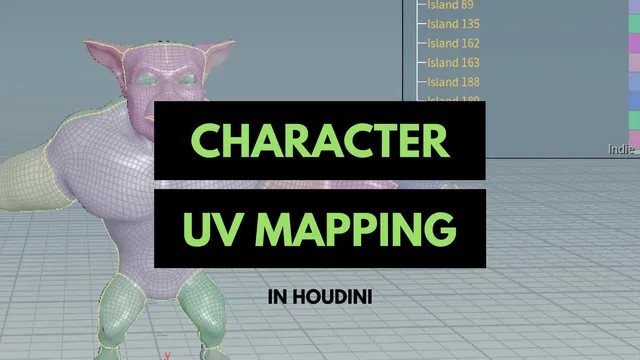
This Houdini 16 lesson prepares a character for UV Flatten by selecting a deliberate network of seams. Most of the work happens on the three-dimensional model: separating the face, ears, mouth interior, torso, limbs, and hands into regions that can unfold with less distortion. The completed edge selection is saved as a group and supplied to UV Flatten.
The source character is already modeled and is not perfectly symmetrical. Its exact edge numbers are therefore less useful than the selection strategy and the checks that reveal an incomplete cut. The final UV view demonstrates the unwrap result; the recording does not proceed through checker-texture testing, packing refinement, or texture painting.
Use the UV-cut selection mode to build a seam network
From 00:00, switch to edge selection and choose Cut Geometry for UV Layout in the selection tool’s options. In the demonstrated mode, successive clicks add to the selection without continually holding Shift, while Ctrl removes unwanted edges.
Use loop selection where the topology supports it and the path-selection interaction where a loop goes somewhere unexpected. The instructor describes holding A and using a middle click to begin a loop selection, then using A-assisted selection to find a path between points. These are the recorded Houdini 16 interactions; the important result is the selected edge chain, which should be checked directly on the model.
This mode colors the resulting surface regions differently. Use those colors as feedback while working. A boundary that looks nearly complete can still leave two regions connected through one unselected edge. The instructor repeatedly rotates around the character, removes accidental edges, and closes gaps instead of trusting the first automatic loop.
Separate the face, ears, and mouth interior
Around 01:02, begin defining the head region. Automatic loops sometimes travel around more geometry than intended, so keep the useful portion and deselect the rest. Inspect the opposite side after removing edges; a correction made from one view can affect a selection that is harder to see from that angle.
Separate the ears into their own regions and close the surrounding seam chains. Then define the face region independently from the rest of the body. The goal is a manageable surface patch, not simply the largest loop the tool happens to find.
From 05:01, trace a seam around the mouth opening to separate its interior from the outside of the face. An initial edge choice is too far outside the rim and is replaced. Keeping this cut at the opening avoids pulling the inside-mouth surface into the same flattened patch as the visible face.
The model has been trimmed near the eyeballs and does not contain the same kind of eye interior to unwrap. That is a property of this source mesh, not a rule that eye interiors never need UVs. Additional cuts through the face are used to reduce distortion, and a later small cut near the cheekbone area serves the same purpose.
Close the torso and leg cuts completely
From 07:02, define a seam across the upper body and separate the arms at their attachment regions. The upper cut alone does not create the intended separate patch: the shared color shows that the surface is still connected elsewhere.
Continue the seam down the body sides and through the lower regions, checking how each path connects to the existing cuts. The instructor works on both sides independently because the character’s topology is not perfectly mirrored. A selection that works on one side may need a different route on the other.
Add opening seams where the feet and lower-body shapes need room to flatten, then separate the legs from the torso around 13:06. Remove stray selected edges before moving on. At this point the head, main body, and lower regions should read as intentional patches rather than a collection of unrelated selected fragments.
The useful diagnostic is connectivity. If two surfaces remain the same patch when they should be separate, look for the missing connection in the seam chain. Adding more arbitrary cuts elsewhere will not repair that particular gap.
Unfold the arms and hands with less visible seams
Around 14:04, the instructor continues the hand and arm regions. Automatic captions occasionally say “head” while the surrounding operations concern the hand, palm, and fingers; the workflow here follows that local context rather than treating those words as a second pass over the face.
Place seams on areas that are less prominent in the intended presentation, such as underneath the arm and across the palm side of the hand. Separate the upper and lower hand surfaces and add cuts along the fingers so those narrow forms have a way to open into flatter patches.
The instructor considers leaving an arm as one piece, then adds a separation near its bend to reduce the expected distortion. This illustrates the tradeoff behind seam placement: keeping a large continuous shell reduces the number of boundaries, but can make a bent or branching form harder to flatten cleanly.
Repeat the necessary cuts on the other hand and arm, adapting to the actual topology. The target is not perfectly identical selections on both sides; it is an understandable set of patches with seams placed intentionally. Finish by revisiting the face where an additional cheek-area cut may help.
Save the seams and use them in UV Flatten
At 19:06, create a Group from the selected edges using the modeling shelf. This records the seam selection so the flattening step can refer to it by name. The example uses the generated group1 name.
The instructor inserts a Transform while leaving the selection state because the interface otherwise continues trying to select edges. This is presented as an interaction workaround, not as a required geometric deformation for UVs; the node is not needed for the fundamental seam-and-flatten relationship.
From 20:01, invoke UV Flatten from the texture tools, select the polygons to flatten, and confirm. When prompted for seams, finish the interactive selection without rebuilding them manually, then choose the saved edge group in Seam Group.
Split the interface into perspective and UV views to inspect the resulting islands. The final checkpoint is that the flattening operation uses the saved seam network and produces the expected separated regions. The recording stops at this inspection, so overlap, texel density, packing efficiency, and distortion under a checker texture remain unverified rather than silently certified by the presence of UV islands.