
Character FX & Animation / Houdini
Rigging Revolution | Basic BiHarmonic Joint Capture
Written guide
Playing loads YouTube content. YouTube processes data after activation.
Watch on YouTubeIf the player is blocked or unavailable, use Watch on YouTube.
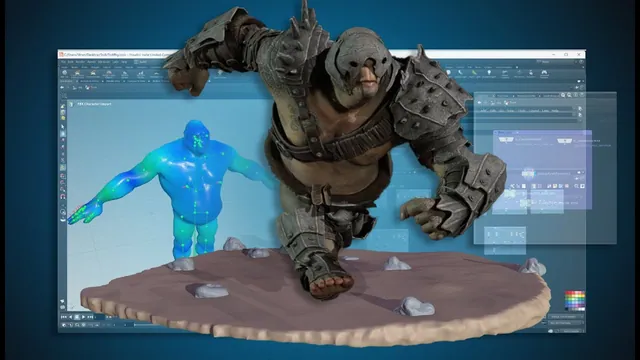
Create a basic capture between an existing character mesh and SOP skeleton, then use a temporary pose branch to confirm that the skin moves. This short Rigging Revolution lesson deliberately establishes a starting bind before the more detailed capture and rigging work planned for later videos.
The mesh and skeleton already exist. The instructor has not yet refined joint orientations or capture quality, and the exact Houdini build is unverified. A successful movement test here means the basic deformation path works; it does not establish finished weights or a production-ready character.
Import the character and its capture skeleton
At 00:00, add Object Merge nodes for the troll’s base geometry and the full skeleton. Give the imported branches recognizable names so the character geometry and skeleton intended for binding are easy to identify.
Inspect both branches before connecting the capture node. You need the skin geometry on one branch and the skeleton in the pose used to establish its relationship to that skin on the other. The lesson uses the existing completed skeleton; it does not rebuild the joints here.
At 01:01, add Joint Capture Biharmonic. Connect the character geometry to its first input and the capture-pose skeleton to its second input, then let it calculate. The source only needs these two inputs for this capture stage.
For context, SideFX’s Joint Capture Biharmonic documentation specifies closed rest geometry and explains that the node builds an internal tetrahedral mesh to compute capture weights. Its captured skin output carries the boneCapture point attribute. These details clarify the operation; the recording does not perform a separate mesh-closure audit or tune the tetrahedralization settings.
Test deformation with a separate posed skeleton
At 02:01, add Bone Deform and a Rig Pose branch for testing. Preserve the capture skeleton as the rest reference and use the posed branch to supply changed joint transforms.
The recorded wiring is clarified by the Bone Deform input documentation:
| Input | Role in the test |
|---|---|
| Geometry to Deform | Character skin carrying the capture attributes |
| Rest Point Transforms | Skeleton at the capture/rest pose |
| Deform Point Transforms | Skeleton after the Rig Pose adjustment |
Display the deformed character while interacting with Rig Pose. Move a joint and inspect whether the corresponding skin follows. This distinguishes editing the skeleton alone from evaluating its effect on the mesh.
Keep the original capture reference separate from the temporary pose change. The rest branch describes the starting relationship; the posed branch supplies the change that Bone Deform evaluates. If only the skeleton moves on screen, first check the displayed output and these input roles rather than assuming the capture must be recomputed.
The instructor observes basic deformation, while explicitly noting that orientations have not been adjusted yet. Weight cleanup, difficult joint bends and a broad range of animation poses are not tested in this lesson.
Preserve the bind outputs for later rigging
At 03:01, add output nulls for the captured character geometry and the character capture pose. The names are revised while being entered; their responsibilities are the stable part of the workflow.
The captured-geometry output preserves the mesh needed by later deformation stages. The capture-pose output preserves the reference skeleton. The Rig Pose and Bone Deform branch remains a way to inspect the bind, rather than the only source of the rest data.
At 04:02, the instructor notices a tetrahedral mesh while inspecting the setup and identifies it as part of the capture process. Do not mistake that intermediate display for the final character skin. Check the named outputs individually so subsequent rigging work imports the intended data.
Organize the network without claiming capture cleanup
Place the bind setup in a named network box and use the lesson’s color scheme to distinguish binding, joints and base geometry. At 05:01, the instructor corrects a color selection that affected more nodes than intended, then finishes with a cleaner network and a saved basic bind.
The next planned work is guide-skeleton construction. The useful handoff from this lesson is therefore specific: imported base geometry, a capture-pose skeleton, skin with capture attributes and a temporary deformation check. Detailed weight refinement, orientation cleanup and final animation validation remain later work.