
Character FX & Animation / Houdini & Procedural Workflows / Houdini
Rigging 101: How to Rig a CGI Bouncing Ball in Houdini 16 - Beginner 3D Tutorial
Legacy TutorialWritten guide
This tutorial is part of the CGI Nerd archive. Some software features, interfaces, or workflows may have changed since it was recorded.
Playing loads YouTube content. YouTube processes data after activation.
Watch on YouTubeIf the player is blocked or unavailable, use Watch on YouTube.
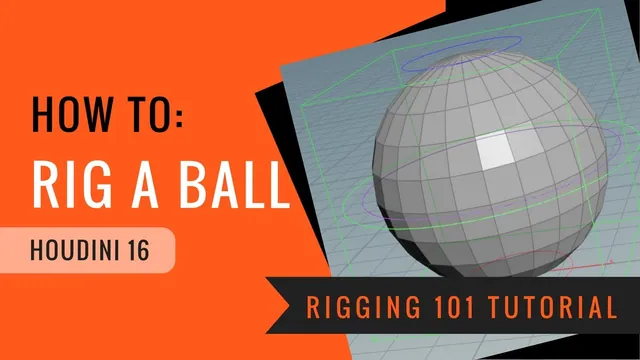
A useful bouncing-ball rig separates travel, deformation and surface rotation. This Houdini 16 lesson builds that separation with object-level Null controls driving a SOP lattice. The master moves the entire assembly; top, middle and bottom controls shape the ball; a separate rotation control turns its surface inside the deformed pose.
The result is a rigging demonstration, not a finished bouncing animation. It includes midpoint tracking, an exploratory volume-compensation expression and interface cleanup. The archived creator description supplies expression punctuation missing from the captions. Some lattice-division edits remain ambiguous, and the demonstrated mathematics has important limits.
Establish a rest pose that can be restored
At 00:30, create the sphere geometry and name it clearly, such as ball_geo. In this scene the ball is one unit tall; translating its object upward by 0.5 places its bottom on the ground. Inspect the actual sphere size before reusing that offset in another scene.
Clean its transforms after placement. This establishes neutral animator-facing values while retaining the placed rest pose; it does not mean the geometry has returned to the world origin. The distinction between editable channels and retained placement is explained in SideFX’s object-transform documentation.
Create a master Null with a box-shaped display, place it at the ball’s center and clean its transforms too. Adjust display scale so its outline surrounds the ball. Changing a control’s drawn size should not be confused with scaling the rig’s geometry.
At 04:03, parenting initially makes the ball jump. Undo that change, enable Keep Position When Parenting, and reconnect. The successful check is both visual and numeric: the ball stays in its rest location and the intended neutral control values remain usable. The same precaution is repeated when attaching the later controls.
Make each control’s purpose visible
Create bottom and top squash/stretch Nulls using circles in the ZX plane. In the recording the bottom is red at ground level and the top is blue one unit above it. Parent them under the master while keeping their positions, and clean the top’s rest transform.
At 10:12, duplicate a control for the middle, move it halfway down from the top, enlarge its drawn circle so it can be selected outside the sphere, and use purple to distinguish it. Clean its transform. Duplicate again for a green rotation control, with a slightly different display size.
The roles should be clear before any deformation connections exist:
| Control | Intended responsibility |
|---|---|
| Master | Move, orient and scale the complete rig |
| Top and bottom | Shape the corresponding lattice regions |
| Middle | Add an independent offset and rotation near the tracked center |
| Rotation | Turn the ball’s surface before lattice deformation |
At this stage, most controls are only shapes. Moving the master should carry the assembly, but moving the individual circles need not deform the ball yet. That is an expected intermediate state, not a failed lattice.
Track the middle without consuming its animation channels
At 14:06, create an auxiliary center-position Null and place the middle and rotation controls under it. This helper supplies their moving neutral position, leaving their own channels available for an animator’s offsets.
Copy the top control’s Y translation parameter and paste a relative reference into the helper. Add the bottom control’s corresponding reference, enclose the sum in parentheses and divide by two. Repeat for X and Z with the matching translation channels. Conceptually, each helper displacement is:
center displacement = (top displacement + bottom displacement) / 2
These are the cleaned control-channel displacements in the constructed hierarchy, not a general world-space midpoint query. The controls’ rest offsets already place the middle at the ball’s center. Mixing world positions with those zeroed channels would count the placement differently.
Move each end independently and then together, checking all three axes. The middle controls should follow the average while retaining their own local adjustments. The instructor mentions averaging rotations but leaves it unimplemented. Simple arithmetic averaging of Euler channels is not established here as a general orientation-interpolation method. Hide the helper’s display and prevent its selection once its translation behavior is checked.
Build a rest lattice and three deforming regions
At 20:01, enter the ball geometry, select the sphere’s points and use the Lattice shelf operation. The generated network has three logical inputs: the geometry to deform, the initial control lattice, and an edited version of that lattice. The difference between the latter two drives deformation. This matches SideFX’s Lattice Deform reference.
The instructor experiments with lattice divisions and undoes a change. The final division tuple is not secure in the captions. What the subsequent operations require is a lattice with distinct top, middle and bottom point layers. Preserve corresponding point order between its rest and deformed branches.
At 22:06, create point groups for those three layers. Rename the actual group parameters, not just the Group nodes: the recording discovers that all three groups still carry the same generated name despite different node labels. If a later Transform affects the wrong region, this is the first distinction to inspect.
Chain three Transform SOPs on the deforming lattice branch and restrict each to its matching group. Without the Group restriction, a transform affects the whole cage. Adjust the top and bottom pivots to their corresponding layers; the bottom pivot is moved to −0.5 in the geometry’s local coordinates, while the middle is already centered. Change the pivot field rather than translating the points merely to imitate a pivot change.
Connect end controls, then separate middle tracking from middle adjustment
At 27:00, copy the top control’s translation and rotation channels to relative references on the top lattice Transform. Repeat for the bottom. Confirm that references originate from the object controls: the instructor catches an attempt to copy a parameter from inside the geometry instead.
The middle needs two contributions. Its own control supplies the animator’s local translation/rotation, while the center-position helper supplies the automatically tracked displacement. Around 31:06, referencing only the middle control does not produce the desired centering. The correction adds a separate middle adjustment Transform and connects the helper’s translation there, after clearing the copied channels from the duplicated node.
Test the two responsibilities separately. Move the top and bottom so the middle must follow; then move the middle control to add a bend without losing that tracking. Rotate a middle or end control and inspect the cage’s local pivot behavior. This separation is more informative than moving every control at once and judging only the sphere’s silhouette.
Rotate the source before deforming it
At 35:02, add a rotation Transform on the ball geometry before lattice deformation. Reference the dedicated rotation control’s rotation channels into it.
Operation order is the point of the exercise. Rotating the already stretched result would turn the entire stretched shape. Rotating the source first lets its surface move through the existing squash/stretch pose. Use a visible wireframe or recognizable surface pattern to see the difference; a perfectly smooth, uniformly colored sphere can hide rotation.
The master retains a different role: rotating it changes the orientation of the whole rig, including its deformation controls. Verify those two actions independently before locking channels.
Understand the volume-compensation limits
At 37:04, the instructor adds a square-root-based scale expression to the deforming lattice, using the top and bottom Y channels and a one-unit rest-separation offset. The expression is copied across the transverse scale directions. The creator’s archived video description supplies the exact basic expression where the captions are unclear:
sqrt(1/(sqrt((ch("../../ball_topSS_ctrl/ty")+1-ch("../../ball_bottomSS_ctrl/ty"))^2)))These relative paths and case-sensitive node names must match the scene. The offset of one represents this rig’s rest separation, not a universal rigging constant.
The mathematical intention can still be explained. For an ideal uniform axial stretch by a positive factor L, equal transverse scales s preserve volume when L × s × s = 1, giving s = 1 / sqrt(L). This is explanatory algebra, not a transcription of the recorded field or proof that this nonuniform lattice deformation preserves exact mesh volume.
The instructor explicitly observes at 41:02 that the implemented setup handles vertical separation rather than arbitrary end-control motion. The archived description also supplies an advanced variant that adds squared X and Z channel differences inside the inner square root. That computes the end-to-end distance before taking the reciprocal square root, but its behavior is not demonstrated in the recording. Distance-based transverse scaling alone does not establish exact volume preservation for a bent or sheared lattice. Zero separation makes reciprocal-length compensation singular; inverted controls and strongly bent poses need testing beyond the shown examples. The lesson supplies no safe range or clamp for those cases.
Expose only the channels that have a purpose
At 43:08, lock translation and scale on the rotation-only control, then hide those parameters through Edit Parameter Interface. Lock and hide unused scale channels on the top, middle and bottom controls. Locking prevents accidental changes; hiding keeps the control interface understandable. The master keeps its broader transforms.
Return controls to their defaults and test the completed responsibilities again: master travel and orientation, end deformation, middle adjustment, source rotation inside the pose, and master scaling. The recording demonstrates these checks but also encounters an awkward intermediate pose; it does not provide an exhaustive deformation stress test.
The practical deliverable is a readable control hierarchy with a lattice-driven squash/stretch system. Animation curves, contact timing, a robust arbitrary-direction volume solver and production-safe parameter limits remain outside the demonstrated result.