
Houdini & Procedural Workflows / Houdini
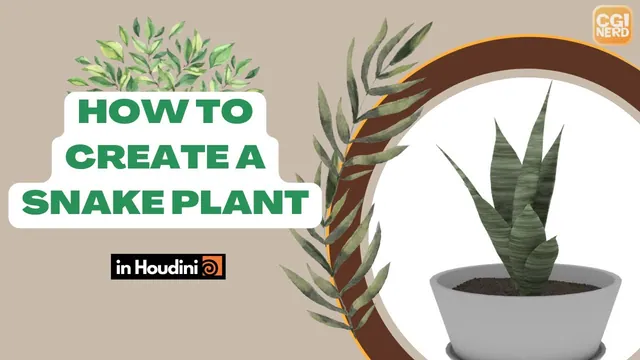
Procedurally Model Pot & Snake Plant | Houdini Tutorial
Written guide
Playing loads YouTube content. YouTube processes data after activation.
Watch on YouTubeIf the player is blocked or unavailable, use Watch on YouTube.
This extended Houdini project builds a pot, tray, soil and snake plant from procedural geometry. It also builds two controller nulls so useful dimensions, colors and variation settings can be changed without repeatedly searching the underlying networks.
The plant develops through two arrangements: a quick Copy and Transform prototype, followed by a spiral-driven loop that varies individual leaves. The recording includes unsuccessful expressions, disconnected parameter references and settings revised while inspecting the result. Exact Houdini and SideFX Labs builds are unverified. This is a scene-network workflow, not a demonstrated packaged HDA, exported game asset or finished render.
Build the pot and tray from related tube shapes
At 01:00, create a capped Tube inside a pot geometry object. Reference its height in its Y translation and divide by two so height changes keep its base at the ground level. Increase columns for a smoother circular outline, then adjust the top and bottom radii to establish the taper.
Branch a transformed copy of the tube into a Boolean setup. Initially the coincident inputs produce no visible result; raising the transformed cutter creates the hollow shape. Inspect the shell and opening as the cutter moves. The captions do not supply a complete final Boolean-parameter table, so use the visible hollow result to verify the operation and input order.
Duplicate the construction for the shallow tray, reduce its height and adjust its radii. Merge pot and tray, then translate the pot to sit appropriately above the tray. Several offsets are tried; this placement is manually adjusted rather than fully derived from every tray dimension.
At 05:03, add normals for clearer surface shading and a shared color. The instructor chooses white for a plastic-like appearance. Bevel the selected rim edges and reuse the bevel on the matching construction. A copied selection relies on the corresponding topology, so inspect both pieces after changing their upstream shapes.
Centralize pot dimensions without losing working values
At 07:01, create a clearly colored controller Null and edit its parameter interface. Hide the unused built-in controls and add scalar floats for pot and tray height, top radius and bottom radius. Internal parameter names serve expressions; labels are the readable interface text.
Set useful defaults before replacing existing settings with references. The first pot examples use height 1.25, top radius 0.6 and bottom radius 0.4. Copy each controller parameter and paste a relative reference into the corresponding geometry parameter. Then change the controller and confirm the geometry responds.
At 13:01, add controls called thickness and depth for each hollow construction. These drive the demonstrated cutter settings; they are not established as measured, constant wall-thickness controls. A thickness default of one and a pot-depth example of 0.13 preserve the existing setup. The tray later uses height 0.07, radii 0.45 and 0.4, and a depth example of 0.06.
These values describe the working example, not a validated range for every pot shape. Check the shell, tray clearance and opening together after substantial changes. The instructor explicitly accepts a limited control range rather than completing every possible relationship.
Derive a soil surface and expose its fit controls
At 18:03, branch from a tube cap and use Blast to isolate the top polygon. The example identifies it as primitive 0 and enables Delete Non Selected to retain it. This number is observed in that tube construction; changing the source topology requires checking it again.
The resulting disk is too wide. Directly using the pot’s top-radius value as a uniform scale does not give the intended relationship, so the source switches to a scale around 0.9. Add separate Soil Level and Soil Area Size controls because lowering the soil within a tapered pot can also require a smaller disk.
At 24:00, remesh the disk and reduce the target size to get enough geometry for Mountain displacement. Keep the noise amplitude small enough to read as surface variation. Expose the Mountain offset as a soil variation control. This changes the noise sample used for the surface; it is not a soil simulation.
Move the merge/color arrangement so the pot’s white color does not overwrite the soil. This separation becomes important when the soil and pebbles receive their own shared procedural color later.
Scatter pebbles and vary their shape per loop iteration
At 27:01, scatter points over the soil and copy a small polygon sphere onto them. Flatten the sphere and add Mountain noise, reducing its initially excessive amplitude and element size. A single copied source makes all pebbles alike, so introduce a For Each Point loop.
At 30:02, use Single Pass to inspect one point at a time. Create the loop’s metadata import and read its iteration detail attribute in the pebble-noise offset. The expression uses a relative metadata-node path, the attribute name and a final index argument of zero. The literal node path depends on the scene’s names and where the expression is evaluated.
Successive iteration numbers provide different samples, but the instructor wants a wider, adjustable spread. The revised expression nests the iteration value inside a random function and remaps its zero-to-one result with fit01. A syntax error near 35:02 is repaired by adding a missing comma after the random-value argument. The range is adjusted during this work, so the captions should not be treated as a final copyable expression listing.
Add a Pebble Seed control to the value used inside the random calculation. Replace only the temporary seed term with its relative reference, preserving the rest of the expression. Check that changing the controller produces a new collection of pebble shapes.
At 37:01, use point position, Turbulent Noise and a color Ramp Parameter to create brown variation over the soil and pebbles. Connect the color result to Cd, rather than displacing P when the intention is shading. A missing viewport update is resolved by refreshing the display. The example increases noise frequency for smaller color patches.
An accidental scatter count of 21,000 makes cooking expensive. At 42:00, reduce it to the intended 2,000. More pebbles can improve coverage, but the source weighs that appearance against repeated evaluation time.
Link color controls and organize the pot interface
Use an RGB color control for the shared pot/tray color and a color ramp for the soil. These are different parameter types: one chooses a single color, while the other maps a range of input values to several colors.
At 45:01, first paste the existing ramp values onto the controller to preserve the look. Then copy the controller parameter and paste a relative reference back onto the working ramp. Pasting values copies a current setting; pasting a reference creates the continuing dependency needed for a controller.
At 48:00, organize controls into Pot, Tray and Soil tabs. Test them after the interface changes. The soil controls stop responding in the source, and their references are pasted again before saving. The important final check is a working change in the geometry or color, not simply an orderly parameter panel.
Shape a single leaf with bends, taper and thickness
At 50:01, start the snake plant in a separate geometry object. Rotate a Grid upright by −90 degrees, use a narrow width around 0.3 and add enough divisions for deformation. Reference its height into Y translation at half that value to establish a grounded starting leaf.
Use paired Bend nodes across opposite width directions to cup the leaf, then another bend along its length. The source tries an extra taper node, removes it while exploring the existing taper/squish controls, then adds a separate reverse-direction taper for the bottom. The accepted shape has a pointed top and a less aggressively narrowed base.
At 57:00, PolyExtrude adds thickness with an example distance of 0.01. Enable the back output and the side group. Adjust the tip to avoid obvious overlap, bevel the extruded side region and smooth the result. The bevel distance is revised repeatedly; inspect the actual edge rather than extracting one tentative number as the final setting.
Changing the original grid’s length can distort the carefully adjusted deformation. A downstream Transform provides another way to stretch or widen the finished shape. Later cleanup removes an unused extra Transform, so preserve only transforms that contribute to the current branch.
Add point-color detail and controlled edge waviness
At 01:00:00, the leaf is too coarse for the intended point-based color pattern. Remesh it, smooth a coarser intermediate result, then remesh again for finer sampling. The source tries a very dense result, then uses intermediate target sizes around 0.08 and 0.03 to reduce the wait while retaining useful detail.
Inside Point VOP, feed position through Turbulent Noise and a color ramp to Cd. Adjust directional frequencies, roughness, amplitude and offset to find a banded pattern, then set dark and lighter greens on the ramp. Excessive amplitude initially overwhelms the useful variation when the ramp is introduced, so it is reduced and retuned.
At 01:07:01, return upstream to add Mountain noise for an irregular silhouette. Compare placing it before the bends with placing it after them but before extrusion. The after-bend version can damage the tip at stronger settings; the instructor retains the before-bend version and deletes the other branch’s noise node.
This revision demonstrates why operation order matters. Noise applied to the initial sheet is subsequently shaped by the bends, while noise applied to an already bent leaf acts on that different surface. Inspect the tip and both edges with the noise bypassed and enabled.
The geometry-noise offset can change the leaf shape globally. Per-leaf randomization of that particular setting is discussed as an extension and is explicitly not implemented in the final controller pass. Do not confuse it with the color-noise offset that is varied inside the later loop.
Use Copy and Transform as a quick arrangement prototype
At 01:12:04, offset the leaf and use Copy and Transform to create an initial cluster. Adjust the copy rotation, count and transforms, separating an initial offset from an unwanted translation that accumulates on every copy.
The source reduces the leaf’s excessive backward bend, adjusts width and uses a copy scale around 0.9 to make successive outer leaves smaller. It also changes the first leaf’s angle to reduce an obvious intersection.
This branch offers a quick silhouette but repeats the same underlying leaf detail. Around 01:20:01, the instructor keeps it as a comparison and begins a more flexible alternative. Leaf intersections are judged from the intended viewing distance; neither approach is claimed to guarantee collision-free geometry.
Place separate leaf evaluations along a Labs spiral
At 01:22:01, the source confirms that SideFX Labs is available and uses Labs Spiral. Its radius, height, loops and point count establish the placement path. Reduce the initial high point count to the small number of leaves desired.
Feed those points through a For Each Point loop and use Copy to Points to place the leaf. Create the loop metadata import for later expressions. Initially the leaves do not follow the spiral direction because the template points lack the needed orientation information.
At 01:26:01, use PolyFrame and output the curve tangent as the normal attribute used by the copy setup. Inspect the normals along the spiral, then return to a small point count. A source-leaf rotation of −90 degrees corrects its remaining orientation, and the earlier prototype offset is removed from the chosen source branch.
Use Single Pass around 01:29:02 to inspect individual iterations; turn it off to collect all leaves. A correct copy count does not establish correct orientation, so check each leaf’s base, facing direction and relationship to neighboring leaves before adding variation.
Combine ordered variation with a small random component
At 01:30:01, promote the color-noise offset from inside the VOP network so it can receive expressions on the outer node. Read the metadata iteration, randomize it and remap the result to an offset range demonstrated as −100 to 100. Different multipliers in the seed terms vary the offset components. Extra pasted expression text is discovered and removed before the instructor rechecks the nested functions.
The expression structure is the useful concept: metadata supplies the iteration, the random function produces repeatable variation from that input, and the fit operation maps it into the control’s useful range. The article does not reconstruct exact node paths or final component expressions from incomplete spoken punctuation.
At 01:37:00, random uniform scale creates leaves that are too arbitrarily sized. Replace the main random term with an ordered value based on iteration divided by ten, then map that value into the desired scale range. The fixed divisor comes from the instructor’s assumption of no more than ten leaves; it is not an automatically normalized leaf count.
Around 01:42:00, add a separate random contribution of up to 0.3 to break the perfectly regular progression. The narration briefly says “three” while explaining this, then clarifies 0.3. This produces a structured size trend with limited variation rather than relying on random scale alone.
At 01:44:00, reuse the idea for outward rotation and bending. The initial endpoint order turns the wrong leaves outward, so it is reversed and retuned. Further rotation and bend trials aim to keep inner leaves more upright while allowing outer leaves to flare. These are iterative visual adjustments, not a single final angle table recoverable from the captions.
Inspect the resulting cluster after each change. Tighter spirals can increase intersections, and an upstream bend change forces all downstream leaf geometry to recook. The accepted result balances the intended view, an upright center and outward variation; no collision-solving stage is added.
Expose the final plant controls and test them
At 01:53:02, create a Snake Plant Controller null. Add a two-component float for the grid dimensions, use readable labels and valid internal names, and establish positive dimensions. The source initially pastes a reference in the wrong direction, restores the working width around 0.2, then correctly drives the grid from the controller.
Add global leaf-noise offset and strength controls. Connect strength to Mountain amplitude, not element size. The instructor explicitly leaves further per-loop variation of these controls as optional future work.
At 02:01:02, replace an accidentally added single-color parameter with the required color ramp. Copy the existing colors as values first, then make the source ramp reference the controller. A temporary blue stop verifies that the link affects the plant.
At 02:03:01, expose Number of Leaves and Twist. Change leaf count from float to integer because a count requires whole leaves. Connect it to spiral point count and connect Twist to spiral loops. The working example uses seven leaves and about 1.1 loops, then tests different values before returning to its preferred settings.
The final pass restores a restrained noise strength around 0.15 and offset zero, allowing the network to finish cooking before saving. Test dimensions, count, twist, noise and color individually so a broken link is easy to locate. The result is a controllable pot network and a procedural plant network, with known limits around extreme settings, intersections, evaluation cost and controls that remain global rather than independently randomized for each leaf.