
Maya & Python Scripting / Maya / Python
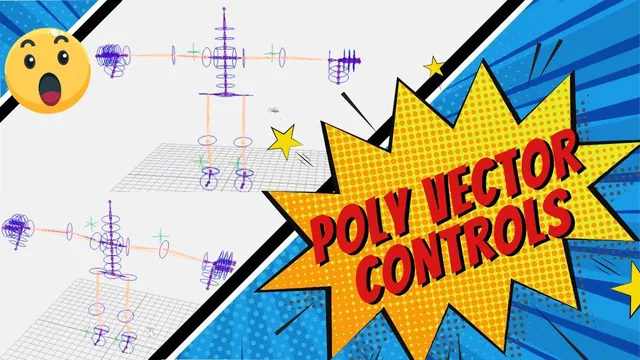
Pole Vector Controls in Maya with Python
Written guide
Playing loads YouTube content. YouTube processes data after activation.
Watch on YouTubeIf the player is blocked or unavailable, use Watch on YouTube.
A pole-vector control gives an animator a way to aim the bend of an IK limb. This lesson adds locator controls for both elbows and knees to an existing Maya auto-rig script. The placement method uses the limb’s current joints to find a position and direction before connecting the locator to its IK handle.
The starting tool already builds a proxy, skeleton, controls and IK handles. It also contains a helper for zero/offset groups. The exact Maya release is not stated. This lesson tests the generated limbs but does not demonstrate every limb pose or solve all possible pole-vector degeneracies.
Establish placement from the limb rather than a fixed world direction
During 00:00–05:01, the instructor temporarily exposes previously hidden rig elements and demonstrates the placement idea manually. A locator is positioned from the three limb joints, aimed toward the middle joint and moved away along its oriented axis. It then drives a pole-vector constraint on the IK handle.
The purpose is to keep the locator in the limb’s bend plane when the proxy is repositioned. In the demonstrated starting pose, adding the pole-vector constraint leaves the joint chains overlapping instead of visibly shifting the elbow.
The reusable helper takes five inputs: a locator/control name, the start, middle and end joint names, and the IK-handle name. For the first arm these identify shoulder, elbow and wrist. Confirm the names refer to the IK chain and its handle, not a similarly named bind or FK copy.
Position and aim with temporary constraints
From 05:01–09:04, the script creates the named locator. A point constraint uses the three joints as targets and the locator as the constrained object, with Maintain Offset disabled. The returned constraint is stored and deleted after it has established the position.
An aim constraint then uses the middle joint as the target. The demonstrated aim direction is local X, expressed as (1, 0, 0). That temporary constraint is also deleted after orienting the locator.
Keeping the result while removing the temporary constraints leaves the subsequent pole-vector control available to move independently. The constraints here construct the control’s starting transform; they are not intended to keep the control permanently pinned to the elbow.
The manual explanation mentions a Y up vector, but the complete final aim/world-up configuration is not established in the spoken code. Inspect the actual orientation when following the source, particularly if the limb’s plane differs from the example.
Correct the move arguments before choosing a distance
During 09:04–13:01, the instructor moves the locator along its oriented X direction and adds the pole-vector constraint from the locator to the IK handle. Testing a repositioned proxy exposes confusion in the initial move arguments.
After reopening the working state, the instructor separates the X-axis flag from the distance value, enables relative movement and uses object-space movement with distance expressed in world-space units. The final demonstrated distance is four units at this scene’s scale.
These settings describe different aspects of the operation: the locator’s orientation supplies the direction, the relative move offsets the current placement, and the distance determines how far away the control sits. Treat four as a spacing choice for this character, not a general requirement for IK.
The proxy is moved into a different plane and the skeleton/control stages rebuilt to inspect the resulting placement. This is more informative than testing only the original symmetrical pose because it checks whether the placement follows the current limb geometry.
Put construction transforms on the zero group
During 13:01–15:00, the existing zero/offset helper is added immediately after locator creation. The placement and orientation operations are changed to affect the returned zero group instead of the locator itself.
The final pole-vector constraint still uses the locator as its target. This distinction preserves the intended control relationship while letting the grouping layer hold the generated starting transform.
Check the correct node at each stage. The zero group should receive the temporary positioning/aiming operations and offset move; the animator’s locator should drive the IK handle. Replacing every locator reference indiscriminately would change the final relationship as well as the setup transforms.
Reuse the helper for both arms and legs
From 15:00–17:00, the first call is copied for the other arm, then adapted to the legs with hip, knee and ankle names and the corresponding leg IK handles. The instructor clears the test state and rebuilds after briefly suspecting an error.
All four controls are moved to confirm they affect their intended IK limbs. This is also a check on copied arguments: a correctly created locator can still drive the wrong handle if only part of a copied call was renamed.
The source demonstrates bent limbs with a usable direction from the temporary placement to the middle joint. A perfectly straight chain or a coincident target can make that direction ambiguous. No fallback for those cases is implemented or validated here.
Parent the complete control hierarchy into the rig
During 17:00–18:58, the first cleanup attempt parents the locator controls into the shared ctrls group but leaves their grouping structure outside. The instructor moves the parenting operation into the helper and parents the zero group instead.
That keeps the whole control assembly together: zero group, offset structure and locator. Inspect the Outliner after rebuilding, then retest each limb to ensure organization has not broken its behavior.
The completed feature is a set of four generated pole-vector controls with repeatable placement and grouping. It does not establish behavior through full extension, arbitrary scale, every world-up configuration or all poses. Keep those as rig-review cases beyond the demonstrated build and movement tests.