
Crowds & Simulation / Houdini & Procedural Workflows / Houdini
Particle Impact Fracture - 3D Houdini VFX Tutorial
Written guide
Playing loads YouTube content. YouTube processes data after activation.
Watch on YouTubeIf the player is blocked or unavailable, use Watch on YouTube.
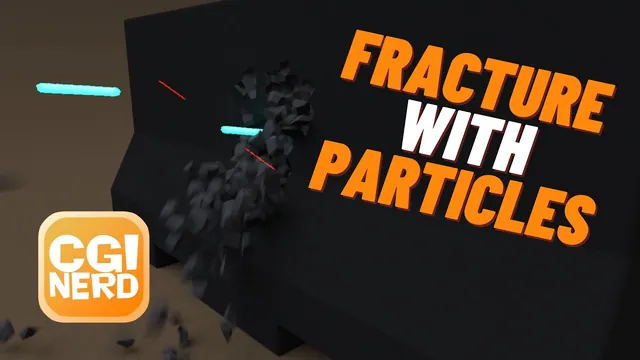
Use particle impacts to remove glue constraints from a fractured concrete barricade, then turn the same particle system into glowing projectiles and impact sparks. The lesson connects three different tasks: locating an impact, releasing nearby rigid pieces and rendering the result. Keeping those tasks separate makes its lengthy troubleshooting sequence much easier to understand.
The barricade model already exists. The recording uses a historical shelf-based Houdini rigid-body and particle workflow, with a DOP simulation cache and later render adjustments; its exact Houdini build is unverified. The completed example is a two-second shot. Several high-resolution experiments fail, and final environment polishing happens off camera.
Build a manageable fracture and hold it together
At 00:28, convert the existing barricade into a volume with IsoOffset, scatter points and use them for a Voronoi fracture. The points determine the fracture pattern. More points create a denser partition, but also increase the simulation work that follows.
The instructor initially tries 100,000 points, then reduces the working setup to 1,000. At 02:19, the shelf’s fractured packed rigid-body setup and a ground plane produce falling pieces. That verifies gravity and collision, but does not yet make an intact barricade: the fragments need relationships that hold them together.
At 03:18, Glue Adjacent creates the constraint setup. Ordinary low-strength glue allows gravity to break the structure. The lesson instead uses an unbreakable glue setting and intends to remove selected constraints explicitly. The distinction matters: impact-driven deletion controls where pieces are released, while the rigid-body simulation controls their subsequent motion. The captions describe the strength setting loosely as negative; this is not evidence that every arbitrary negative value is a portable setting across Houdini versions.
Keep the low-density fracture until the complete impact-to-release path works. The later attempt to return to 100,000 points stalls badly enough that the instructor force-quits. A saved scene and a small diagnostic setup are much more useful here than a large fracture that obscures a wiring error.
Separate the incoming projectiles from their impact replicas
At 04:40, create a location particle emitter in front of the barricade. The demonstrated placement is approximately 0.8 units high and −2 along Z, with a birth rate of 24 and Z velocity of 10. These values suit this scene’s scale and orientation; they do not define a general impact preset.
At 06:00, change the particle collision response to Die. POP Replicate then uses the dead attribute to generate a short-lived burst when the incoming particle collides. The instructor repeatedly reduces replica lifetime, eventually trying about 0.05 seconds, to make the burst brief. Reset the simulation when comparing these changes: an old result can make a new lifetime look ineffective.
There are now two useful particle populations:
| Population | Job in this setup |
|---|---|
| Original emitted particles | Locate the incoming impacts and supply the constraint mask |
| Replicated particles | Supply the visible burst that later becomes sparks |
The first filtering attempt uses a presumed hit group and fails because the needed group is absent. At 14:01, the correction is to insert POP Group between the location source and replication, preserve that group, and use it to identify the original stream. A downstream Blast with Delete Non Selected retains those originals for the constraint branch. The exact typed group spelling is not reliably recoverable from the captions; create a clear group and select that same existing group downstream.
Inspect the geometry at a frame where particles exist. Looking at an empty frame or the wrong display node can make a valid group appear missing. Preserve access to the complete particle stream as well, because the replicas are still needed for rendering.
Turn nearby particles into a constraint-deletion mask
At 10:43, the lesson colors the relevant geometry to make proximity visible. Within the constraint setup’s Remove Broken SOP solver, import the particle output. The constraint geometry begins black and the incoming particle points white.
Use Attribute Transfer with the constraints as the destination and the particle points as the source. An overly large transfer distance turns too much of the constraint network white. A very small distance can miss the contact, especially because the incoming particle dies at impact. The lesson tests several distances rather than establishing one universal threshold.
At 19:10, promote the transferred Cd from points to primitives, then use Blast to remove the colored constraint primitives. This promotion connects the point-based proximity signal to the primitive relationships that need deleting. The spoken color selection is abbreviated; the recording does not establish a fully specified, version-independent vector expression or promotion mode. Inspect the resulting primitive selection instead of treating the incomplete caption as executable syntax.
There are two distinct checkpoints:
- On Attribute Transfer, do only the intended nearby constraints receive the mask?
- After promotion and Blast, have those constraint primitives actually disappeared?
The first checkpoint proves proximity detection. It does not prove that the solver receives a broken constraint network. This distinction becomes the decisive correction later in the lesson.
Cache the simulation and correct the solver’s displayed output
At 21:33, an immediate-mode SOP solver warning and unreliable interactive comparisons lead to a simulation cache. The demonstrated file pattern is newhit.$F4.sim, covering frames 1–48. This is a DOP simulation sequence, not a polygon surface cache.
The recording introduces a File DOP and a switch between reading that sequence and evaluating the live simulation. In this network, input 0 reads the file and input 1 runs the live branch. Confirm the actual connections in your own network before using those numbers. The file node initially has No Operation selected; changing it to Read and selecting the sequence are necessary before it can play the cache.
The repeatable comparison is: choose the live branch, return to the beginning, reset the simulation, save the sequence, then switch to the file branch to inspect it. If a new threshold seems to do nothing, first establish whether you are observing a new simulation or yesterday’s cached result.
After the 100,000-point attempt fails, the instructor settles on a 10,000-point fracture, correcting an intervening test that was still using 1,000. Transfer distances including 0.1, 0.15, 0.2 and 0.25 are explored. These tests initially seem contradictory because the solver’s displayed output is still the Attribute Transfer node.
At 37:00, the actual mistake is identified: the output flag must be on Blast, where the constraints are deleted. Displaying the colored constraints supplies the mask without supplying the deletion. With the correct output and a return to about 0.15, the recached simulation breaks as intended.
At 39:14, a flipbook provides the timing check. Several hits accumulate before substantial damage occurs. Judge that motion at playback speed; an isolated frame cannot show the relationship between repeated impacts and the progressive collapse.
Give projectiles and sparks independent render controls
At 40:01, a render preview reveals particles that are much too large. Split the original and replicated populations into separate branches so their color and scale can be adjusted independently.
At 42:39, a Point VOP exports a scale parameter to pscale. Its initial zero value makes the particles disappear; increasing it restores visible particles, and smaller values reduce their rendered size. Apply scale deliberately to both populations before comparing their appearance. The numerous trial values are artistic adjustments, not final measurements transferable to another scene.
The first approach merges the branches after assigning color and material. Around 46:27, a Principled Shader is developed for emissive sparks, but the expected material appearance does not reliably reach the render. The instructor tests object-level assignment and observes the stronger emission there.
At 54:21, the practical correction is to create an OUT_SPARKS null and import it into a separate geometry object. Assign the spark material at that object’s render level. Keep the original projectile branch available separately, so the incoming blue projectiles and warm sparks have independent material and sampling controls. The lesson demonstrates this separation as a working workaround; it does not establish the precise cause of the earlier material-assignment behavior.
Later adjustments disable use of point color and set color in the material directly. Overshooting emission creates bright cores and colored edges in the preview. Do not confuse the color used to delete constraints with these render colors: the constraint mask has already served a different purpose on a different branch.
Diagnose blur and noise before increasing every sample
At 45:01, turning on motion blur at the render output does not immediately produce the expected particle streaks. Enable velocity blur on the geometry object as well. After creating a camera, the instructor adjusts shutter time around 49:00: shorter exposure reduces the streak length, while longer exposure increases it.
The separately imported sparks need their own velocity-blur setting. Moving points, an enabled render option and usable velocity data are related requirements; none should be assumed merely because another object is already blurring.
Around 1:03:03, pixel sampling is raised through 6 × 6 and 10 × 10. The image improves but render cost rises. Subsequent region comparisons show that reflections contribute much of the remaining noise, prompting a more selective reflection-quality adjustment and lower general sampling. The spoken render-time estimates change repeatedly, so they are not reliable performance benchmarks.
Compare a fixed frame and region when evaluating a setting. Otherwise a different impact pattern, shutter streak or crop can be mistaken for a sampling improvement. The source demonstrates look development through iteration, not a final renderer preset.
Recover fracture groups and velocity on the render geometry
At 1:08:01, the instructor tries to color the barricade’s exterior and newly exposed interior. The expected groups are missing from the currently fetched result. Changing the import to fetch unpacked geometry from the DOP network exposes the fracture groups used in the recording.
Assign a darker color to outside and a lighter color to inside. Point colors bleed across shared boundaries in this example; switching the Color nodes to primitives preserves the intended separation between faces. Check both the group availability and the attribute class before blaming the material.
At 1:12:04, the fractured pieces still lack visible motion blur. A velocity/trail inspection shows that the imported render geometry has no usable velocity in this setup. Adding Point Velocity supplies calculated velocity, and a subsequent render shows blur on the moving pieces once velocity blur is enabled.
That result applies to the demonstrated geometry path. The recording does not investigate point correspondence under changing topology or establish a general replacement for every rigid-body velocity import. Verify the moving pieces in the actual rendered sequence before adopting the same post-import calculation elsewhere.
The closing two-second render shows blue projectiles hitting the barricade, sparks appearing and fractured pieces releasing. Environment cleanup and final sequence setup were performed during a pause. The reproducible instructional core is the separation of impact selection, constraint deletion, cache evaluation and render preparation—and the need to inspect the output of each stage.