
Maya & Python Scripting / Character FX & Animation / Maya / Python
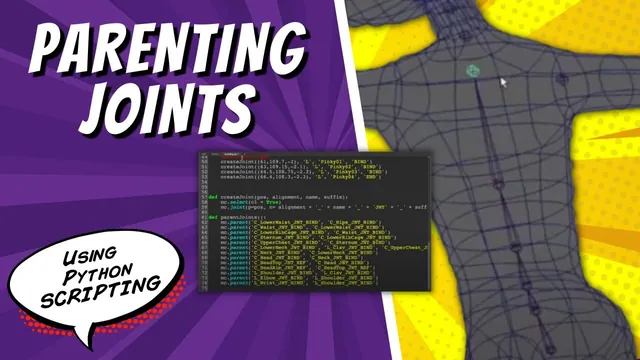
Parenting Joints With Python | Maya Tutorial
Written guide
Playing loads YouTube content. YouTube processes data after activation.
Watch on YouTubeIf the player is blocked or unavailable, use Watch on YouTube.
This lesson turns a collection of separately created Maya joints into a connected skeleton hierarchy. The existing script can place the center and left-side joints, but each joint initially stands alone. The new parenting function connects the torso, head, arm, fingers and leg so they form the intended branches.
The starting tool assumes a particular character structure, including five fingers. It is not a general skeleton recognizer. Parenting is also separate from orienting the joints: the introduction identifies their world-aligned axes as work to address, but this lesson concentrates on connections. The exact Maya release is not established.
Separate joint creation from hierarchy construction
During 00:00–06:00, the instructor reviews the existing joint-creation function and labels its anatomical sections. These comments make it easier to find the center, leg, arm, hand and individual fingers while building a second function for parenting.
Keeping the two operations distinct matters because the intended user should eventually be able to create the joints, move them to fit a character, and only then connect them. At this stage the script does not yet provide that interactive pause. The window that will trigger separate stages is deferred to the next lesson.
An empty function produces an early syntax problem. A comment alone does not supply a function body; the instructor temporarily uses pass while developing the function. That placeholder is removed when the actual parenting statements are added.
Establish the child and parent arguments
Around 06:00–10:00, one connection becomes the test case. Instead of selecting two joints and invoking Maya’s parent action, the function supplies their names directly to mc.parent: the child comes first and the intended parent follows it.
Two syntax mistakes interrupt this first test. Joint names need to be quoted as strings, and an unnecessary colon must be removed from the command. Defining the function alone also does not run it; the instructor adds the function call after creating the joints.
Check the resulting connection in the scene before copying this pattern. A statement that runs without an error can still express the wrong relationship if the arguments are reversed. The important result is that the intended child sits below its intended parent, not merely that two joints appear joined in the viewport.
Keep destructive test cleanup separate
During 10:00–13:00, repeatedly selecting and deleting the generated joints becomes tedious. The instructor tests a case-sensitive name pattern ending in uppercase JNT, selects the matching objects and deletes them. This cleanup is then placed on a separate Rigging shelf button by dragging the selected script text to the shelf.
The purpose is to rebuild a disposable test skeleton between edits. The name pattern is not proof that every matched joint belongs to this tool. Use the demonstration’s isolated test context and inspect what matches before adopting that cleanup in a scene containing other work. The lesson does not provide ownership tracking or a protected production-scene reset.
Separating the cleanup button also makes the development cycle explicit: clear the previous generated result, run creation and parenting, then inspect the new hierarchy.
Connect the torso and head, adding the missing clavicle
From 13:00–24:12, the center chain is assembled progressively through the waist, lower rib cage, sternum and upper chest. Each addition is followed by a rebuild and inspection rather than copying the entire hierarchy before testing it.
The instructor notices that the arm needs a clavicle joint that was omitted from the creation data. A temporary joint is positioned as a reference, then a clavicle entry is added to the creation script. Its placement is specific to the demonstration; the captions contain repeated and ambiguous digits, so they do not establish a reliable reusable coordinate tuple.
The lower neck and clavicle are both parented to the upper chest. This illustrates a useful distinction: several children can share one parent in a parenting call, with the parent supplied last. That operation creates sibling branches; it does not build a chain through every listed object.
The neck and head connections are then completed through the remaining head-related joints. Inspect the center chain and the neck/clavicle branching point together. A correct branch point lets the arm and head belong to the chest without accidentally making one a descendant of the other.
Build the arm and five finger chains
During 24:12–36:00, the shoulder is parented to the clavicle, the elbow to the shoulder, the wrist to the elbow, and the palm to the wrist. The first joint of each finger is attached to the palm.
Each finger then receives its own sequential connections: joint two under one, three under two, and four under three. The distinction from the earlier multiple-child call is essential. Making all finger segments children of the palm would create branches, not an articulated finger chain.
After testing the thumb, the instructor copies its three statements into a separate Python tab and uses search and replace to adapt them for the index, middle, ring and pinky. The names are case-sensitive. This speeds up repetitive editing, but each replacement still needs inspection: an unchanged thumb name or a wrong finger token can connect otherwise valid joints into the wrong branch.
Rebuild and inspect all five fingers after copying. Look for both the root connection to the palm and the internal order of each chain.
Finish the leg and identify what remains
During 36:00–39:51, the left hip is connected to the center hips, followed by knee, ankle, ball and toes in sequence. The final rebuild produces the center and one side of the skeleton without reported script errors.
That result establishes a hierarchy, not a finished rig. The lesson does not demonstrate mirrored completion, corrected joint orientation, controls, skinning or deformation. It also leaves the user-facing timing problem unresolved: creation and parenting need separate controls so the user can reposition joints between them.
The useful review is therefore structural. Confirm that the intended center and left-side joints exist, each chain follows its anatomical sequence, the shared branch points are correct, and the copied finger names resolve to the intended joints. Those checks provide a concrete foundation for the later UI and orientation stages.