
Maya & Python Scripting / Maya / Python
Parenting Controls with Python in Maya | Maya Python Tutorial
Written guide
Playing loads YouTube content. YouTube processes data after activation.
Watch on YouTubeIf the player is blocked or unavailable, use Watch on YouTube.
The auto-rig currently creates a master control. This lesson makes its control builder more flexible: a new control can align to a joint, choose whether to match position and rotation, use a different circle direction and radius, and offset its visible curve without moving its pivot.
Despite the title, much of the lesson uses temporary parenting as an alignment method. It does not build the complete final control hierarchy or connect every new control to the skeleton. The exact Maya release is unidentified, and several detailed command edits are only partially represented by the captions, so the article explains the demonstrated operations without inventing a complete executable script.
Use the zero group as the alignment carrier
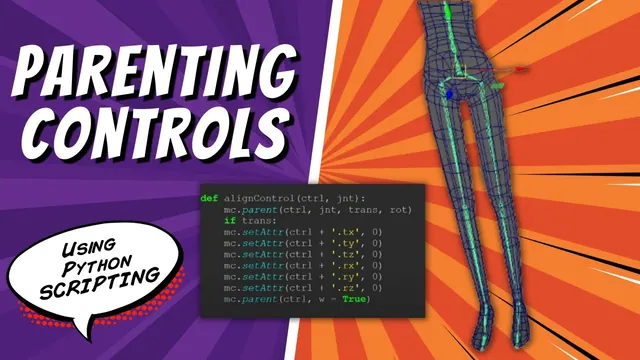
At 00:00–04:04, the instructor demonstrates aligning a control by parenting its zero group beneath a target joint, zeroing the relevant local transforms, then unparenting the group back to world level. The group retains the resulting placement, while the child control remains neutral.
Each step has a different purpose. Parenting changes the coordinate frame used by the group. Zero local translation places it at the parent’s origin; zero local rotation aligns it with the parent’s orientation. Unparenting returns it to a separate hierarchy while retaining the resulting world placement in the demonstrated operation.
This is an alignment procedure, not a lasting follow constraint. Once the group is unparented, moving the original joint does not automatically carry the control through that temporary relationship.
The circle’s own construction direction also needs adjustment so its visible plane is suitable after alignment. The lesson adds a direction argument and tests it before proceeding. The exact vector form is not fully exposed in the spoken source, so the article does not substitute a guessed circle-normal argument.
Parameterize radius and an optional alignment target
During 04:04–12:00, the builder receives a radius argument so a large master control and a smaller body control do not need separate construction code. A center-of-gravity control is added for the hips using the same builder with different inputs.
A separate align-control function receives the group reference and joint target. The master stays at the origin, so its call supplies a no-joint case that skips alignment. The other call supplies the hips joint name and follows the alignment path.
The captions describe this absence as “no” or “null” while the script is being edited. They do not establish a portable literal from that wording alone. In Python, an actual absence sentinel is None; whichever contract the existing function uses must be consistent between the caller and its condition. Do not pass a guessed scene object called “null” and assume that it has special meaning.
Test the two cases independently. The master should remain at its intended initial location, and the body control should align to the supplied joint. A successful body-control call does not prove that the no-target branch works.
Zero the intended channels, then always finish the unparenting step
At 12:00–16:05, the helper explicitly sets the group’s translation and rotation channels to zero while it is beneath the joint, then uses world parenting to separate it again. The instructor rebuilds from a cleared scene to confirm that the result appears in the intended position.
Although the narration sometimes uses “freeze” while discussing these settings, the described alignment edits are channel assignments inside the temporary parent relationship. They should not be silently replaced with a different Freeze Transformations command.
Later, around 20:00–24:01, translation and rotation matching become separate Boolean choices. The hips control uses both; the foot examples use positional alignment while preserving a different orientation choice. The instructor briefly considers making unparenting conditional on those flags, then keeps it as the required finishing step regardless.
That final separation matters. A control left under the temporary joint could inherit movement that the rest of the builder does not expect. Check the resulting hierarchy as well as the viewport position after each alignment call.
Fit foot controls without changing their pivots
During 16:05–27:00, the instructor identifies additional joints that will eventually need controls and creates left and right foot examples. The feet motivate separate position and rotation options because matching an ankle joint’s orientation is not always the desired visual orientation for a ground-facing control.
The radius is reduced, and the instructor considers moving the visible circle backward relative to its pivot. Component mode is used to move the curve’s CVs rather than the transform. This makes the shape easier to select while keeping the control’s pivot at the location established by alignment.
The lesson also mentions the offset group but chooses component movement for this visible-shape adjustment. These are not interchangeable edits: moving an offset group changes a transform layer, while moving CVs changes the curve’s geometry relative to that layer.
The final shape offset is fitted to the example character. The instructor acknowledges that another character may need a different placement rather than claiming the chosen offset is universal.
Translate the component movement into a relative move command
At 27:00–37:03, the manual component operation is adapted from the command history into Python. This section contains several syntax and argument-order experiments. The instructor first isolates whether the CV selection resolves, then checks the move call separately.
One test moves all selected CVs to the same position instead of translating the curve shape intact. The correction is relative movement. With a relative offset, each point receives the same displacement and the outline keeps its shape; an absolute position assignment can collapse different points onto one location.
The command also needs three separate displacement values in the expected order. A selected component range is not itself the translation amount, and MEL history text cannot simply be pasted into a Python call without translating its syntax and argument structure.
The successful test moves the curve backward while preserving its form. Verify that result visually before turning the values into another function argument. If the curve has collapsed or the pivot moved instead, the operation is not yet the one demonstrated.
Pass the offset components explicitly and leave a clean selection state
During 37:03–42:56, the three-component offset becomes an argument to the control builder. The example foot calls use a backward offset of about five units, while controls that need no shape offset use zeros.
Passing the whole list where the move command expects separate numeric arguments causes another error. The final edit retrieves indices zero, one, and two as the three displacement components and retains relative movement. This is a command-interface issue: storing a vector in one list does not mean every Maya command accepts that list as one positional argument.
The CV selection assumes the default circle structure used by this builder. A different curve topology would require inspecting its component range instead of reusing the same range blindly.
The function clears the selection after the operation so later builder steps do not accidentally inherit the selected CVs. The final recorded result is a more flexible builder with radius, orientation, alignment choices, and visible-shape offsets. Creating all remaining controls is left for work between lessons. Check a master, an aligned body control, and both foot examples before extending the call list further.