
Maya & Python Scripting / Character FX & Animation / Maya / Python
Parenting Controls | Maya Python Auto Rig Tutorial
Written guide
Playing loads YouTube content. YouTube processes data after activation.
Watch on YouTubeIf the player is blocked or unavailable, use Watch on YouTube.
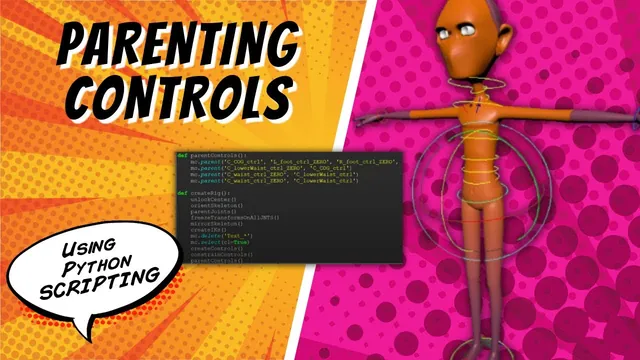
Controls that drive the right joints can still behave like disconnected pieces if their own hierarchy is unfinished. This lesson parents the auto-rig’s control groups so that the master moves the character, torso controls carry the controls above them, and the neck, clavicles, and feet inherit the intended motion. It then organizes controls, IK handles, and joints under a single rig container.
The Maya Python builder already creates the skeleton, controls, and several constraints. This article follows the hierarchy work added in the recording; it does not reconstruct the entire prerequisite script. The exact Maya release is unidentified, and pole-vector controls are explicitly left for the following lesson.
Parent the child’s zero group beneath the driving control
At 00:00–03:01, the instructor demonstrates the desired master relationship and immediately corrects an important mistake: child zero groups must go beneath the master control itself, not beneath the master control’s zero group.
The distinction determines which transform carries them. If the children are siblings of the master curve beneath its zero group, moving the curve does not make those siblings inherit its movement. Parenting the child groups under the actual master control establishes that inheritance.
The same pattern applies up the torso. A lower-waist control’s holder or zero group belongs beneath the center-of-gravity control; the next control’s zero group belongs beneath the preceding control. The group preserves the child control’s initial placement while the parent control supplies inherited motion.
The neck and clavicles branch from the upper chest. The foot-ball controls belong beneath their corresponding foot controls. The IK wrist and foot controls remain at the broader master level in this setup, rather than being inserted into the torso chain.
Decide whether center controls may translate as well as rotate
During 03:01–06:00, the instructor changes several center-body relationships to parent constraints, allowing translation adjustments as well as rotation. The example is intended to permit extra pose shaping, including stylized offsets, rather than enforcing a strictly rotation-only interface.
The change is applied to the center section, clavicles, and foot-ball controls discussed in the recording. The wrist and foot IK relationships are left with their existing arrangement because they have different responsibilities involving the IK handles.
An initial isolated test suggests a local adjustment, but the later completed hierarchy makes descendants inherit movement from their parents. The lesson acknowledges that behavior while building the chain. Do not promise that translating a torso control will affect only one small section after all the controls above it have been parented beneath it.
The instructor notes that translation channels could be restricted later if the desired animation interface changes. That restriction is not implemented here. Verify both translation and rotation behavior after the final hierarchy is assembled, not only during an intermediate unparented test.
Establish the master-level controls first
At 06:00–09:02, a parent-controls function is introduced. The center-of-gravity, wrist, and foot control zero groups are parented beneath the master control, with the parent supplied last in the demonstrated parent call.
Not every control needs to be explicitly parented to the master. Once the torso hierarchy is assembled beneath the center-of-gravity control, those descendants inherit the master relationship through it. Parenting every node directly to the master would remove the intermediate control relationships the lesson is trying to create.
A clean rebuild checks this first level. Moving the master should carry the already attached control branches. It is normal at this intermediate point that the remaining torso relationships still need to be added.
The recording later catches a call that used the center-of-gravity control instead of its zero group as the child. That is corrected to preserve the same child-group-to-parent-control pattern used elsewhere.
Assemble the torso chain and its branches in small steps
During 09:02–19:07, the lesson adds the lower waist, waist, rib-cage/sternum region, and upper chest relationships progressively. It rebuilds and tests during this process because several similar names and zero-group suffixes make copying errors easy.
At the upper chest, the structure branches: the lower-neck zero group and both clavicle zero groups are parented to the upper-chest control. The neck and head are then attached in sequence above the lower neck. Each foot-ball zero group is parented beneath the foot control on its own side.
The captions do not make every literal intermediate object name equally clear, so this article does not invent a complete executable parenting map. Inspect the existing builder’s exact names and retain the demonstrated hierarchy roles.
Test each addition by moving or rotating its parent control. The newly attached group should follow, and the child control should still provide its own local adjustment. Then test the master again. These checks distinguish a correct local branch from a hierarchy that accidentally bypasses the master or attaches to the wrong side.
The final control-hierarchy test shows all intended control branches moving with the master in the recorded scene. That is the behavioral result; a large list of successful parent calls alone would not prove the same thing.
Organize existing nodes instead of relying on an unfinished empty-group attempt
At 19:07–26:03, the instructor begins grouping the rig’s categories. Several attempts to create an empty controls group fail, including a missing string quotation and an attempted world-parenting flag. Those attempts are abandoned in favor of grouping the existing control hierarchy directly.
The final implemented path is what matters for following the lesson: put the controls in a controls group, the existing arm and leg handles in an IK group, and the skeleton in a joints group. The recording does not establish its attempted flag combination as a correct recipe for creating empty groups.
Keep grouping separate from the earlier animation hierarchy. These outer containers organize categories; they do not replace the zero-group relationships that make torso and master motion work. Check that the grouping operation has not pulled a control out of the chain built in the previous stage.
Names must be passed as names, not mistaken for variables or additional existing objects. Several errors in this section are caused by that distinction, rather than by an invalid rig hierarchy.
Name the final container and repeat the movement check
During 26:03–29:37, the three category groups are placed beneath a character auto-rig group. The instructor corrects the call so that the requested container name is supplied through the naming argument, then adds a recognizable project prefix.
The result is a compact Outliner entry containing the controls, IK handles, and skeleton. A clean rebuild verifies that the organization is created by the script, rather than only by manual edits in the current scene.
Inspect the final hierarchy and test the master, a lower torso control, the chest branches, and both foot-ball controls. Their motion should reflect the relationships established earlier. The lesson ends with a basic organized rig and identifies elbow/knee pole-vector controls as the next addition.
No whole-rig scale behavior, extreme-pose review, or completed pole-vector system is demonstrated here. The scoped achievement is a reproducible control-parenting structure and an organized rig container ready for those later features.