
Character FX & Animation / Maya
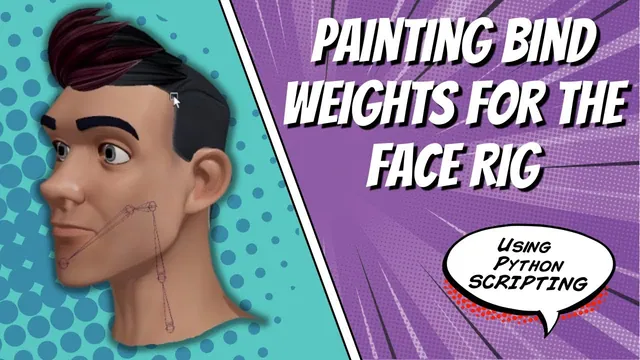
Painting Bind Weights for the Face Rig
Written guide
Playing loads YouTube content. YouTube processes data after activation.
Watch on YouTubeIf the player is blocked or unavailable, use Watch on YouTube.
A bound face mesh is only a starting point. Its default weights may assign the jaw, neck, and head regions poorly, so the skeleton can move while the deformation still looks wrong. This lesson establishes broad influence regions, smooths the mouth transition, and tests saving and restoring weights through Maya’s image-based skin-weight map workflow.
The result remains a rough weighting pass. The instructor identifies mouth and neck issues, plans further refinement, and defers attachments such as tongue, lower-jaw geometry, and hair. The exact Maya release is unidentified. This lesson’s image maps should not be confused with the separate XML deformer-weight workflow used elsewhere in the series.
Confirm the bound head before painting
At 00:00–02:02, the instructor creates and positions the face skeleton, selects the head mesh, and binds it. A missed mesh selection is corrected before proceeding. The script has also been changed between lessons from the earlier bind command to skinCluster, which the instructor uses for the paintable setup demonstrated here.
The Paint Skin Weights interface reveals that the default assignments do not correspond well to the intended jaw region. The lesson therefore begins with explicit broad assignments instead of trying to smooth an unclear starting distribution immediately.
Hide unrelated geometry while working so the head and its influences are easier to inspect. Verify that the mesh being painted is the intended head and that the listed influences belong to the skeleton just built.
Establish broad regions with selected-vertex floods
During 02:02–06:02, component selection is used to avoid accidentally selecting joints while drawing a vertex-selection box. The instructor first floods the head to the base influence, then progressively assigns smaller regions to the middle neck, head, and jaw.
The demonstrated broad assignments use Replace with full opacity and a value of one. This produces clear starting regions. Selection shrinking, side-view inspection, and manual corrections help define the transitions before smoothing.
The jaw selection is not perfect on its first attempt. Some extra points are identified and reassigned, and the terminal jaw-aim joint is deliberately left without a painted region in this setup. The aim joint’s structural role does not require it to receive a separate deformation region here.
Inspect the selected vertices before every flood. A flood changes the selected region according to the current influence and paint mode; an unnoticed extra selection can assign a remote patch of the head to the wrong joint.
Open the jaw to evaluate the lip transition
At 06:02–09:00, the jaw is rotated so the deformation can be judged in a useful pose. The joints’ neutral rotation values make it possible to return to the original pose after testing.
The instructor grows a selection from the lower-lip area and assigns it to the jaw so the mouth opens more coherently. The rough opening still has an abrupt transition, so the mouth corners are selected for smoothing while central areas are excluded from that particular pass.
The paint operation changes from Replace to Smooth. The instructor alternates attention between jaw and head influence in the transition region and observes that too much smoothing can pull the lower lip upward or otherwise dilute the intended motion.
Smoothing is therefore an iterative judgment, not a fixed number of clicks that guarantees a good result. Pose, inspect, make a small adjustment, and compare again. The source shows a few smoothing operations as a starting point and does not claim the mouth has reached final deformation quality.
Restore a rough saved pass and correct the neck base
During 09:00–12:00, the joints are returned to neutral and a previously prepared rough set of skin-weight maps is imported. The instructor initially opens the export action by mistake, then switches to import.
The restored pass improves the broad behavior but still contains issues. The neck moves an area that should remain with the base, so that region is selected and flooded back to the base-neck influence. The jaw and head are tested together to inspect the combined result.
This demonstrates why a saved weight file is not automatically a final weight file. Importing it restores a distribution; the artist still needs to judge whether that distribution produces the intended deformation on the current mesh.
The corrected pass is exported through Skin → Export Weight Maps. The recording then rebuilds the skeleton and bind, imports the saved maps, and checks whether the behavior survives that round trip.
Investigate UV-dependent differences in the imported maps
At 12:00–16:03, the first round-trip test still moves an unwanted neck region. The instructor inspects the exported files and realizes that the weight-map file accompanies a collection of actual JPEG maps rather than being one JPEG that can simply be renamed and opened.
The individual maps correspond to influences, and their relationship to the mesh depends on the UV layout used by this workflow. The UV Editor is inspected, a shell-related adjustment is made, the neck region is repainted, and the maps are exported again.
A fresh rebuild and import then reproduce the corrected neck behavior in the recorded example. That is a stronger check than merely seeing files appear in the project folder. It tests whether the exported representation restores the intended deformation after the bind has been recreated.
The exact UV-layout problem is not fully recoverable from the spoken source, so the article does not invent a shell arrangement or prescribe a universal UV move. When adapting the workflow, inspect which faces correspond to the affected map region and compare the deformation before export with the result after import.
Keep the remaining refinement and attachments separate
During 16:03–17:29, the other facial geometry is shown again. The lower jaw and tongue are identified for later attachment, and hair integration is also deferred. Automatic reuse of saved maps during the rig build is proposed for a future lesson.
The completed work here is the rough weight-painting workflow and a tested save/rebuild/import cycle for the example head. The mouth still needs refinement, and the source anticipates an additional corrective deformation for its open shape.
Before accepting this stage, test jaw opening, head motion, neck motion, and their combinations. Confirm that the base region remains stable and that a fresh import reproduces the corrected behavior. Treat the saved maps as a reusable working pass, with the remaining deformation and attachment tasks explicitly recorded.