
Character FX & Animation / Maya
Mirror Blend Shape Tool
Written guide
Playing loads YouTube content. YouTube processes data after activation.
Watch on YouTubeIf the player is blocked or unavailable, use Watch on YouTube.
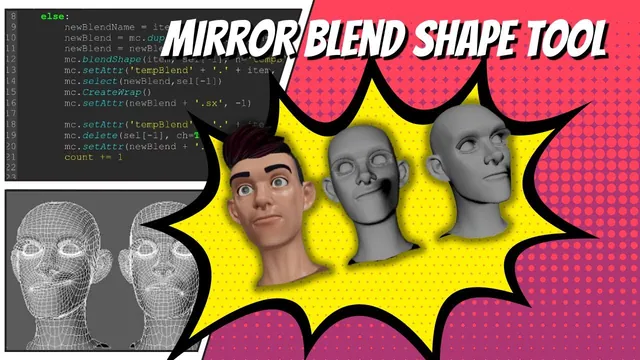
This development lesson creates opposite-side facial targets while preserving a usable relationship to the base head. Ordinary mesh-mirroring experiments fail as blend-shape targets, so the instructor develops a wrap-based transfer: duplicate the neutral base, reflect it, transfer an expression through a wrap, capture the evaluated result and restore the output’s scale. A later step also captures the original and mirrored expressions together.
The example uses related facial meshes and a symmetrical base head. It assumes that the source shapes already work as blend-shape targets. The exact Maya release and complete final code are not established by the captions. Asymmetrical heads are discussed only speculatively.
Establish why a visually mirrored mesh is insufficient
During 00:00–03:02, the instructor tries Maya’s mesh-mirroring operations. One attempt changes the geometry in a way that prevents the expected blend-shape operation. Another separates and recombines pieces, then produces jumbled points and a displaced head when used as a target.
The source attributes these failures to the changed topology or point relationship. It does not provide a forensic topology comparison, but it does show the important distinction: a plausible mirrored silhouette does not establish a valid deformation target.
Before scripting the alternative, the instructor returns to a state where the original targets deform the base correctly. That gives a known working starting relationship rather than building on the failed mirror experiment.
Treat selection order and returned names as inputs
Around 03:02–13:01, the user selects the expression meshes first and the neutral base last. The script stores the selection and uses its final item as the base. A loop skips that final item and processes each expression separately.
Each output starts as a duplicate of the neutral base. Names are derived by replacing the example’s left designation with a right designation. The instructor also examines the duplicate operation’s return value: if a requested name already exists, Maya can assign a modified name. Using the actual returned object avoids editing an earlier object merely because it has the requested name.
A counter lays outputs out at intervals for inspection. The instructor corrects the direction and later moves this positioning step after the deformation work. Spacing the outputs is presentation behavior; it is not what mirrors the facial deformation.
Check the selection list, base identity and new object names before moving to the deformer stage. The source does not implement arbitrary selection validation or a general bidirectional naming UI.
Control the temporary blend-shape state
From approximately 13:01–19:01, the script creates a temporary blend shape on the base, using the current expression as its target. It activates that target, then needs to return the base to neutral before the next loop iteration.
Early tests leave the previous deformation active or create a second temporary node with an automatically modified name. Subsequent commands then address the wrong expected node, and an output can inherit the wrong expression.
The instructor adds reset and history-cleanup steps between iterations. Their purpose is to return the working base to a known state. These operations remove construction history and should be understood as part of this controlled test setup, not a blanket instruction to clear history on a production head with valuable deformers.
The base, the active temporary target and the per-expression duplicate each need a clear role. When the second result looks like the first, inspect those states before assuming the mirror math is wrong.
Resolve the wrap relationship and operation order
Around 19:01–28:00, the duplicate is scaled negatively along X and a wrap relationship is created. Several experiments reverse selection order, remove history too early or inspect the wrong duplicate. The instructor temporarily disables cleanup and moves geometry to determine which mesh is actually driving which.
Those attempts are not interchangeable successful procedures. The supported final dependency is that the duplicate is reflected before the wrap is established, and the source expression is activated after that setup. The working result is inspected with a single target before returning to the batch.
This explains the method’s purpose: the wrap transfers deformation to the reflected copy while the copy retains the base-derived mesh structure needed for the eventual target. It does not establish that arbitrary asymmetrical models or unrelated topology will behave correctly.
The final selection expression is not reliably transcribed by the captions. When reproducing the tool, inspect the final on-screen wrap call and its driver/driven relationship. Do not choose one of the earlier reversed attempts simply because it appears sooner in the recording.
Capture the deformed result before resetting the base
At approximately 28:00–33:02, the loop still produces neutral outputs even though an earlier interactive test showed the expression. The instructor identifies that the current cleanup/reset sequence loses the evaluated wrapped deformation.
He duplicates the deformed result to capture it, deletes the temporary working object, renames the captured duplicate and updates the variable used by later commands. A capitalization error in the name variable is corrected during this revision.
The result still appears on the original side until the captured output’s X scale is restored to positive one. After that correction, the instructor assigns both original and mirrored targets to the base and tests their independent effects. The right-side target now behaves as intended in this example.
This is the decisive verification: the output is tested as a blend-shape target, not merely displayed beside the head. Keep that test separate from the visual spacing of the target meshes.
Optionally capture the two sides together
The final section builds a combined expression by assigning both the original and mirrored targets to the base, activating both and duplicating the evaluated head. Both weights are then reset and the temporary history is cleaned up for the next iteration.
The first layout tests move the wrong reference or increment the counter at the wrong point. Correcting the duplicate reference and moving the counter increment to the end produces the intended arrangement. A subtle frown initially appears missing, but closer inspection shows it is present and less pronounced than expected.
The combined outputs receive a center designation, leaving left, right and combined examples with distinguishable names. “Center” here names the combined result; it does not mean that the deformation affects only the center line of the face.
Review the tool’s demonstrated boundary
At 42:00, the instructor discusses possible UI controls and options for mirror-only, combined-only or both outputs. Those are future extensions. The current script is configured for the demonstrated left-to-right naming direction.
For review, start with a source target known to work, verify the neutral base is selected last, inspect the wrap’s influence, capture the evaluated result, and test the new target on the base. Then inspect whether the loop resets temporary state before the next expression.
The recording provides a useful development path and a working example, while leaving full-script validation, asymmetrical-model behavior, collision-safe temporary naming and production history preservation unresolved. The central lesson is that a mirrored expression must preserve the required deformation relationship, not just create an opposite-looking mesh.