
Maya & Python Scripting / Maya / Python
Match Vertex Position | Maya Python Scripting Tool Tutorial
Written guide
Playing loads YouTube content. YouTube processes data after activation.
Watch on YouTubeIf the player is blocked or unavailable, use Watch on YouTube.
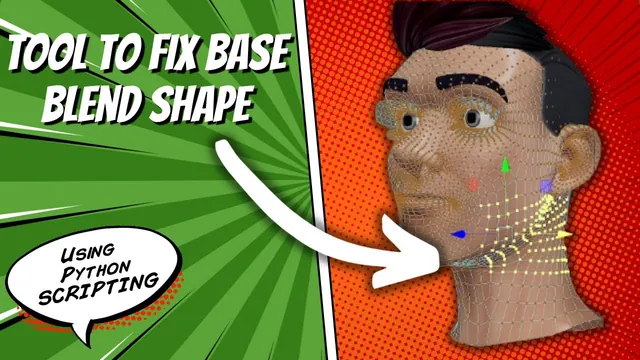
The head rig in this lesson has unwanted deformation and flickering around the neck. The instructor suspects that deleting history while the head was deformed damaged the base shape, and he no longer has a clean original. He builds a tool that moves selected vertices to the corresponding local positions on another mesh, then rebuilds and tests the rig.
The repair depends on a specific advantage of this scene: the meshes are related blend-shape targets with matching vertex IDs. This is not a nearest-point transfer or a topology-independent repair tool. The exact Maya version and the complete supporting rig-cleanup script are not established by the transcript.
Choose a reference that is clean in the region being repaired
During 00:00–05:02, the instructor reviews an updated cleanup routine that resets controls and removes selected rig-related history or objects. Even after returning the scene to that state, the base-head defect remains.
Activating a prepared facial shape makes the neck region look clean. He duplicates that evaluated head as a reference, then returns the original shape setting to expose the defect again. The duplicate supplies the positions for the repair.
This reference need not be a neutral head everywhere. It must contain the desired positions in the selected region. Copying every vertex from an expression shape could also copy that expression, which is why the tool operates on selected components rather than automatically replacing the whole head.
The instructor’s first prevention advice is to retain a separate clean original. The recovery demonstrated here depends on suitable surviving shape data; it is not a guarantee that a damaged mesh can always be reconstructed.
Flatten the component selection and reserve the final object
Around 05:02–09:02, the script reads the selection with flattening enabled. Without flattening, a selection can contain component ranges; with it, the printed list contains individual vertex entries suitable for a loop.
The user selects the destination vertices and then selects the reference mesh last. The script treats the final list item as that reference and skips moving it. The other items are processed as destination vertices.
Print the selection before performing the repair. It should identify individual destination components followed by the intended reference object. The source does not implement comprehensive checks for mixed component types, an empty selection or an incorrectly ordered list. Those input assumptions are part of the demonstrated tool, not conditions it automatically makes safe.
Map each vertex by its existing index
From approximately 09:02–12:01, the script separates the destination object’s name from its component name and replaces the object portion with the reference mesh’s name. The vertex index remains the same.
Printing the destination and target component names together verifies the mapping. A destination vertex with a given index is paired with that same index on the reference, rather than with whichever point happens to be spatially closest.
The instructor explicitly relies on the meshes sharing point IDs because they are blend-shape relatives. Equal vertex counts alone would not demonstrate the same correspondence. Before adapting the tool, establish that the index identifies the same surface point on both meshes; otherwise a valid-looking component name could still refer to the wrong part of the head.
Use a consistent local coordinate space
Around 12:01–15:02, the script queries the reference component’s local position. The instructor moves the reference head aside to explain the choice: copying its world positions would pull the destination vertices toward that displaced reference.
The destination component is then transformed using the retrieved local values with world-space mode disabled in the demonstrated command. This preserves the intended relationship to the mesh rather than copying its separate scene placement.
The example establishes the local-space method for these related heads. It does not test every combination of different object transforms, parents or deformation stacks. Inspect the printed three-value position and a small affected region before assuming the coordinate interpretation matches another scene. The captions do not provide a fully audited replacement script.
Rebuild the rig before judging the deformation
The first vertex pass makes the base head look clean, but moving the existing rig still reveals an issue. At approximately 15:02, the instructor explains that the current blend-shape setup was built with the earlier deformation state. He uses his project-specific cleanup and rebuild sequence before testing again.
That is a separate verification stage. The tool has edited geometry; it has not automatically refreshed every dependent rig operation. This lesson does not supply a generic command for safely deleting and rebuilding someone else’s rig.
The subsequent test improves the neck behavior but reveals brow movement and jitter. The instructor repeats the method on another selected region, using an appropriate evaluated shape as reference, then rebuilds and tests again. A further pass targets the remaining unwanted brow response.
Separate the repaired defect from motion already in the shapes
In the closing tests, the instructor checks eyes, mouth, brows and neck. The earlier jitter is no longer observed, while some eye or brow movement remains and is attributed to the source shapes themselves. He does not claim that all facial motion should disappear or that every target has become perfect.
Review the same distinction when following the example: check the repaired base region, rebuild the relevant setup as appropriate for that project, and exercise the controls that exposed the problem. A clean static mesh is only the first result; the animated deformation is the second.
The promised addition of this function to a bonus-tools tab happens later. The implemented lesson is a selective vertex-position transfer with known topology and selection assumptions, followed by repeated deformation checks. Its strongest practical lesson is to repair only the data you can establish from a trustworthy reference and to retain uncertainty about motion that may already belong to the original shapes.