
Maya & Python Scripting / Character FX & Animation / Maya / Python
Make a Skeleton for your Character in Maya FAST with Python!
Written guide
Playing loads YouTube content. YouTube processes data after activation.
Watch on YouTubeIf the player is blocked or unavailable, use Watch on YouTube.
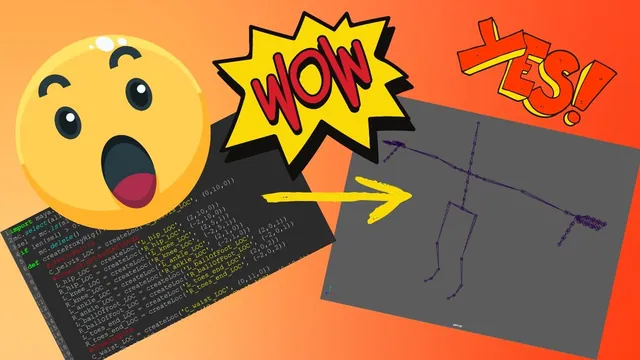
The skeleton generator in this recording separates character fitting from joint construction. First it creates movable locator guides with connecting lines. After the user adjusts those guides, a second operation creates joints, parents them into a hierarchy, attempts their orientation and removes the guide display. That separation makes the locator rig an editable placement stage rather than the final skeleton.
This is a three-hour development walkthrough, including debugging and revisions. It assumes familiarity with Python functions, lists, conditionals and Maya’s scene hierarchy. The source does not establish an exact Maya release or supply a verified executable script through its captions. The finished example is a skeleton generator; skinning, animation controls and multi-character support are outside the demonstrated result.
Start with a window and small helper functions
In the opening six minutes, the instructor imports maya.cmds, builds a named window and gives it a Create Proxy Rig button. The window function checks for an existing UI before rebuilding it. Early errors include a missing argument and the spelling of the existence flag.
The script is then divided into responsibilities: create a locator, create a connecting line and assemble the proxy rig. Some helpers initially contain only pass. This allows the interface and function calls to be tested before their contents are complete. A button running without an error at this stage means the callback path exists, not that the proxy has been built.
For repeated scratch tests, the recording selects everything and deletes it if the selection is nonempty. The conditional avoids an empty-selection warning; it does not protect scene assets. Use a disposable scene when following that development behavior. Do not treat this cleanup as a suitable opening step for a character-production tool.
Make locator transforms carry the placement data
Around 06:01–12:00, the locator helper exposes a name and position. Creating a locator with its position argument makes the displayed guide move, but the instructor observes that the transform channels remain zero in his test. Those channels are the values he intends to read later, so that result does not fit the design.
He instead creates the locator, extracts the object name from the returned list and sets its translation channels from the supplied three-value position. The guide now appears in place and its transform values carry the position information required by the generator. The helper returns that locator name to its caller.
This distinction is central to the workflow: a visible guide at the right point is insufficient if the next stage reads a different set of values. Inspect the channels that the script will actually consume, not only the viewport marker.
The proxy locators are subsequently placed under a common group. The demonstrated conversion later reads their translation channels; it does not demonstrate a general world-space solution for a proxy group with arbitrary transforms. Keep that limitation in mind when adapting the structure.
Build the guide layout with consistent names
From approximately 12:00–57:02, the generator adds the pelvis, legs, spine, neck, head, arms and hands. The character convention used here places the left side at positive X and faces toward positive Z. Knees are moved slightly forward and elbows slightly back in the sample layout. The numerical positions are starting proportions to edit for a character, not anatomical defaults.
Names distinguish center, left and right guides and use a locator suffix. End markers receive a separate end designation. That naming structure is later consumed by mirror, link and joint-creation operations, so it is part of the tool’s input contract.
The hands are developed from one finger chain, using search and replace to make the other named chains and then adjusting their coordinates. Two copy-and-paste problems emerge:
- An end marker retains the same name as an earlier finger marker, producing unexpectedly suffixed names.
- Some end markers retain the preceding marker’s position, making the intended separation hard to see.
The instructor corrects both the names and the positions. Inspect them separately: fixing a duplicate name does not move an overlapping endpoint. Before building the full rig, check that every intended guide has one expected identifier and an appropriate position.
At the end of this stage, the locator shapes are reduced through their local-scale attributes to make the dense hand layout easier to read. That changes the guide display size while preserving the placement data.
Connect the guides with deformable display lines
Beginning around 01:00:00, the line helper creates a degree-one curve with two points. One cluster will control each endpoint, allowing the line to follow its two locator guides.
The first cluster experiment uses edit-point selection and does not produce the intended deformation. Around 01:08:00, the instructor reports the correction: use the curve’s control vertices. Moving the resulting cluster now affects the line. A named cluster existing in the scene is therefore not enough; test whether it deforms the intended component.
The next problem is object identity. The instructor tries different cluster commands and return handling, including a fragile attempt to construct a handle name. He ultimately uses the cluster command’s returned information to obtain the handle needed for parenting. The captions do not reliably establish the final expression’s full syntax, so the intermediate guesses should not be copied as a finished implementation.
Each handle is parented beneath its corresponding locator, its local translation is zeroed, and its visibility is disabled. The curve is templated so that the guide display is less likely to interfere with selection. By approximately 01:20:05, moving a locator makes the connecting line follow it.
That gives a concrete test for each link: move both ends independently, check that the curve follows, and confirm that the locator remains the editable object. If the whole structure jumps, inspect the parent-child direction and the handle reference before changing the curve’s points again.
Extend the links while respecting center and side cases
The line helper is reused along the legs, spine, arms and fingers. For left-side links, the script derives right-side names and makes the corresponding connection. The source includes a recursive helper call to reuse the construction for the opposite side; its side condition must prevent repeatedly generating the same pair.
Center-to-side connections require special handling in this implementation. The instructor explicitly creates the links from the upper chest to both clavicles. He does not claim that the first mirroring rule covers every branching relationship.
An arm fails to reproduce on the opposite side because a clavicle was given a center prefix instead of a left prefix. Correcting the name fixes the observed behavior. This is why naming needs to be checked before debugging geometric mirroring: the script’s branching logic depends on the prefix it reads.
Around 01:45:01, the connected proxy is ready for user placement. The curves visualize intended relationships, but the final joints have not yet been created or parented.
Mirror locator positions and constrain the center guides
From approximately 01:46:01–02:03:01, three UI actions are developed: mirror the current selection, copy left to right and copy right to left. The helper identifies the side from the name, finds the opposite identifier, negates X translation and copies Y and Z.
This is a position-copy operation on existing paired locators. It does not create a missing opposite guide or implement a general mirrored joint orientation. In the demonstrated coordinate setup, changing the sign of X reflects the placement across the center plane.
The bulk selection initially includes shape nodes as well as transforms. The instructor moves the transform filtering into the list operation and retests both directions. The helper then clears selection at completion. Inspect which objects are in the working list when a batch operation succeeds on a single guide but fails across a whole side.
Center locators receive an X-translation lock based on their center prefix. The recorded test confirms that they can still move in the other directions while remaining on the center axis. This safeguard depends on correct naming and the intended starting center position.
Convert guide data into independently created joints
At approximately 02:03:01, a second button starts the skeleton-building stage. The script collects locator transforms, changes the locator suffix to a joint suffix and reads each guide’s translation values to place a joint.
The first attempt reports that only one transform or joint can be selected for creation. Clearing selection before each joint creation resolves that problem. This deliberately avoids letting the previous selection decide the hierarchy. Joint placement happens first; explicit parenting happens afterward.
Both hips and the waist are parented beneath the pelvis. A helper then handles left-side parent relationships and derives the right-side equivalents. The guide-link list supplies a useful starting description of the skeleton’s connections, but it cannot be copied blindly: parent and child order must be corrected, variables must become the intended name strings, and locator suffixes must become joint suffixes.
The source works through missing end-joint names, a repeated waist-parent operation and finger naming errors before the hierarchy runs without the reported errors. At approximately 02:30:12, changed guide positions are carried into the generated skeleton. Inspect the hierarchy as well as the shape: correct positions do not prove that the hand, arm or spine is connected to the correct parent.
Review the orientation pass and the end-joint correction
The instructor next selects the pelvis hierarchy and edits joint orientation using an XYZ orientation order and Y-up secondary axis. The move manipulator must be in Object mode to inspect local orientation; World mode can conceal what changed.
The recording also acknowledges a flipped orientation on a particular joint and does not fully resolve that case. The general hierarchy pass is therefore not evidence of universally consistent axes for every possible guide arrangement.
End joints receive a separate experiment because they have no child to aim toward. The helper finds each end joint’s parent, aims the end joint back toward that parent with the demonstrated negative-X aim convention, and deletes the temporary constraint. An early parent lookup returns no useful target because the queried joint was not supplied explicitly. Correcting the object reference resolves that failure around 02:50:02.
The instructor then tries to preserve the result in joint-orient values while returning rotation channels to zero. Direct attempts do not initially line up as expected. Later revisions include temporarily unparenting the end joint and restoring its parent, followed by a test with a changed guide position around 02:59:05.
This is the most technically limited part of the source. The final example is reported to align, but the captions do not establish a complete, audited transform-composition algorithm. Do not generalize component-by-component copying of rotation values into joint orientation as a reliable solution for arbitrary pre-oriented joints. Check axes and hierarchy on the intended character; the source’s earlier flip remains a review question.
Remove the proxy only after inspecting the skeleton
In the final minutes, the script deletes the locator and display-curve groups and organizes the joints. Grouping the existing skeleton initially places the group’s pivot somewhere the instructor does not want. He replaces that with an empty group at the origin and parents the pelvis beneath it.
The resulting scene contains the joint hierarchy rather than the placement proxy. Before adapting that cleanup, inspect the generated positions, left/right naming, parent relationships, local axes and end joints. Once the guides are removed, they are no longer available in the scene for another fitting pass.
The closing remarks propose future animation controls and a namespace to support multiple characters. Those features are not implemented here. The main reusable lesson is the staged conversion from editable guide data to an explicit hierarchy, with small tests at every boundary. The demonstrated generator still needs character-specific orientation review and a safer scene lifecycle before it can be treated as a production rigging tool.