
Maya & Python Scripting / Character FX & Animation / Maya / Python
Locking Center Joints | Maya Python Rigging Tutorial
Written guide
Playing loads YouTube content. YouTube processes data after activation.
Watch on YouTubeIf the player is blocked or unavailable, use Watch on YouTube.
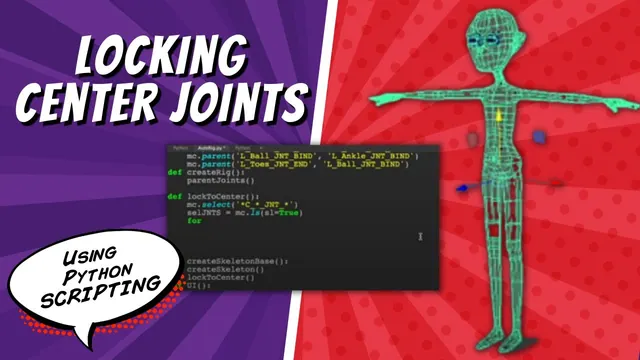
This lesson adds a fitting restriction to a Maya skeleton-building script. Center joints should remain on the character’s center line while the user adjusts their height and depth. The script identifies those joints by the project’s naming convention and locks their X translation after creating them.
The existing tool can create a skeleton, let the user reposition it and then build the rig. A separate cleanup script supports repeated development tests. The exact Maya release is not stated, and the method assumes the created center joints already occupy the intended center plane.
Wrap creation and locking in one deliberate stage
During 00:02–04:00, the instructor reviews the current creation UI and introduces a wrapper for creating the skeleton base. That wrapper calls the existing skeleton-creation function and then a new center-locking function.
This preserves the original creation operation while adding a predictable post-creation step. The locks should exist when the user begins fitting the skeleton, rather than requiring a separate manual action after every rebuild.
An early test appears to do nothing because a function name is referenced without its call parentheses. Adding the call causes the intended creation stage to run. When a callback or wrapper seems inactive, distinguish naming a function from invoking it before investigating the later joint-selection logic.
Narrow the name match to the intended joints
From 04:00–08:01, the first wildcard search uses the center-side marker, C_. It also selects geometry whose name contains that marker. The source then adds the joint-name token and trailing pattern from its naming convention to narrow the matches.
The instructor checks the selection in the Outliner and briefly displays shape nodes to distinguish the selected joints from geometry transforms. The selected names are collected with mc.ls(sl=True) and printed before the loop is built.
That printed list is an important intermediate result. A wildcard expresses a naming assumption, not an object-ownership guarantee. Confirm that it includes every intended center joint and excludes unrelated objects. The demonstration does not add a general type filter, namespace policy or protection against another rig using the same names.
Address the translation attribute, not just the object
During 08:01–12:06, the instructor manually locks and hides X translation on a sample joint, then inspects Maya’s reported command. The recorded operation combines locking with keyability and Channel Box settings.
The script loops through the collected joints and attempts to apply the attribute edit to each name. The first version fails because an object name alone does not identify an attribute. Appending .tx creates the attribute path for that joint’s X translation.
Locking, keyability and Channel Box visibility are separate settings. The narration first describes keyability as false, but later says true while assembling the loop. The transcript therefore does not reliably establish a final hide/keyability configuration. The demonstrated result does establish the central behavior: X movement is locked.
Treat the lock as the supported outcome and inspect the actual Channel Box presentation if you need to reproduce the hide behavior. Do not infer those flags from the fact that translation is blocked.
Test the permitted axes as well as the blocked one
From 12:06–13:47, the skeleton is rebuilt and the center joints are tested. They cannot move in X but can still move in Y and Z. The instructor stops after verifying this behavior and defers additional functionality.
This two-sided test matters. A fitting tool must prevent the unwanted movement while preserving the adjustments the user still needs. A joint that cannot move in any direction would not satisfy the lesson’s objective.
Locking .tx preserves the current channel value; it does not reposition a joint onto the center line. It also concerns that joint’s local translation channel. The recording does not test transformed parent hierarchies or establish a general world-space symmetry solver. Within the generated skeleton’s starting setup, the completed feature is a focused guard against accidental sideways fitting edits.