
Crowds & Simulation / Houdini & Procedural Workflows / Houdini
How to Make Your Logo with 3D Water Fluids | Houdini Tutorial
Written guide
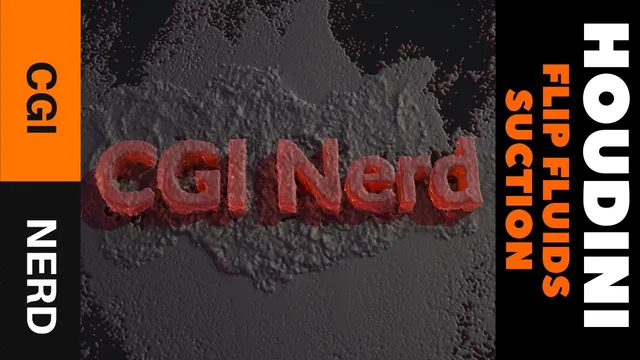
Playing loads YouTube content. YouTube processes data after activation.
Watch on YouTubeIf the player is blocked or unavailable, use Watch on YouTube.
A liquid logo needs two different kinds of motion: a recognizable splash and a controlled return into the lettering. This lesson builds a falling FLIP volume, lets it hit a floor, then animates a suction setup that draws the particles toward extruded text. The useful result is an art-directed transition, not a fluid that naturally discovers the shape of a logo.
The recording uses Houdini’s shelf-created FLIP and Suction Fluid networks. Its exact Houdini build is not established. Octane supplies the final presentation, but its lighting and material setup happens off camera. The guide follows the simulation and surfacing work that the source actually explains, including the memory limit, imperfect fringes and proposed improvements that remain untested.
Build a closed target and a manageable falling volume
At 00:53, create a Font object and enter the desired lettering. The demonstration uses CGI Nerd. PolyExtrude gives the initially flat polygons thickness, with Output Back enabled to close the rear. Rotate the result by negative 90 degrees so the lettering lies on the ground. This geometry describes the destination of the water; it does not need to remain visible in the render.
Create a separate box above the text for the initial liquid. Make it a polygon mesh and add enough divisions for the shape changes. Smooth softens the box and Mountain introduces irregularity. Those operations change the initial water volume, rather than supplying a later simulation force. Keep the box large enough to cover the lettering without making the entire scene unnecessarily large.
The first scale test at 07:05 is deliberately worth watching. FLIP Fluid from Object generates the simulation, but the large source produces an impractical calculation. Return to frame one, temporarily disable simulation updates, then resize and reposition the box and text. The instructor briefly edits divisions while intending to change size, corrects that selection, and reduces the Mountain height for the smaller source.
Once updates are reenabled, the revised volume simulates much faster. The narration still describes a roughly twelve-meter-wide scene, so this is not a tiny tabletop splash. Use the trial to establish a workable relationship between scene size, fluid resolution and resources before increasing detail. The recording’s dimensions are scene-specific examples, not a required logo scale.
Establish the splash before adding attraction
At 11:03, add a Ground Plane collision object. Its viewport visibility can be disabled while it remains part of the simulation. Play from the start and inspect the liquid falling, striking the plane and spreading. This is the baseline motion against which the suction can be judged.
The Suction Fluid shelf interaction around 13:02 first asks for the target geometry, then the FLIP fluid object. The instructor cancels an incorrect selection and repeats that order. A target object and the affected simulation are separate selections; merely highlighting something inside the DOP network does not establish the intended relationship.
The shelf tool also adds nodes inside the text geometry. Inspect the suction target’s volume representation rather than assuming that the original polygon letters define the available precision. At 16:01, the target voxel size is reduced from 0.2 to 0.1 and then 0.05. An accidental double decimal point is corrected during entry. The finer representation preserves more of the letter shapes, including a small gap in the E.
This target-volume setting is one resolution control. It is distinct from the FLIP particle separation and the later fluid-surface settings. A detailed polygon font cannot compensate for a target volume that has already lost its narrow gaps.
Animate the change from free splash to logo formation
The generated DOP setup includes antigravity and suction controls. At 18:00, disabling antigravity changes how strongly the water bows upward into the lettering. The lesson then zeros its activation and the suction parameters to recover the largely unaffected splash. This makes the transition something that can be timed, rather than leaving attraction active throughout the fall.
The first keyframe test holds those zero values at frame 35 and enables the effect at frame 36. Alt-clicking the parameters sets the demonstrated keys. Return to frame one and recalculate: the opening fall should resemble the baseline, followed by a visible gathering of water into the target.
That timing is too late for the first trial. Water has already spread beyond the useful attraction region, so the instructor moves the activation keys earlier. The revised active key is described at frame 29. At 25:02, Outside Distance is expanded to 20 units and Suction Strength is raised to 120,000. The larger search region retrieves more of the escaped water, but the transition becomes substantially slower to calculate.
Treat timing, reach and strength as different decisions. Earlier activation catches the fluid before it disperses. Greater outside distance reaches farther from the letters. Increased strength changes how forcefully the water returns. Raising all of them without inspecting the result can erase the splash or produce a swollen mass instead of readable text.
The finished animation is tuned during an off-camera calculation interval. The later review shows antigravity turning on and then off, a strong suction phase followed by lower strength, and outside distance changing over time. The narration mentions a 120,000-to-12,000 reduction and later proposes 1,000, but it does not provide an unambiguous final table of every key and frame. Reconstruct the demonstrated staging from the video rather than treating these scattered values as a complete preset.
Cache the simulation and the surface as separate stages
At 28:04, the instructor explains the simulation cache used for playback. A File node writes a frame-numbered .sim sequence into a cache directory. The frame token is spoken rather than reliably transcribed character for character; confirm the actual filename field in the recording before copying its expression. Set playback to run once, write the sequence, then switch the node to read the saved files. The demonstration reads the cache without continuing to depend on the upstream live simulation connection.
The next cache stores the geometry made from those particles. At 30:02, the fluid object contains the particle-to-surface conversion and the downstream render output. Playback is slow again because reading simulation data does not eliminate meshing work. Set a separate geometry-cache path, write the surface sequence and read that result for subsequent inspection.
These caches answer different needs. The simulation cache preserves the particle result for revisiting surface choices; the geometry cache avoids recomputing the chosen surface during presentation. If a force or particle-resolution change alters the simulation, the downstream surface cache also needs rebuilding. If only the surface conversion changes, do not judge the new settings while accidentally displaying an older cached mesh.
Judge readability at the surface, then improve resolution selectively
At 32:03, the cached surface initially makes the words readable, then absorbs more liquid and becomes blobby. Influence Scale is tried at 1.1 to separate the shapes more clearly, at the cost of breaking up parts of the splash. The voxel-scale trials similarly trade detail against calculation and storage. A 0.1 test is expensive; a 0.5 test is faster in this scene. These are surface controls, not replacements for the target-volume refinement.
The recording reports an error at a value of 1 during the following parameter adjustments, but the spoken context does not identify the control reliably enough to make “always use above 1” a general rule. Inspect the parameter shown on screen if revisiting that trial. The supported lesson is to compare the actual generated surface and the cache cost after each change.
The final recap at 40:00 identifies a more consequential change: FLIP Particle Separation is reduced to 0.05. The earlier machine configuration crashed or ran out of memory; the instructor reports doubling system memory before producing the denser result. This is evidence of the cost in that particular scene, not a hardware requirement or a guarantee that the same value is suitable elsewhere. The final surface is better, but fringe flickering remains.
For review, compare three moments: the initial impact, the first readable lettering and the later settling. A setting that improves the final logo may damage the splash or make the in-between surface unstable. Also inspect available cache storage; both simulation and surface sequences consumed substantial disk space in the demonstration.
Recognize the demonstrated finish and the proposed next steps
The closing discussion at 42:01 suggests a shallow bowl-shaped collider to keep water from sliding indefinitely across the flat floor, some viscosity to hold the liquid together, and whitewater to enrich the impact. None is implemented and verified in this recording. They are separate directions for further experiments, each of which would change the motion or appearance.
The delivered example therefore ends with a useful suction-driven logo reveal and an acknowledged imperfect fringe. The instructor favors cutting the shot before the distracting later behavior. Review the existing result on those terms: recognizable splash, controlled gathering, readable lettering and an intentional usable frame range. A complete Octane shading recipe, a flicker repair and a universally stable fluid-logo preset are outside this lesson’s evidence.