
Crowds & Simulation / Houdini & Procedural Workflows / Houdini
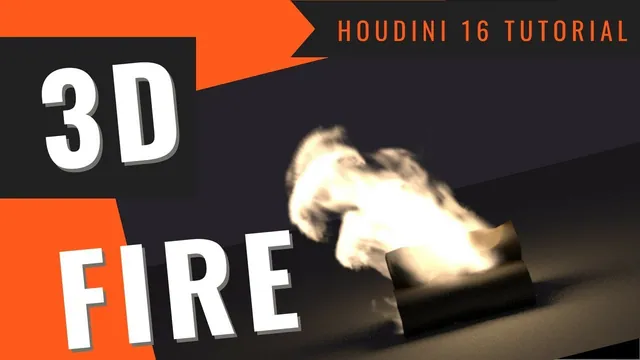
How to make 3D Fire | Houdini Tutorial
Written guide
Playing loads YouTube content. YouTube processes data after activation.
Watch on YouTubeIf the player is blocked or unavailable, use Watch on YouTube.
Build a small campfire by separating three decisions: where fuel is introduced, how the simulated flame moves, and how the rendered fire lights its surroundings. This lesson starts with simple logs and an animated emitter, develops a shelf-created fire simulation, and finishes with a deliberately art-directed lighting solution.
The recording explicitly discusses Houdini 16’s shelf organization and uses the historical Pyro, Smokeless Fire and Mantra workflow. It is not a tutorial for the current Sparse Pyro or Solaris/Karma setup. The captions support the complete sequence, but several rapidly changed shaping values and some selected parameter fields are ambiguous. Use the demonstrated comparisons rather than treating every exploratory number as a final preset.
Give the fire a source with two scales of movement
At 00:30, create a polygon Tube with enough rows to deform, increase its length and cap its ends. Rotate a transformed copy onto its side, position several copies above the ground, and Merge them. A Mountain node slightly distorts the logs so their silhouettes are less regular. If a transform or color change appears absent, check the display flag: the instructor encounters this twice while viewing an earlier node.
At 04:00, build the emitter separately from a polygon Sphere. Widen and position it among the logs, then increase its frequency to give the displacement sufficient topology. The source should occupy the intended burning region; it need not reproduce the final shape of every flame.
Apply two Mountain nodes. The first supplies broader undulations; the second uses a small element size and reduced height for finer movement. Around 07:05, animate the noise using frame-based expressions. The smaller-scale motion is first tried with $F/20, then accelerated to $F/5; the broader motion uses $F/10. These expressions advance the selected noise animation parameter as the frame changes. The transcript does not reliably identify that field’s full label, so do not paste them into displacement height simply because it is nearby.
The purpose is a changing emission region rather than a static blob continually supplying the same volume. The instructor contrasts this campfire with a steadier source such as a lighter. Scrub the source geometry before creating the simulation: confirm that broad and fine motion are visible without the source wandering away from the logs.
Establish the shelf simulation and static collisions
At 09:03, select the emitter and apply Smokeless Fire from Pyro FX. Return to the beginning of the timeline and play the initial result. The low-resolution simulation is sufficient to assess placement and overall movement, even though the first render is overly saturated.
Keep track of the generated responsibilities:
- The emitter geometry supplies the source.
- The Pyro simulation contains the dynamic operators and solver.
- Pyro Import brings the simulated result back for display and rendering.
- The log geometry and ground provide scene context.
At 12:00, the instructor makes the logs a Static Object, locating the tool under Collisions in Houdini 16. Replaying then shows the flame interacting differently around them. Making the logs visible or brown does not itself make them simulation colliders. The ground Grid is added as visible scenery; the recording does not establish a separate collision setup for that grid.
Keep the emitter, imported result and collision geometry distinguishable in the network. This makes it easier to diagnose a flame that passes through the logs or a render that displays the source instead of the imported simulation.
Tune movement before increasing resolution
At 14:11, compare the solver’s time scale. Slower motion suggests a larger or more distant fire in this artistic example; the small campfire returns to 1. Time scale changes the simulation’s progression, while buoyancy changes its rising behavior. SideFX’s legacy Pyro Solver reference describes these controls separately; they are not interchangeable speed sliders.
Increase buoyancy lift to compare taller, more elongated flames. The instructor also puts rand($F) into a sideways component of buoyancy direction, then tests lift around 20 at 17:04. This is an art-directed changing direction, not a demonstrated wind field. The expression described in the recording supplies values from zero toward one; it does not establish a balanced positive/negative gust cycle or physically modeled airflow.
The next comparisons concern how the flame breaks up. Dissipation is discussed as a persistence control, disturbance is raised and removed to compare rougher versus smoother motion, and shredding is adjusted to alter the tendrils. Several shredding numbers are spoken and revised quickly around 20:00; the final numeric value is not securely recoverable. The useful result is the comparison between overly stretched flames and the shorter tendrils the instructor prefers. Combustion settings are deliberately left alone.
After a simulation change, return to its start and replay. Judging a new setting from an already simulated frame can mix old state with the new experiment. Assess motion at real-time playback speed as well as the slower calculation speed.
Trade voxel detail against iteration speed
At 21:09, lower the Pyro object’s Division Size from 0.4 to 0.1. A smaller spatial division produces finer simulation detail and takes longer to calculate. A trial at 0.01 is stopped because it is too slow for the demonstration; the working value becomes approximately 0.09.
This is a staged workflow: establish the general motion cheaply, then revisit it at finer resolution. The instructor observes that the appearance changes with resolution, so the coarse result is a direction for further work, not a guarantee of an identical high-detail flame. SideFX’s Pyro look-development guidance likewise notes that shaping details smaller than the voxel divisions cannot be seen.
Stop on a useful frame, create a camera and frame the fire. Keep that camera fixed while comparing shader and lighting changes; otherwise a composition change can obscure whether the fire itself improved.
Separate flame color from light on nearby surfaces
At 24:07, create a Volume Light from the fire and warm its color. Add a dim environment light for an evening-like background and enough ambient visibility to read the logs. The initial volume-light experiment illuminates the scene, but later intensity adjustments do not deliver the stronger campfire glow the instructor wants.
At 27:09, edit the generated Smokeless Fire material. Reduce saturation in the orange/yellow colors and lower bright color values to reveal more internal flame structure. This controls the rendered flame’s appearance. It should be judged separately from how brightly the logs and ground are illuminated.
At 30:00, the lesson enables Mantra motion blur and adjusts temporal/sampling controls while inspecting a render region. The exact sample counts are not stated. The instructor’s impression that physically based rendering is faster is explicitly uncertain; it is not a benchmark. The visible goal is a smoother, active-looking flame, especially at its tips, rather than a proven renderer-wide performance advantage.
Add a moving geometry light when the first lighting test is insufficient
At 32:02, duplicate the original emitter geometry. Remove the shelf-generated dynamic nodes from this duplicate while retaining its animated Mountain deformation. Move it slightly upward and enlarge it a little, then create a Geometry Light from it around 34:00. Adjust its color and intensity until the nearby surfaces receive the stronger glow sought in the shot.
This duplicate follows the source’s procedural pulsation. It does not follow the simulated flame’s collisions or reproduce its final volume. That distinction is stated in the recording and explains both its usefulness and its limitation: it gives controllable moving illumination related to the emitter, without establishing physically exact fire lighting. SideFX documents geometry and volume lighting as available approaches; the particular proxy light here is the instructor’s artistic solution.
Verify the result in two places: the flame should retain detail after shader adjustments, and the logs/ground should visibly receive the intended warm illumination. The lesson ends with this rendered look. It does not demonstrate a final cached sequence, a wood shader, smoke, a production render budget or physical validation of the combustion model.