
VFX & Production
How to Add Sound FX to 3D Animation
Written guide
Playing loads YouTube content. YouTube processes data after activation.
Watch on YouTubeIf the player is blocked or unavailable, use Watch on YouTube.
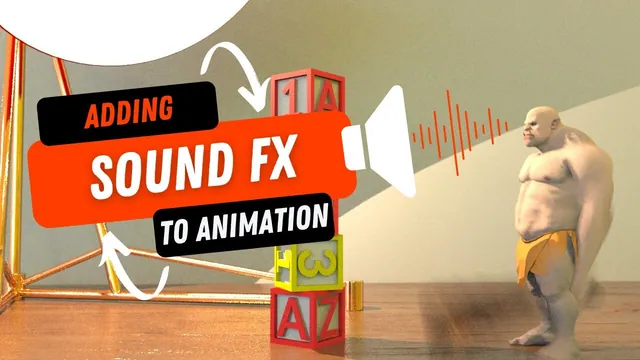
Build a sound pass for a short character animation by separating its audible events: a club swing, the main block impact, scattered debris, vocal effort, a neck movement and footsteps. The lesson layers those effects in Premiere, then auditions music and adds a subtle visual dust overlay.
The animation already exists. The recording is presented as a partnership with Motion Array and includes an affiliate link; preserve that commercial context when considering its asset recommendations. The method is about selecting and synchronizing existing sounds, not recording Foley or demonstrating a professional loudness master. Exact asset names and Premiere version are not reliably established by the captions.
Start with the action that defines the shot
At 00:00, compare the animation with and without its existing sound pass. The silent version still communicates the movement, but the sound gives the hits and rigid-body blocks more weight. The instructor then groups the old audio aside and starts rebuilding the pass from the animation alone.
At 02:01, begin with the falling and colliding blocks because they are the scene’s main event. Search and audition material-oriented effects, including dropping wood and dragging objects. The chosen collection contains several useful impacts; one has a more metallic quality that is used for a block contacting a lamp.
The useful principle is to choose for the visible contact rather than only the pack’s title. The same block can make a different sound when it hits a hard prop than when it falls onto the surrounding surface. The recording does not identify a unique correct sound for every simulated collision.
Organize and layer impacts without overwriting earlier work
At 03:02, extract the downloaded sounds into a dedicated local sound-effects folder and bring them into Premiere. Keep the working audio files separate from their ZIP package so the editing project references the usable media.
At 05:00, place several effects on the timeline. The instructor accidentally drops one over an existing clip, undoes the replacement and places it again. Use separate tracks or clear timeline space when the intention is to layer sounds; otherwise an apparent new layer may have removed part of the old one.
Move a stronger hit toward the main impact, then distribute other sounds across the more chaotic block movement. The demonstration uses broad layering rather than a frame-accurate Foley reconstruction of every object. Listen to the complete passage and refine conspicuous events; one clip is extended by about a frame around 06:08 because the revised timing sounds better to the instructor.
The captions cannot reproduce the acoustic comparisons themselves. Use the video to hear the chosen textures and treat the guide’s timing descriptions as the editing logic, not a replacement for auditioning the audio.
Trim and synchronize whooshes to the club movement
At 07:00, search for a whipping or swooshing sound for the opening club motion. Some candidates have an unwanted secondary ground impact, so they are rejected even when their initial movement sound is appealing.
At 09:04, import the selected effect and cut the dead space before the useful sound. Align the audible movement with the visible swing, then duplicate an appropriate segment for another swing around 10:00. The sound file’s start is not necessarily the start of its useful event, which is why trimming precedes precise placement.
Listen to whooshes with the impact layers. The transition should support the swing leading into contact rather than making a separate accidental hit. The recording’s first placements line up surprisingly well, but the instructor still checks and adjusts them instead of assuming every reused clip will fit.
Use voice and body sounds to support small gestures
At 11:04, look for a grunt or growl that matches the character’s brief facial action. The instructor considers more triumphant or creature-like options and chooses a somewhat humorous result. This is characterization through sound selection, not dialogue replacement or lip-sync work.
At 14:00, reduce vocal levels while listening to the complete shot, trying adjustments around −12 dB and −18 dB on different clips. These are relative changes for the selected recordings. They do not establish the final output loudness or a universal level for character voices.
At 15:09, find sounds for the neck-cracking gesture. Large trailer-style cracks and overly wet effects are rejected in favor of shorter popping qualities. Two selected sounds are placed near the movement and reduced after playback shows they are too loud. The source again tests approximately −12 and then −18 dB adjustments.
Match both texture and prominence to the gesture. A small neck motion should not accidentally become the dominant dramatic event merely because its source file is loud.
Place footsteps against contact, then listen in context
At 19:00, search for footsteps appropriate to the visible surface. Hollow, snow-like or jingling candidates do not fit the intended character and floor, so the instructor continues auditioning until finding more suitable wood-like steps.
At 21:09, select two relatively muted steps and place them against the character’s contacts. One sits among the block sounds and is partly masked by them. The instructor accepts the timing and lowers a step by about −6 dB, then plays the full passage again.
This distinguishes isolated quality from usefulness in the mix. A sound can be convincing on its own yet distracting, too loud or barely audible under other layers. The recording relies on listening; it does not show a meter-based clipping audit, equalization strategy, stereo positioning pass or delivery-standard loudness measurement.
Choose music around the clip’s ending and impact
At 23:01, audition music after the effects have established the action. For a short animation, the instructor listens near the end of tracks because an existing musical ending can fit the shot more naturally than an arbitrary cutoff.
Try a short version, trim it to the animation and adjust its level. The first choice is lowered toward −18 dB, then raised toward −12 dB, but its structure still does not fit the desired interruption around the hit. It is replaced rather than retained merely because time has been spent editing it.
At 28:04, audition another track, place its useful section and trim excess silence at the end. Around 30:02, the instructor lowers it, then restores its gain to 0 dB because the louder comparison works better for this source. Zero gain means no gain change for that clip; it does not mean silence or prove a safe final peak level.
Compare the music’s transitions with the impact and the closing gestures. The source demonstrates an artistic choice for this short shot, not a general rule that music should remain at its original level or always stop at a hit.
Keep the dust overlay subtle and separate from the sound pass
At 31:00, the instructor shows a previously added stock dust overlay. It is placed above the animation, uses Soft Light blending and reduced opacity. A value around 30% is considered to make the specks more visible without distracting from the character.
This is a two-dimensional finishing layer, not a new simulated dust system interacting with the rigid bodies. It supplements the shot’s atmosphere while the sound pass supplies movement and impact cues.
The lesson ends with the combined animation, effects, music and overlay. It does not demonstrate final export settings, loudness normalization, surround delivery or a current license review for the stock assets. Its transferable workflow is to identify visible events, audition for their material and character, trim to the useful sound, align the event and repeatedly judge the complete sequence.