
Character FX & Animation / Maya
Face Rig Intro
Written guide
Playing loads YouTube content. YouTube processes data after activation.
Watch on YouTubeIf the player is blocked or unavailable, use Watch on YouTube.
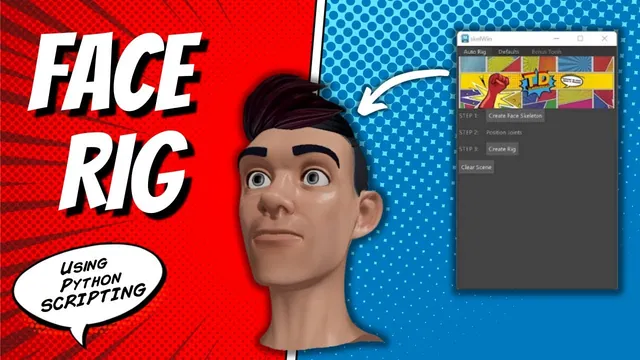
This introduction previews the face-rig system that the accompanying series will build. It demonstrates the user-facing sequence—configure scene references, create and position a skeleton, create the rig, and assign prepared weights—without explaining the implementation of every operation. Read it as a guide to the system’s dependencies and demonstrated state.
The example starts with a prepared head, facial shapes and associated weight data. It assumes naming conventions and default settings. It does not show an arbitrary character becoming a finished face rig without preparation.
Configure the objects and files the tool expects
During 00:00–02:01, the instructor opens the tool and explains its defaults. Geometry references can be updated to match the objects in the scene, such as the base head. Joint names and associated files also belong to the setup.
These defaults connect the buttons to actual scene data. A button labeled Create Rig cannot identify a differently named head solely from its appearance. Inspect the selected geometry references and file associations before judging whether the construction sequence is ready to run.
The preview also describes state-dependent UI behavior: if face joints already exist, the skeleton-creation button can be disabled. That is a check for an existing stage of the process; the introduction does not demonstrate comprehensive recovery from every partial or interrupted rig build.
Position the skeleton before building the controls
At approximately 03:01–05:01, the instructor moves from product context into the demonstration. Creating the face skeleton provides joints that the user should position for the character. For this preview, their positions have largely been arranged in advance.
The named points include the jaw aim, jaw, head, middle neck and base of the neck. Their placement supplies the structure used by the later rig-creation operation. Inspect those positions before running the next stage; the preview’s prepared placement is not evidence that the tool can infer landmarks on every head.
One planned safeguard is visibly absent from the demonstrated state. The instructor begins to describe center joints being locked to the center axis, then discovers that the behavior needs updating. He says he will add it before release. Treat that lock as unfinished in this recording. Check center alignment yourself when evaluating the demonstrated setup rather than assuming the promised restriction is active.
Distinguish control creation from successful deformation
Around 05:02–07:02, Create Rig builds the control setup. The instructor then addresses the weights used by the example. In the defaults, he selects an associated head-weight XML file and runs the weight-assignment operation.
The subsequent demonstration opens and closes the mouth and combines facial shapes. Those results depend on the prepared character data and weights. A control that can be moved is only one checkpoint; the mesh must also deform in the intended region and the available shapes must respond as expected.
For a useful review, inspect the controls, then the deformation, then combinations of shapes. The source shows that sequence on its example. It does not establish weight transfer across different topology, universal facial compatibility or an automatically finished deformation pass.
Keep repair tools and future features in their proper scope
Earlier in the introduction, the instructor describes a point-matching tool intended to repair a base-head problem encountered after deleting history. He also discusses additional export and in-scene workflows he would like to add. The caption wording around exporting weights versus separate OBJ blend-shape files is not clear enough to reconstruct a precise feature specification.
These remarks explain why the toolkit may grow, but they are not step-by-step repair instructions or proof that every proposed feature already works. This introduction does not show the implementation of the matching algorithm, the full blend-shape setup or the internal rig code.
The recording also promotes a commercial version and a historical discount. Those statements describe the video’s context, not a current price or availability claim. The educational result here is an overview of the staged workflow and its required inputs. The later series is needed to learn how those stages are built, and the prepared example still requires character-specific inspection before its behavior can be trusted on another asset.