
Houdini & Procedural Workflows / Houdini / Python
Day 5 - String in Houdini with Python | Houdini 10 Day Introduction to Python
Written guide
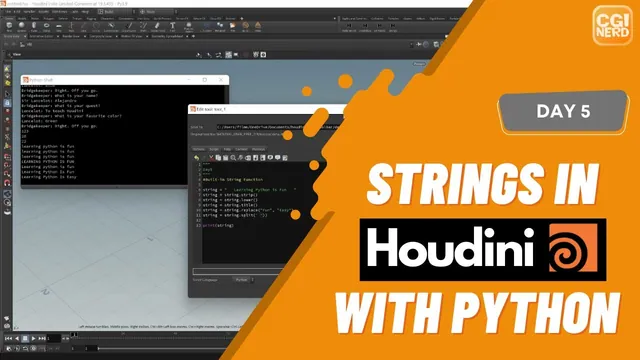
Playing loads YouTube content. YouTube processes data after activation.
Watch on YouTubeIf the player is blocked or unavailable, use Watch on YouTube.
Node names are strings, so text formatting becomes useful as soon as a Houdini tool needs a naming convention. Day five moves from quotes, escapes and string methods to a shelf tool that prefixes the selected node’s existing name and converts it to uppercase. It continues the distinction between data and operations developed in the numbers lesson.
The recording speculates that its Houdini installation uses Python 3.9; it does not verify that version. The simple f-string syntax used here requires Python 3.6 or later. The snippets are normalized teaching examples based on the narrated operations, not exact screen transcription. Plain-Python examples can be checked separately from the Houdini selection and renaming calls.
Delimit text and make formatting characters explicit
At 01:01, compare strings delimited with single and double quotes. Either can contain the other kind of quote without ending the string. Triple-quoted text can span multiple lines; a descriptive block at the top of a script is still a string literal, distinct from a # comment.
Concatenation with + joins strings exactly as supplied. Repetition with * similarly repeats the existing characters without adding spaces. The source corrects both examples by including the desired separator as part of the text. For example, "triple " * 3 includes a space in each repeated unit.
At 04:01, escape sequences add formatting within an ordinary string:
print("line one\nline two\nline three")
print("\tindented text")
print('a single quote: \'')
print("a backslash: \\")
The first prints three lines, the second begins with a tab, and the last two print literal punctuation. A backslash introduces an escape, so a literal backslash is represented by two in this ordinary string syntax. Inspect the output as well as the code: a printed newline is not the same visual object as the two source characters \n.
Insert values with an f-string
At 06:02, prefix a quoted literal with f and place expressions inside braces. The source uses a string variable and an integer together. This compact example follows the same idea:
label = "value"
number = 3
print(f"{label}: {number}")  # value: 3
The integer is formatted into the resulting text. It is not converted into a new integer by the f-string, despite the caption wording. The original variable still holds its numeric value. Python’s f-string reference documents the replacement fields and the feature’s introduction in Python 3.6.
The longer source exercise combines substituted values with newline escapes, then changes the variables and reruns the script. That test separates the fixed presentation from the changing content. Remember to apply the shelf-tool edit and execute it again; changing the source text alone does not update already printed output.
Keep the result of each string operation
At 08:01, str() converts a numeric value to text. The lesson then uses len() to count characters in a string, including leading and trailing spaces. Assigning the result of strip() back to the variable removes those outer spaces and changes the measured length. Interior word separators remain.
The case experiments reassign the same variable through lower(), upper(), capitalize() and title(). When uppercase does not appear, the cause is a mistyped variable name. Correcting that name makes the result visible. For the demonstrated sentence, capitalize() produces an initial capital with the remaining letters lowercase; title() produces a capitalized word pattern.
These methods return new strings; saving the returned value is what makes the next line use the changed text. If a printed result seems unchanged, inspect both the assigned name and the name being printed. Also check what earlier transformations have already done before applying a later replacement.
At 12:01, replace a word, then split the string at a chosen separator. The initial split example has an extra closing parenthesis and raises a syntax error before it can return anything. After that is fixed, splitting on spaces produces a list of words. Once the text uses underscores instead, splitting on a space no longer finds those boundaries. Switch the separator to underscore.
text = "  Learning Python is fun  "
text = text.strip().lower()
text = text.replace("fun", "easy")
named = text.replace(" ", "_")
print(named)             # learning_python_is_easy
print(named.split("_")) # ['learning', 'python', 'is', 'easy']
This example combines the recorded operations into one explicit sequence. If the requested separator is absent, split() still returns a list containing the original text as one item; it does not switch its return type to a string. Python’s string-method reference supports the return-value and separator distinctions.
Apply the naming convention to one selected node
At 14:04, create a Geometry object and a Null inside it for the test. Select that Null before running the shelf tool. The recording retrieves the selected nodes, takes index zero and reads that node’s current name. Printing the name first verifies that the tool is addressing the intended object before changing it.
The final approach preserves that existing name, adds an OUT_ prefix and makes the combined text uppercase. The normalized minimal tool is:
import hou

node = hou.selectedNodes()[0]
name = node.name()
prefix = "OUT_"
full_name = f"{prefix}{name}".upper()
node.setName(full_name)
SideFX documents hou.selectedNodes() as returning a tuple of node objects. Index zero chooses one item from that result; it does not loop over every selected node. The name() and setName() methods read and change the node name. Assigning a Python variable called name alone would not rename anything in the scene.
At 17:01, the instructor tests the prefix, undoes that trial, then adds the uppercase transformation. This order matters when testing the same node repeatedly: the minimal tool above adds the prefix every time it runs, including when the current name already begins with OUT_. The source does not implement an “already prefixed” guard.
Select exactly the intended test node and inspect its resulting name. With no selection, index zero has no item to retrieve. A conflicting or invalid target name can also make setName() fail, and the lesson does not implement recovery for those cases. Those are limits of the deliberately small tool, not evidence that it is ready for unrestricted batch renaming.
The final source test uses another Null to confirm that the convention works on a new selected node. Its completed scope is one-node renaming through selection, existing-name retrieval, string composition and an explicit scene edit. Multi-selection processing and more general naming rules remain later work.