
Maya & Python Scripting / Character FX & Animation / Maya / Python
Creating a Base for a Control in Face Rig With Python For Maya
Written guide
Playing loads YouTube content. YouTube processes data after activation.
Watch on YouTubeIf the player is blocked or unavailable, use Watch on YouTube.
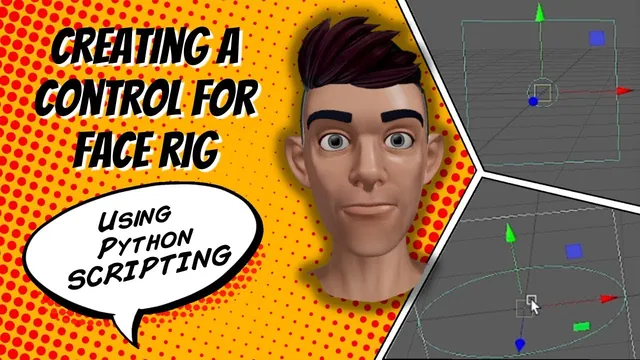
This lesson builds a reusable visual control for a developing face rig: a small circle that moves inside a square border. Translation limits keep its center within a defined two-dimensional range. The square communicates that range to the user, while the circle will later become an input for facial behavior.
The existing face project already imports and assigns blend shapes. This video develops the control in a separate Python tab before later integration. It does not connect the new circle to a facial target, and the exact Maya release is not established.
Construct the border from ordered points
During 00:00–06:02, the instructor manually creates a linear curve to inspect its command and then writes a function for a scripted border. Five points describe four sides: the last point returns to the first to close the outline.
The source sometimes calls the curve setting a dimension, but the demonstrated intent is a degree-one curve with straight segments. The point order determines how those segments connect.
The first scripted version lies in the wrong plane. The instructor swaps which coordinate axis carries the horizontal extent and tests again until the square faces the same way as the character. Inspect the plane as well as the outline; a correctly closed square can still face the wrong direction.
The manually drawn example also contains an imperfectly snapped first point. The scripted coordinates replace that accidental placement with deliberate values rather than copying every number from the manual command blindly.
Size the handle and border together
Around 06:02–10:02, the function creates a circle with its normal along Z. A radius of 0.1 looks too small in the example, so the instructor settles on 0.25.
He wants the circle’s center to travel from minus one to plus one along X and Y. A border whose edges also stopped at those values would be crossed by the circle’s visible outline when its center reached the limit. The border is therefore expanded by the handle radius.
This separates the numerical range of the control from the size of its visible handle. The range applies to the center’s translation; the surrounding square needs enough room for the handle’s radius as well. Inspect the extreme positions when changing either dimension.
Set the range and enable both limits
From approximately 10:02–16:01, the instructor first demonstrates translation limits in the Attribute Editor, then adds them to the script. X and Y use minimum and maximum values of -1 and 1. Z uses 0 and 0, keeping the handle in its plane.
The source emphasizes two parts of the command: supplying the range and enabling its lower and upper bounds. Setting numbers without enabling the intended limits would not establish the same behavior.
The circle command returns a list including the created transform and construction information in this test. The script extracts the circle transform before passing it to the limits operation. A missing equals sign and comma are corrected while the implementation is tested.
X is checked first, followed by Y and Z. The final test moves the handle around the square and confirms that it cannot be dragged beyond the demonstrated range. This is translation limiting; the recording does not establish locked rotation or scale channels.
Group the border and handle using their actual return types
Around 16:01–18:01, the function groups the square and circle into a face-control container. The first attempt indexes the square’s return value as though it were the same kind of list returned by the circle command. Maya reports a nonexistent object name.
Printing the values reveals the difference: the curve command returned a direct name, while the circle result needed extraction from a list. Correcting those references makes the group contain both objects.
This is why return values deserve their own check. Two commands that both create visible curves can return different structures. Indexing a string as though it were a list of node names can produce only one character, which is not the intended scene object.
The function is then run more than once, producing separate grouped controls. Specific names for individual facial parts are left for later work.
Verify the base before connecting it to the face
The completed prototype has a border, a movable circle, translation limits and an enclosing group. Color, labels, border templating and individual facial-part naming are discussed as future additions. The border is not demonstrated as already protected from selection.
Review the border plane, circle radius, enabled bounds, planar movement and group contents. A handle that moves correctly inside its box has established an input interface; it has not yet established a relationship to brows, eyes, jaw or other facial shapes.
The useful foundation is the agreement between the visible range and the numeric transform range. Later rig connections can use that input once their own mapping and behavior are implemented and checked.