
Maya & Python Scripting / Character FX & Animation / Maya / Python
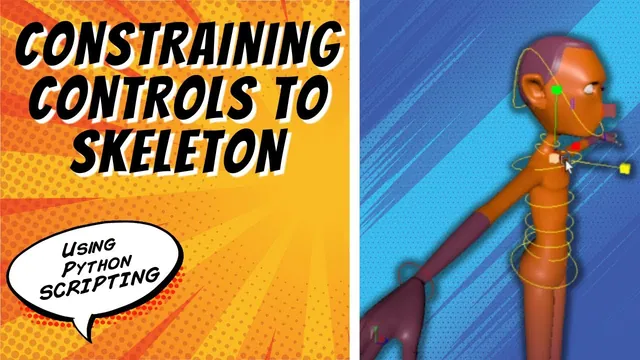
Constraining Controls to Skeleton | Maya Python Auto Rig Tutorial
Written guide
Playing loads YouTube content. YouTube processes data after activation.
Watch on YouTubeIf the player is blocked or unavailable, use Watch on YouTube.
The auto-rig’s controls are positioned and colored, but they do not yet drive the skeleton. This lesson assigns each control the appropriate relationship: a parent constraint for the center of gravity, orient constraints for the initial FK-style body controls, and separate position and orientation relationships for the wrist and foot controls.
The recording also repairs control alignment that becomes visible when constraints are added. It ends with responsive individual controls; parenting those controls into a coordinated hierarchy is explicitly the next lesson. The exact Maya release and the complete prerequisite builder are not established here.
Start with a control that needs both translation and rotation
At 00:01–04:03, the instructor uses the center-of-gravity control as the first example. Its intended job is to move and rotate the hips, so a parent constraint is appropriate for the demonstrated behavior.
The initial selection is reversed and corrected: the control is the target, and the joint is the constrained object. A manual test shows that moving the control moves the skeleton. The command history and reference are then used to introduce a dedicated constrain-controls function after control creation.
The function is deliberately named for constraints rather than ordinary parenting. The controls have not yet been arranged in their final parent hierarchy. A control-to-joint constraint and a parent-child relationship between controls solve different problems.
The manual example initially uses maintain offset. The scripted setup later explicitly sets the offset option false for the aligned controls. Do not infer that an offset flag can compensate for every alignment problem; the middle of the lesson investigates the underlying orientation instead.
Add orientation relationships for the initial body-control design
During 04:03–13:06, the center-of-gravity call is named and tested, then orient constraints are added for the lower waist and subsequent body controls. The initial design gives those FK-style controls rotation behavior rather than independent translation.
The repeated setup continues through the torso, neck, head, clavicles, and foot-ball controls, partly during a pause. Separate toe controls are commented out at this stage while the instructor keeps the simpler foot arrangement. A later loose reference to “toes” does not document a newly implemented reverse-foot system.
Each copied call needs the right control target, joint destination, constraint type, and name. A correctly spelled constraint command can still connect the wrong objects. Test one relationship before repeating the pattern and inspect the actual generated node afterward.
The wrist and foot controls are deliberately deferred until later in the lesson because their IK responsibilities need a different split. They should not simply receive the same body-control constraint by copy-and-paste.
Repair alignment instead of hiding it behind an offset
At 13:06–18:01, the instructor notices an orientation problem in the generated controls. Turning maintain offset on could mask the immediate mismatch, but the investigation finds that several control-builder calls had rotation alignment disabled.
The relevant translation/rotation choices are corrected, and the circle-direction inputs are adjusted so the controls’ visible planes make sense after alignment. The head and upper-chest examples receive further direction changes. A clean rebuild checks that the skeleton itself has not been disturbed.
This separates the transform alignment used by constraints from the appearance of the curve. A control can have a useful pivot and orientation while its outline still intersects the mesh or presents an awkward selection shape.
Inspect the local axes and the constrained motion before judging the visual outline. If a joint snaps or rotates unexpectedly when the constraint is applied, changing the curve’s CVs is not a substitute for repairing the underlying transform relationship.
Leave character-specific curve fitting as a visible-shape adjustment
During 18:01–21:00, the instructor demonstrates reshaping control CVs in component mode to better surround the head and considers other curve styles for the chest, hips, and master control.
Those are proposed interface improvements, not completed replacements throughout the builder. The existing circles remain acceptable for the current demonstration. The instructor leaves some character-specific fitting to the user instead of encoding a fixed sculpted shape into every automatic build.
Component editing changes the visible outline without using the control transform itself as a modeling offset. That is useful when the control’s neutral transform and pivot already support the intended constraint behavior.
Keep this cosmetic work separate from the remaining functional connections. A polished head control does not establish that the wrist handle or ankle orientation has been wired correctly.
Split IK endpoint position from wrist and ankle orientation
At 21:00–26:01, the wrist and foot controls receive two distinct relationships. An orient constraint drives the corresponding wrist or ankle joint. A point constraint drives the corresponding arm or leg IK handle.
| Control | Orientation destination | Position destination |
|---|---|---|
| Left wrist | Left wrist joint | Left arm IK handle |
| Right wrist | Right wrist joint | Right arm IK handle |
| Left foot | Left ankle joint | Left leg IK handle |
| Right foot | Right ankle joint | Right leg IK handle |
This split lets moving the control place the IK endpoint while rotating the control sets the terminal joint’s orientation. The destination names are not interchangeable: sending the orientation relationship to an unrelated handle or the point relationship to the wrong side changes the rig’s behavior.
The script copies the relevant calls for both sides and changes the names consistently. The instructor saves before rebuilding, then checks the resulting motion in the scene.
Verify the individual connections before building the control hierarchy
During 26:01–26:48, the arm control moves the arm and can adjust the wrist orientation; the feet behave similarly in the recorded test. The next identified task is to parent controls so that moving a body control carries the other controls in the intended order.
At this checkpoint, test center-of-gravity translation and rotation, representative body rotations, and each wrist/foot control’s separate position and orientation behavior. Inspect constraint targets when a response is missing or appears on the wrong side.
The source supports working individual connections. It does not yet establish a completed control hierarchy, reverse-foot behavior, global-scale behavior, or comprehensive pose validation. Those remain later layers built on these explicit control-to-skeleton relationships.