
Character FX & Animation / Maya
Connecting Hair and Teeth to the Rig
Written guide
Playing loads YouTube content. YouTube processes data after activation.
Watch on YouTubeIf the player is blocked or unavailable, use Watch on YouTube.
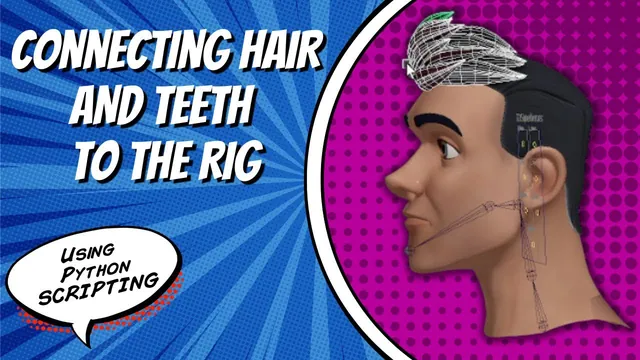
This lesson attaches the separate parts of a face model to its developing rig. Teeth, tongue and eyes need to follow the appropriate joints while retaining their existing behavior. Hair and brows raise a different question: whether an attached part should move rigidly with the head or deform with the head surface.
The starting project already has a bound head, facial controls and UI fields that identify geometry. The exact Maya release is not established. Skin-weight refinement, full mouth-control integration and automatic weight-file loading remain separate work.
Read geometry names from the existing interface
During 00:00–07:01, the instructor briefly shows a newly added weight-file path control, then returns to the attachment task. That path is preparation for a later lesson; it is not used to apply weights here.
An attachment function is called after skeleton binding. Its helpers receive UI field identifiers and query their text to obtain the current geometry names. This allows a user to supply a model’s actual names instead of making every asset adopt the demonstration’s geometry naming convention.
Joint names remain directly specified in this version. The instructor plans to expose those defaults later. Distinguish the field’s identifier from the text stored inside it: the first locates a UI control, while the second should resolve to a scene object.
The lower teeth provide the first test because their response to jaw movement is easy to inspect.
Drive an offset group while preserving the geometry’s channels
During 07:01–11:03, the selected geometry is placed inside two groups. The demonstrated hierarchy is an outer zero group, an inner offset group and the geometry. A parent constraint drives the offset group from the appropriate joint, with Maintain Offset enabled to avoid shifting the geometry when the constraint is established.
The helper stores the group names returned by creation and uses the intended group as the constraint’s destination. The test shows the lower teeth moving with the jaw. Some mesh/teeth intersections remain and are assigned to later weight cleanup, rather than treated as an attachment failure.
These extra transform levels have a practical purpose. Later in the lesson, the instructor explains that constraining the eye geometry directly would interfere with the connections that already drive its independent movement. Driving a parent group supplies broad head motion while leaving the geometry’s existing local behavior available.
This is the demonstrated transform arrangement, not proof that arbitrary existing hierarchies, scales or constraints can be wrapped safely without further inspection.
Map rigid parts to the correct joint and test inherited motion
From 11:03–14:01, the lower teeth and tongue are assigned to the jaw. The upper teeth are assigned to the head joint; the instructor corrects an intermediate copy that still names the jaw. Both eyes also follow the head through their groups.
Test more than one motion. Moving the jaw should carry the lower teeth and tongue. Moving the head or neck should carry the assembled parts without leaving an object behind. The eyes should still respond independently to their existing controls after the broad head motion is added.
The source repeatedly undoes test attachments and clears construction history while developing the helper. Those are test-scene operations, not a general instruction to delete history from a completed facial rig. Preserve the dependencies you need when applying the technique to another scene.
Use a wrap when the part should follow surface deformation
During 14:01–19:01, the instructor introduces a separate wrap helper for geometry that needs deformation rather than only joint-level motion. It receives identifiers for the driving head and the part to be deformed, queries their actual object names, clears selection and selects the objects for wrap creation.
The demonstrated selection order is the geometry to deform followed by the driving head. The helper then invokes wrap creation. Its purpose differs from the earlier parent constraint: a wrap transfers changes in the head surface to the attached geometry, rather than merely supplying a parent transform.
Testing the brow movement shows an unwanted consequence. The wrap affects too much of the hair, including regions the instructor did not intend to move strongly. A successful attachment is therefore not automatically an acceptable deformation. Inspect the whole affected part, not just the point nearest the brow.
Split the hair roles and repair stale field defaults
From 19:01–25:02, the hair is reorganized into front and base pieces suitable for this stylized model. The instructor combines selected pieces, removes their test history, renames the resulting objects and adds separate UI fields for the new roles. A head-joint attachment is introduced for the portion intended to follow rigidly.
The transcript contains several revisions and undo operations, so it does not establish a clean final function-call table for both hair pieces. Use the demonstrated distinction—rigid following versus surface deformation—and inspect the final scene rather than inferring every final connection from the changing variable names.
Several rebuild errors come from state left over from previous tests. Objects are already attached, one undo removes a naming change, and a field’s default text still refers to the old hair object even though the field identifier has been updated. The instructor searches the script for the obsolete name and repairs those defaults.
Another error reports a missing lower-teeth field. Rebuilding the UI with the current definitions resolves the demonstration’s stale-state problem. This illustrates the separate checks needed for a UI-driven tool: the field must exist, its text must be current, and that text must name an existing scene object.
Review attachments separately from deformation quality
During 25:02–26:23, the final checks show jaw motion carrying the teeth, head movement carrying the attached parts, and independent eye movement remaining available. The hair no longer exhibits the earlier broad movement in the shown test, but a small intersection around the brow/front-hair region remains.
The instructor proposes reducing the extreme deformation or adding a small adjustment control, and plans further skin-weight work between lessons. Neither proposal is implemented and validated in this video.
The result is a useful attachment pass with documented limits. Check the joint-following parts, independent eye controls and surface-driven parts separately. Then evaluate intersections and weight quality as their own problems. Passing the first set of checks does not resolve the second.