
Maya & Python Scripting / Character FX & Animation / Maya / Python
Connecting Eyes to the Face Rig | Maya Python Tutorial Series
Written guide
Playing loads YouTube content. YouTube processes data after activation.
Watch on YouTubeIf the player is blocked or unavailable, use Watch on YouTube.
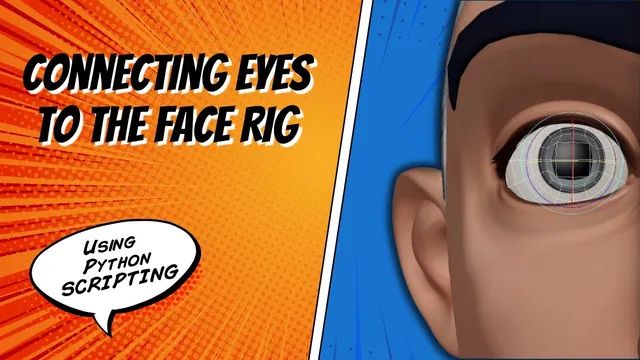
The face controls already drive expression shapes. This lesson extends the same driven-key approach to eyeball rotation, including the separate cornea objects. The important change is that a driven endpoint can no longer always be the blendshape value one: an eye needs a signed rotation angle, while its controller still uses a normalized movement range.
The recording develops this inside the existing Maya face-rig script and relies on its naming convention and helper function. It does not identify an exact Maya release or demonstrate a complete production eye system. The useful result is a working control-to-rotation mapping in the recorded scene, with several debugging steps that explain how to keep the two eyes independent.
Prepare the eyeball and cornea to rotate together
At 00:00–03:01, the instructor identifies the eyeball geometry as the new driven object. Before connecting anything, the pivots need attention: the initial rotation test shows that they are not where the intended eye rotation requires them to be. The lesson uses Modify → Center Pivot and tests the result.
The eyes also have separate cornea geometry. Although the instructor briefly considers removing these objects in this particular setup, the implemented result keeps them and drives them alongside the eyeballs. Do not treat that discussion as a general instruction to delete corneas from an eye asset.
Test each eyeball/cornea pair before scripting the connection. They need to rotate coherently in the supplied asset; otherwise a working driven key can faithfully reproduce an unwanted offset. Centering each pivot is the demonstrated preparation, but it is not proof that independently centered pivots will coincide for every possible eye model. Inspect your pair rather than assuming that the command alone establishes the correct rotation center.
Give the driven-key helper an explicit endpoint value
Around 03:01–07:00, the existing helper is expanded with a parameter called BSrange. Its name reflects the blendshape work from which the helper grew, but its new role is broader: it supplies the driven channel’s endpoint value. A geometry rotation channel can then use degrees instead of the previously hardcoded value one.
This change has two sides. New eye calls need a signed rotation value. Existing blendshape calls need an explicit range of one so that their previous zero-to-one behavior remains intact. Updating only the new calls would leave the older call sites inconsistent with the revised helper signature.
The instructor updates those existing calls, rebuilds, and checks the original expression behavior before proceeding. That is a useful regression boundary: establish that the helper refactor preserved its old job before debugging its new one. Otherwise a failure in a mouth or brow shape can become entangled with an unrelated eye-axis error.
Keep the driver endpoint and the driven endpoint conceptually separate. The controller direction determines which input position receives a key. BSrange determines the output value stored at that position. A positive controller movement does not require a positive rotation angle.
Diagnose vertical movement using both sides of the mapping
At 07:00–13:00, the right eye is connected first. Vertical controller movement drives the eyeball’s rx channel; a second call applies the same mapping to the cornea. The instructor experiments with the angle and settles on approximately thirty degrees for the demonstrated vertical endpoints.
The up direction works, but the copied down direction initially does not. Part of the cleanup moves the eye-rotation calls out of conditions associated with importing blendshape targets: this operation depends on the eye objects and controller, rather than on a particular expression target being imported.
The decisive correction is the copied driver direction. The down call still uses the up input endpoint. Changing that direction to negative one gives the down mapping its own controller position. The intended vertical relationships in this scene are:
| Controller input | Driven eyeball and cornea output |
|---|---|
ty = +1 |
rx = -30 degrees, looking up |
ty = -1 |
rx = +30 degrees, looking down |
This sign reversal follows the recorded asset’s axes. It is not a universal rule for every character or eye orientation. If one endpoint works and its opposite fails, inspect the input key position as well as the output angle. Merely reversing the output sign cannot repair two calls that both target the same driver endpoint.
Add horizontal rotation on the correct channels
During 13:00–15:04, the instructor develops the horizontal pair. The driver changes to controller tx, and the driven rotation changes to ry. The recording tries different amounts and uses approximately forty degrees for the final horizontal examples.
| Controller input | Driven eyeball and cornea output |
|---|---|
tx = +1 |
ry = +40 degrees |
tx = -1 |
ry = -40 degrees |
These are scene-specific rig values, not anatomical limits. Their instructional purpose is to show that driver channel, driver direction, driven channel, and output amount are independent decisions. Copying a vertical call requires changing more than its angle: leaving ty or rx in place would still describe vertical behavior.
Test the eyeball and cornea together at each horizontal endpoint and return the controller to neutral between checks. Also confirm that the earlier vertical mapping still responds after the additional calls are introduced.
Bind the duplicated block to the left controller
At 15:04–17:00, the right-side block is copied and its right suffixes are replaced with left suffixes. An indentation repair is needed, but another error remains: the left controller does not operate its eye, while the right controller also affects the left objects.
The driven geometry names have changed, but the shared controlName variable still refers to the right controller at the point where those calls run. Moving the left-eye block after the assignment that identifies the left controller fixes that ownership problem.
This is a useful distinction between text replacement and program state. Replacing object suffixes cannot update a variable whose value was established elsewhere. For each side, inspect the actual driver supplied to the helper along with both driven object names. A successful function call can connect the wrong nodes without producing a syntax error.
Rebuild from neutral and test each eye independently
The closing checks, 17:00–17:49, return the controls to neutral before clearing and rebuilding the setup. This matters because the helper records relationships at defined input and output states; a leftover test pose can contaminate the intended baseline or make the next test difficult to interpret.
Check up, down, and both horizontal directions for each eye, then confirm that the other eye does not respond unintentionally. Watch the cornea as well as the eyeball, and revisit a few existing facial-expression controls after the helper change. The recorded scene reaches working movement for both eyes.
That result does not certify every diagonal pose, interpolation choice, deformation interaction, or arbitrary character asset. It establishes the demonstrated endpoint wiring and the corrected controller ownership. Broader motion review remains a separate task once the full face rig is assembled.