
Unreal Engine & Blueprints
Collectibles Part 1
Written guide
Playing loads YouTube content. YouTube processes data after activation.
Watch on YouTubeIf the player is blocked or unavailable, use Watch on YouTube.
This first collectible lesson builds a rotating coin Actor that disappears when overlapped. It provides the pickup object itself; recording how many coins the character has collected is explicitly left for the next lesson.
The starting scene is a side-scroller template. The exact Unreal Engine release is unidentified. Materials, sounds, and particle effects are discussed as additions rather than completed parts of this initial setup.
Fit the coin and its detection box
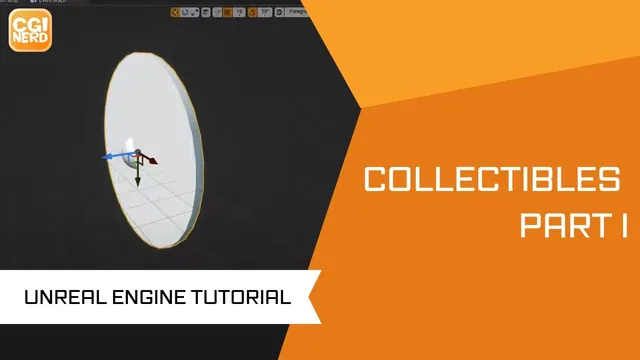
At 00:01–02:02, the instructor creates an Actor Blueprint named Coin, adds a cylinder, flattens its shape, and rotates it 90 degrees around X so it stands upright.
A Box Collision component is added and resized to fit the coin more closely. The visual mesh and detection region need not be identical shapes, but the box should represent the area in which the pickup is intended to respond.
The first box-creation attempt is revisited because the expected component is not visible. Confirm the actual component in the Blueprint hierarchy before adjusting a different object or assuming the detection volume exists.
Use Rotating Movement for the display motion
During 02:02–03:01, a Rotating Movement component supplies the coin’s rotation. This avoids rebuilding the repeated rotation directly in the Event Graph for this example.
The placed Actor spins in the play test, establishing the visual behavior before pickup logic is added. The automatic captions do not clearly preserve the full spoken rotation-rate value, so this article does not prescribe a guessed exact rate.
Check the rotation center and the upright shape together. A coin that spins successfully is not necessarily collectible; motion and overlap response are independent stages.
Destroy this Actor when the overlap begins
At 03:01–04:01, Actor Begin Overlap is connected to Destroy Actor, targeting the coin itself. Begin Play and Tick are not needed for this specific event response and are removed from the working graph.
The next play test shows the coin disappearing as the character passes through it. “Self” matters here: the target is the pickup Actor, not the character that reached it.
The demonstrated event does not include an explicit class filter for the overlapping object. It proves the interaction in the example scene, not a general rule that only the player can collect the coin.
Test several instances and separate removal from inventory
During 04:01–05:55, the instructor discusses possible sounds or particle effects, then places several coin instances and verifies that each disappears when reached. Those effects are suggestions at this point; no selected effect asset or completed sound sequence is built here.
A disappearing Actor does not preserve a count by itself. Collectibles Part 2 puts that value on the character so it can remain after individual coin instances are destroyed.
The completed first-stage checks are a fitted visible coin, a detection box, automatic display rotation, and self-removal on overlap. Inventory persistence, duplicate-award protection, and feedback effects remain outside this initial result.