
Maya & Python Scripting / Character FX & Animation / Maya / Python
Cleaning up in Progress Face Rig Python Script
Written guide
Playing loads YouTube content. YouTube processes data after activation.
Watch on YouTubeIf the player is blocked or unavailable, use Watch on YouTube.
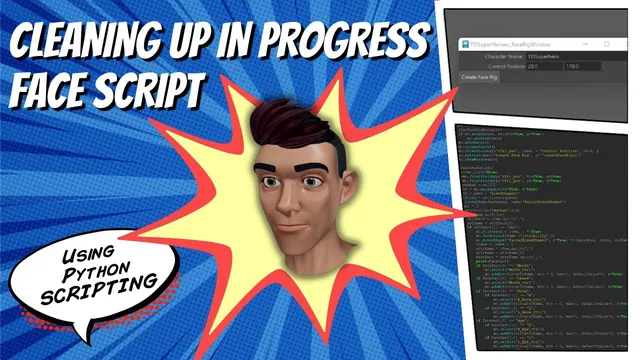
The face-rig script has become large enough that running it immediately builds a setup for one hardcoded head. This lesson starts turning it into an interactive tool: choose a head, enter a character name and panel position, build through a button, and clear the generated setup through another button.
The changes improve the demonstrated workflow, but the script remains in progress. Its facial attributes are not yet connected to motion, empty-selection and empty-scene handling are incomplete, and cleanup relies on broad name patterns. The exact Maya release is unidentified. The lesson’s title should not be read as a claim that the script is robust for arbitrary production scenes.
Replace the hardcoded head with the initial selection
At 00:00–04:00, the instructor identifies the places where a particular body or head name is embedded in the script. The build function instead queries the current selection and stores its first item as the base head.
A test with nothing selected produces a list-index error. Selecting the intended head allows the build to continue. This demonstrates the new input dependency, but does not add a complete selection validator. The user must still provide the expected head when invoking the build.
Capturing the selection makes the script less tied to one literal node name. It does not prove that any selected object has suitable topology, targets, or deformers. Those requirements belong to the existing face-rig workflow and are not inferred from the presence of one list item.
The controller’s X and Y positions are also turned into arguments rather than remaining embedded values. Initially the variables retain the same example coordinates, so the result should look unchanged. That intermediate test checks the refactor before the values become editable through a window.
Make script execution open a window instead of building immediately
During 04:00–09:05, a window function is added. It checks for an existing named window, removes that UI if present, creates a new window and column layout, and shows it. The final script call is changed from building the face rig to opening this interface.
A Create Face Rig button invokes the build function. This separates loading the tool from performing scene changes. The head selection is needed when the build action runs, rather than merely when the window is created.
The lesson tests an initially empty window before adding the button. That is a useful way to distinguish window-lifecycle errors from problems in the larger rig function. If the UI does not appear, debugging blendshape import code is premature.
The window identifier is passed through a variable so it can be changed without editing the same long name in several places. This is code organization within the demonstrated tool, not persistent settings storage.
Query position and character-name fields at build time
At 09:05–15:00, a two-value floatFieldGrp supplies the panel’s X and Y positions. Floating-point fields allow fractional placement. The build function queries value one and value two and passes them through to the controller builder.
The example defaults remain twenty and one hundred seventy so repeated tests do not require retyping them. A text-field group then supplies the character name, which replaces the previous placeholder used to label the panel.
The initial goal mentions placing the panel near the head without explicitly designated coordinates, but the implemented result is user-entered coordinates with defaults. The lesson does not calculate the head’s position or bounds automatically. Keep that difference visible when describing what the interface now does.
Verify that changing each field affects its intended output. A different name should change the panel label, and different position values should move the panel. Rebuilding the window restores its scripted defaults; the source does not implement persistence of the last user-entered values.
Use naming conventions to identify generated setup objects
During 15:00–23:00, the instructor observes repeated blendshape history from rebuilding and adds history deletion on the selected base head as part of this controlled development workflow. This is not demonstrated as a safe general reset for a head with unrelated finished deformers.
A Clear Scene button is added. Its function finds the controller’s top transform through the naming convention, and imported target objects are renamed with a _blend suffix so they can be located for cleanup. The function deletes the controller and loops through the matching imported targets.
Renaming a target changes the name that later code must use. The script stores the result of the rename so subsequent operations can refer to the actual scene object rather than an obsolete pre-rename name.
The wildcard patterns are convenient in the example scene, but they do not establish ownership. Another rig or unrelated object with a matching suffix could be included. Inspect the matched objects before adapting this cleanup approach to a shared scene.
Removing the visible controller and target meshes also does not necessarily remove the head’s deformation history. The lesson checks that separately and continues revising the cleanup function.
Capture the user’s head before cleanup changes the selection
At 23:00–28:01, the first history-cleanup attempt uses the character-name field as though it were the mesh’s scene name. That fails because the panel label and the base-head object have different identities.
The function is changed to use the selected head. However, cleanup itself makes new selections while finding the controller and target objects. Querying the selection after those operations no longer reliably retrieves the head the user originally selected.
Moving the selection capture to the start of the function fixes that timing problem in the recorded create/clear test. The initial list is retained while later commands change Maya’s current selection, and the head reference is used for the intended history cleanup.
This is a broader scripting lesson: selection is mutable scene state. A function that selects temporary objects should not expect a later selection query to recover its original user input. Store the needed references before making selection-changing calls.
The lesson also experiments with checks for missing generated objects, but abandons them when selection of a nonexistent match fails before the proposed length checks can run. The final demonstrated routine therefore should not be described as safe to invoke on every empty or partially built scene.
Verify the expected cycle and finish the interface spacing
During 28:01–32:06, the instructor repeats the expected build-and-clear sequence and inspects the head for remaining history. Some extra objects from earlier errors are acknowledged during testing. The final recorded normal cycle clears the generated setup and the intended head history.
The window then gains a separator between related build inputs and the separate cleanup action. Several separator styles are tried without an obvious visible difference, so the instructor keeps a larger spacing area instead of claiming a particular line style is working.
Test the tool under its stated conditions: select the intended head, confirm the field values, build once, then select the head as required for cleanup and inspect the result. Check both the generated objects and the head’s history. A button completing without an error is not enough if one of those remains in an unexpected state.
The resulting interface is a useful development step. It replaces several hardcoded values and clarifies when actions occur, while leaving selection validation, ownership-safe cleanup, missing-object handling, and facial-motion connections for later work.