
Crowds & Simulation / Houdini & Procedural Workflows / Houdini
Character RBD FX Pipeline Houdini Effects Tutorial Series Compilation
Written guide
Playing loads YouTube content. YouTube processes data after activation.
Watch on YouTubeIf the player is blocked or unavailable, use Watch on YouTube.
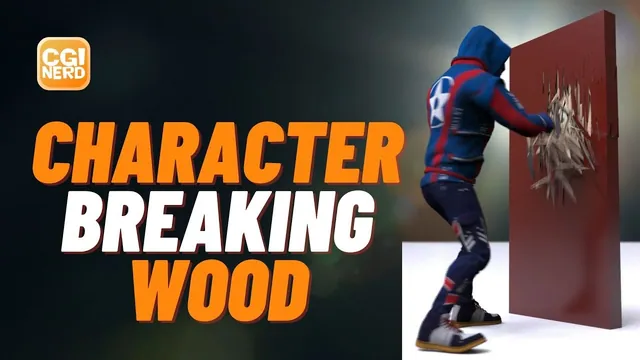
A character punching through a door requires more than a fractured mesh. The animated body must drive collisions at the correct scale, only the intended region should break, the intact door must remain visible before simulation begins, and the final render must preserve the motion. This compilation follows those dependencies from character preparation through a 48-frame Mantra sequence.
The source combines several lessons and uses historical shelf-based Houdini dynamics. Character Creator and Mixamo supply the demonstrated character and motion, but their current interfaces, availability and licensing are not evaluated here. Exact software builds are unverified. The guide retains the recorded approach, including its slow full-body collision calculation and its art-directed constraint deletion; it is not a modern pipeline migration or a physically validated wood model.
Prepare a character and a punch with useful anticipation
The opening 00:00 section demonstrates Character Creator’s body and face adjustments, clothing and hair. Conform resolves some clothing and shoe fitting problems. For the shirt’s local intersections, the instructor changes to mesh sculpting instead of repeatedly conforming the whole garment. Inspect the silhouette and obvious clothing penetration before exporting; those defects would otherwise accompany the character into the effects scene.
The saved production character is then exported as FBX using the available Maya target preset. A Mixamo character downloaded in a T-pose is shown as an alternative starting asset. The compilation subsequently uploads the custom character and chooses a punching motion. This is an account-based source workflow demonstrated in the recording, not a requirement to buy or connect another service to read the lesson.
At 09:01, punch height, anticipation range, style and overdrive are adjusted. The instructor wants a clear preparation followed by a forceful strike, while rejecting an excessively fast motion. The animation download uses 24 frames per second and includes skin. Keep the character-only FBX distinct from this animated download: the import section later demonstrates the mistake of opening the former when the punch is needed.
Understand the rigid-body and fracture tests first
At 12:03, a raised sphere becomes a shelf-created RBD object. The geometry network gains a rest state, packed geometry and a DOP import. Inspecting point display shows the packed representation as one point for the object in this example. The dynamics network calculates the motion; the import brings the result back to geometry for display.
The sphere falls indefinitely until a Ground Plane is added. A separate box made into a static collision object then intercepts it. Here, “static” identifies geometry whose motion is not solved as a falling rigid body. It does not mean that a character used through the same collision mechanism can never deform or animate. Some spoken references to “soft body” later in the compilation are inconsistent with the Static Object setup actually described.
The fracture demonstration beginning at 17:03 separates the mesh input of Voronoi Fracture from its cell-point input. Scatter on the sphere’s surface produces the first pattern. IsoOffset followed by Scatter places points throughout a volume and changes the interior breakup. Compare those two demonstrated distributions; the narration’s broad statement about surface points never producing interior fractures should not be treated as a general proof about all Voronoi arrangements.
Use Exploded View to inspect pieces, then remove that inspection offset before simulation. Select the intended sphere when creating the RBD Packed Object; the first shelf selection is wrong and is undone. Glue Adjacent keeps the pieces together, with strength trials of 10,000, 1,000 and 100 producing different breakup in this test. This establishes how fracture geometry and constraints have separate responsibilities.
Import the animated file and reconcile the scene scale
At 23:01, FBX import initially brings in the character rig without the desired motion. Import the punching file instead; the demonstration uses Import as New Scene to replace that test scene. Confirm that animation, geometry, joints and skin are included and that playback contains the punch before building collision work around it.
The clip ends near frame 22 and is initially viewed over a 24-frame timeline. Its imported character is almost 175 Houdini units tall. The instructor scales it down, adjusts its ground position and ends with a character just under two meters tall. Later, the constraint-mask repair explicitly repeats a scale of 0.0125 and a Y translation of negative 0.18 for this asset. Those values belong to this particular import, not all FBX characters.
Inspect the feet against the floor and the direction of the strike. The punch travels along Z in the example, which provides a practical axis for placing the door. Scene scale affects the later transfer distances as well as the physical simulation; fixing only the visible character while leaving an imported mask at its original size will cause a second failure later.
Test the deforming body against an unbroken door
At 28:01, create the ground and a thin box for the door. Reference half the box’s height into its Y center so it remains seated on the ground when height changes. Make the door an RBD object, then find the character’s actual body mesh inside the imported hierarchy and make that mesh a Static Object collider.
Only the body is used for the test. Tongue and teeth are excluded from collision calculation, and clothing collisions are mentioned as optional. This reduces what must be evaluated, but it is still a detailed deforming mesh rather than a purpose-built low-resolution proxy.
The first collision representation stays still while the visible character moves. At 31:00, enable Use Deforming Geometry on the character’s static object. Recalculate from the beginning and inspect the collision representation, not just the rendered character. The setting is revisited later when the unexpectedly fast simulation reveals that deformation is no longer being evaluated as intended.
Memory fills after only a few frames on the instructor’s system. A flipbook provides a playback preview of the calculated frames, allowing the impact to be inspected at a useful speed. It does not remove the per-frame simulation cost. The first successful test is simply the body striking and moving an intact door; fracture is added afterward.
Fracture a selected region into elongated splinters
At 34:01, disable simulation updates while rebuilding the door network. Remove the earlier rigid-body support chain from that test and return to the original box. A coarse Voronoi fracture with five scattered points establishes large regions. Varying the seed changes their placement; the instructor chooses a pattern around the punch rather than accepting the first random cut.
Complementary Blast branches separate the region that will become dynamic from the remainder. An output null identifies the static geometry. A second coarse piece is included experimentally, then later removed when it allows too much of the door to depart. Keep both branches complementary whenever that selection changes.
To make elongated fragments, compress the selected geometry along the working direction before the detailed fracture, then reverse that scale afterward. The accepted trial uses 0.1 before fracturing and its reciprocal afterward. A more extreme 0.01/100 pair produces longer splinters but is rejected in favor of the earlier appearance. The transcript does not identify the compression axis clearly enough to prescribe it independently of the on-screen setup.
An initially empty Scatter result is traced to insufficient IsoOffset divisions on the compressed shape. Increase those divisions until the volume provides usable points, then inspect the fracture with Exploded View. The initial suspicion that multiple coarse pieces caused the failure is not the final diagnosis: the two-piece version works after the volume is corrected.
Bring the static output into a separate object with Object Merge. Make the splinter branch an RBD Packed Object, the retained branch a Static Object, and add Glue Adjacent. Reenable simulation updates after modeling. Otherwise, a network that appears not to react may simply still have calculation disabled.
Localize constraint breaking to the animated body
The initial glued section moves as a large chunk and starts sliding before the punch. At 45:01, the instructor observes no contact at frame 14 and contact at frame 15, then starts the DOP simulation at 14. Lower glue strength improves breakup but still releases too much of the door.
The next method sets glue strength to negative one and deletes selected constraints explicitly. SideFX documents -1 as the unbreakable glue value; it is not a claim about every negative number. Unbreakable connections also do not anchor a whole connected chunk to the world. This distinction explains why the next steps still need spatial selection and static geometry. See the Glue Constraint Relationship reference.
At 49:00, enter the generated constraint-removal geometry network. Create a stable output null after the character’s deformation and Object Merge that body into the removal setup. When it seems absent, the actual problem is scale: it has arrived at the original large size. A Transform matching the displayed character’s scale and offset brings the mask into alignment. A Convert trial does not solve that problem.
Set the body mask to white and the constraint geometry to black. Attribute Transfer carries color from the character onto nearby constraint geometry. The first wiring direction is reversed and is corrected. A distance threshold of 10 affects virtually everything at this scene scale; reducing it to 0.1, with a 0.05 trial, confines the affected area around the punch.
Promote Cd from points to primitives and use Blast to remove the color-selected constraint primitives. The source speaks a greater-than-zero color test, but it does not reliably preserve the exact group syntax or promotion method. Confirm those fields in the video before reproducing the network; a vector attribute test should not be reconstructed from guessed caption punctuation. The direct geometry preview can change back as the moving color mask passes, while the resulting simulated flipbook demonstrates localized breaking. The lesson does not separately prove every persistence behavior of that constraint network.
Keep the perimeter static and restore the intact opening
At 58:00, remove the unwanted extra coarse piece from the dynamic selection. After the detailed fracture and inverse scale, use bounding regions to select upper, lower and side portions that should remain static. Send those pieces into the static branch and retain the central pieces for dynamics.
Successive Group nodes initially overwrite the same group. A branch-and-Blast experiment is abandoned; the working correction is Union with Existing on the repeated group operations. Inspect the combined selection before the complementary Blast nodes. All intended perimeter regions must survive, rather than only the last box selection.
The resulting flipbook at 01:04:01 has fewer interacting pieces and a more controlled hole. Starting simulation late, however, leaves an incomplete opening before frame 14. A new display object imports three outputs: the original door, the dynamic result and the static remainder. Merge the latter two, then use a Switch to choose between the original and the assembled simulation result.
Key input 0 at frame 13 and input 1 at frame 14. Hide the original source objects so the display object controls what is seen. The expected comparison is an intact door before simulation starts and a matching assembled door as the dynamic branch takes over. Extend the timeline to 48 frames to see the debris land. The character does not receive new follow-through animation; linking more motion clips is a suggestion, not a completed part of this sequence.
Separate outside finish from exposed interior
At 01:10:00, assign a dark reddish exterior and lighter raw-wood color to the fracture’s inside groups. Place assignments where they also reach pieces later moved into the static branch. Use Exploded View temporarily to inspect the inside and outside surfaces, then remove it again.
The instructor tries primitive color but returns to point color because that trial does not show the inside as intended. Retain this as the demonstrated result, not a universal rule that primitive color is unsuitable. Two Principled Shaders use white base color and the geometry’s point color, with lower roughness outside and higher roughness inside. Material assignments target the corresponding inside and outside groups; the intact original receives the outside material too.
No UV layout or wood texture is created. The material distinction communicates painted or finished exterior versus exposed interior through color and roughness. Check both the intact door and the broken frame so the switch does not introduce an unrelated material change.
Finish the camera, velocity and sequence render checks
At 01:18:01, make a camera from the viewport, lock the view while composing and set a vertical 720-by-1280 frame. A focal length of 110 is the example’s framing choice. Match the flipbook dimensions to the camera; otherwise, the preview tries to fit the portrait composition into its older wide format.
The motion-blur preparation has several separate steps. Add Point Velocity to visible deforming components, including the body, jacket, eyes, sweater, pants and shoes, and display the output containing that data. The instructor considers Trail but selects Point Velocity instead. Enable velocity blur in each relevant object’s render sampling settings. Apply the same preparation to the door’s final display geometry. Invisible tongue and teeth are skipped for this shot.
In the Mantra output, allow motion blur and enable depth of field, with the intended camera selected. Camera focus handles establish the focus region. Point-trail display helps inspect the velocity before rendering; generating that attribute alone does not enable all renderer and object settings.
An initial render setup is missing a light. Add an Environment Light with a sky map, hide the collision floor’s display and create a broad ZX-plane circle as visible ground. The first rendered frame shows the fracture and blur but is judged too reflective. Lighting/HDR adjustments and final presentation tweaks occur afterward without a complete narrated parameter recipe.
The final correction at 01:29:02 is essential: change Mantra from Current Frame to Render Frame Range for frames 1–48. A numbered image filename does not itself request the entire sequence. Review a frame containing the break before the full render, then verify the range and output naming. The completed example demonstrates a short rendered impact, with its incomplete character follow-through and off-camera final polish still explicit.