
Character FX & Animation / Maya
Biped Character Rig Part 8 - Stretchy Arm Rig
Written guide
Playing loads YouTube content. YouTube processes data after activation.
Watch on YouTubeIf the player is blocked or unavailable, use Watch on YouTube.
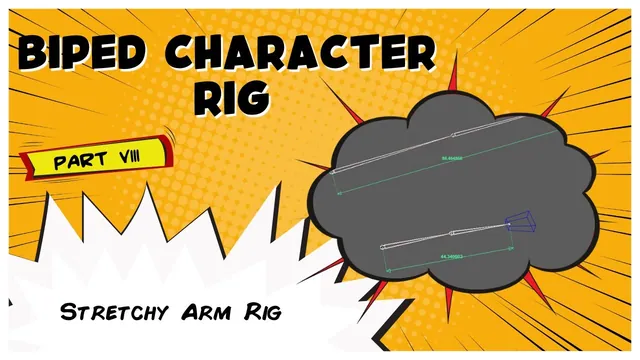
An ordinary IK arm stops reaching when its available segment length is exhausted. This lesson adds a simple stretch network: measure the current reach, compare it with a stored reference distance, and increase the arm joints’ length-axis scale only when that ratio exceeds one. Shorter distances retain a scale of one so the network does not compress the arm.
The setup is built manually in Maya’s Node Editor and Connection Editor. It assumes the series’ existing IK arm, an X-aligned joint chain, and suitable controls. The exact Maya release is unidentified. Global scale compensation, volume preservation, and a user-controlled stretch blend are not added in this lesson.
Measure between the intended shoulder and wrist positions
At 00:00–03:00, the instructor creates a distance measurement using Create → Measure Tools → Distance Tool. Vertex snapping is used to place its endpoints on the intended joints, with the mesh hidden so a nearby mesh vertex does not accidentally become the snap target.
That is a meaningful setup check. The stretch network will only be as useful as the distance it measures. A visually close endpoint is not equivalent to the intended joint position if it introduces a different reference length or motion relationship.
The distance shape is added to the Node Editor with its inputs visible. Its distance attribute is the live numeric value used by the network. The measurement’s locator transforms will later be attached to the rig so that this value follows the desired reach.
Inspect the endpoint positions and the displayed distance before building the math. Otherwise a wrong snap can look like a mathematical error after several nodes have been connected.
Divide the live distance by a stored reference distance
During 03:00–06:04, a multiplyDivide node is created and set to Divide. The live distance connects to input1X; the reference distance is entered as a fixed value in the other input. The output is therefore a ratio between current reach and the chosen reference reach.
The narration describes this as dividing the distance “by itself,” but only the initial values are the same. Connecting the live distance to both inputs would always produce one for a nonzero distance and would not create the demonstrated stretch behavior. The denominator must remain the captured reference value for this method.
At the reference pose the ratio is one. A larger measured distance produces a ratio above one, and a smaller distance produces a ratio below one. The instructor uses the current measured span and notes that its suitability depends on the elbow’s bend.
This is an approximation tied to the chosen pose. The lesson does not calculate the sum of the arm’s segment lengths or automatically determine an ideal full-extension threshold for every bent chain. Check the onset of stretching on the actual arm rather than copying the example’s numeric distance.
Use a condition to prevent compression
At 05:03–07:00, the ratio connects to a condition node’s first term, with the second term set to one. The operation is Greater Than. When the ratio exceeds one, the true output receives the ratio; otherwise the output remains one.
The scalar path uses the condition’s red channel. The ratio is supplied to the true red value, the false red value is one, and outColorR becomes the scalar scale signal. The RGB naming does not prevent that channel from carrying a numeric rigging value.
The intended relationship is:
ratio = current distance / stored reference distance
length scale = ratio when ratio > 1, otherwise 1
This avoids shortening the arm through this scale network when the control moves inward. It does not by itself determine the arm’s bend direction or solve every IK popping case; the lesson’s stated motivation should not be read as a comprehensive stability guarantee.
Drive the shoulder and elbow length axes
During 07:00–10:02, the condition’s outColorR is connected to the shoulder joint’s scaleX in the Node Editor. The corresponding elbow connection is made through the Connection Editor to demonstrate another interface for the same kind of connection.
The final graph is then inspected to verify both outputs. Using two editors does not create two different mechanisms: both should establish the same scalar source-to-scale-channel relationship on their respective joints.
X is the length axis for this prepared chain. A differently oriented skeleton needs its axis convention checked before the same connection can be meaningful. The article does not assume that scaling X stretches every possible arm along its length.
Move a measurement endpoint to verify the network before attaching it to the controls. The recorded test shows the joints lengthening as the measured span increases. Also move inward and confirm that the condition keeps the output at one instead of allowing the ratio below one to compress the chain.
Attach the measurement without feeding it from its driven result
At 10:02–12:01, the measurement locators are organized and constrained to follow the rig. The wrist-side locator follows the hand/IK control through a point constraint. The shoulder-side locator follows the shoulder position used in the demonstrated setup.
The instructor specifically avoids using the wrist joint or IK handle as the wrist-side measurement driver, warning that this would create a cycle in the demonstrated arrangement. The intended source is the control that requests the reach, rather than a downstream result whose position depends on the stretch network being evaluated.
That dependency direction is the key concept. The measurement should describe the requested distance so the scale network can respond. Measuring from a driven result and feeding that result back into its own scale calculation can make the graph circular.
Test the completed behavior by moving the control, not just the free locator. The endpoints should follow their intended sources, the arm should stretch outward, and the shorter-distance state should retain its original scale.
Name the helper nodes and record the setup’s limits
During 12:01–14:52, the wrist and shoulder stretch locators, their point constraints, and the arm distance measurement receive descriptive left-side names. This makes the measurement system easier to inspect and distinguish from unrelated scene helpers.
The result is a basic stretchy IK arm in the recorded scene. Review the threshold pose, outward reach, inward reach, both scale connections, and the locator follow relationships. Keep the stored reference distance identifiable so that a later adjustment is deliberate rather than an unexplained number buried in the graph.
The lesson does not add compensation for scaling the whole character, preserve volume automatically, or validate extreme poses. Those features remain separate extensions to the simple distance-ratio network built here.