
Character FX & Animation
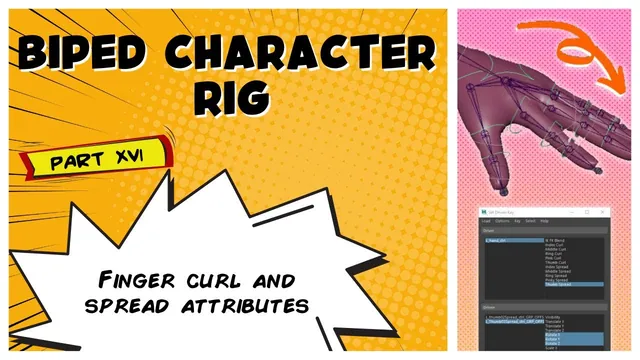
Biped Character Rig Part 16 - finger curl and spread attributes
Written guide
Playing loads YouTube content. YouTube processes data after activation.
Watch on YouTubeIf the player is blocked or unavailable, use Watch on YouTube.
A hand can offer broad finger poses while retaining individual knuckle controls. This lesson adds curl attributes to the hand’s settings control and uses Set Driven Key to rotate offset groups above the finger controls. The animator-facing controls remain available for adjustments on top of the driven curl.
The title mentions curl and spread, but the complete validated transcript demonstrates index and middle finger curl, creates attributes for the remaining fingers, and ends with a plan to repeat their setup off-screen. It does not contain a demonstrated spread mapping or a final completed-hand test. The article therefore explains the supported curl workflow without inventing the missing spread section. The exact Maya release is unidentified.
Add a bounded curl attribute to the hand control
At 00:01–02:02, the instructor hides the existing transform channels from the hand settings control while retaining its IK/FK blend channel. A new index-curl attribute is added with a minimum of negative ten, maximum of positive ten, and default zero.
That range gives the interface a neutral midpoint and two directions of motion. In this setup, negative values close the finger and positive values open it beyond the neutral pose. The chosen rotations are pose examples for this character, not a universal anatomical range.
Before connecting the attribute, identify the three controls that belong to the index finger. The source turns joint visibility on to make the intended response clearer. Naming and hierarchy checks at this point prevent a later driven-key operation from controlling a neighboring finger by mistake.
Drive the offset groups instead of the animation controls
During 02:02–04:07, the instructor expands the control hierarchy and distinguishes the zero group, offset group, and control itself. The zero group carries the original placement. The offset group can receive the procedural curl rotation while the child control remains independently adjustable.
The three index-finger offset groups are loaded as driven objects in Set Driven Key. The hand settings control is loaded as the driver, and its index-curl attribute is selected. The driven channel is Rotate Z in this rig.
This hierarchy is the reason a curl slider need not consume the animator’s individual control channels. Both layers contribute through their parent-child relationship. Additional offset layers are mentioned as a possible extension, but the demonstrated setup uses the existing single offset layer.
Inspect which nodes were loaded. Selecting the visible control in the viewport and selecting its offset group in the Outliner are different operations, even though rotating either can visibly move the finger.
Key neutral, closed, and open relationships
At 04:07–06:07, the driver is set to zero and the three offset groups’ Rotate Z values are zero. A driven key is recorded for each group at that neutral state.
Next, the driver is set to negative ten and the offset groups are rotated into a closed pose. The instructor uses a deliberately broad range, then records the relationship. At positive ten, the groups are rotated in the opposite direction and keyed again.
These are keys relating the selected driver value to each driven rotation. Check the driver value before each key operation; moving a finger into a good pose is not enough if that pose is stored against the wrong input value.
After the endpoints are keyed, move the index-curl attribute through both directions and back to zero. Confirm that all three intended sections respond and that zero returns to the neutral relationship. The source does not document a separate tangent or interpolation adjustment, so the article does not prescribe one as though it were part of the demonstration.
Add the other curl attributes, then match poses carefully
During 06:07–10:00, the instructor adds middle, ring, pinkie, and thumb curl attributes using the same negative-ten to positive-ten range. Keeping the curl channels together also makes it convenient to select several and adjust them together in the Channel Box.
The middle finger is then used as a second worked example. Its three offset groups are loaded as the driven objects. The neighboring index finger is posed closed to provide a visual comparison while the middle finger’s closed pose is adjusted.
Matching the fingers visually is useful, but it can conceal a driver-selection mistake if both attributes happen to have the same value. The lesson encounters exactly that problem: the middle finger’s keys are accidentally associated with the index-curl driver instead of middle curl.
This is why changing several sliders together is not sufficient verification of independent controls. It may produce a plausible pose while the dependency graph still contains an unintended cross-connection.
Correct the driver and test the middle finger alone
At 10:00–11:53, the instructor returns to a neutral state, selects the affected middle-finger offset channels, removes the mistakenly created keys using the demonstrated channel deletion operation, and rebuilds the relationships with middle curl selected as the driver.
Neutral, negative, and positive states are keyed again. The final check moves the middle-finger attribute independently, specifically because the earlier combined test did not reveal the incorrect driver clearly enough.
Keep any corrective deletion restricted to the mistaken setup. The recording does not demonstrate removing arbitrary animation from a finished hand. Before rekeying, verify the driver control, driver attribute, driven groups, and driven channel as four separate choices.
The transcript ends with the intention to repeat the process for the next three fingers. A supported completion check for this article is therefore the demonstrated independent index and middle curl behavior, with the other curl attributes present. Remaining finger mappings, spread behavior, and full-hand pose review are explicitly unresolved in this source.