
Character FX & Animation / Maya
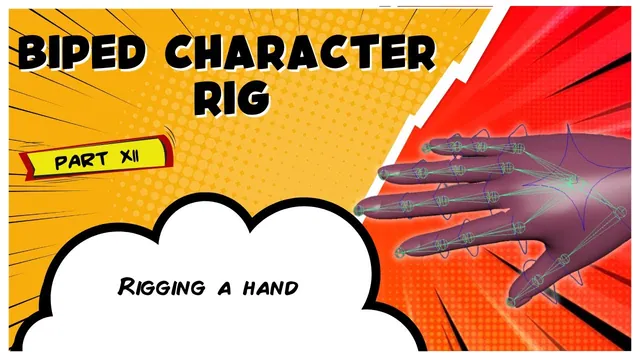
Biped Character Rig Part 12 - Rigging A Hand
Written guide
Playing loads YouTube content. YouTube processes data after activation.
Watch on YouTubeIf the player is blocked or unavailable, use Watch on YouTube.
The hand can use one FK-style finger system while the arm later switches between IK and FK. This lesson creates that animation hand, builds and organizes its finger controls, adds a settings control, and connects the controls to the duplicated finger joints. Attaching the hand to the correct arm system is left for the next lesson.
The recording uses the creator’s existing alignment and zero-group shelf tools, promoted through the creator’s Patreon and course materials. Their operations are described, but their implementations are not supplied in this transcript. The exact Maya release is unidentified, and the article does not imply that those custom shelf buttons are standard Maya commands.
Duplicate a separate animation hand and rename its joints
At 00:00–03:01, the instructor shows the bind skeleton, duplicates the hand, unparents the duplicate, and hides the original skeleton again. The duplicate will serve both arm modes even though its fingers use an FK control arrangement.
The joints are renamed with an animation identifier so they remain distinguishable from the bind and other rig chains. The instructor works through the hierarchy manually and notes that repetitive renaming could be scripted, but does not implement that automation here.
Check the whole duplicated hierarchy, not just its root. A correctly renamed hand root can still contain finger joints whose names collide with or resemble the original chain. Later alignment and constraints must target the animation copy consistently.
At this stage the new hand is a separate skeleton. The recording does not yet establish its final connection to the bind hand or its follow relationship with the arm’s IK/FK switch.
Shape readable finger controls in component mode
During 03:01–08:01, a NURBS circle is aligned to the first index-finger joint using the custom shelf tool. In component mode, the curve is shaped to suggest the knuckle’s direction. Copies are aligned to the next two joints and made progressively smaller to clarify their order down the finger.
Editing the curve’s components changes the visible control shape while retaining the transform placement used for the rig. That separates the artist-facing outline from the pivot and orientation that will drive the joint.
The three index controls are colored blue for this left-hand convention and renamed consistently. They are then duplicated for the middle finger, with names and alignment targets changed. The instructor removes duplicate-generated numeric suffixes where they conflict with the intended names.
A copied control needs both a correct name and a correct alignment. Either can be wrong independently: a label can say “middle” while the transform still sits at an index knuckle, or a correctly placed curve can retain an index name that misleads later selection.
Adapt the thumb’s visible shape without changing the rig’s intent
At 08:01–10:00, the remaining fingers are prepared during a pause, then the instructor returns to the thumb. The copied control outlines point like the other fingers and need adjustment to communicate the thumb’s different orientation.
The thumb curves are rotated and scaled in component mode to line up visually with its knuckles. This is a control-shape adjustment, not a newly demonstrated joint-orientation correction.
Inspect each thumb control from a useful view and make sure its outline communicates the intended motion clearly. The transcript does not provide every off-screen alignment step for the ring, pinkie, and thumb, so those repeated operations should be checked rather than assumed to be completely documented by the pause.
Add zero and offset groups, then build each finger hierarchy
During 10:00–14:03, the creator’s grouping tool adds a zero group and offset group above each control. The zero group retains the placement values, leaving the control with neutral channels. The offset group provides a separate layer for later procedural adjustments such as curl.
For each finger, the entire third-control group is parented under the second control, and the second-control group is parented under the first control. Parenting the complete group preserves the child control’s local setup while making it inherit movement from the preceding knuckle control.
The expected test is hierarchical: rotating control one carries controls two and three; rotating control two carries three; rotating control three affects only its own end of the control chain. Selecting all three and rotating them together produces a distributed bend in the demonstrated setup.
The same pattern is repeated across the fingers and thumb. Test each chain individually before adding joint constraints so hierarchy errors are not confused with constraint-target mistakes.
Create a separate place for hand settings
At 14:03–18:04, the instructor builds another circle near the palm, shapes alternating CVs into a distinctive outline, and moves the curve components outside the mesh so the control remains easy to select. It is colored consistently, named as the left-hand control, and given the same grouping structure.
Its standard transform channels are locked and hidden. The intended role is to hold custom settings such as IK/FK blend and finger curl later, rather than invite the animator to translate it as another finger control.
Naming happens before the grouping tool is applied so the generated group names follow the correct control identity. The recording undoes and repeats that step when the order is wrong.
The settings attributes themselves are not added in this lesson. A visible settings control is therefore preparation for the future interface, not evidence that switching or curl already works.
Constrain the animation joints and organize the hand controls
During 18:04–20:55, each finger control is selected as the target, followed by its corresponding animation joint, and a parent constraint is applied. The operation is repeated across the fingers and thumb, with movement tests confirming the intended joint response.
Keep the control hierarchy and the joint constraints distinct. The hierarchy makes successive controls inherit motion. The constraints transfer each control’s resulting transform to its corresponding animation joint. A finger can have a correct-looking control hierarchy but still drive the wrong joint if one repeated selection pair was mistaken.
The finger control groups are then collected under the hand control. Moving the containing hierarchy can carry the hand’s controls together in the demonstrated inspection. The final relationship that makes this hand follow the appropriate arm mode is explicitly deferred.
Finish by checking consistent names, neutral control channels, each three-part finger hierarchy, thumb readability, and the matching control-to-animation-joint constraints. The result is a usable FK-style finger subsystem and a place for future settings. The arm-mode attachment and switching behavior remain the next stage.