
Character FX & Animation
Rigging Revolution | KineFX Procedural Skeleton for APEX
Written guide
Playing loads YouTube content. YouTube processes data after activation.
Watch on YouTubeIf the player is blocked or unavailable, use Watch on YouTube.
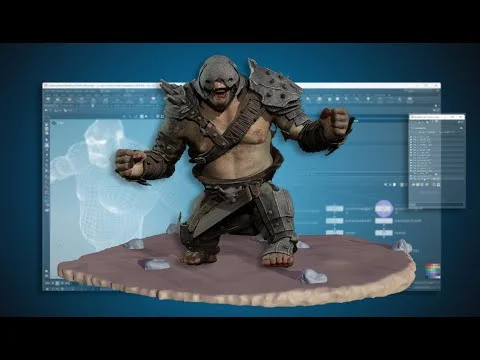
Construct a KineFX skeleton from an existing character’s mesh by extracting joint locations from selected edges. This lesson builds the spine, arms, hands and legs as named point-and-line networks, adds procedural twist-point placement, then assembles the sections into a joint hierarchy.
The character is an imported troll with some asymmetry. Both sides are selected separately so their joints can follow the actual mesh instead of a mirrored assumption. Despite the title’s APEX context, the recording stops at a KineFX skeleton: there is no capture, skin-deformation test, APEX control rig or animation system. The exact Houdini build is unverified.
Isolate a readable body and establish named outputs
At 00:00, create a Geometry object and import the existing character with FBX Character Import. The viewport initially displays the mesh poorly even though a render shows it. A white Color and a simple material make it easier to inspect. These are practical display adjustments; the cause of the transparency-like viewport issue is not established.
Use Blast to retain the body and remove the additional armor geometry from this working branch. An earlier quick bind on those extra pieces is not part of the new skeleton procedure. Finish the isolated body with a clearly named output Null, then reference that output from construction branches with Object Merge.
This division keeps mesh preparation separate from joint construction. It also gives every section the same upstream body. If the source mesh or its topology changes later, its selected-edge groups still need checking; a procedural connection does not make stored topology selections universally transferable.
Derive spine points from purposeful edge selections
At 04:03, use Curve from Edges on a loop around the pelvis, then Extract Centroid to obtain one point. The selected region determines where the point lands. A centroid is a geometric starting point for a joint, not an automatic anatomical diagnosis.
Add a point-class name attribute. The example starts with a pattern such as troll_C_pelvis_JNT, where the character prefix, center/side marker and joint role have distinct meanings. Around 06:01, create a separate control Null with a string parameter for the character name. Reference it from the Name operation instead of repeatedly typing the prefix.
Check the Geometry Spreadsheet to confirm the evaluated point name. Renaming a SOP node or its output Null does not rename the joint attribute. Both levels of naming are used throughout the recording and must stay distinguishable.
Duplicate the extraction branch for the other spine locations. The final base sequence is pelvis, waist, lower chest, middle chest and upper chest. Several edge-loop selections travel into unwanted regions of the body; edit them manually, deselect stray edges and inspect the resulting centroid against the mesh from more than one view.
At 18:02, merge the points in the intended parent-to-child order and use Add in its polygon-by-group mode to connect them. Confirm point numbers 0–4 follow that sequence. A line that zigzags unexpectedly may be an ordering problem even when every individual point is correctly placed. Group this network for readability and expose a named spine-line output.
Place clavicle and arm joints where rotation is intended
At 19:02, begin the left arm with clavicle, shoulder, elbow and wrist extraction branches. The clavicle selection is repeatedly narrowed because its first centroid is too far from the desired pivot. The shoulder receives similar attention from front and perspective views.
The reason for this careful placement is mechanical: a later rotation acts around the joint location. Selecting a convenient loop without inspecting its centroid can place that pivot in the wrong part of the shoulder. The recording establishes plausible positions by eye; it does not yet demonstrate deformation quality under skinning.
For elbow and wrist, choose loops near the intended bending regions and ensure no unwanted edge segment remains selected on the opposite side. Use left-side markers in the actual point names, then merge the arm points in order. Keep the source mesh templated when judging placement, but turn dense point labels off when they obscure selection.
Insert twist points without duplicating the end joints
At 30:02, make a separate line between shoulder and elbow. Resample it by maximum number of segments, using four segments to obtain five points. The endpoints already exist in the arm chain, so identify and remove the two ends, leaving three interior points for the upper-arm twist section.
The lesson uses Group by Range for the ends, Blast to remove them, and Dissolve with unused-point removal disabled to keep the surviving points while removing unwanted edges. Inspect the output rather than assuming the group names guarantee the intended selection.
Merge these points between shoulder and elbow in the main construction. Repeat between elbow and wrist for the lower arm. Changing an endpoint then changes the interpolated twist positions, which is the useful procedural dependency here. The lesson creates the locations; it does not yet implement twist distribution during animation.
At 35:00, inspect the spreadsheet and discover that the generated points have inherited unsuitable names. Put the twist setup in a subnet and add a For-Each Point loop with a Name operation. Combine the character prefix, side, upper/lower-arm role and the loop’s iteration value to produce distinct names. The recorded expression uses a metadata detail lookup embedded in a string; the exact relative path depends on the subnet.
The spoken enumeration briefly conflicts with the count, but the later spreadsheet check at 42:01 confirms twist suffixes 0, 1, 2. Four resample segments produce five original points, and removing both ends leaves three. Keep that arithmetic and the actual output aligned.
A copied loop initially warns about an incorrect reference. The instructor recreates the loop and its metadata import while retaining the naming operation. Afterward, check the sequence: clavicle, shoulder, three upper-arm twists, elbow, three lower-arm twists, wrist. The displayed point numbers run 0–9.
Build the opposite arm from its own selections
At 45:00, duplicate the arm construction for the right side. Update output-node labels and point-name operations from left to right. Then replace the left-side edge selections with the corresponding right-side regions.
This is intentionally not a geometric mirror. The instructor wants the structure to accommodate asymmetry in the mesh. While some right-side endpoints still refer to the left arm, the twist sections stretch across the character. That is an expected sign of incomplete source-selection replacement, not evidence that resampling itself is broken.
Once the clavicle, shoulder, elbow and wrist are all corrected, the intermediate twist points update from those endpoints. Inspect the completed right-arm line and its names before continuing. The later suggestion to automate side renaming is not implemented in this recording.
Extend the center chain through the neck and head
At 53:01, extend the existing spine instead of creating an unrelated head chain. Add lower-neck, middle-neck, head and head-top points. The lower-neck selection is difficult because the character’s topology and trapezius region do not offer the ideal simple loop; the chosen region remains an artistic placement decision.
The head point is derived near the base/jaw region, where rotation is intended. The head-top point is an endpoint and possible future attachment reference. The instructor explicitly says it is not being created as a necessary binding joint in this demonstration.
Merge these after the upper chest and inspect the resulting center line. Maintain the point names as well as the line order. A continuous visible line does not itself prove that every intended joint will have a suitable orientation for later controls.
Construct each hand as a palm plus separate finger chains
At 01:01:02, create a palm point as the future common parent for the fingers. Keep the palm separate while building the individual finger lines. The index-finger pattern uses three named joint locations and a tip, which becomes the basis for the other digits.
Choose each point according to where that finger should bend. The first index-base centroid is adjusted because the finger is twisted relative to a convenient edge loop. A new selection can be more appropriate than insisting on a complete loop that produces the wrong pivot.
At 01:08:00, duplicate the finger construction for thumb, middle, ring and pinky. The thumb base uses a broader region around the fleshy base rather than copying the index anatomy unchanged. The source corrects multiple copied selections: a thumb tip still referencing the index, a joint mistakenly located at the tip, a pinky selection retaining extra edges, and a ring point mistakenly selected on the middle finger.
Use a repeatable inspection sequence for each digit:
- Display its individual extraction branches and confirm the intended mesh regions.
- Inspect the connected line for unexpected excursions.
- Check point order from base to tip.
- Read the actual point names in the spreadsheet.
At 01:21:00, repeat the complete hand for the right side with its own selections and right-side names. A distorted right index is traced to a selection left on the opposite hand around 01:28:01. Clearing those leftover edges fixes the line. Merely renaming the branch would not have fixed its geometry.
Adapt the arm pattern to legs and a whole-foot endpoint
At 01:33:00, duplicate the arm setup for a leg, removing the clavicle role. Rename the principal points to hip, knee and ankle, with thigh and calf twist sections between them. Add a ball-of-foot point and a toe-tip endpoint.
The instructor considers individual toes but deliberately does not build them for the intended animation. Do not mistake a single toe-tip endpoint for a complete toe rig.
At 01:38:01, the toe-tip placement uses a different method. Select the relevant toe region, create a single point with Add, then use Match Size against that region. Instead of leaving the point centered in Z, align it to the maximum Z extent so it represents the furthest forward toe in this character’s orientation. SideFX’s Match Size reference describes this bounding-box alignment; it is not the same operation as extracting the region’s centroid.
The forward-axis assumption matters. Positive Z is forward for this example; it is not a universal anatomical convention. The endpoint can follow whichever selected toe extends furthest, but it does not identify or articulate that toe independently.
Update twist names to thigh/calf, include the foot points in the line, and repeat for the right leg. Remove leftover opposite-side edges in the hip selection and verify the final leg names and order. The right side is again selected separately rather than mirrored automatically.
Assemble the sections and repair final reference mistakes
At 01:45:00, Object Merge the named outputs for spine, left/right arms, hands and legs into a common assembly. Keep the references explicit. One right-hand import still points to the wrong output and is corrected around 01:48:01.
An extra displaced point remains. The instructor first suspects the spine, then discovers the right palm’s extraction still includes left-hand edges. Clearing them fixes that point. This is a useful debugging pattern: trace the unexpected point back to its source branch instead of moving the assembled skeleton point to hide the symptom.
At 01:50:00, add Rig Doctor as the recording’s transition from the constructed lines to joint data. Check that the output has the intended names and transforms. SideFX’s Rig Doctor reference makes transform initialization an explicit option; do not assume that dropping the node always initializes it under every version/default. The node also does not decide the missing anatomical hierarchy for disconnected sections.
Use Parent Joints and the rig tree to connect those sections. The demonstrated relationships are finger roots to the corresponding palm, palms to wrists, hips to pelvis, and clavicles to upper chest. The narration for the left palm is abbreviated while expanding the left arm tree, so verify the actual wrist target in the interface instead of assuming any selected left-arm joint is equivalent. The instructor catches an omitted left thumb and parents it to the palm too.
Finally, use Rig Pose to check that the hierarchy supports basic FK-style movement, return to the appropriate tool state when the joints appear absent, and create an output for the full skeleton. The closing statement is explicit: the skeleton is not bound. Final orientation suitability, capture weights, deformation, APEX controls and automated transfer to another topology remain later work. The completed contribution is the mesh-derived, named and assembled skeleton construction network.