
Beyond the Prompt / Part 2
From Commercial to Cinematic UniverseBuilding an Original Series With AI
How reusable creative assets, artistic direction and agentic AI workflows turned a fictional power armor commercial into two episodes of an original series.
Companion video
Watch the production tutorial
13 min 37 sec · CGI Nerd

Playing loads YouTube content. YouTube processes data after activation.
Watch on YouTubeIf the player is blocked or unavailable, use Watch on YouTube.
What if the key opened the suit?
I gave a man power armor to carry his groceries. It worked. The bags made it all the way from the SUV to the front porch. Then he needed his house key. It was in his pocket, under several inches of exceptionally well-engineered armor.
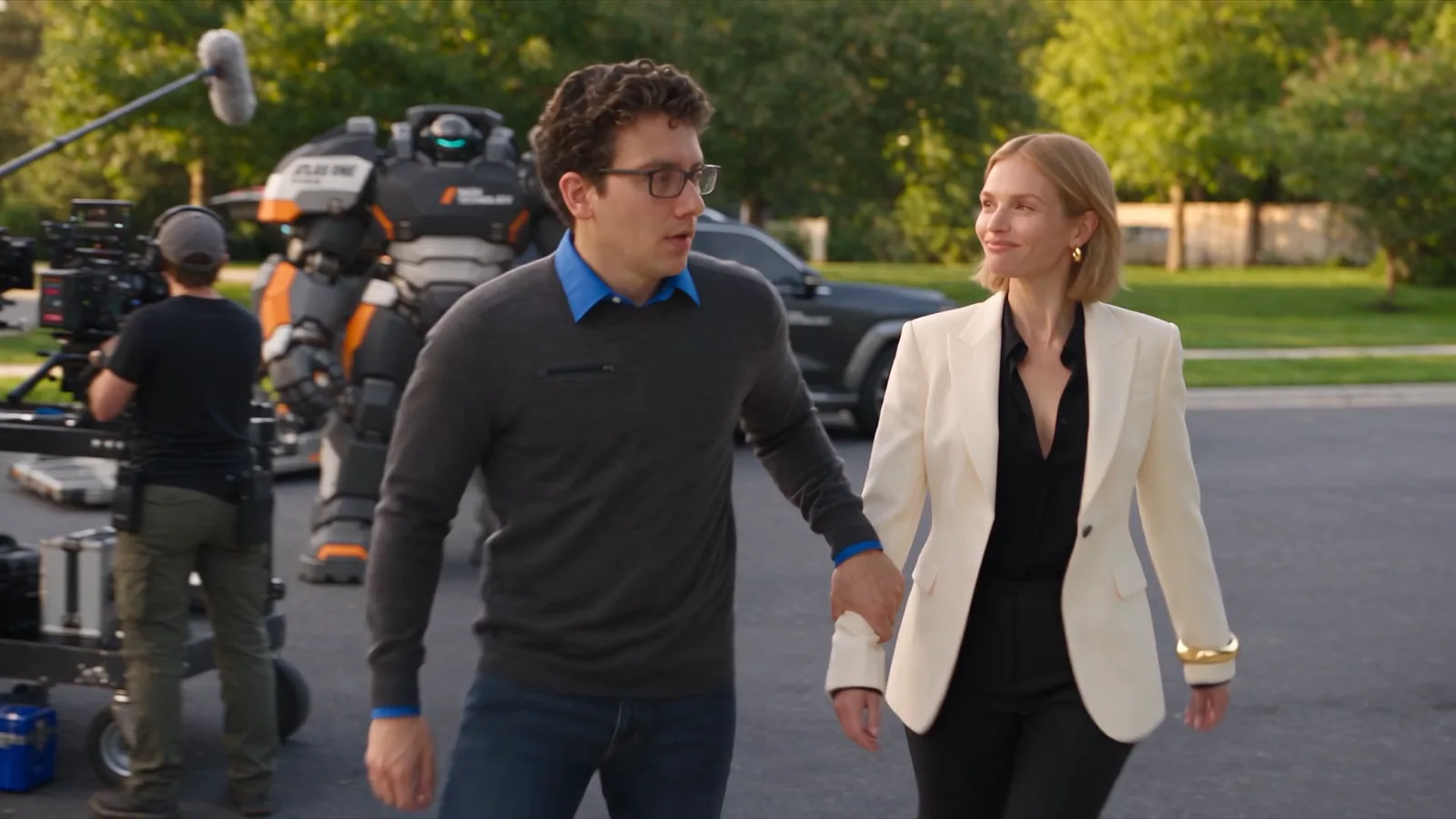
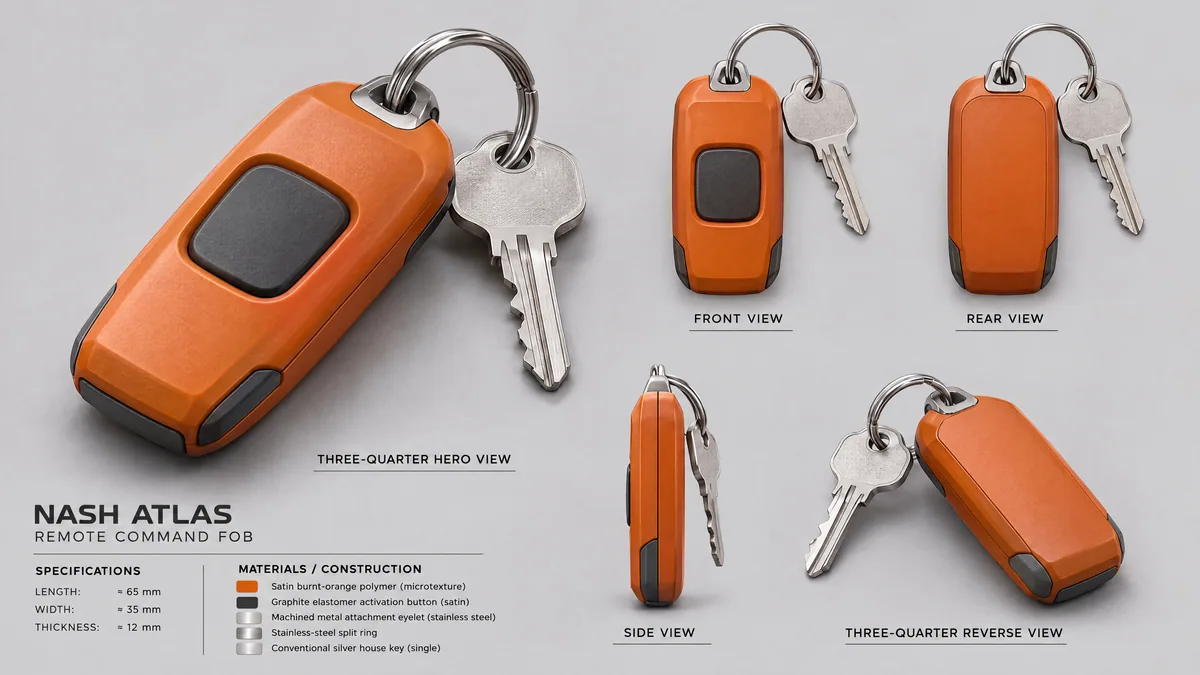
That was the end of my NASH Technologies commercial. To get a second story out of it, I changed what the key opened. Suppose the man in the suit is an actor shooting that commercial. Suppose the thing he pockets is the release fob for the suit itself. The machinery can work perfectly and the people can still have a fairly bad afternoon.
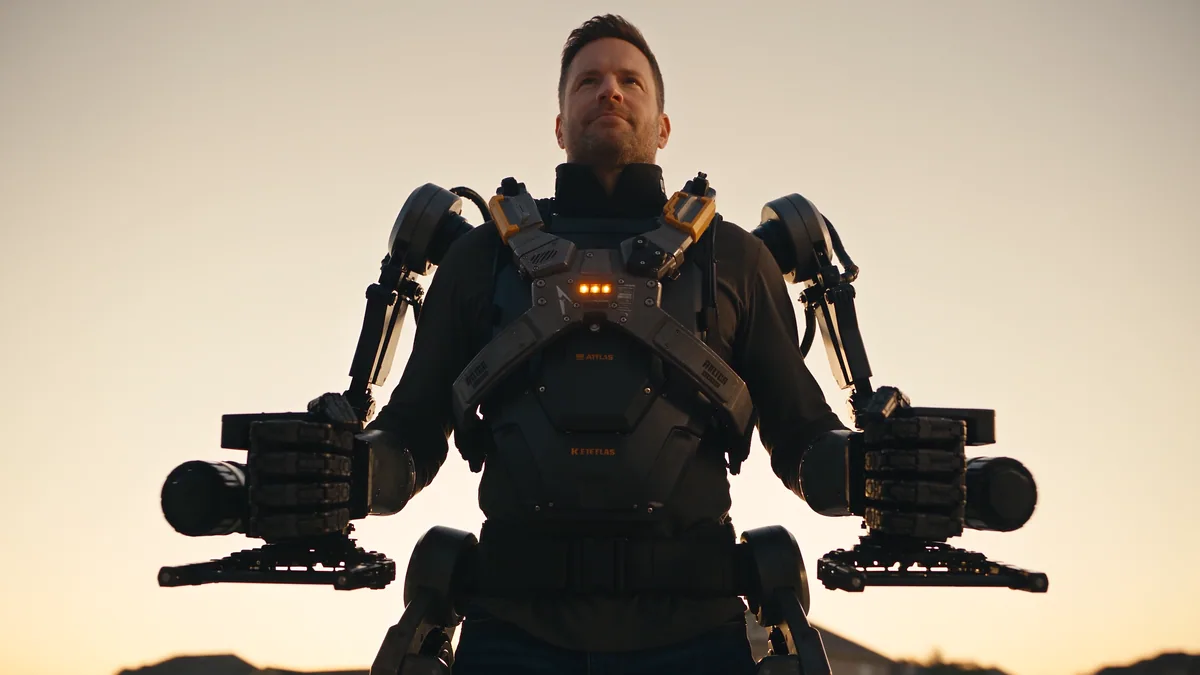
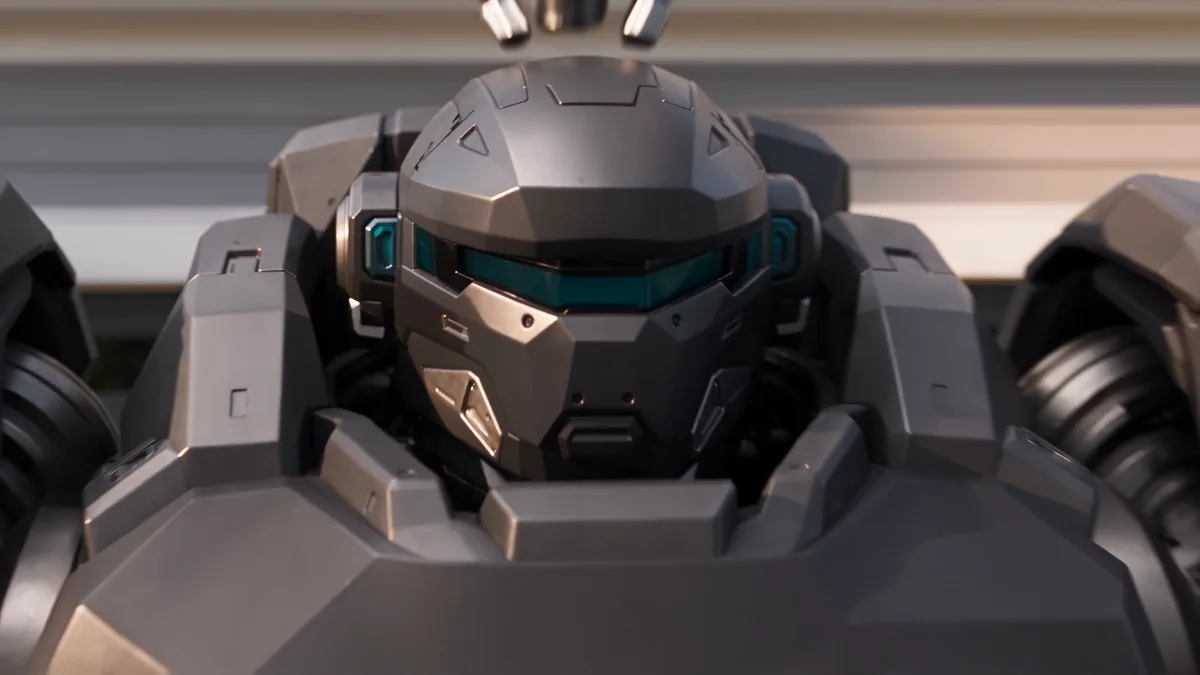
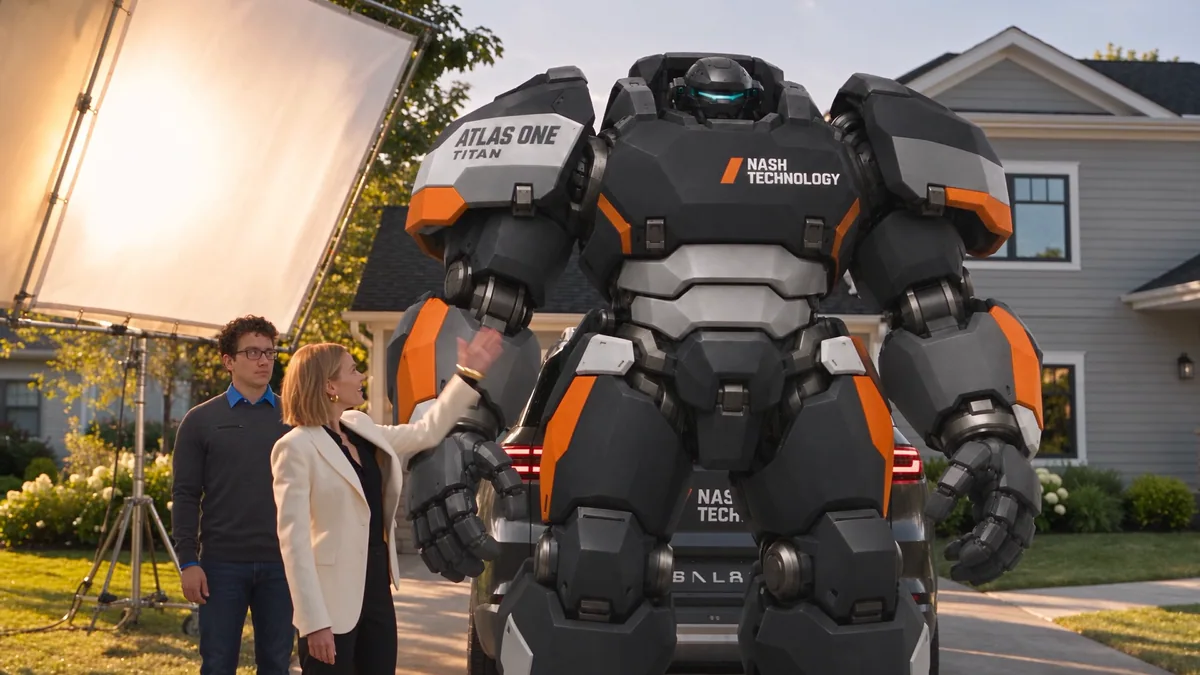
I had done the expensive thinking already. The rear hatch determined where the actor could stand. The travel of the assembly arms determined how much room the camera needed. The grocery load determined how he could walk. For The Incident, I could spend that effort on a different problem. Where can two people have a private argument on a set full of microphones?
The earlier film follows the Houdini blocking and camera work behind the commercial. Watch the ATLAS ONE production documentary.
Build a library you can shoot with
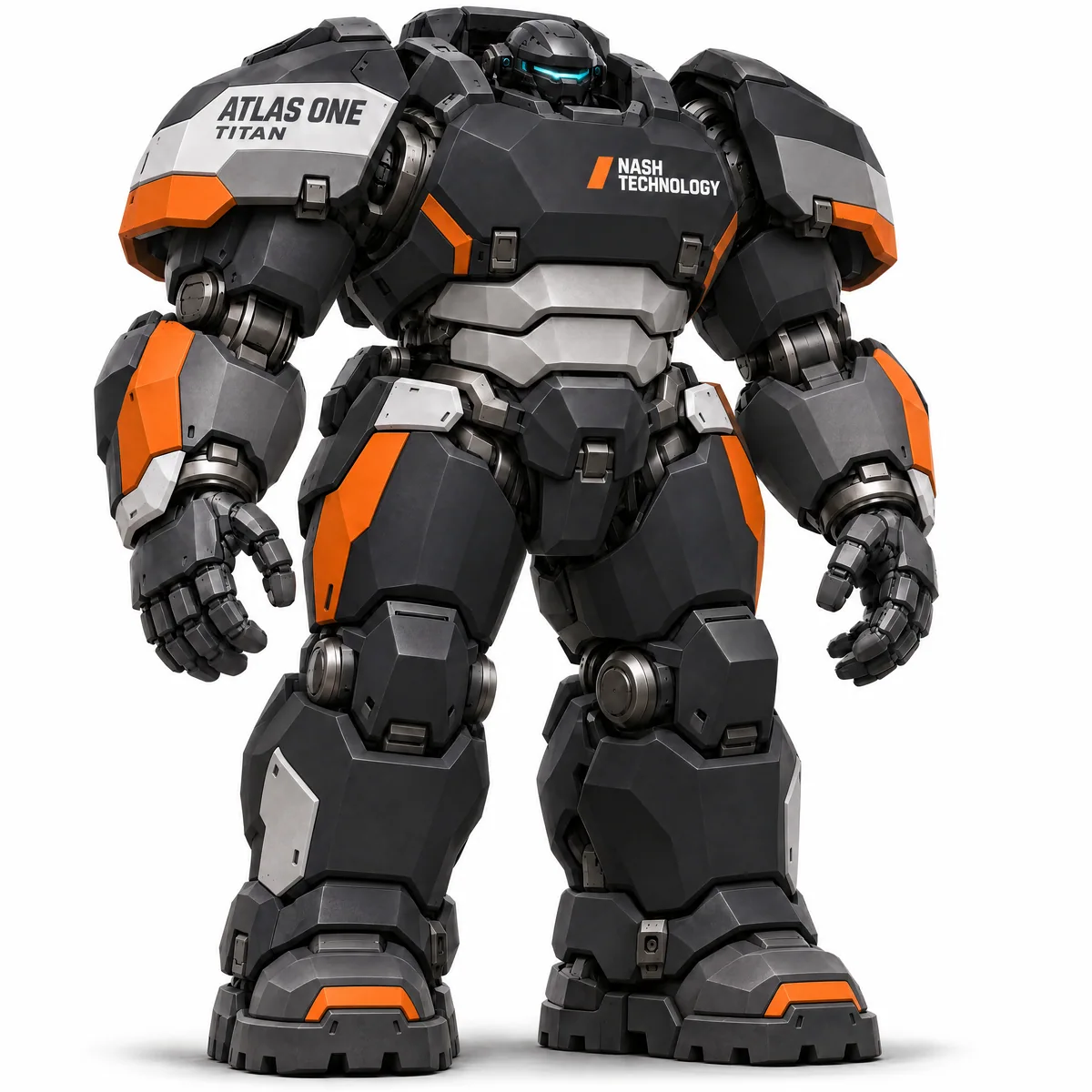
When I open a reference folder, I want to know which picture answers the question in front of me. A hero concept tells me which armor we approved. A turnaround tells me what the backpack should look like if the camera gets behind it. Neither tells me whether the actor’s head was visible at the end of the previous episode. For that I need the cut.
The machine and the people


The address, the crew and the props
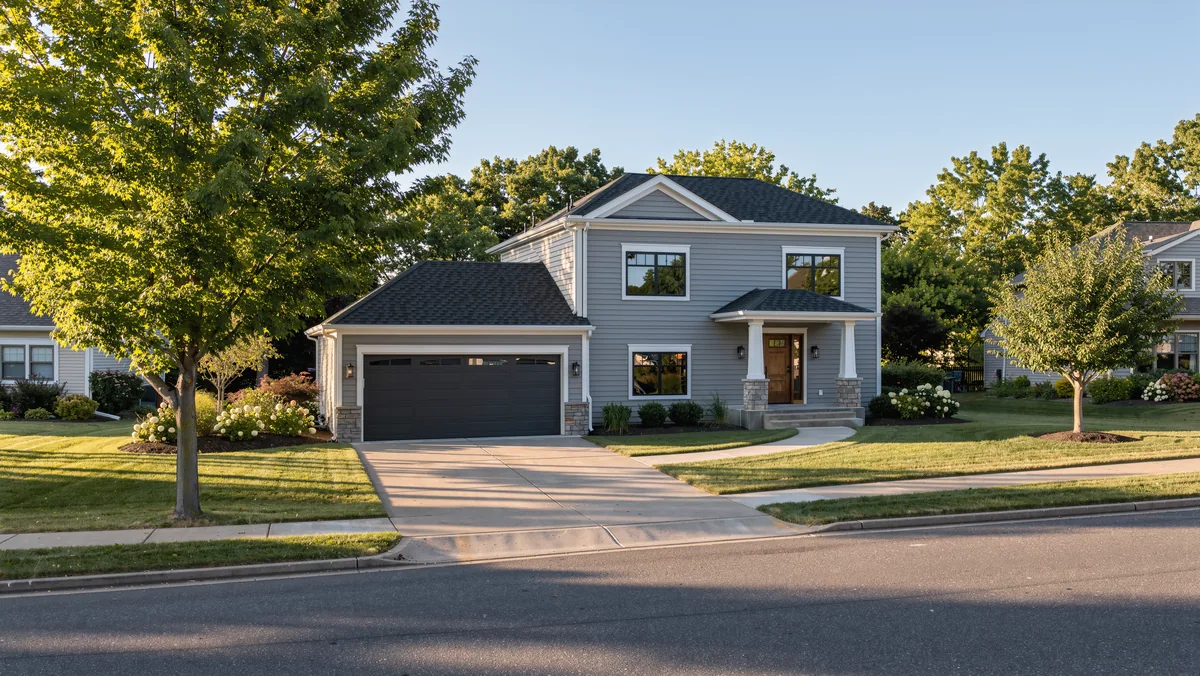
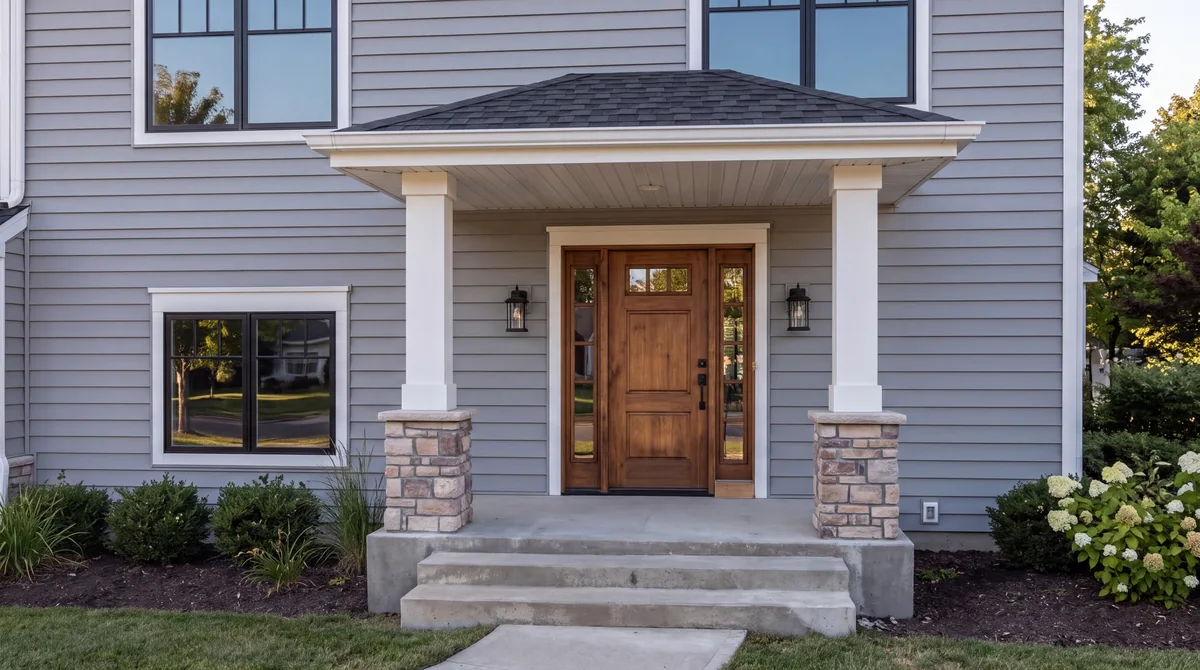
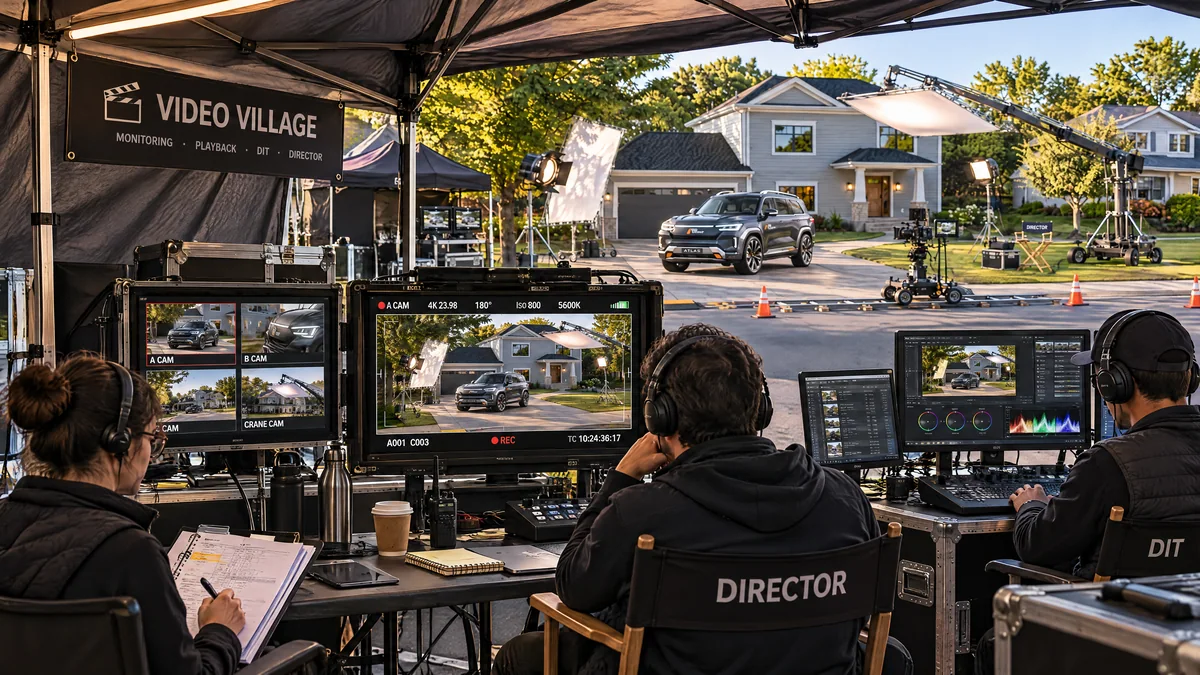
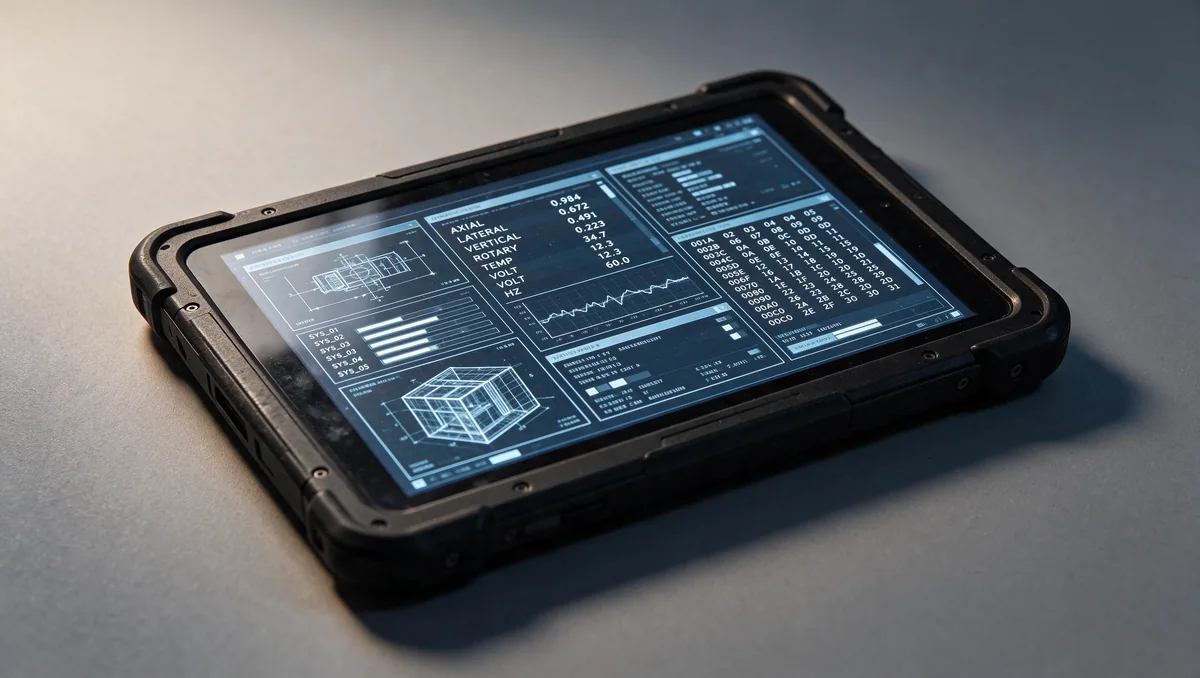
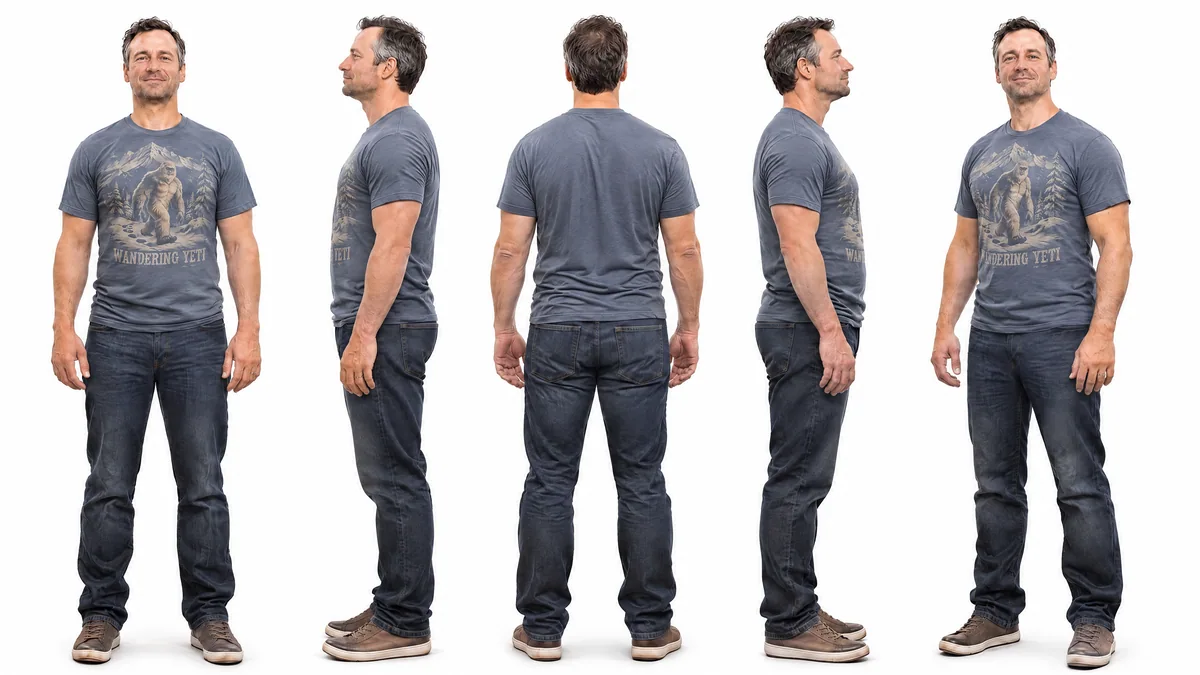
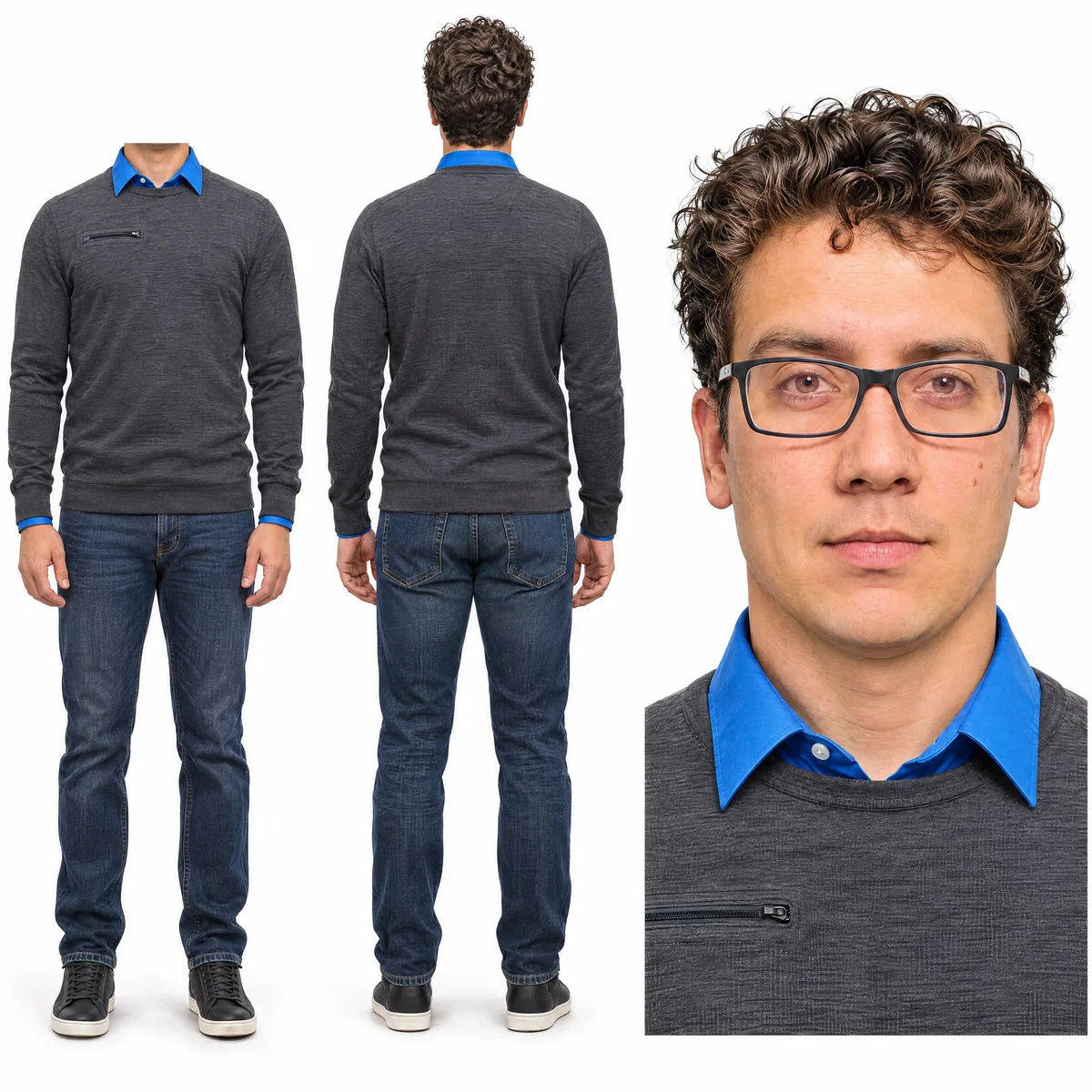
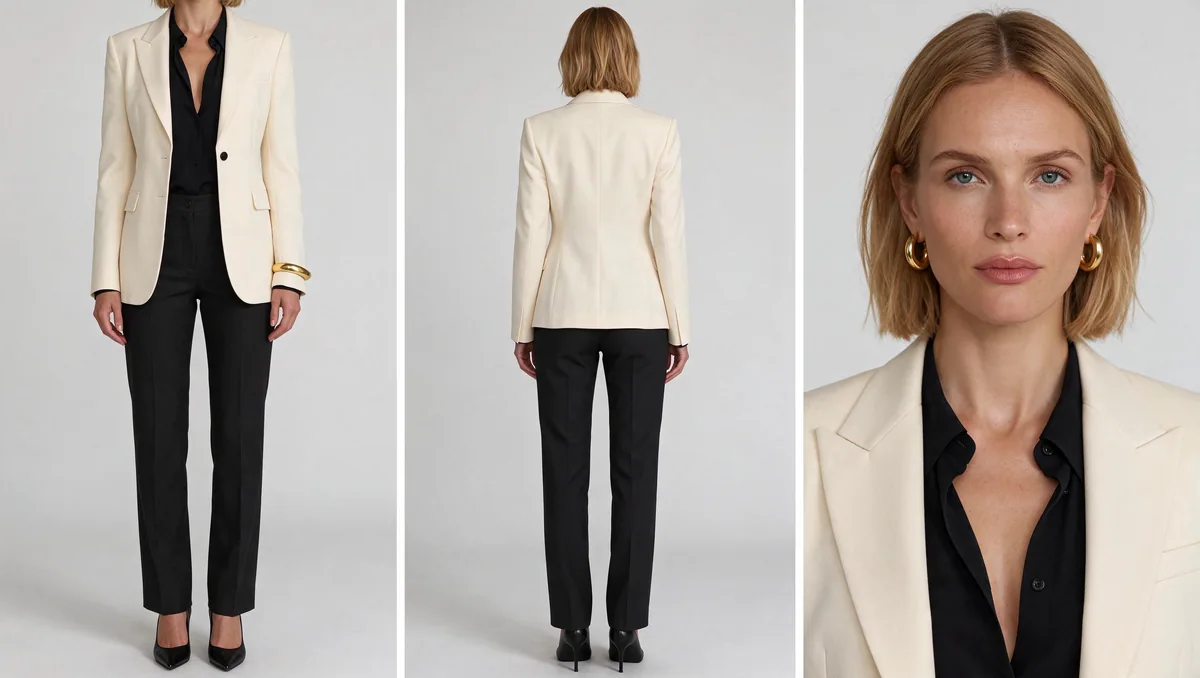
I would organize a small show around people, machines, places, props and screen continuity. Give each entry a master, a version, a use and a limitation. For the driveway, that means one location with two named states. For the actor, keep his face, civilian wardrobe and occupied suit separately addressable. Below each master, put the takes in which it was actually used. A folder of attractive candidates gets much easier to direct once you can answer “which one did we shoot?”
A reference entry you can copy
Subject — TITAN. Master — V4 appearance, T3 mechanical turnaround. Scene state — after wrap, face exposed, waist locked, groceries loaded. Screen evidence — full body, collar and face at the end of Episode 1. Acceptance check — inspect the silhouette, rear pack and route from bag handle to wrist. Known gap — the ending gives us no unobstructed open-helmet rear view.
Write the next scene from what each person knows
The fob gives the story a physical cause. The Engineer understands the release system and sees the danger. Marketing knows executives have moved up the launch and wants a successful shoot. The actor knows where he put the fob, but assumes somebody else knows how to get him out. I can point a camera at those three people in the same driveway and get three different performances.
- The pocketThe audience sees the fob disappear before the armor closes.
- The confidenceMarketing plays success to the crew while the Engineer tries to speak privately.
- The questionThey call wrap. The actor asks how he gets out. The crew has no answer ready.
That gap in knowledge is dramatic irony. It changes a camera decision. If the Engineer shouts the warning across the driveway, the crew knows as much as the audience. If he pulls Marketing away, we can hear the same warning while the crew continues celebrating. I write the distance, the lowered voice and the move away from the monitors into the action.
Locked In lets the audience get ahead of the actor. After the question on the porch, I leave room for a second, much smaller “Guys?” Damage Control inherits that silence. Marketing promises two minutes. The actor gives her one. The Engineer has a maintenance bypass he has never tried with someone inside. A time limit turns reassuring dialogue into pressure to act, and every action risks making the problem worse.
For your own episode, write down what each person wants, who knows the obstacle and the last moment anyone can change course. End the scene on an action or question the next episode can inherit. For this demonstration we made the first two installments. Episodes 3 and 4 are future productions.
Shoot the first episode in Short Drama Studio
Here is the order I used on the desktop website for Locked In. The review points matter because a mistake in a cast slot can propagate through six otherwise attractive clips.
1–3 · Prepare the screenplay, upload it and set the frame
Give each spoken line one speaker. Put the physical actions that change the scene on their own lines. In this screenplay the actor pockets the fob, the suit closes, and the Engineer sees the problem. If a script only says he is worried, the generated coverage has to invent the reason.
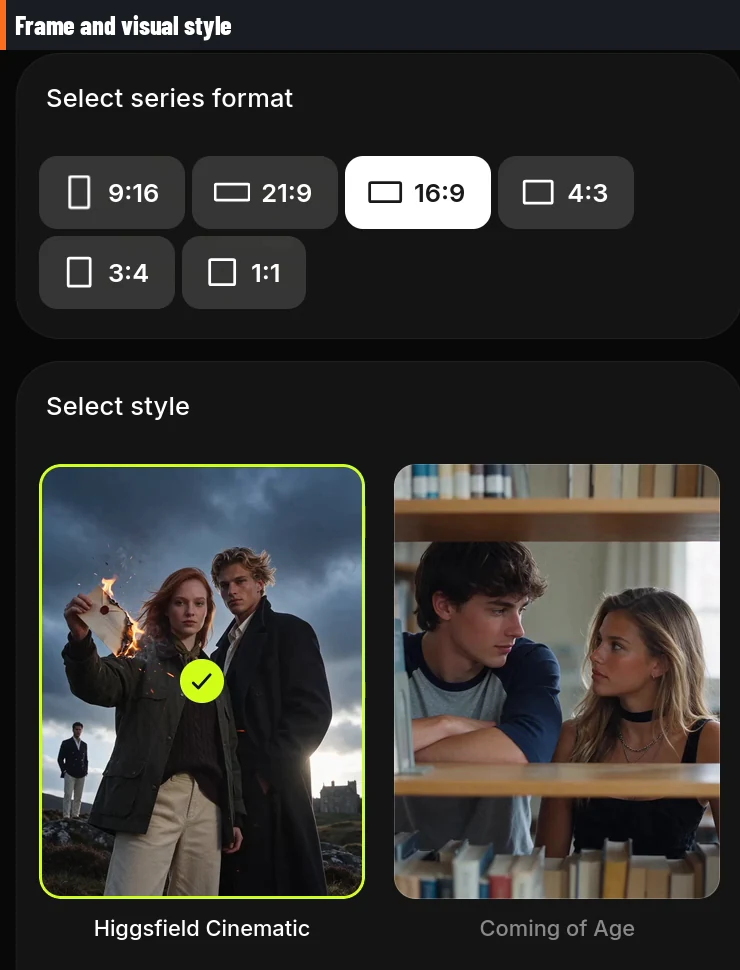
Upload the episode script to Short Drama Studio. Read the imported opening and ending and check the scene division. I kept the commercial’s 16:9 frame and selected Higgsfield Cinematic. A wide two-shot can show a person beside the suit while leaving enough of the driveway to orient us. Those choices should follow the blocking you need.
4–5 · Audit Cast & World and assign the references
Studio divided the episode into six clips. Open the role behind each portrait and read the description aloud against the script. Check face, clothes, name and voice together. For each clip, assign the people present, the correct state of the location and the props that do work in that shot. The Engineer needs a usable diagnostic tablet. The assembly needs a rear hatch, platform and arms. The post-assembly pitch needs the same address with the rig put away.
6–7 · Generate a draft and watch the joins
I started at 480p. At this stage I need to hear who is speaking, see where people stand and know when a face is revealed. Fine surface detail can wait. Play the six clips as a sequence, then pause on the last frame of one and first frame of the next. Keep a short list with the clip, the visible fault and the story beat it affects. A small error that gives away the ending deserves more attention than an imperfect badge in the background.
8–10 · Direct a pickup, choose the take and finish
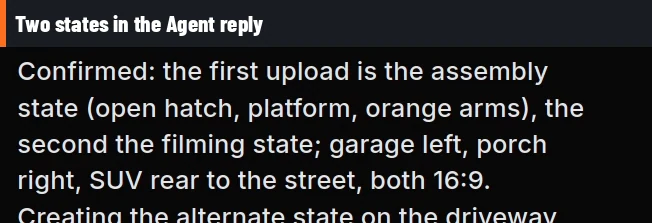
I used the Agent inside Studio to name the clip, the change and what to preserve. For example, keep the suit closed through the pitch and reveal the actor at wrap. Ask the Agent to confirm which reference belongs to assembly and which belongs to filming. Read the scope and price before approving. On the final pickup I authorized two clips, 1.2 and 1.3. Four neighboring selections were already doing their jobs.
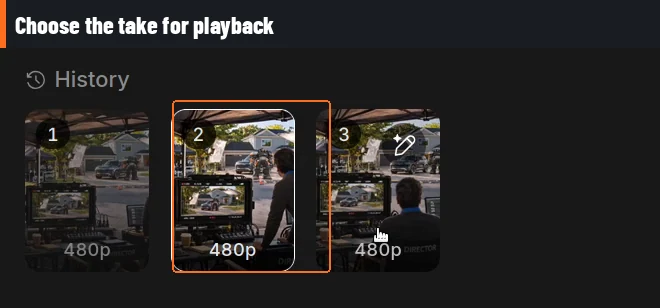
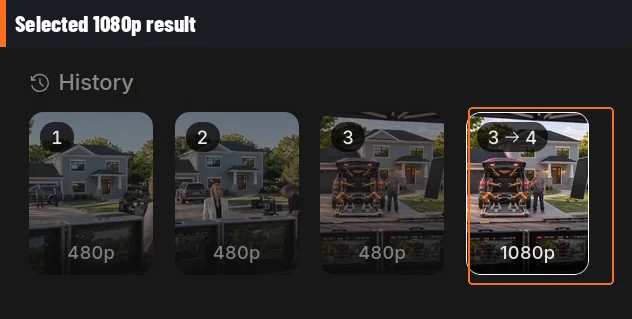
Open each new take in its history, select it for playback, then play across both adjoining cuts. A fresh render can be ready while the player still shows a previous selection. Once I had my six selects, I initiated the 1080p upscale and downloaded the episode package. I kept the selected clips and Cast & World stills together so Resolve could cut from individual shots and the next episode could recover the underlying references.
Direct the AI one continuity decision at a time
Give the Engineer one identity
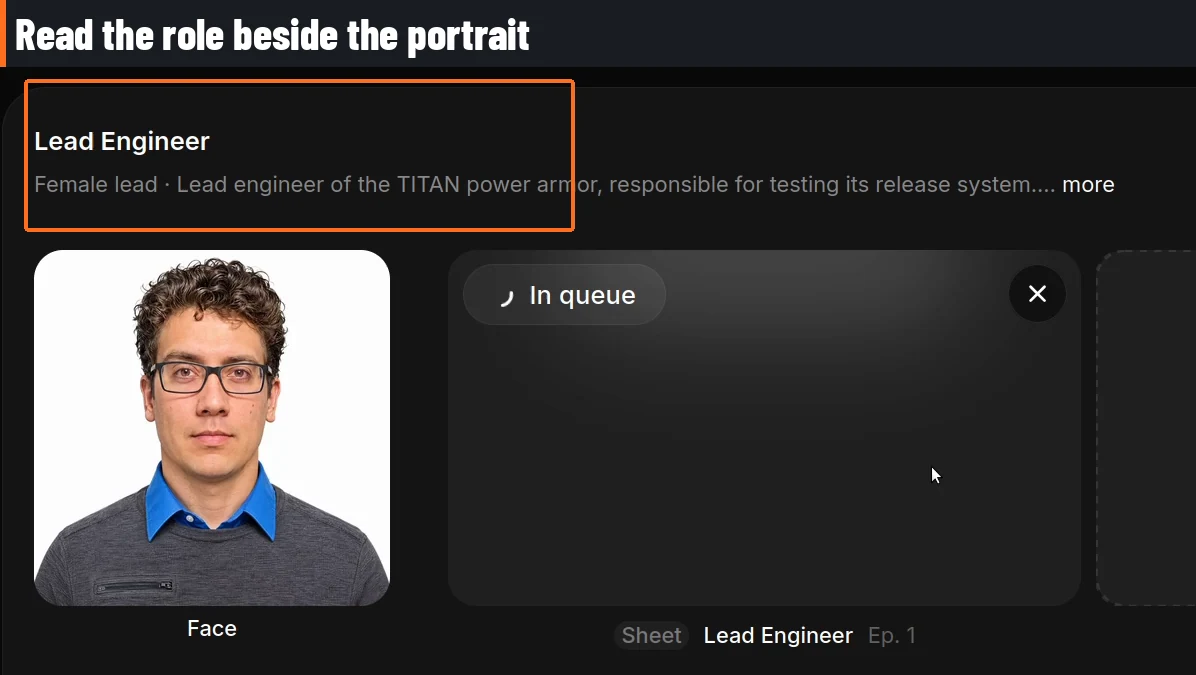
The portrait in the Engineer’s cast slot looked right. The text still said “Female lead.” I had asked the production to reconcile two incompatible casting decisions. A different image alone could leave the old instruction in place. I checked the role description, screenplay and per-clip assignments, then listened to the revised takes in their selected sequence. That is how I judged the improvement in his voice.
Give the driveway two states
The early SUV pointed a different way from the commercial. During the paused review I decided to keep that facing direction for the drama. The important follow-up was to establish it for every setup. The rear of the SUV faces the street. The actor must be within reach of the hardware behind it. A parked car that happens to look right can still put the rig on the wrong side of the actor.
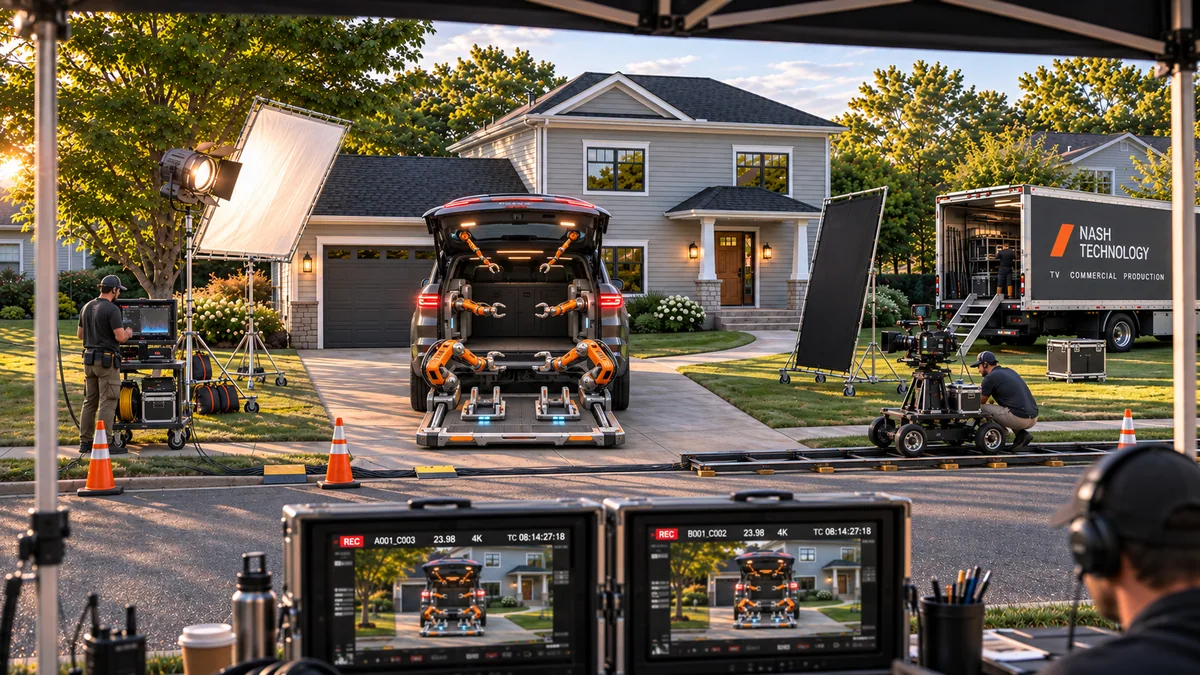
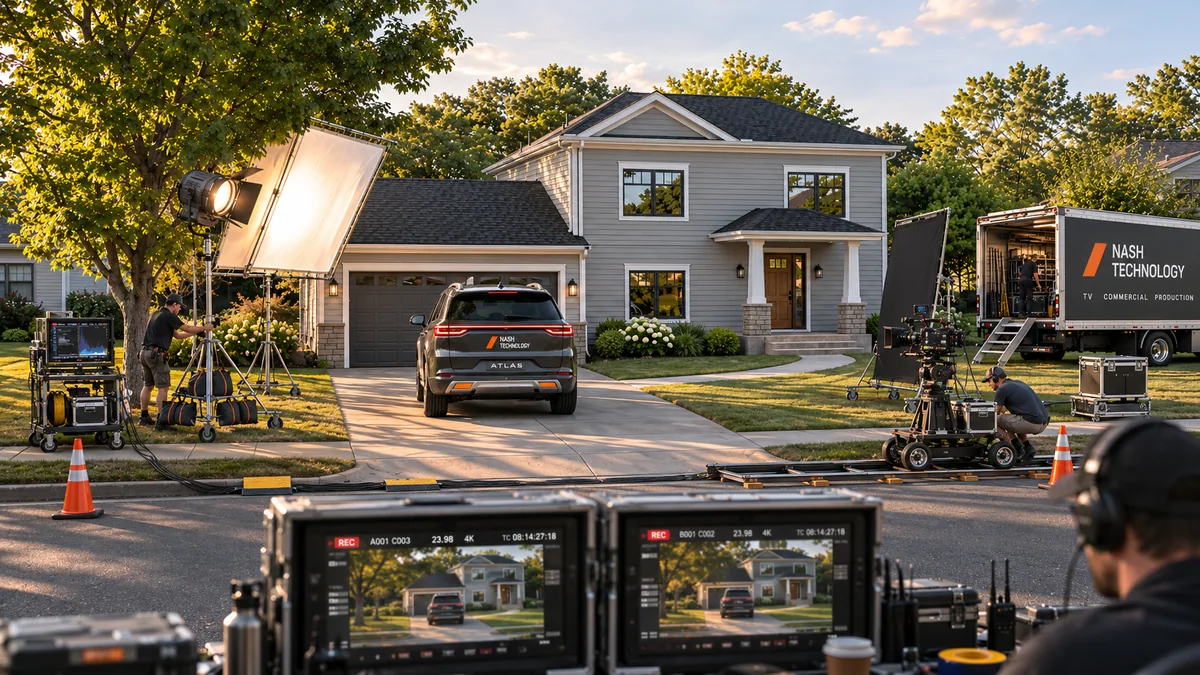
Look from video village to the driveway, then imagine the camera turning 180 degrees. What ought to be behind the people in the reverse? In one pass an empty street made it look as if the whole crew had gone home. Use a monitor, light stand or crew position that belongs in both views. In the final cut I accepted a shift in TITAN’s street position across a passage of time. The return to the video-village wide gives the viewer a chance to reorient.
Schedule the face reveal
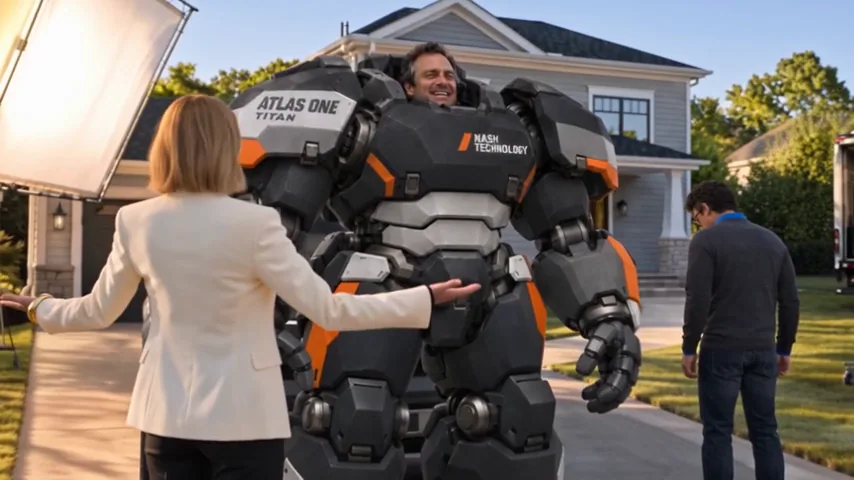
I give a mechanical transition a cue just as I would an actor. “Closed until wrap, retract before his line” is something I can review on either side of a cut. “Make the helmet consistent” gives the generator no reason to choose a state.
Let the actor use the prop
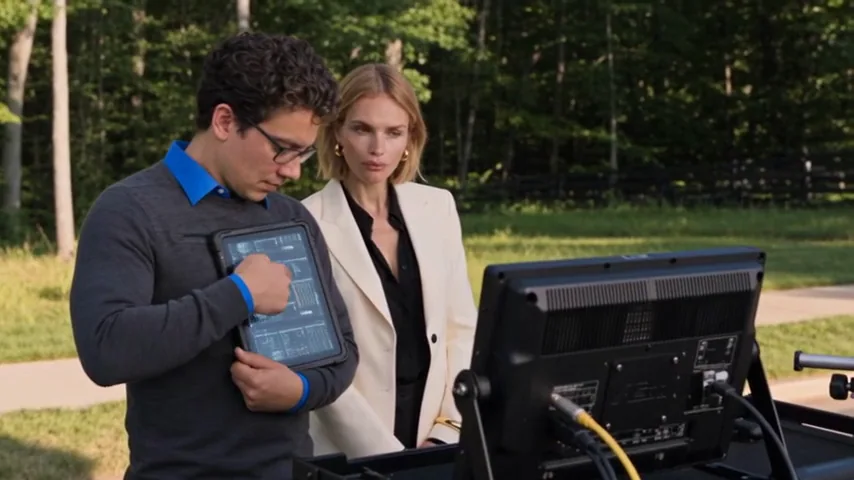
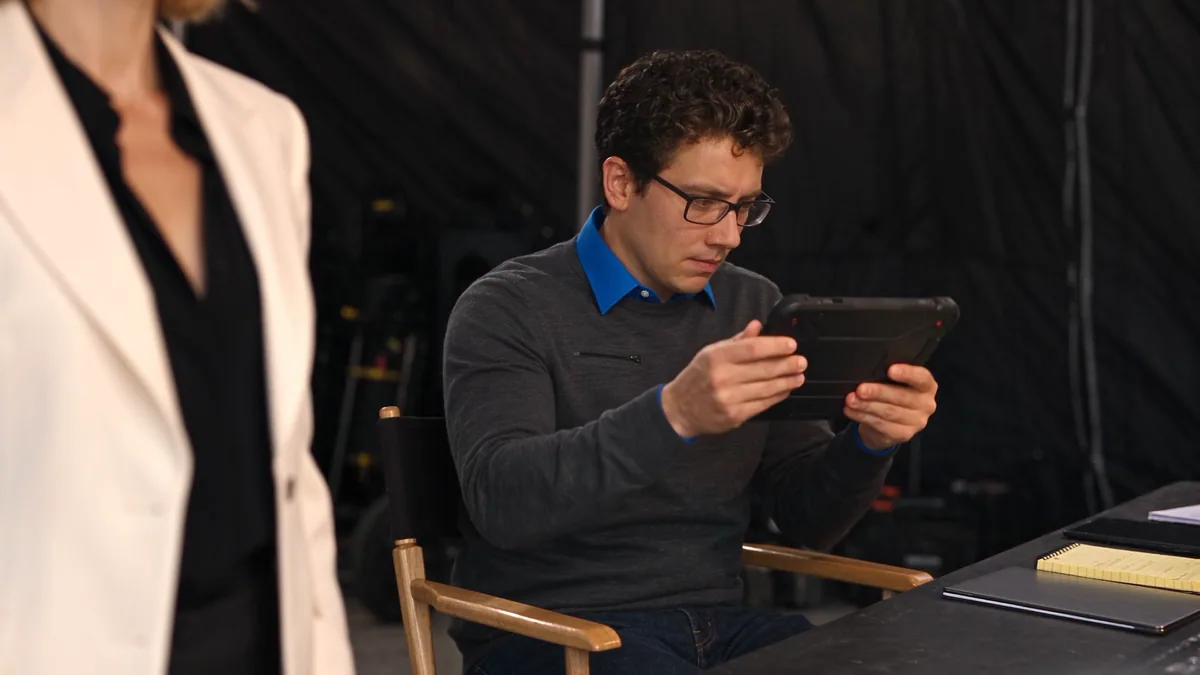
For the scale mismatch I tried a different test. The fourth warning take finally made TITAN as big as I wanted. One preceding side angle still let us compare the Engineer’s height to the whole suit. The mistake lasted 36 frames. I kept the larger TITAN as my reference and took those 36 frames to Resolve. The exact comparison is in the edit section below.
Produce Damage Control through MCP
Model Context Protocol is a standard that lets an AI application use tools and data exposed by a connected service. Here, a connection gave Codex a way to ask Higgsfield for specific production operations. The screenplay and local files still had to be selected, prepared and supplied to the right operation. MCP introduction
- Story and approvalI developed the episode with ChatGPT, reviewed the pictures and authorized the video spend.
- Plan and requestsCodex inspected the workspace, prepared images, checked assignments, submitted approved requests and collected the results.
- Pictures and editHiggsfield generated the images and moving clips. Resolve held the finished tutorial edit and sound.
- Verify each client. On the Higgsfield setup page I selected ChatGPT. My first test could describe tools but could not read my account. After connecting, I tagged Higgsfield in a fresh chat and repeated the same read-only profile check. Codex needed its own successful check. Tool names in a reply tell you very little about which account the next operation can use.
- Find the material and provide the script. Codex inspected our local Episode 1 export, the existing faces, designs and locations, and the available Higgsfield references. I supplied the Damage Control screenplay. Keep a local script copy and compare the planned dialogue line by line. This production had 15 spoken lines.
- Plan before asking for pictures. Divide the script at changes of action. Our plan gave the ticking clock 30 seconds, the override 23 seconds and the last exchange 12 seconds. Write down each speaker, the state of the helmet and tablet, and which set the camera sees. Ask for the clip durations and a price for those specific requests.
- Review the image stage separately. One existing Marketing sheet carried forward. Eight pictures were made in the first stage, including new sheets for the other two performers. I inspected the outfit, the completed actor sheet and the house before approving any video. This is where I caught two errors that would otherwise have appeared in moving footage.
- Verify assignments and authorize the jobs. After the correction, Codex checked the original porch and the accepted actor sheet in all three clip requests. I approved the three 480p clips at 90, 69 and 36 credits. Higgsfield rendered them. Authorization applied to that batch.
- Retrieve and screen the handoff. Codex followed the submitted jobs to completion and preserved the individual clips, joined first pass and delivery record locally. Keep each take under its episode and revision, and record duration, frame rate, approval and source alongside it. Play the assembled result with sound. A job status cannot tell you whether a character has jumped across the set.

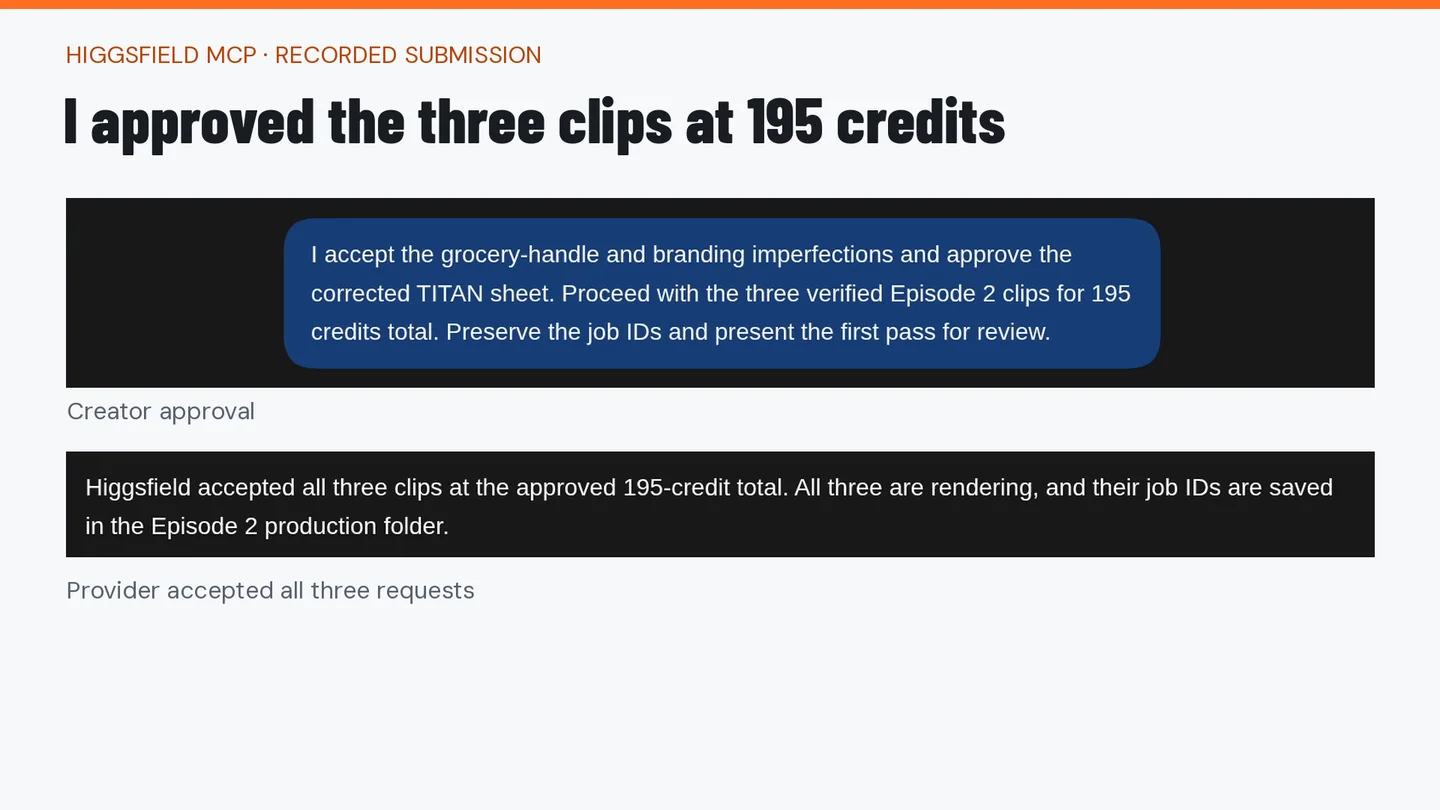
One difference between the plan and the footage was audible. The plan left 2.13 seconds between the final two lines. The delivered speech-to-speech gap measured about 3.34 seconds. All 15 dialogue cues were present in order. I accepted the cliffhanger on playback. A timed script gives you something concrete to compare when you screen the result.
I could discover references and make new requests through the connector. I had no verified MCP control for switching takes in the existing Studio episode or exporting its website ZIP in one call. I treated Episode 2 as a new production with a documented handoff from the first.
Reference discovery is not reference conditioning
I recognized the actor in our first Episode 2 sheet. Then I looked at his boots. They were too slim. The shoulders read like a single mantle, and the man appeared to be carrying the groceries in his hands. I had gone from an industrial lifting machine to something approaching medieval armor. The likeness had survived because his portrait was an input. The machine had been described in words.
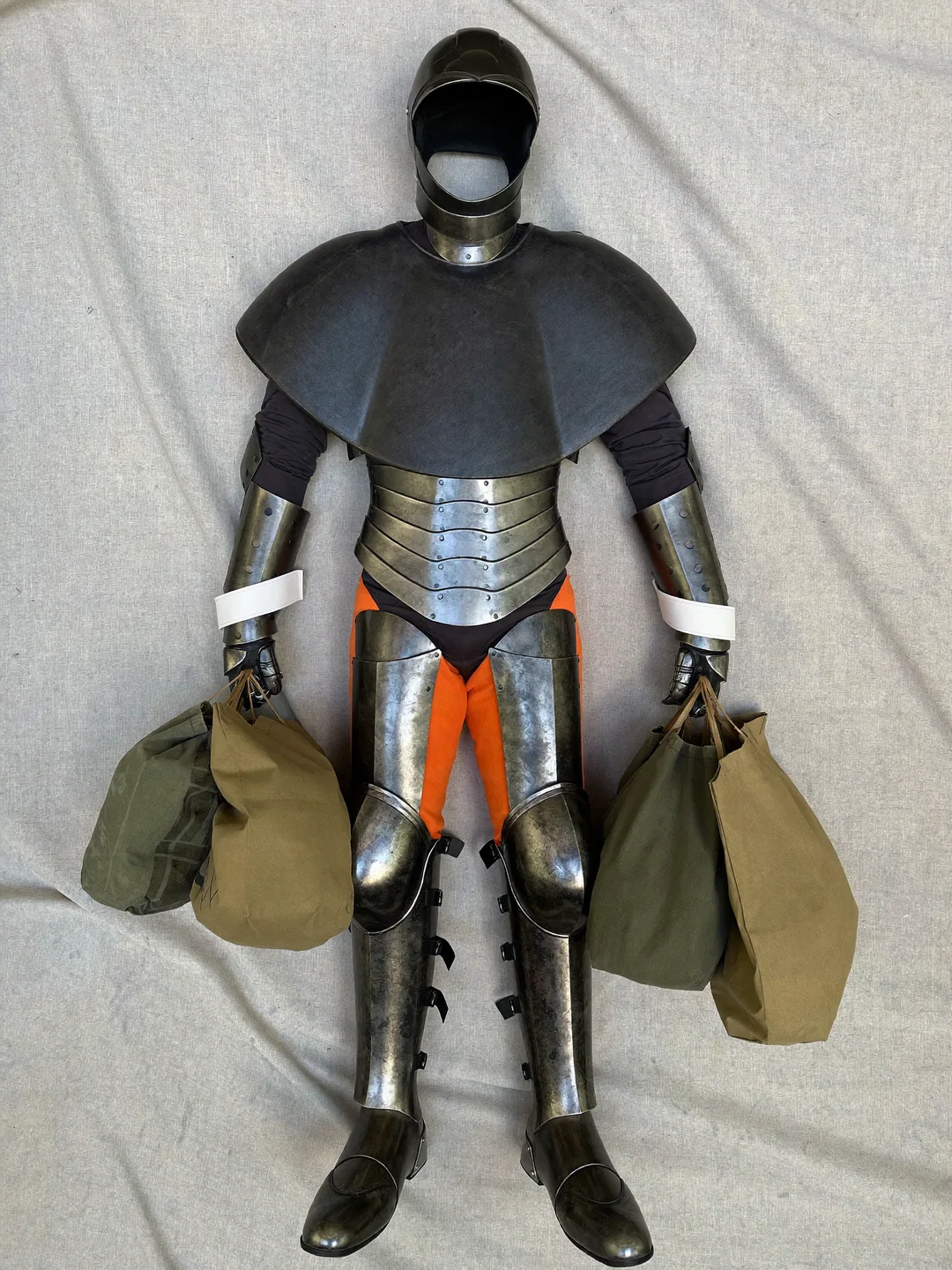
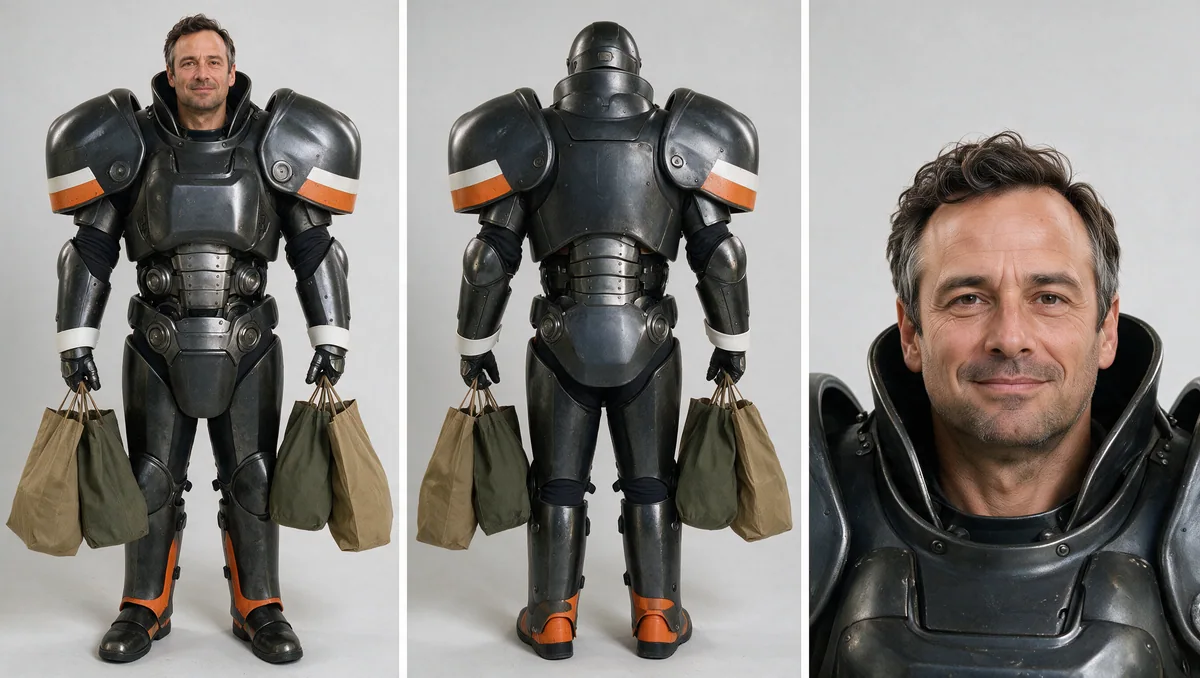
- DiscoveryLocate V4, T3 and the previous episode. Confirm which version the artist chose.
- DescriptionTranslate a requirement into words, such as open face and locked waist. The model can still invent the geometry.
- Visual conditioningAttach the actual pictures in supported image slots and inspect the resolved inputs before submission.
Build a seven-picture correction
Codex pulled three frames from the 24 fps final Locked In cut. The full figure tells us the head-to-boot proportion and the bag load. The medium view tells us how low the head sits between the shoulders. The close view tells us what happens to the collar when the face is exposed. One still cannot answer all three questions.
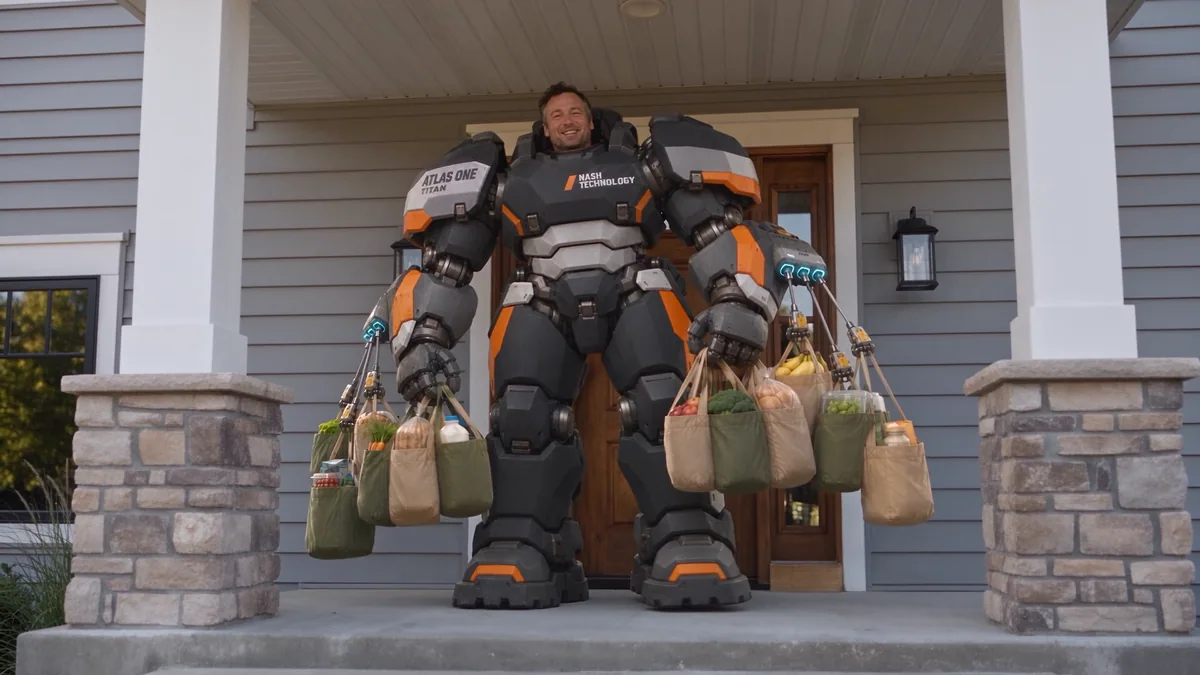
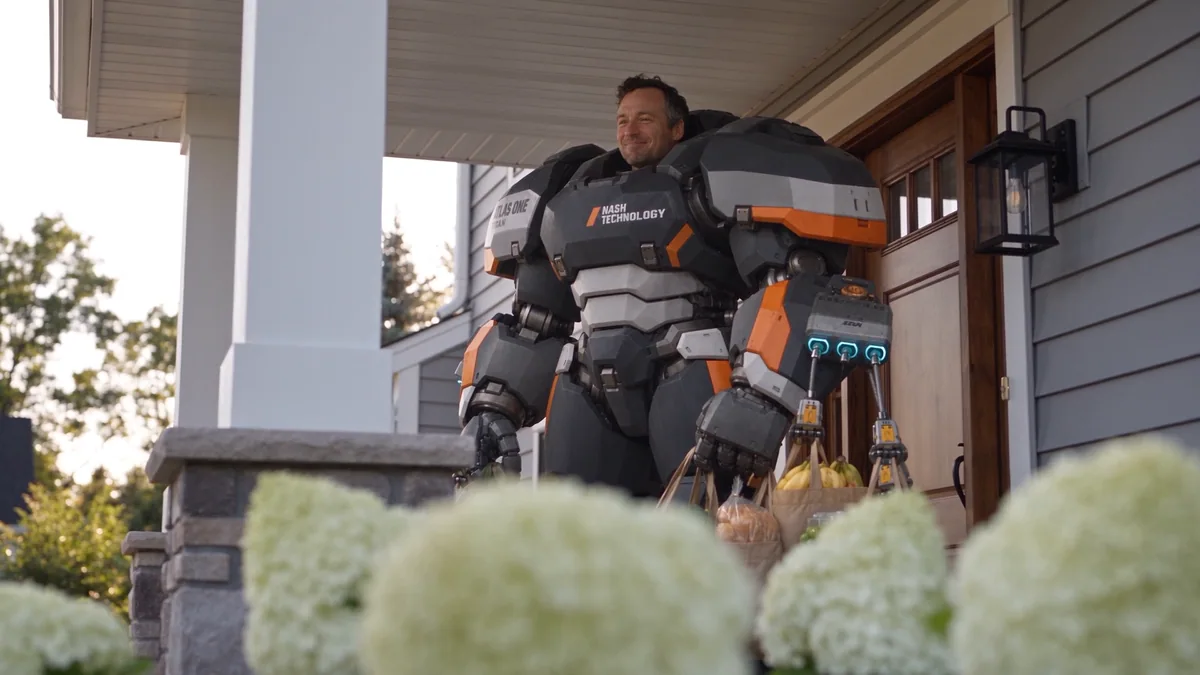
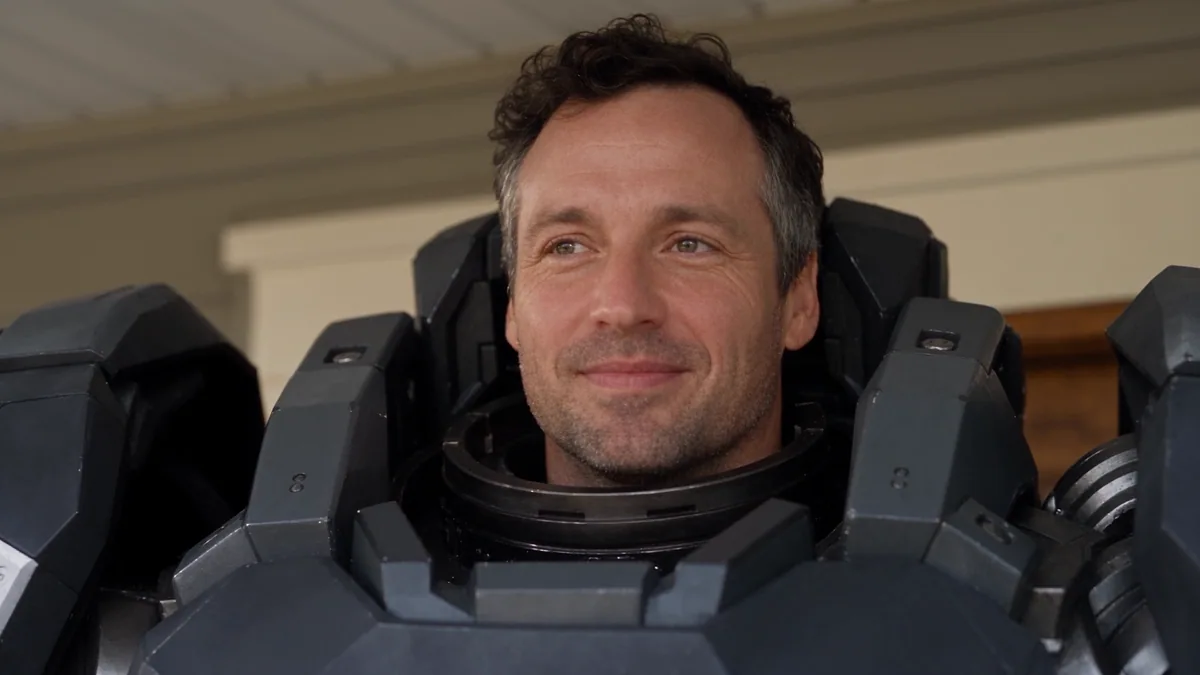
The other four inputs were the V4 hero, the T3 turnaround, the approved grocery-load design and the actor’s facial portrait. T3 supplied rear geometry missing from the porch sequence. The film frames supplied the open helmet missing from T3. The load reference showed the intended route from bag to wrist, and the portrait isolated identity from costume. Codex checked the retrieved inputs against the originals and verified their roles in the request.
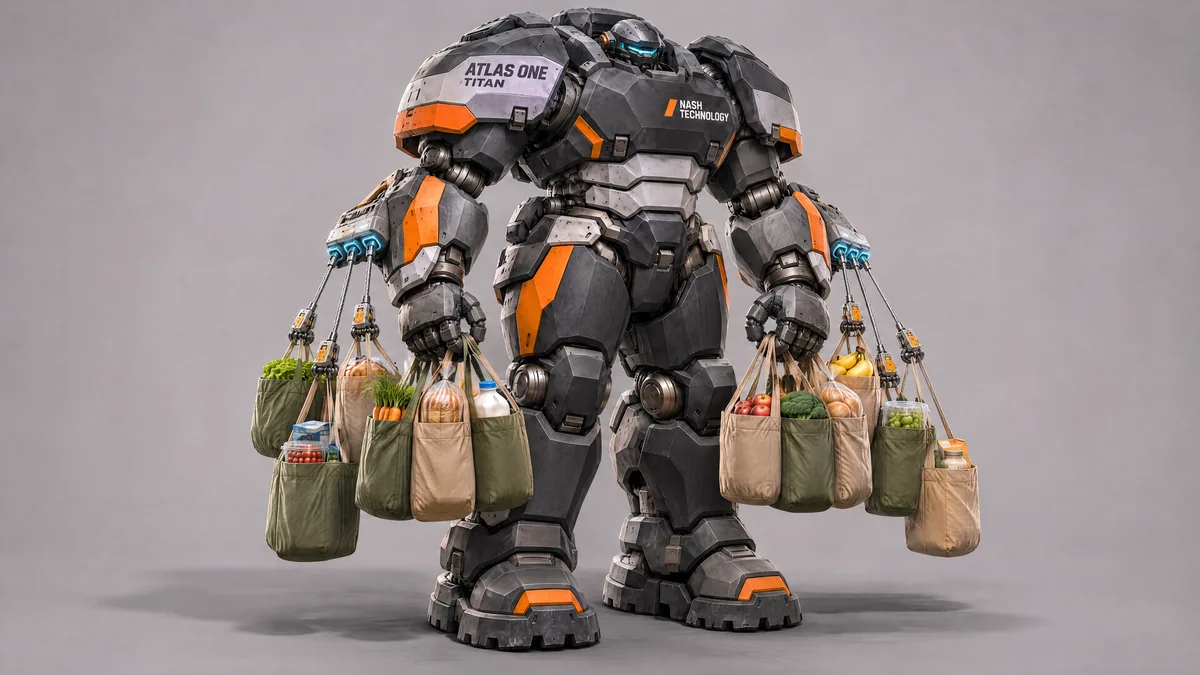
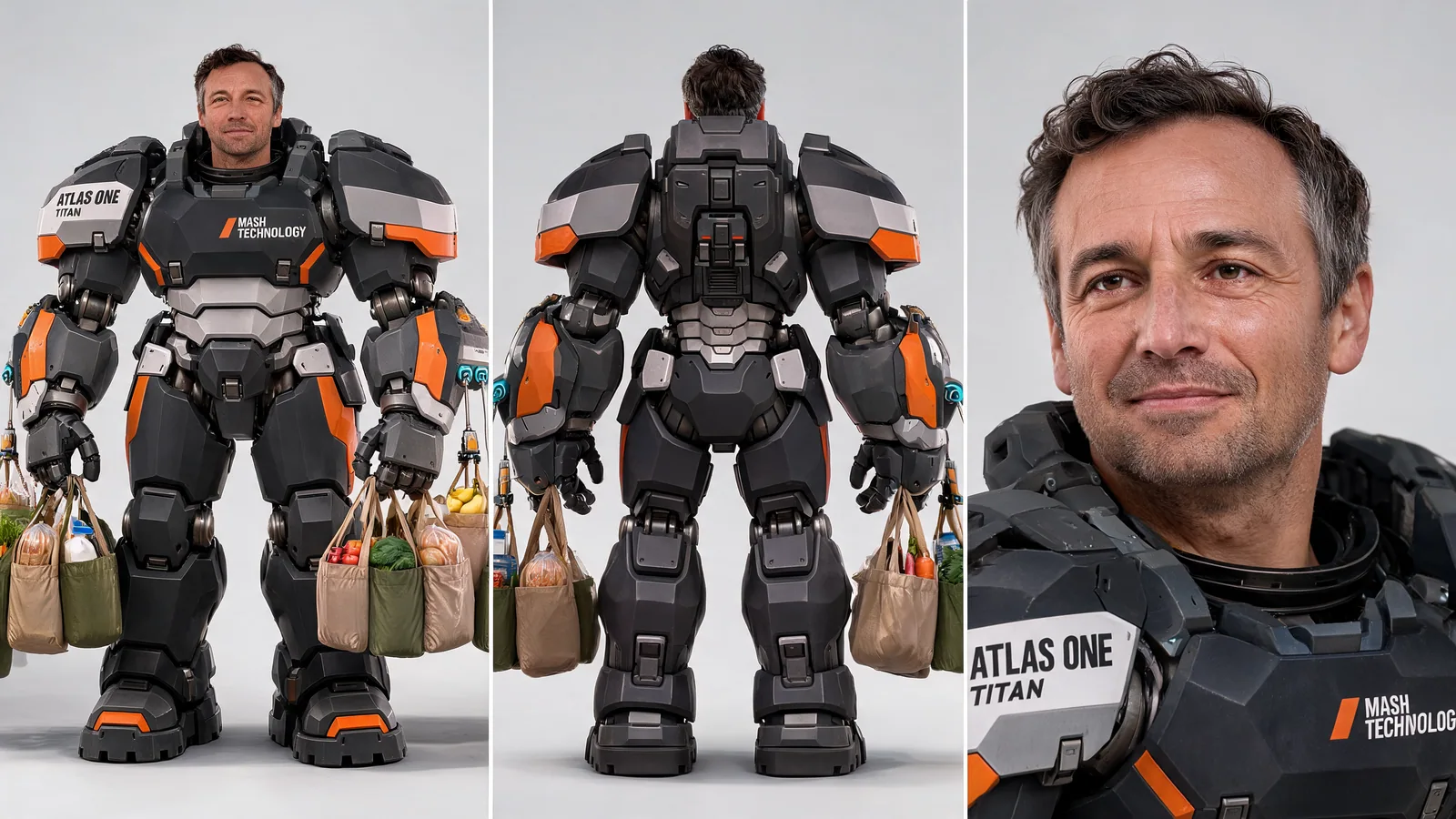
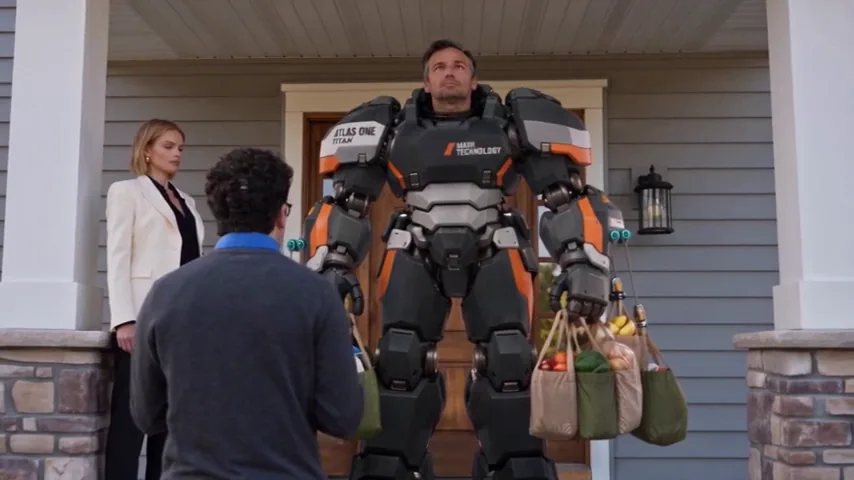
The correction recovered enough of the design for me to approve the first pass. Some inner bag handles still passed through the gauntlets, and the chest lettering drifted. I accepted both for this demonstration. For a close product insert I would judge those details differently. Make an acceptance decision at the size the audience will see.
Reuse the address directly
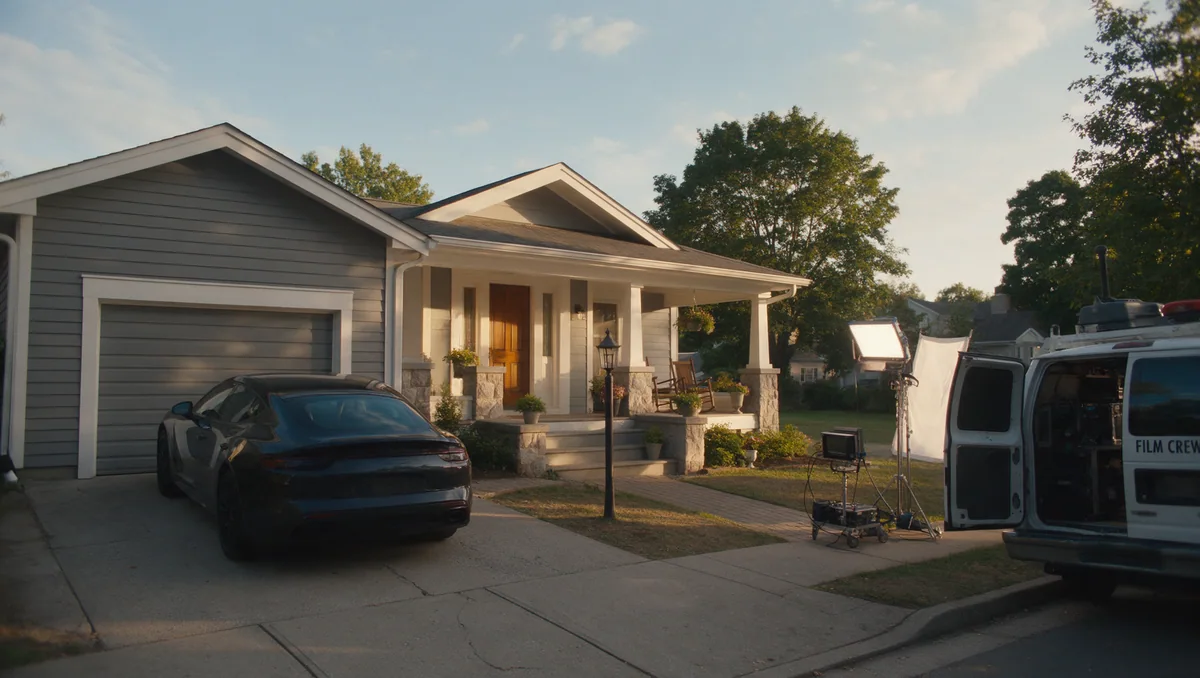
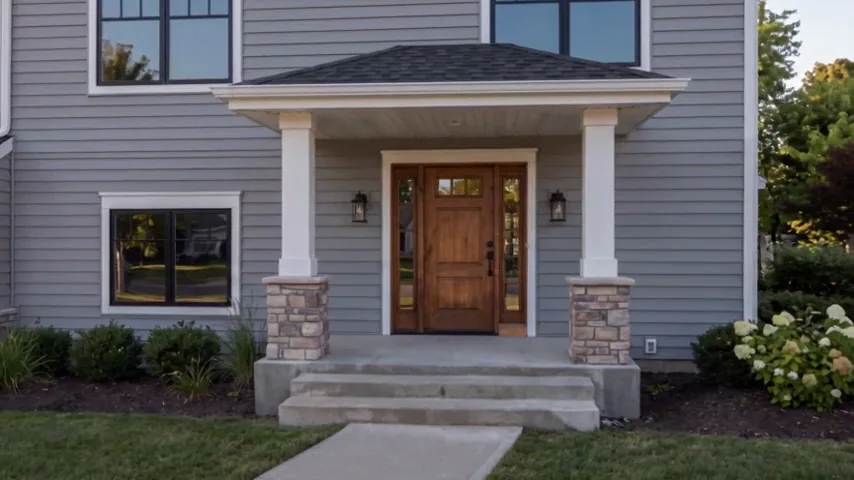
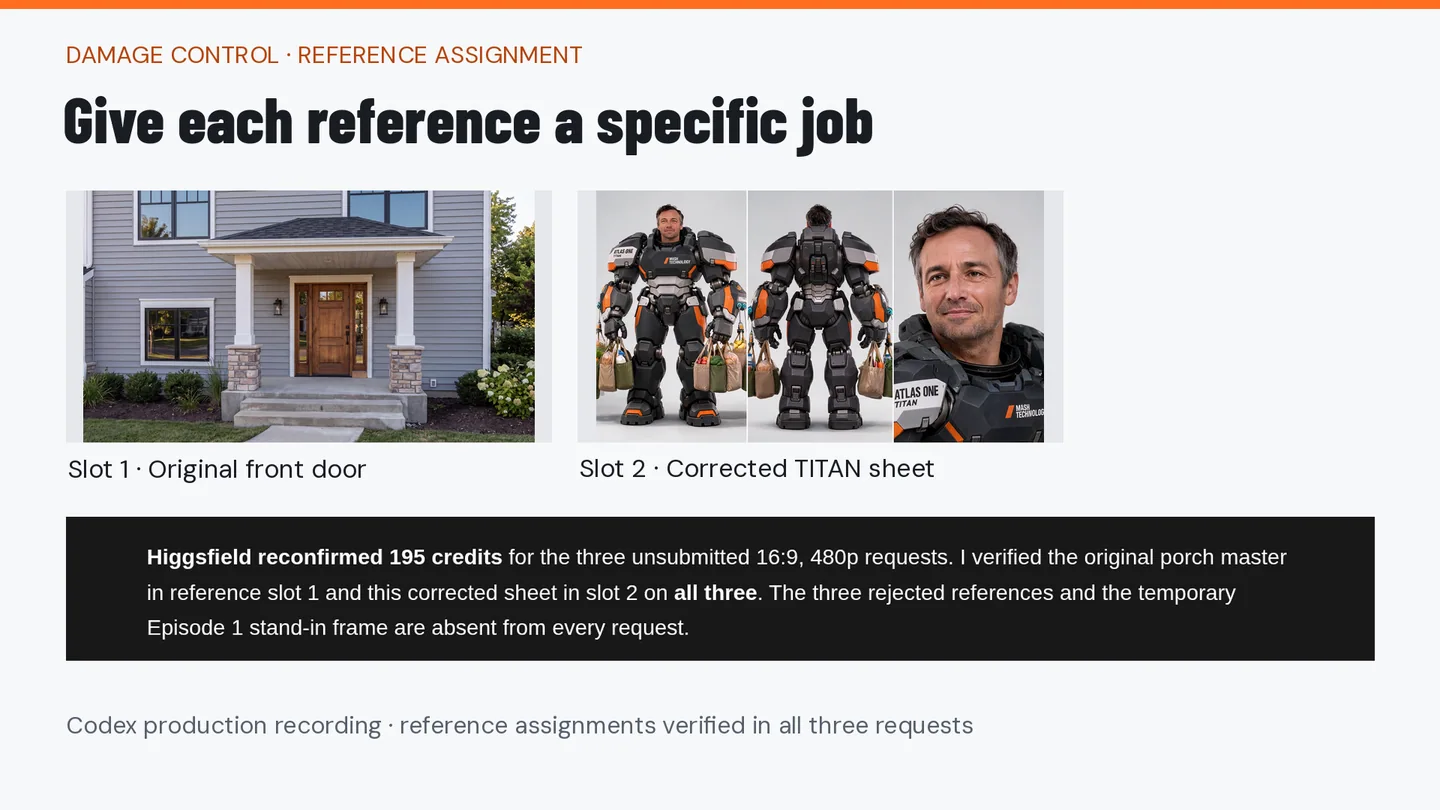
When a picture already solves the shot, reuse it. When the shot needs an angle the library cannot supply, assemble complementary views and say which part of each one governs. Finally, read back the request. Finding an image, describing it and attaching it are three different production events.
Stop regenerating. Start editing.
The Studio export of Locked In was 2:20. My Resolve cut was 2:06. Across the six Studio clips, I removed 336 frames. A good place to start an edit is the shot you like except for one thing.
Reframe the 36 frames that expose the scale
The frontal step worked. The side two-shot at 00:19:17 made TITAN look too small next to the Engineer. I used 1.48× zoom, +108 pan and −25 tilt through 00:21:05, then returned to the untouched reaction. Compare the two renderings of the same moment. Removing the ground reference changes the apparent size relationship while preserving the approach and its timing.
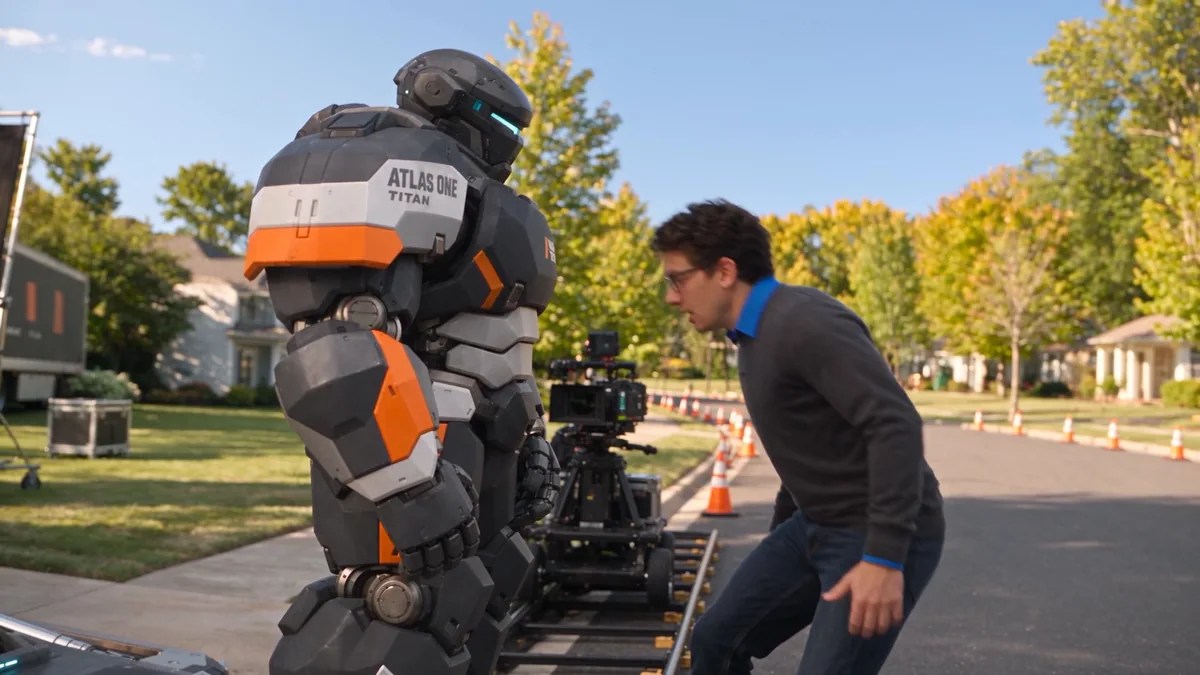
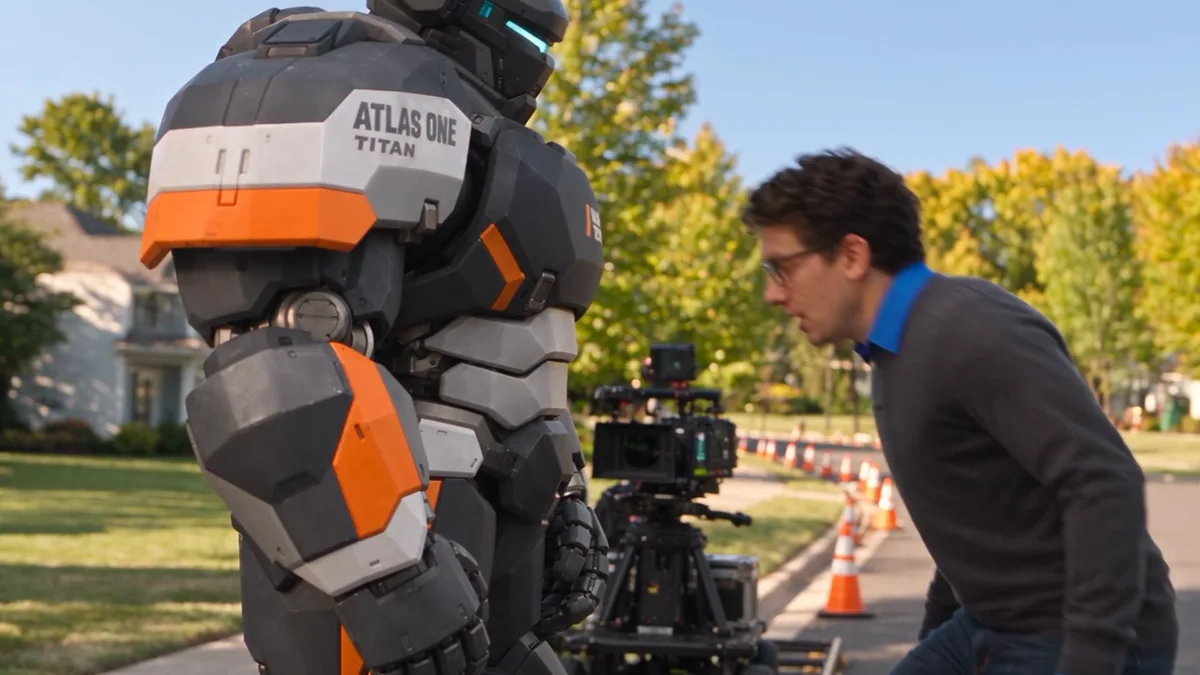
Enter on the angle that carries the performance
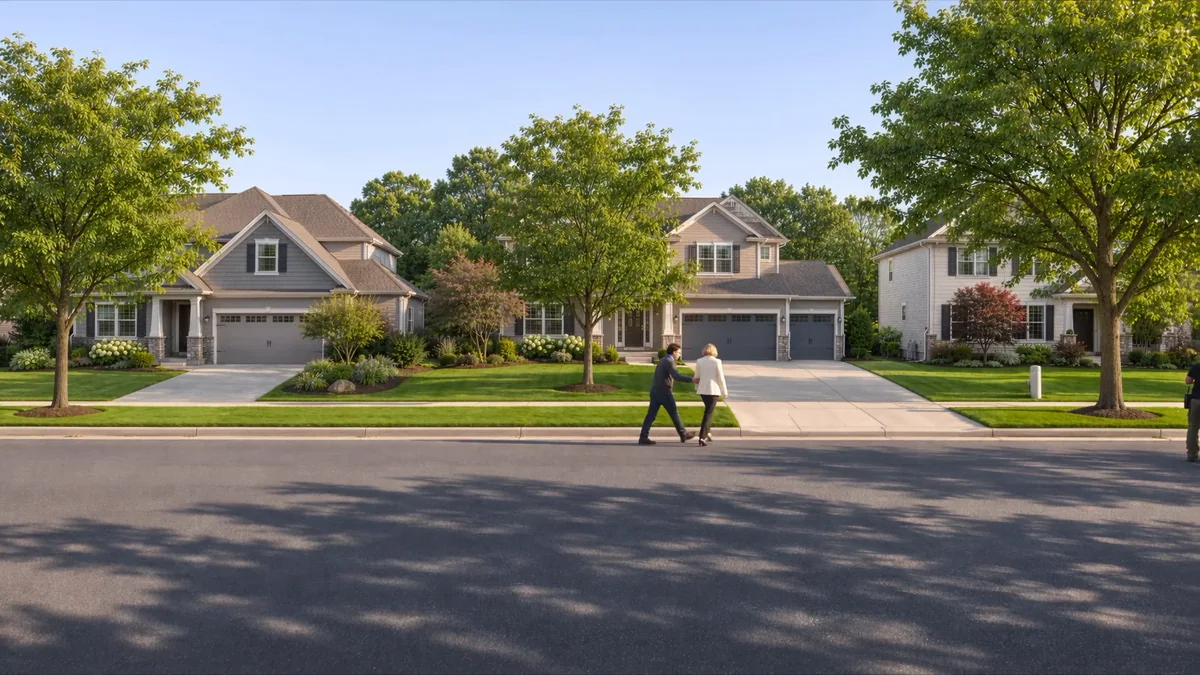
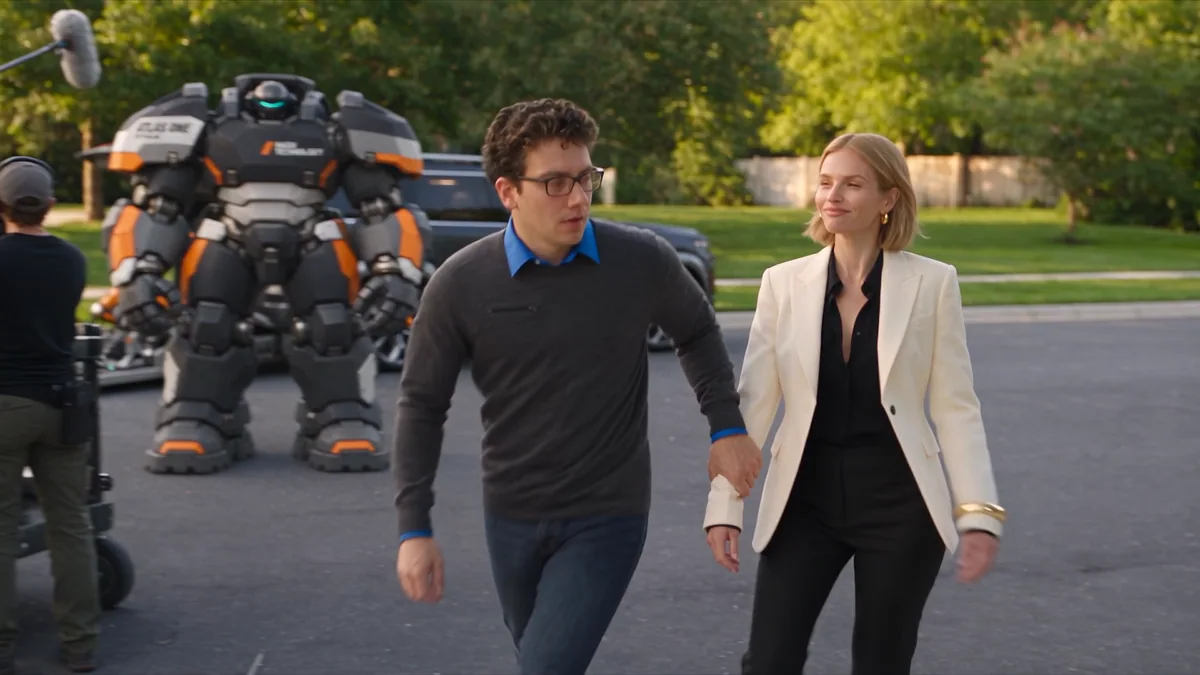
The selected sequence combines V3 for clips 1.1, 1.4, 1.5 and 1.6 with V4 for the warning and private exchange in 1.2 and 1.3. A brief horizontal flip on the later Engineer close-up helped the look direction. Check visible logos, handedness and other cues before using a flip on your own coverage. I also removed repeated walking and porch business. The existing video-village wide could communicate a time jump without another generated insert.
Make the listening cut
I let the director’s call begin offscreen before the picture changed. That pre-lap gave the crew a reason to react. On Marketing’s “figure it out,” I compared three readings. I kept the current performer, lifted the short vowel region by up to 3.5 dB and extended it by 36 milliseconds with a pitch-matched overlap. The delivery still sounds quick. The three revised “fob” readings stayed in sync from the selected take.
- 01:13:18 · dialogueA two-second repair carries Marketing’s plea. A quiet handle absorbs the extra vowel length.
- 01:39:16 · pre-lapThe director is heard before the picture cuts to the crew.
- 01:54.4–02:00.9 · holdExterior air carries the unanswered question into the actor’s final “Guys?”
I borrowed dialogue-free exterior air from the same set, bridged three joins and rode down intrusive score. Servo moves, metal locks, boot contacts and paper-bag rustles from the commercial’s sound library gave the machinery weight. Listen with the monitor turned away. If background tone disappears at a trim, the audience can hear a cut it never needed to notice.
Before buying another take, try the correction on the timeline. If meaning depends on a missing action, a pickup can earn its cost. If meaning depends on the instant we see a face, hear a line or leave a silence, the material may already be there.
Compare the two workflows at their actual finish lines
These episodes answered different questions. I kept refining Locked In and upscaled six selected clips. I accepted Damage Control as a 480p first-pass demonstration. I would use the following records to plan review and approval points. They cannot predict which workflow will be faster or cheaper on the same film.
| Decision | Locked In · Studio | Damage Control · MCP |
|---|---|---|
| Creative control | Screenplay, six clip assignments, direct take-by-take playback, Agent pickups. | Screenplay, timed dialogue plan, reviewable image requests and one approved video batch. |
| Reference preparation and reuse | Populate Cast & World, reconcile role text and images, build two driveway states. | Inspect the local archive and cloud library. Reuse Marketing and the original porch. Attach seven images for the corrected TITAN sheet. |
| Generation management | Three six-clip passes, two targeted pickups, then upscale the selected six. | Stage and check the pictures first. Quote and submit three clips with their assigned inputs. |
| Manual intervention | Check active takes, direct scale and visor changes, choose which continuity slips to accept. | Reject the first armor and house, inspect the replacement, approve the compromises and authorize video. |
| Coverage and finish | 140-second Studio export. Resolve picture and sound edit to 126 seconds, 1920 × 1080 at 24 fps. | 65 seconds planned. A 65.125-second assembled first pass, 854 × 480 at 24 fps. |
| Creative result | The helmet reveal and silent hold land in sequence. A reframed angle conceals the worst scale mismatch. | The cliffhanger made me laugh. The background feels empty and a character changes position across a cut. I accepted that level of finish for the demonstration. |
| Active artist time | Total unmeasured. Recording duration includes playback and waits. | Total unmeasured. The documented image-stage interval includes review. |
What the credit records establish
| Stage | Locked In · Studio | Damage Control · MCP |
|---|---|---|
| Setup and pictures | 218.77 on the project meter before the first video draft. | 12.86 reported for eight new images. One Marketing sheet reused. |
| Draft video | 420 for the first six clips. | 195 quoted, approved and submitted for three clips (90 + 69 + 36). |
| Revisions | 420 + 420 for two six-clip passes, then 123 measured for two pickups. | 1.00 accepted rate for one completed corrected TITAN sheet. The original porch was reused. |
| Resolution and edit | 2,240 measured for the 1080p upscale. Resolve finishing added 0 Higgsfield credits. | 480p first pass. No upscale in this comparison. |
| Total and evidence | 3,841.77 credits on the final Studio project meter. | 208.86 credits at recorded rates. Separate itemized debits were unavailable for all stages. |
The two final Studio pickups were visible within about 2 minutes 24 seconds of approval. The completed upscale was visible in the next recording, within about 3 minutes 40 seconds of initiation. In Episode 2, the initial picture stage took 8 minutes 43 seconds through observed completion, including review. The three video jobs were all complete at the check 4 minutes 9 seconds after submission started. These intervals describe observed availability. They include different activities and omit other work between them.
I have no reliable stopwatch total for active artist time on either episode. Episode 1 alone had 19 unique screen-recording sessions covering about 3 hours 57 minutes. A recording can include waiting and playback, and work can happen while it is stopped. For another production I would record time spent preparing, directing, waiting and editing as separate entries for each pass.
Build a world you can come back to
The thing I would carry into the next project is the decision about the fob. Once I knew what it did, I knew which insert to keep, when to close the helmet, why the Engineer wanted privacy, and what question the next episode had to answer. That one prop made the armor, house, SUV and crew worth revisiting.
For an independent studio, that changes what a production can yield. The commercial introduces a fictional company. The series can explore what happens to the people who work there. A later fictional advertisement could show how NASH wants the public to see an incident. A short social cut can follow just the fob from hand to pocket. A tutorial can put two versions of a shot side by side and teach the camera decision. Each gives the audience a different reason to spend time with the same world.
- Pick one consequence worth following. After the final shot of your film, write the first question someone on that set would ask.
- Archive what the next artist will need. Keep the approved design, a view around the back, the last on-screen state, the rights or license record and a sentence about what still drifts. A reusable prop or environment can become a future production asset or creative product when its rights and documentation support that use.
- Shoot one continuity test. Put your recurring character and prop in the same space from two angles. Check the cut with sound before commissioning an episode’s worth of coverage.
- Keep the decision with the work. Record why you approved a take, what a pickup cost and whether the edit solved it. A later film, game sequence or teaching example can then start from a decision somebody actually tested.
That is where my Houdini and filmmaking background meets AI production. Procedural blocking lets me test whether the assembly can reach the actor. The visual library lets me return to his driveway. Editorial timing makes the pause funny. I can build a business around original stories, useful assets and teaching that craft over time. The next CGI Nerd MCP tutorial will take up agentic production at scale.
Higgsfield sponsored the companion video. Visit the Short Drama video’s sponsored campaign link ↗