
Studio setup / Hardware
My CGI Nerd Workstation & Studio Setup: What I'm Running in 2026
The hardware, Houdini software, AI tools, trackball, and recording gear Alejandro uses to build CGI Nerd—and why he uses it.
 Explore the studio ↗
Updated October 2026
Affiliate disclosure: This article includes paid affiliate links. If you buy through them, I may earn a commission at no additional cost to you. As an Amazon Associate I earn from qualifying purchases. I also have an affiliate relationship with Cascadeur, which provided me with complimentary Pro access for evaluation. I’ll identify affiliate links where they appear.
One of the questions I get about my Houdini videos and AI experiments is pretty simple: What computer are you running, and what other gear do you use?
I’ve worked in film, games, advertising, and education for more than 25 years. During that time I’ve used large studio pipelines, taught students with very different hardware, and built plenty of workflows on my own machines. These days, CGI Nerd combines 3D production, software development, experimentation, and content creation in one workspace.
So here’s my actual setup. It’s not a dream build or a list of products I think everyone needs. Most of it was purchased over time, and some parts are several generations old. What matters to me is whether the equipment helps me get work done.
The main workstation
| Component | What I use |
|---|---|
| Graphics card | ZOTAC GAMING GeForce RTX 4090 Trinity OC, 24 GB GDDR6X (ZT-D40900J-10P) |
| Processor | Intel Core i9-11900K, 8 cores / 16 threads |
| Motherboard | MSI MPG Z590 GAMING CARBON WIFI |
| Memory | 128 GB G.SKILL DDR4-2666, 4 × 32 GB |
| CPU cooling | Vetroo U6PRO dual-tower cooler |
| Operating system | Windows Pro |
| NVMe drives detected in this PC | Samsung 970 EVO Plus 2 TB, EDILOCA EN870 2 TB, Crucial P2 1 TB |
Why I haven’t replaced everything
The RTX 4090 is especially useful for GPU rendering and local AI experiments. Its 24 GB of VRAM gives me room to try workloads that would be much more constrained on a smaller card. That doesn’t mean I can run every model or every rendering task without limits. Memory disappears quickly when a project gets ambitious.
The i9-11900K isn’t new, but Houdini performance isn’t determined by one part. A simulation, a procedural geometry network, a GPU renderer, and local inference can all stress the machine differently. Upgrading the graphics card doesn’t magically make every CPU-heavy calculation faster.
I also value having 128 GB of RAM and plenty of SSD space. Large scenes, caches, texture libraries, recordings, and AI models all add up. I’m more interested in finding and fixing the actual bottleneck than replacing hardware just because something newer exists.
The three NVMe drives listed above were detected in my main workstation. I also have other storage in my equipment inventory, including a Silicon Power P34A60 2 TB NVMe SSD and a Crucial MX500 1 TB M.2 SATA SSD. Their current installation locations weren’t established by the workstation scan, so I don’t count them as additional installed NVMe drives. The MX500 and the Crucial P2 are different products using different storage interfaces.
The piece of hardware that surprises people: my trackball
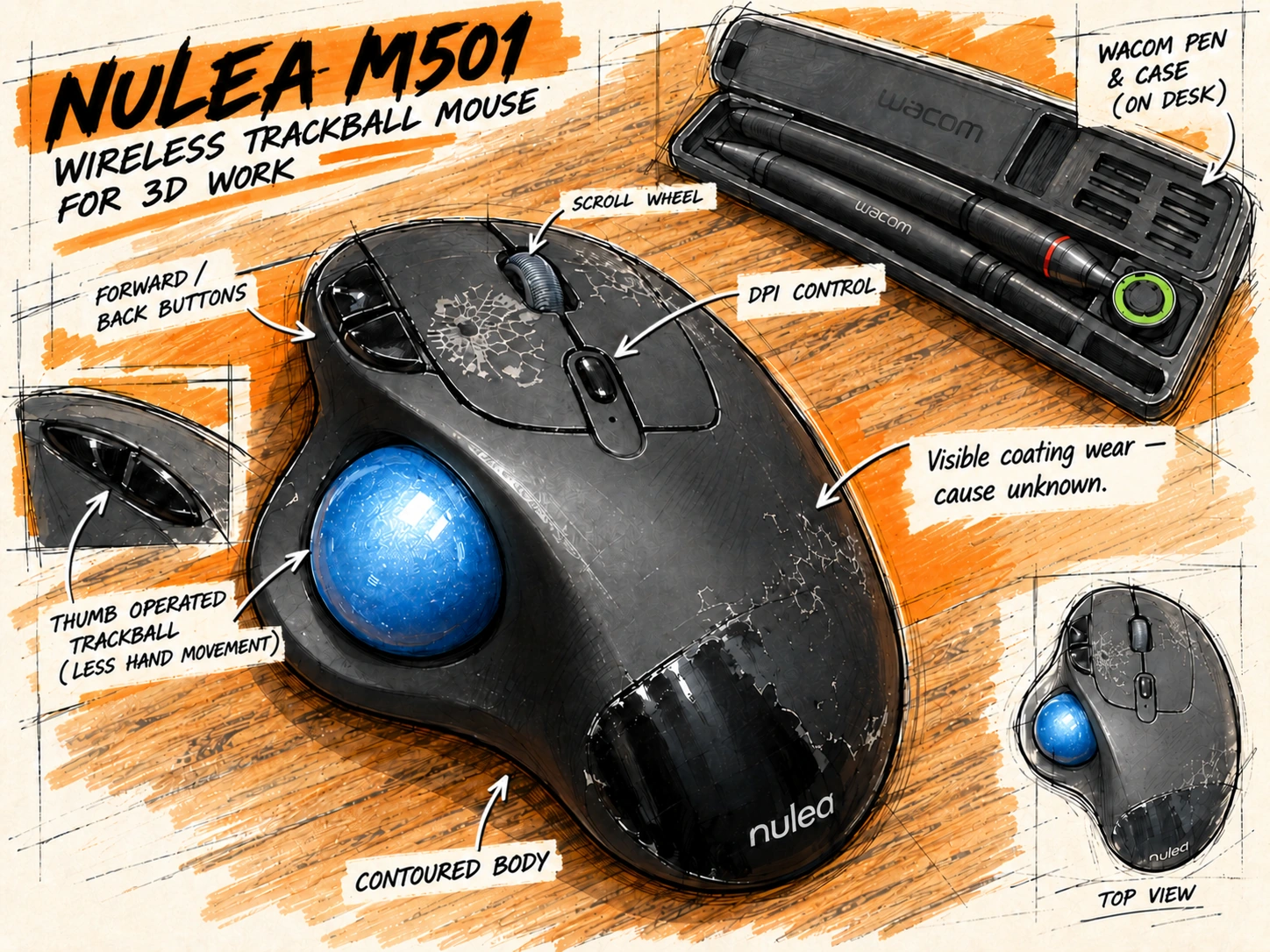
Of everything on this desk, my Nulea M501 wireless trackball might be one of my favorite tools.
Mine has a metallic-blue thumb-operated ball and a black/gray housing. The product listing for my model specifies four DPI settings. It’s a heavily used mouse, and the outer finish is visibly worn and peeling. I suspect contact with materials from my 3D-printing projects may have contributed, but I haven’t established the cause.
 View illustration & annotations ↗
I know that sounds like a strange choice for 3D work, but I genuinely feel faster and more accurate with it. I don’t have to move my whole hand around the desk. Most of the pointer movement happens with my thumb, and I can keep my hand in one place while I’m working.
That makes a difference when you’re repeating small actions hundreds or thousands of times in a production day. It’s the same reason I encourage people to learn keyboard shortcuts instead of constantly hunting through menus. Saving a little movement or a second here and there might not sound impressive, but in production those small savings add up.
There is a catch: almost everyone who tries to work at my station hates the trackball. It takes a while to get used to, especially if you’ve spent years using a traditional mouse. I’m not claiming it’s objectively better for every artist, and I wouldn’t recommend switching input devices in the middle of an urgent deadline. But for me, after getting used to it, I wouldn’t want to go back.
That sums up a lot of my approach to production: small changes to how you work can matter as much as a big hardware upgrade.
Small improvements in how you work add up.
Displays, desk, and the rest of my workspace
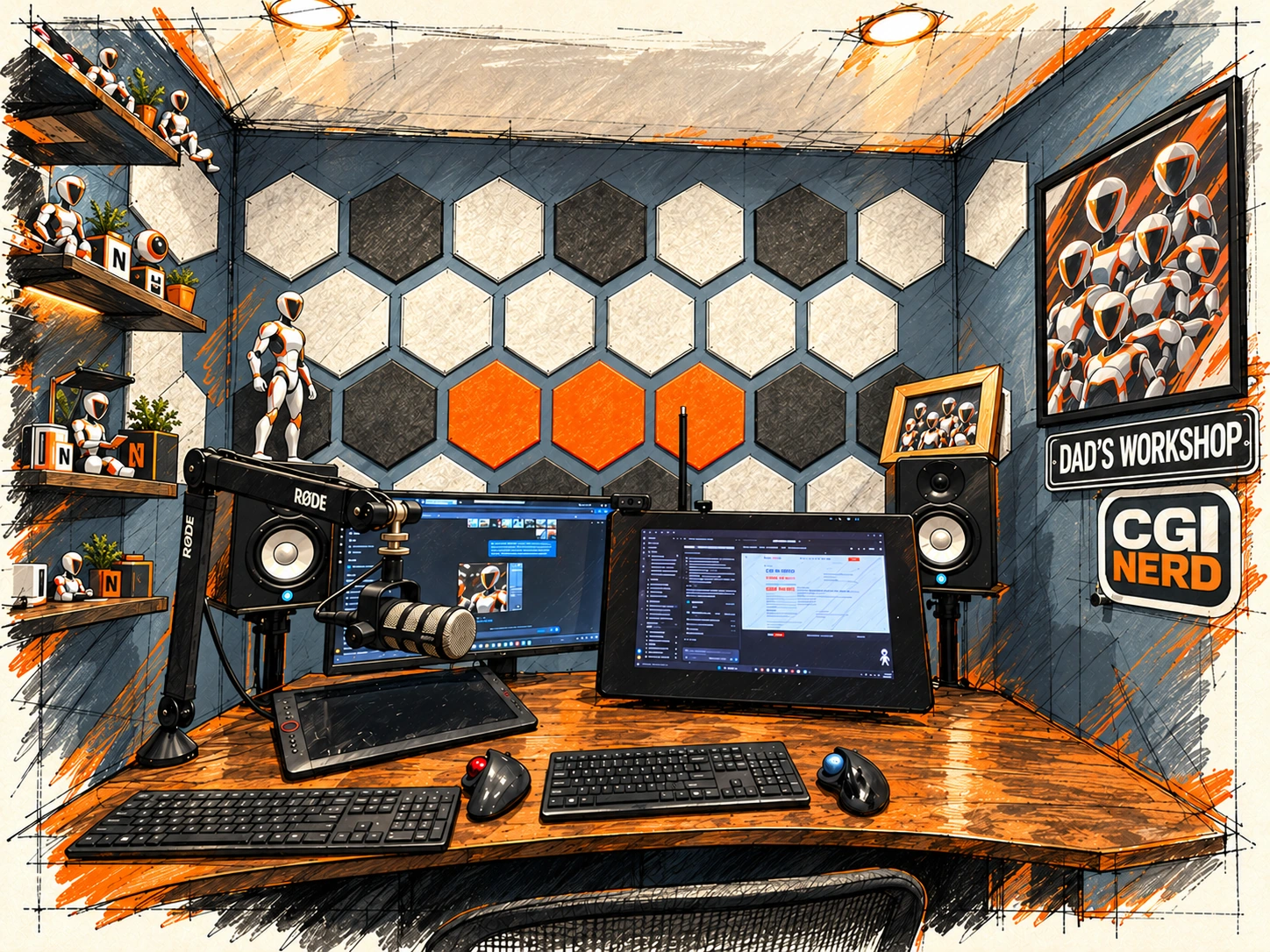
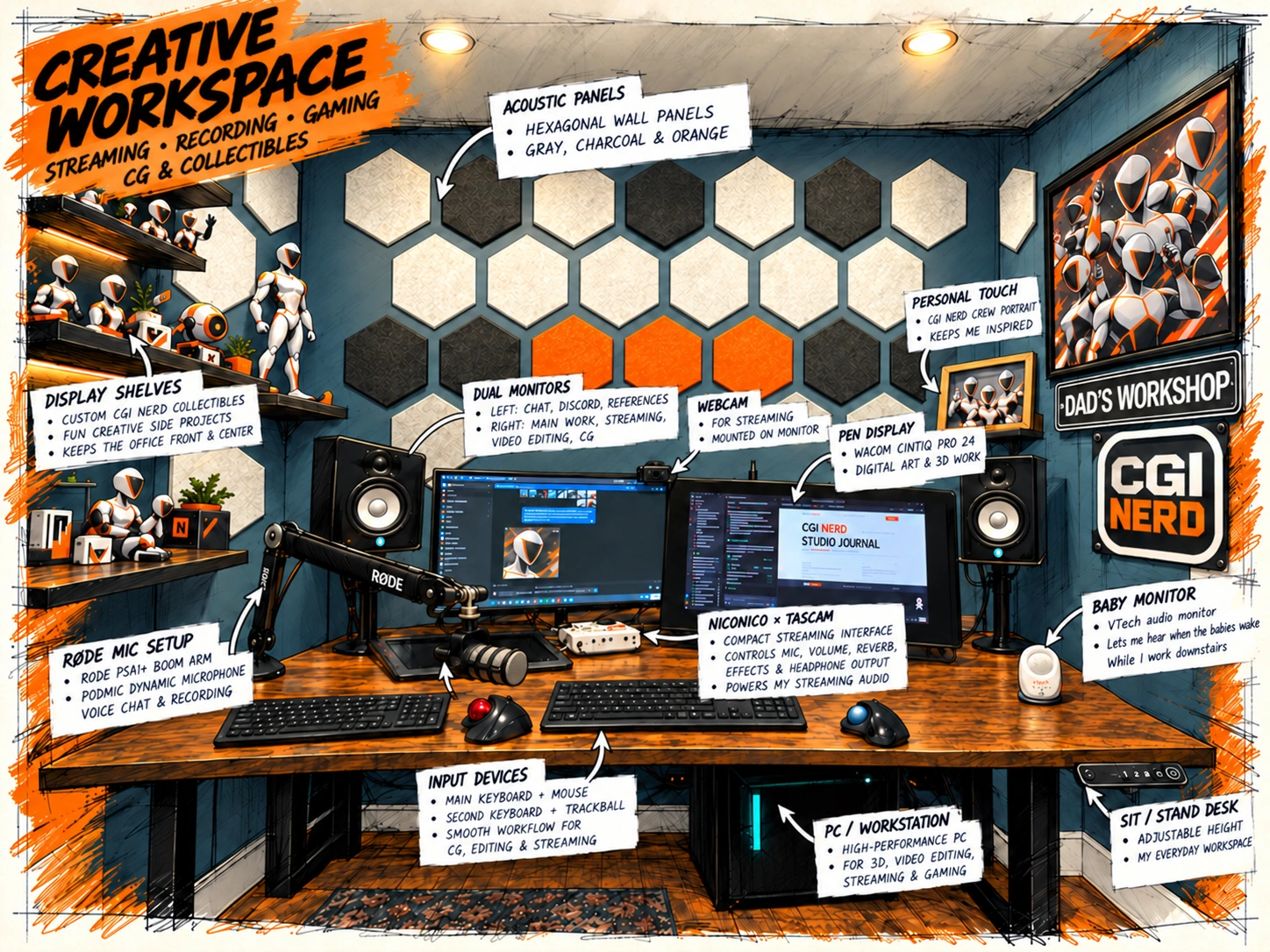
My office is a purpose-built basement room that’s only about eight feet by eight feet. We built it specifically so I could work, which means every bit of space matters. Between 3D production, coding, recording tutorials and experimenting with AI, I need this little room to do several jobs.
An entire CGI studio inside an 8×8-foot room.
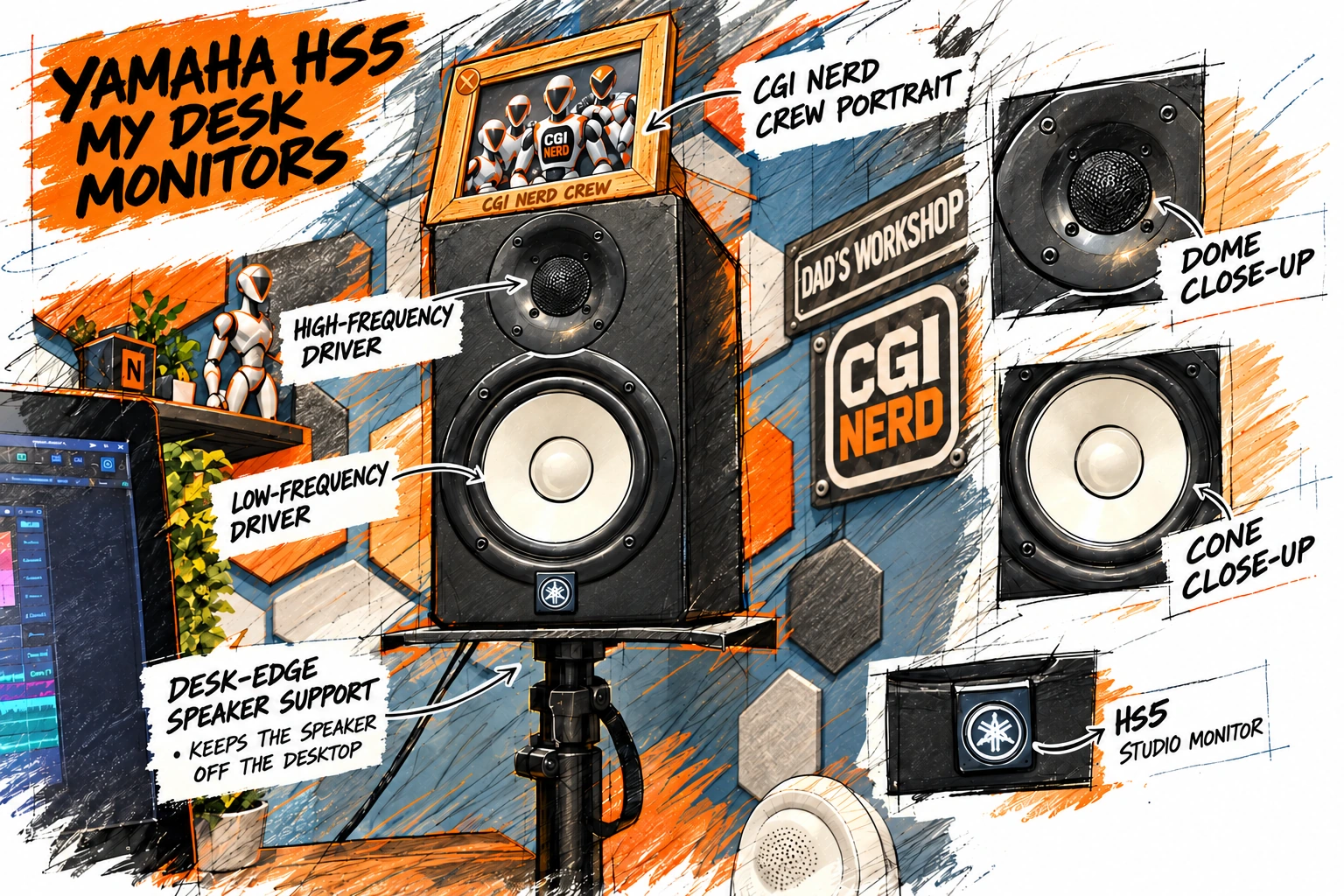
I work at a BUNOEM dual-motor adjustable standing desk with an ErGear dual-monitor desk mount. My displays include a Wacom Cintiq Pro 24 and a Sceptre monitor, and I use Vondynote clamp-on stands for my studio speakers.
The Wacom is part of the creative side of the workspace. I still want the freedom to use a pen when drawing or doing work that benefits from direct input. The monitor arrangement and adjustable desk are mostly about making long work sessions manageable when I’m switching between Houdini, development tools, research, and video production.
The speakers sit on supports near the desk edges, and the microphone comes in on an arm. That leaves more of the surface available for the monitor, Wacom pen display, drawing tablet, trackballs and keyboards. I want the tools within reach without giving up every inch of the desk. Being able to sit or stand helps when I move between drawing, development and recording.
If you’ve watched my videos, you’ll probably recognize the red-and-black chair. The illustrations simplify it along with other details. The real room is a working studio assembled over time, and it doesn’t stay this tidy all day.
One small piece of equipment on my desk isn’t really part of the production pipeline: the VTech baby monitor. My office is down in the basement, and when the babies are sleeping, it lets me know when somebody wakes up and needs me. It’s a small detail, but it’s part of what makes this workspace fit my life.
 View illustration & annotations ↗
I picked the product links below from my own Amazon purchase history and verified the models for this article. They’re references to what I use, not a claim that any particular layout is the ideal setup for everyone.
Recording and audio gear
Because I also record tutorials, reviews, and meetings, I need equipment for talking about the work—not only making it.
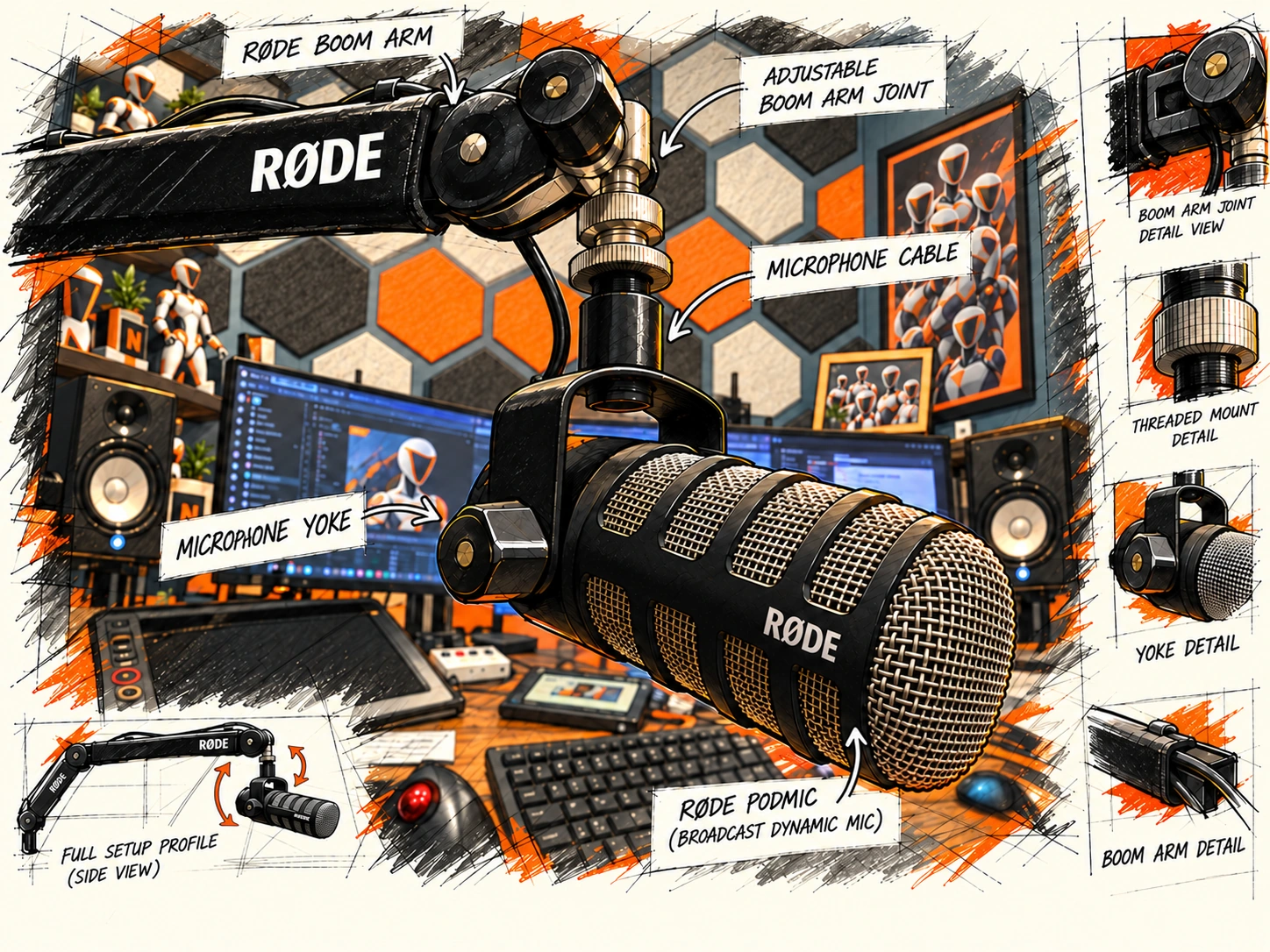
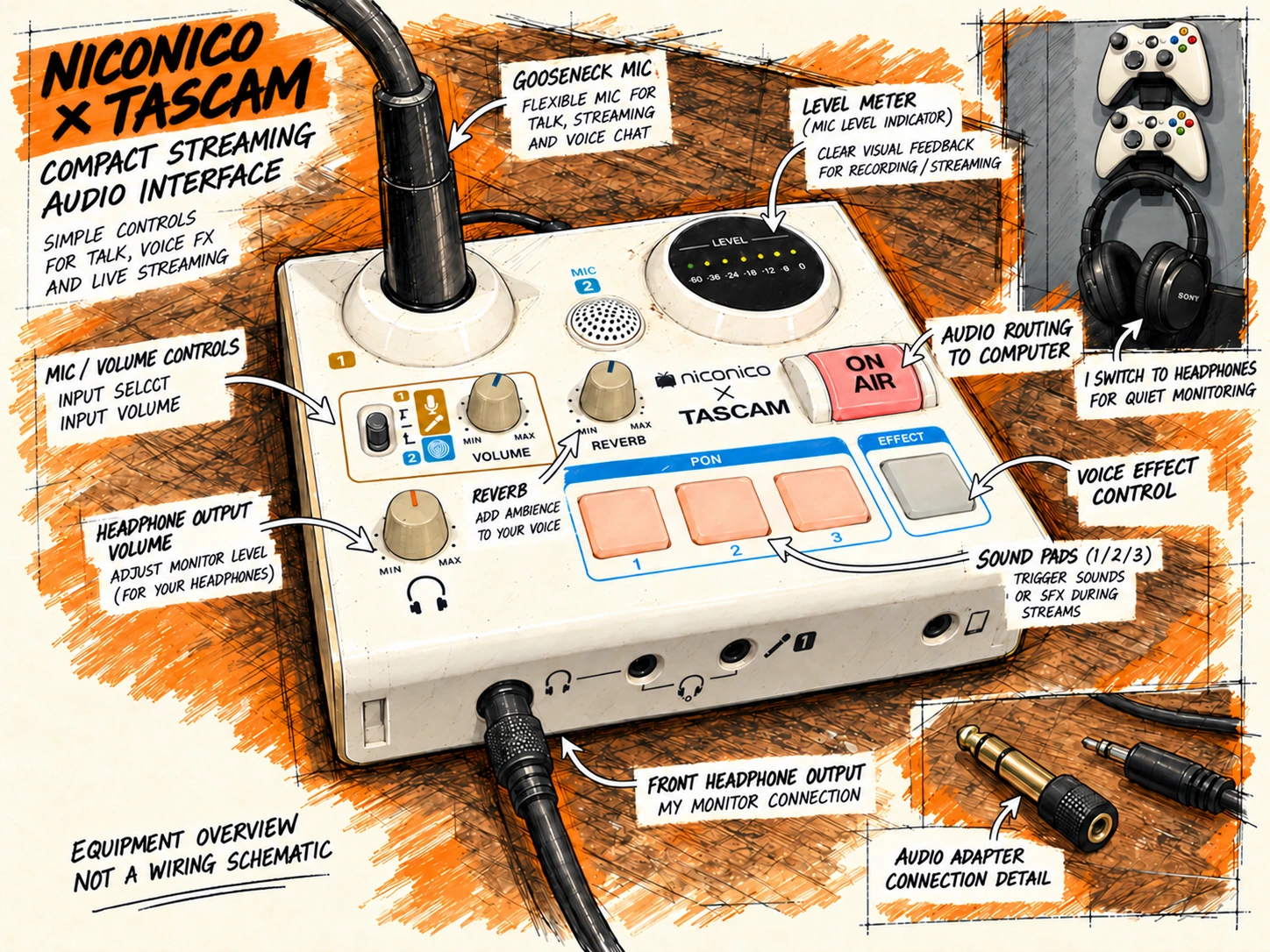
My audio and video setup includes a RØDE PodMic with a RØDE PSA1+ boom arm and stand extension, a niconico × TASCAM MiNiSTUDIO US-32 interface, Yamaha HS5 studio monitors, Sony ULT WEAR noise-cancelling headphones, and a Logitech C920x webcam. Windows identifies the webcam as part of the broader C920 family, while the C920x is the retail listing I verified.
A microphone that comes to me
The PodMic and PSA1+ arm keep the microphone accessible when it’s time to record, with the stand extension helping it fit around the desk equipment.
 View illustration & annotations ↗
Speakers at the desk edges
My Yamaha HS5 monitors sit on the clamp-on supports beside the desk. In a room this small, keeping the speakers accessible without covering the work surface is useful.
 View illustration & annotations ↗
Switching to quiet monitoring
When I need to listen quietly, I use my Sony ULT WEAR headphones.
 View illustration & annotations ↗
I don’t think anyone needs a studio full of accessories to start making CGI content. These are tools I’ve built up for different tasks. The important thing is having a setup that lets me record something useful without spending half the day preparing to record it.
The software I use
Houdini remains the center of the pipeline
SideFX Houdini is the backbone of my production work, especially procedural modeling, KineFX, character systems, animation, crowds, and simulations. I like being able to build a process once, modify it, and reuse it instead of solving the same problem from scratch every time.
Reallusion Character Creator and iClone are important to my character workflow too. Over the years I’ve invested in characters and animation assets because they let me get into the interesting technical problems faster. I also use other tools—including Maya, Blender, Unreal Engine, 3DCoat, Nuke, After Effects, Premiere, and Affinity Photo—when they fit a particular job. I’m not running all of those every day.
Licensing still matters, especially when I turn production work into tutorials. Being able to use an asset in a rendered shot doesn’t necessarily mean I can redistribute its source files to students or viewers.
AI: useful tools, not an automatic studio
I use ChatGPT for research, problem-solving, planning, and technical exploration, and Codex for coding, testing, and implementation work. Gemini and Grok give me additional perspectives when I’m investigating something or challenging an assumption.
Locally, I’m experimenting with ComfyUI and Ollama. Being able to run models on my own hardware is useful for exploring integrations and keeping more control over parts of the process. It doesn’t automatically make local AI cheaper, faster, or better for every job.
Cascadeur and the character-animation experiment
I’m also testing Cascadeur, particularly its AI-assisted animation and physics-related tools. The workflow I’m trying to validate is practical: start with a character from Character Creator, create or refine motion in Cascadeur, then move it into Houdini/KineFX and see whether I can use it in a crowd setup.
I’ve worked with character import and animation in Cascadeur, but I haven’t yet validated that entire end-to-end crowd pipeline. When I do, I’ll share the results—including whatever does or doesn’t work.
Cascadeur relationship disclosure: I received complimentary Pro access for an evaluation, and I may earn a commission through my affiliate link. If you’re interested, here’s my Cascadeur referral link (affiliate link). My coupon code is CGINERD15; check the applicable offer and discount at checkout.
My equipment links
These are Amazon Associates links to the product listings I’ve confirmed from my equipment and purchase history. Every Amazon link below is a paid affiliate link. This isn’t an instruction to buy identical gear; older products may be unavailable, offered only used, or superseded by newer models. Check the listing and the condition before buying.
Workstation and storage
| Equipment | Link |
|---|---|
ZOTAC RTX 4090 Trinity OC 24 GB (ZT-D40900J-10P) |
Amazon — paid link (listed as unavailable at the last check) |
| Intel Core i9-11900K | Amazon — paid link |
| MSI MPG Z590 GAMING CARBON WIFI | Amazon — paid link |
| G.SKILL Ripjaws V 128 GB DDR4-2666, 4 × 32 GB | Amazon — paid link |
| Vetroo U6PRO CPU cooler | Amazon — paid link (listed as unavailable at the October 22, 2026 check) |
| Samsung 970 EVO Plus 2 TB NVMe SSD | Amazon — paid link |
| EDILOCA EN870 2 TB NVMe SSD | Amazon — paid link |
| Silicon Power P34A60 2 TB NVMe SSD (additional equipment) | Amazon — paid link |
Crucial MX500 1 TB M.2 SATA SSD (CT1000MX500SSD4; additional equipment) |
Amazon — paid link |
My Crucial P2 1 TB NVMe SSD is also installed in the main computer, but I don’t yet have a product-specific affiliate link for that exact model.
Desk, displays, and input
| Equipment | Link |
|---|---|
| BUNOEM 63 × 30 in. adjustable standing desk | Amazon — paid link |
| ErGear dual-monitor desk mount | Amazon — paid link |
| Wacom Cintiq Pro 24 touchscreen purchase listing | Amazon — paid link |
| Sceptre 27-inch IPS monitor purchase listing | Amazon — paid link |
| Vondynote clamp-on speaker stands | Amazon — paid link |
| Nulea M501 Wireless Trackball Mouse, Blue Grey | Amazon — paid link |
Recording and audio
| Equipment | Link |
|---|---|
| RØDE PodMic microphone | Amazon — paid link |
| RØDE PSA1+ boom arm with ZAYKiR stand extension | Amazon — paid link |
| TASCAM MiNiSTUDIO US-32 | Amazon — paid link |
| Yamaha HS5 studio monitors (pair listing) | Amazon — paid link |
| Sony ULT WEAR wireless headphones | Amazon — paid link |
| Logitech C920x webcam (retail listing; Windows reports C920 family) | Amazon — paid link |
Would I tell someone else to build this exact setup?
No—not without knowing what they’re doing with it.
If you’re learning Houdini, you don’t need a 4090 and 128 GB of RAM to get started. If you’re running substantial simulations, GPU rendering, or local AI models, the hardware question becomes more complicated. The best place to start is with the bottleneck you actually have.
I’m also exploring ways to use a second desktop and a laptop for other workloads, but that isn’t a finished distributed production or AI system. I want to prove each step before adding complexity.
For me, the purpose of the hardware is to make things: build workflows, solve interesting technical problems, make tutorials from real experiments, and keep CGI Nerd moving forward. If this page saves me from answering another dozen hardware questions, that’s useful too.
I’ll update it as the setup changes.